
As an Amazon Associate we earn from qualifying purchases at no extra cost to you.
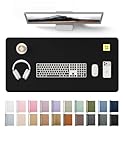

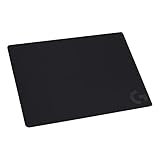

When you’re setting up a gaming station at home, the decision is rarely “which mouse pad is best.” It’s usually a choice between a large, full-desk mat that covers your whole workspace and a compact, performance-focused mouse pad that sits beside your keyboard. Both protect your desk and both give your mouse a surface to track on — but they’re built for different priorities, and the difference shows up most clearly when precision matters, whether you’re landing headshots in an FPS or executing a frame-perfect combo in a fighting game.
This guide breaks down how each option handles gaming precision, comfort, durability, and cost, so you can pick the right one for your desk and your playstyle.
Our Top Picks
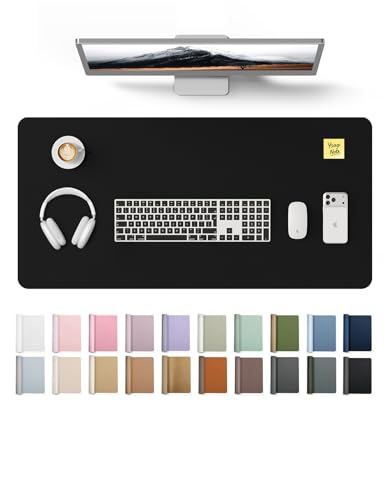
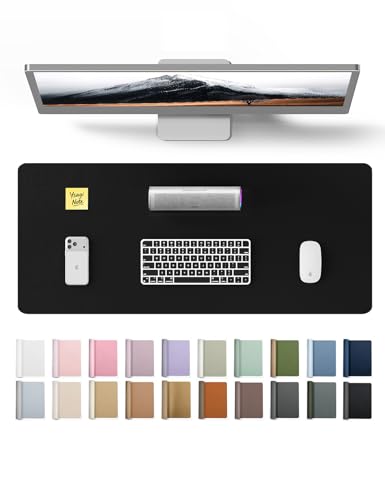


Top 3 picks at a glance
Quick Verdict
If competitive precision is your top priority, a dedicated gaming mouse pad wins. Models like the SteelSeries QcK (320 x 270 mm) and Logitech G240 (340 x 280 mm) use cloth surfaces tuned for modern optical sensors, with textured weaves and consistent glide that general-purpose desk mats don’t match. If your desk does double duty — gaming, writing, video calls, homework — a large leather desk mat in the 31.5″ x 15.8″ range covers more territory, protects more surface, and looks better in a shared or visible space, at the cost of some tracking consistency.
Many gamers land on a hybrid approach: a desk mat under the keyboard zone and a smaller gaming pad positioned where the mouse actually lives. That works, but it adds clutter and cost, so it’s worth understanding the trade-offs before deciding.
Side by Side
| Factor | Desk Mat | Gaming Mouse Pad |
|---|---|---|
| Typical size | 23.6″ x 13.8″ to 31.5″ x 15.8″ (covers keyboard plus mouse area) | 320 x 270 mm to 340 x 280 mm (mouse zone only) |
| Surface material | PU leather, smooth finish | Woven cloth over rubber base |
| Gaming precision | Good but less consistent; smooth texture varies by brand | Excellent; tuned for optical and laser sensors |
| Comfort | Soft, cushioned writing and wrist surface across the whole desk | Comfort limited to the pad area; pair with a wrist rest |
| Durability | Waterproof, wipeable, resists stains; edges can curl after heavy use | Cloth can fray or pill after 1–2 years of hard use |
| Price range | $9–$25 depending on size | $10–$15 for mainstream cloth pads |
| Maintenance | Wipe with a damp cloth; nearly zero effort | Hand wash occasionally; dries slowly |
| Space needed | Covers most of a 47″ desk; not ideal for very small setups | Fits on any desk, including 24″ compact desks |
| Look | Professional; works in an office or living space | Clearly a gaming accessory; branded designs common |
| Best for | Mixed-use desks, home offices, aesthetics-first setups | Competitive play, low sensitivity aiming, dedicated gaming desks |
Where Desk Mat Wins
Whole-desk protection. A 31.5″ x 15.8″ mat like the YSAGi leather protector covers the keyboard, mouse, and writing area in one continuous surface. Drinks, snacks, pen pressure, and keyboard scratches all hit the mat instead of your desk — something a 13″-wide mouse pad simply can’t do.
Cleaning and spill resistance. PU leather mats are waterproof and wipe clean in seconds. If you’ve ever spilled an energy drink on a cloth pad mid-match, you know how long that takes to dry and how the surface never quite feels the same afterward.
Comfort across the desk. The soft leather gives your forearms and wrists a consistent resting surface whether you’re typing, writing, or leaning in during a long session. With a mouse pad, everything outside the pad is bare desk.
Aesthetics. A black leather mat looks at home in a video-call background. If your gaming setup shares a room with a home office or dining area, a desk mat keeps the space looking deliberate rather than gamer-cave.
Value per square inch. A quality large mat costs $9–$13 — comparable to a single mouse pad while covering roughly four times the area.
Where Mouse Pad for Gaming Precision Wins
Surface consistency. Gaming pads are engineered so the weave texture is uniform edge to edge. Modern sensors sample thousands of times per second, and inconsistent surfaces translate directly into inconsistent aim. The SteelSeries QcK, for example, is explicitly optimized for gaming sensors and has been a reference cloth pad in the community for years precisely because its tracking is predictable.
Controlled glide. Cloth gaming pads offer a friction profile that lets you stop crosshair movement exactly where you want — critical for low-sensitivity players who use large arm swipes in tactical shooters. Smooth leather generally glides faster and less predictably, which some players find harder to stop precisely.
Proven in competitive play. If you play FPS, MOBA, RTS, or MMO titles at anything above casual level, every serious competitor you’ll see uses a cloth gaming pad, not a leather desk mat. That’s not marketing — it’s because precision tracking is the entire product.
Anti-slip stability. Both categories usually have rubber or silicone bases, but gaming pads like the QcK grip aggressively during hard flicks so the pad never shifts under your hand.
Right-sized for small desks. At roughly 12.6″ x 10.6″ to 13.4″ x 11″, gaming pads leave room for a full keyboard, drink, and notebook even on a compact desk.
Cost Over 5 Years
Desk mats are the low-maintenance option. A $9–$13 PU leather mat typically lasts the full five years with nothing more than an occasional wipe-down. Expect one purchase, roughly $10–$15 total including tax, unless you size up or replace it for looks.
Cloth gaming pads wear faster at the contact zone — the spot where your mouse rests — and heavy players often notice fraying or texture changes after 18–24 months. Budget on replacing a $10–$12 pad roughly every two years: about $25–$35 over five years. If you buy a premium pad, the replacement cycle stretches, but the spending pattern is the same.
If you run both — desk mat plus gaming pad — your realistic five-year total lands around $35–$45. Not a budget-breaker either way; the bigger cost is decision friction, not dollars.
Which One for Your Home
Small Apartment or Compact Desk
Go with a dedicated gaming mouse pad. On a 24″–36″ desk, a 31.5″-wide mat leaves almost no workspace, while a 320–340 mm pad covers the mouse zone and leaves room for everything else. The Logitech G240’s 340 x 280 mm footprint suits low-sensitivity arm aiming even in tight quarters, and at $10 it’s an easy upgrade over a bare wooden desk, which is genuinely bad for optical sensors on lighter finishes.
Family Home with Kids or Pets
A waterproof desk mat is the clear pick. Spilled juice, crayon marks, and cat hair all wipe off PU leather in seconds, while a cloth pad absorbs liquid and traps fur in the weave. If you game in a shared living space, the larger mat also doubles as a barrier protecting your desk from everything else happening around it. Consider the smaller 23.6″ x 13.8″ size if your desk is narrow — it still covers keyboard and mouse.
Rental or Temporary Living Situation
A desk mat protects the landlord’s furniture and looks neutral enough to fit any room. Leather-look mats in black or brown read as office equipment rather than gaming gear, which matters if your setup lives in a shared living room. When you move, the mat rolls up, wipes clean, and travels without creasing. Skip adhesive desk pads entirely — they can damage finishes and cost you a deposit.
Long-Term Home Office Plus Gaming
This is where the hybrid setup earns its keep, but start with a large desk mat as the foundation. It protects your primary desk investment (a solid-wood desk can cost hundreds of dollars — protecting it for $13 is trivial math), keeps your video-call background tidy, and handles daily work. Then add a gaming pad like the QcK on top in your mouse zone if you find your aim suffering during competitive sessions. You can always add the pad later; you can’t easily un-ruin a desk.
FAQ
Does a desk mat actually hurt gaming accuracy?
Modern optical sensors track fine on smooth PU leather, so you won’t get wild tracking errors. What changes is glide speed and stopping consistency — leather is slicker than woven cloth, so precise flick-and-stop movements take more adjustment. Casual and mid-level players usually adapt within a week; competitive FPS players generally won’t want to.
Can I put a mouse pad on top of a desk mat?
Yes, and it’s a common setup. The rubber base grips the leather fine as long as the mat lies flat. One tip: keep the combined stack thin — a thick mat plus a thick pad can create an uneven edge your wrist notices during long sessions.
What size mouse pad do I need for gaming?
Medium pads around 320 x 270 mm suit most players. If you play at low sensitivity and use large arm movements, look for extended pads in the 340 x 280 mm range or larger so you never run out of surface mid-swipe. High-sensitivity wrist players can use a small pad comfortably.
How do I clean each type?
Desk mats: wipe with a damp cloth and mild soap if needed; dry in seconds. Cloth gaming pads: hand wash in lukewarm water with a little detergent, rinse thoroughly, and air dry flat for 24 hours or more — never machine dry, which warps the rubber base and curls the edges.








