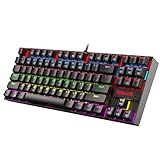
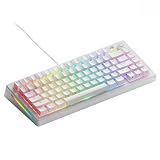
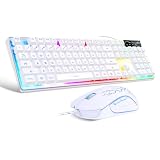
The Redragon S101M-KS is the best overall wireless keyboard and mouse combo for gaming in this group, because it offers three connection modes (wired, Bluetooth, and a 2.4 GHz receiver), a mouse with up to 4800 DPI, and a rechargeable keyboard from a known gaming brand. The other five are value-focused bundles that suit casual play, a living-room PC, or a second desk. Gaming combos pair a keyboard and mouse that share one receiver, so they save a USB port and a purchase, but they are not aimed at competitive esports.
Our Top Picks


Top 3 picks at a glance
Quick List
- Redragon S101M-KS – best for tri-mode flexibility and the strongest mouse in the group
- CHONCHOW USB Wireless Gaming Combo – best for a simple 2.4 GHz plug-and-play set with RGB backlighting
- Rainbow Backlit Wireless Combo with Hand Rest – best for long sessions with a removable wrist rest and large combined battery
- CHONCHOW 60% Wireless Combo – best for small desks and a compact keyboard
- RGB Backlit Rechargeable Wireless Combo – best for a no-nonsense lit keyboard and mouse for everyday computing
- Gaming Wireless Combo with RGB and Rechargeable Battery – best for budget buyers who want gaming styling and rechargeable power
Which One Is Right for You?
| If you… | Choose |
|---|---|
| want Bluetooth, a receiver, and a cable fallback in one set | Redragon S101M-KS |
| have limited desk space and rarely use a number pad | CHONCHOW 60% Wireless Combo |
| type for long periods and want a wrist rest included | Rainbow Backlit Wireless Combo with Hand Rest |
| just need a straightforward 2.4 GHz gaming-style set | CHONCHOW USB Wireless Gaming Combo |
| want a plain rechargeable backlit pair without gaming branding | RGB Backlit Rechargeable Wireless Combo |
| want an inexpensive gamer-styled set and accept limited published specs | Gaming Wireless Combo with RGB and Rechargeable Battery |
Start by deciding how much you game. For occasional play and mixed use, any of these will work. If you play fast-paced shooters, a dedicated gaming mouse and a wired or high-polling keyboard is a better path, and the S101M-KS is the only entry here that offers a wired mode for that purpose.
All 6 Picks in Detail
1. Redragon S101M-KS – Best for Tri-Mode Flexibility
As an Amazon Associate we earn from qualifying purchases at no extra cost to you.

The S101M-KS is the most capable combo here because it covers every connection style. The keyboard and mouse can connect with a 2.4 GHz receiver, Bluetooth, or a USB cable, which makes the set useful across a gaming desktop, a laptop, and a tablet. It suits budget gamers who want a few extra features without paying for a premium mouse, and office users who want wireless freedom with a wired backup.
Redragon describes the keyboard as a quiet membrane design rather than a mechanical one, so expect soft, short key travel. The mouse offers several DPI steps up to 4800, which is plenty for casual and mainstream play.
- Tri-mode connection: wired, Bluetooth, and 2.4 GHz
- RGB-backlit keyboard with a membrane (non-mechanical) design
- Gaming mouse with DPI levels up to 4800, per the listing
- Ten independent multimedia keys, named in the listing
- Rechargeable battery with wired charging; confirm runtime on the listing
- Single receiver shared by the keyboard and mouse
Its multimedia keys are a practical bonus for a living-room or desk setup, since volume and track controls sit on the keyboard instead of requiring a software hotkey. Redragon also offers its own software for some of its peripherals, but confirm what the listing says about customization before assuming macro or lighting control beyond the keyboard shortcuts.
Pros
- Three connection modes
- Higher DPI ceiling than most combos here
- Wired fallback if the battery is empty
Cons
- Membrane keys, not mechanical
- Mouse is a mainstream model, not an esports sensor
Against the CHONCHOW set, it adds Bluetooth and a wired mode, which is the main reason it ranks first.
2. CHONCHOW USB Wireless Gaming Combo – Best for Simple Plug-and-Play

This CHONCHOW set is built around a 2.4 GHz USB receiver and RGB backlighting. You plug in the dongle, switch both devices on, and start using them. It suits casual gamers, console-on-a-PC players, and households that want one inexpensive set for a media-center or study computer. The listing calls out RGB backlit keys and a rechargeable design.
The title does not list a DPI range, key count, or battery capacity, so those figures are best confirmed on the product page. Sleep modes on sets like this commonly turn off the keyboard after a few minutes of inactivity, and the first keypress after waking may be delayed, which matters in games.
- 2.4 GHz wireless with a USB receiver
- RGB backlighting named in the listing
- Rechargeable keyboard and mouse; confirm battery capacity
- Mouse DPI range: confirm on listing
- Key count and layout: confirm on listing
- Likely uses a mechanical-feel (membrane) keyboard; confirm on listing
A single dongle is both the strength and the weakness of sets like this: nothing to pair, but a lost receiver can make the pair unusable, so keep the spare storage slot in mind. Plug it into a port on the front or top of the case, away from busy USB 3.0 devices, to reduce interference.
Pros
- Easy setup with one dongle
- Rechargeable, so no disposable batteries
- Gaming-style lighting
Cons
- No Bluetooth or wired mode stated
- Key specs are thin in the title
It is simpler than the S101M-KS, which is a better choice if you need Bluetooth.
3. Rainbow Backlit Wireless Combo with Hand Rest – Best for Long Sessions

This combo stands out for comfort and runtime. The listing names a removable hand rest, a metal panel on the keyboard, rainbow backlighting, and a combined battery rated at 3800 mAh across both devices. It suits people who type and play for hours and want a cushioned wrist position without buying an add-on.
The phrase “mechanical feel” in the title usually describes a membrane keyboard that imitates the response of mechanical keys, so it is not a true mechanical board. The mouse is described as quiet with several colors, which is helpful in shared spaces.
- 2.4 GHz wireless with a single receiver, per common listings of this design
- Metal top panel on the keyboard
- Removable hand rest included
- Rainbow backlight with multiple modes
- 3800 mAh combined battery figure from the listing; the keyboard and mouse split this capacity
- Mechanical-feel keys, which are not true mechanical switches
The included wrist support is the main reason to consider this set over a lighter alternative. A raised, cushioned rest helps keep wrists closer to neutral for people who type a lot, but it also adds depth, so check that your desk edge and keyboard tray can handle the extra length. Because the rest is removable, you can take it off for gaming.
Pros
- Wrist rest in the box
- Large battery claim
- Quiet mouse
Cons
- Bulkier than compact sets
- Battery claim is a combined number, not per device
Compared with the 60% set, it uses a larger keyboard that gives up desk space for comfort.
4. CHONCHOW 60% Wireless Combo – Best for Small Desks

A 60% keyboard removes the arrow cluster, function row, and number pad to leave about 61 keys, and this combo adds a matching wireless mouse. It suits gamers with limited desk depth, travelers, and anyone who uses a laptop dock and wants a smaller footprint. For a gaming desk with low mouse sensitivity, the extra room can help more than any spec.
The trade is convenience. Arrow keys, function keys, and the number pad move to a function layer, so office tasks require learning a few combinations. Battery capacities appear differently across listings, so confirm the figure before relying on a claim.
- 60% layout with a function layer for missing keys
- 2.4 GHz wireless using a shared receiver
- RGB backlit rechargeable keyboard, as named in the listing
- Rechargeable mouse; confirm DPI levels
- USB-C charging, as described for this model; confirm on listing
- Battery capacity: confirm on listing
Pair this with a larger mouse pad if you game, since the compact keyboard leaves extra room on the desk. Players who move between a desktop and a console may like the small size because it fits on a lap tray or couch table, though a lap is not a stable surface for precise play.
Pros
- Small footprint frees desk space
- Portable
- Rechargeable devices
Cons
- No dedicated arrow or function keys
- Learning curve for the function layer
The full-size CHONCHOW combo is the better pick if you want a number pad.
5. RGB Backlit Rechargeable Wireless Combo – Best for Everyday Computing

This listing is the most generic in the group: a wireless keyboard and mouse with RGB backlighting and a rechargeable battery. It does not use the word gaming in the name, so treat it as a general-purpose set with gaming-style lighting. It suits home offices, students, and families who want a lit keyboard for dim rooms.
Because the title gives few details, almost every specification should be confirmed on the product page: connection type, DPI levels, battery capacity, and key layout. Never assume that a wireless set of this type has Bluetooth; many use only a USB receiver.
- Wireless keyboard and mouse combo
- RGB backlighting named in the listing
- Rechargeable battery named in the listing
- Connection type: confirm on listing
- DPI range: confirm on listing
- Layout: confirm on listing
If you buy this set, expect a plain experience: the keyboard and mouse should work for browsing, documents, and relaxed games. Choose it when you want lighting and a charging cable instead of replacing disposable batteries, not when you need advanced customization or high-end sensor performance.
Pros
- Rechargeable devices
- Backlit keys for low light
- Simple set
Cons
- Few published specs in the title
- Not marketed specifically for gaming
The Gaming Wireless Combo below it is aimed more directly at gamers, so choose that if you plan to play.
6. Gaming Wireless Combo with RGB and Rechargeable Battery – Best for Budget Gamer Styling

The last combo is positioned as a gamer set with RGB lighting and a rechargeable battery. It suits younger players, secondary rigs, or a first wireless setup where the main goal is lights and a lower total cost. Treat it as a casual option; a listing like this typically does not publish sensor details, and the mouse is unlikely to match a dedicated gaming mouse.
If you try it, plan to use the receiver in a front-panel USB port close to the keyboard, because a clear signal path reduces dropouts. Charging both devices on a regular schedule helps avoid mid-game shutdowns.
- Wireless gaming keyboard and mouse set
- RGB backlighting named in the listing
- Rechargeable battery named in the listing
- Connection: confirm on listing
- DPI levels and polling rate: confirm on listing
- Key switch type: confirm on listing
Gamer-styled sets often put colored lighting first and sensor quality second, so set your expectations accordingly. For strategy games, city builders, and turn-based titles, mouse precision is rarely the limiting factor, and this kind of combo performs perfectly well in those cases.
Pros
- Gamer styling
- Rechargeable batteries
- Budget-friendly category
Cons
- Limited published specs
- Not aimed at competitive play
It is a less feature-rich alternative to the S101M-KS, which adds Bluetooth and a wired mode.
Specs Compared
| Model | Connection | Keyboard type | Layout | Mouse DPI | Power |
|---|---|---|---|---|---|
| Redragon S101M-KS | Wired, Bluetooth, 2.4 GHz | Membrane | Confirm on listing | Up to 4800 | Rechargeable |
| CHONCHOW USB Wireless Gaming Combo | 2.4 GHz | Confirm on listing | Confirm on listing | Confirm on listing | Rechargeable |
| Rainbow Backlit Combo with Hand Rest | 2.4 GHz (confirm on listing) | Mechanical feel (not true mechanical) | Confirm on listing | Confirm on listing | Rechargeable, 3800 mAh combined |
| CHONCHOW 60% Wireless Combo | 2.4 GHz | Confirm on listing | 60% | Confirm on listing | Rechargeable |
| RGB Backlit Rechargeable Wireless Combo | Confirm on listing | Confirm on listing | Confirm on listing | Confirm on listing | Rechargeable |
| Gaming Wireless Combo with RGB | Confirm on listing | Confirm on listing | Confirm on listing | Confirm on listing | Rechargeable |
How We Chose These
This page covers the six wireless keyboard and mouse combos in our catalog set rather than every combo on the market. We compared connection modes, keyboard type, layout, mouse DPI, and power details using manufacturer pages, retailer listing titles, and published hardware reviews for cross-checking. We did not test or benchmark these products, and we make no claims about latency or sound beyond stated specifications. Several listings publish little detail, and in those cases the table says to confirm on the product page rather than guessing. Ranking reflects how many documented features each set offers and how well it fits typical gaming use.
What to Look For
Connection: 2.4 GHz, Bluetooth, or Wired
A 2.4 GHz receiver is the standard choice for wireless gaming because it uses a dedicated radio link and typically reaches 1000 Hz polling on better products. Bluetooth is convenient for laptops and tablets but usually has more latency and slower polling. A wired fallback, like the S101M-KS offers, keeps you playing when the battery runs out. If you play competitive shooters, choose a mode with the lowest delay and avoid Bluetooth for gaming.
Keyboard Type: Membrane, Mechanical-Feel, or Mechanical
Most budget wireless combos use membrane keyboards. Some are marketed as having a mechanical feel, which means the keycaps and travel imitate mechanical boards without using individual switches. True mechanical switches cost more and are rare in combos. Membrane keys are quiet and lightweight, but they offer less precise feedback and can feel mushy during long gaming sessions.
Mouse Sensor and DPI
DPI describes how far the cursor moves per inch of mouse travel. Common steps are 800, 1200, 1600, 3200, and 4800. For a 1440p monitor, 800 to 1600 DPI is a typical range for gameplay, while very high DPI values are mostly a marketing number. Sensor quality, polling rate, and weight matter more than the maximum DPI printed on the box. Combo mice rarely publish sensor models, so treat them as casual-play tools.
Battery and Charging
Rechargeable combos usually use USB-C or micro-USB charging. Backlighting is the largest power draw, so battery claims often assume the lights are off. A rule of thumb is that bright RGB can cut runtime by half or more. If a listing states a combined battery figure, such as 3800 mAh across two devices, remember that the keyboard and mouse each get only part of that capacity.
Range, Interference, and Receiver Placement
Most 2.4 GHz combos quote a range of about 10 meters, but walls, metal cases, and crowded Wi-Fi bands reduce that. For a desk setup, a receiver placed within one meter of the keyboard and mouse is ideal. If your PC sits under the desk, use a short USB extension cable to bring the receiver closer. Dropouts that appear only when the computer is far away are almost always a placement problem rather than a defective set.
Setup Tips for a Smooth First Week
Charge both devices fully before first use, since a partly charged battery can make early reliability problems look like a defect. Place the receiver in a front-facing USB port, switch the keyboard and mouse on, and wait a few seconds for the link before testing. If the cursor stutters in a game, move the receiver closer, switch off nearby wireless chargers, and try a different USB port before concluding the set is faulty.
Layout and Desk Space
Full-size keyboards include a number pad and take roughly 44 cm of width. A 60% keyboard is closer to 29 to 30 cm, leaving more room for mouse swings. Choose by how often you use the number pad, not by looks. As a simple example, if you have a 100 cm desk with a 45 cm mouse pad, a full-size keyboard leaves roughly 11 cm of slack, while a 60% model leaves about 25 cm.
Questions
Are wireless keyboard and mouse combos good enough for gaming?
For casual and mainstream games, yes, especially when using a 2.4 GHz receiver. For competitive shooters, a dedicated wired or high-end wireless gaming mouse and keyboard is a safer choice.
Does Bluetooth add input lag?
Bluetooth generally has higher latency and a lower polling rate than a 2.4 GHz receiver or a cable. For gaming, use the receiver or wired mode when available.
What does mechanical feel mean?
It usually means a membrane keyboard designed to mimic the response of mechanical keys. It is not the same as a keyboard with individual mechanical switches under each key.
How long do rechargeable combos last on a charge?
It depends on backlighting. Manufacturers often quote the longest figure with lights off, and real use with bright RGB can be much shorter, so check the product page for conditions.
Which combo is best for a small desk?
The CHONCHOW 60% set is the most compact option in this group. Its function layer replaces the arrow keys and number pad, so be ready for a short adjustment period.
Update History
- October 14, 2026 – Initial publication; product set drawn from current catalog listings.
- Check the product page for current specifications and availability before buying.
Sources
- Manufacturer product and specification pages for Redragon and CHONCHOW models
- Retailer listing titles and specification fields
- Independent hardware reviews cross-checked for connection and battery details