The best microSD card for the Nintendo Switch 2 for most owners is the SanDisk 512GB microSD Express card, because it combines the console’s required card type with a capacity that holds a real library of large digital games and a brand with a long history in memory cards. If you only keep a few downloads, the 256GB Samsung or SanDisk Express cards are a sensible starting point, and players with a very large digital collection should look at the 1TB SanDisk or Gigastone options. The one rule that overrides everything else is the card type: the Switch 2 stores game data on microSD Express cards only, so the older UHS-I and UHS-II microSD cards that worked in the original Switch are not the right choice. This guide covers ten listed cards, explains what the Express label means, and walks through a capacity calculation so you can match storage to the way you buy and play games.
Our Top Picks
 SANDISK 512GB microSD Express Card for Nintendo Switch512GB0.59 x 0.43 x 0.1 inches0 poundsCheck on Amazon
 Samsung P9 Express microSDXC 512GB for Nintendo-Switch 2512GB0.59 x 0.43 x 0.1 inches0 PoundsCheck on Amazon


Top 3 picks at a glance


Top 3 Picks
Best overall: SANDISK 512GB microSD Express Card (named for Nintendo Switch 2). Half a terabyte is a practical middle ground: enough to add several large downloads on top of the console’s built-in storage without paying for a full terabyte. The listing names the Switch 2 directly, which reduces any doubt about compatibility.
Best budget entry: Samsung microSD Express Card 256GB for Nintendo Switch 2. The smallest capacity in the group is the easiest way to get started, and it comes from a major memory brand. It suits players who keep a handful of games installed and rotate the rest.
Best for big libraries: SANDISK 1TB microSD Express Card. A terabyte covers a very large digital collection, including many of the biggest releases, so you rarely need to delete and redownload. Read the listing to confirm the Switch 2 compatibility wording.
Quick Comparison
| Product | Best for | Key specs from the listing |
|---|---|---|
| Samsung microSD Express 256GB | Starter capacity from a major brand | 256GB, microSD Express, named for Switch 2 |
| SanDisk 512GB microSD Express | Balanced capacity | 512GB, microSD Express |
| SanDisk 512GB (for Switch 2) | Overall pick with Switch 2 wording | 512GB, microSD Express, named for Switch 2 |
| SanDisk 1TB microSD Express | Large digital libraries | 1TB, microSD Express |
| Gigastone 1TB microSD Express | Large capacity with stated speeds | 1TB, R/W 800/650 MB/s, SD 7.1, designed for Switch 2 |
| Samsung P9 Express 512GB | Samsung choice at mid capacity | 512GB, P9 Express microSDXC, named for Switch 2 |
| SanDisk 256GB microSD Express | Entry capacity, SanDisk brand | 256GB, microSD Express |
| Gigastone 256GB microSD Express | Entry capacity with stated speeds | 256GB, R/W 880/650 MB/s, SD 7.1, designed for Switch 2 |
| Samsung P9 Express 256GB | Samsung entry choice | 256GB, P9 Express microSDXC, named for Switch 2 |
| SanDisk Switch 2 Micro SD Card | SanDisk card marketed for Switch 2 | Switch 2 wording; capacity not shown in the name |
How We Chose
This guide is built from desk research and manufacturer information, not from lab measurements. We started with each product name exactly as listed and kept only the facts it states: capacity, brand, card type, any speed figures and any Switch 2 wording. We then checked those claims against what Nintendo publishes about the console’s storage, which says that only microSD Express cards can store game data on the Switch 2. Selection criteria were the Express card type, capacity relative to typical digital game sizes, stated speeds, brand history in memory cards, and clear Switch 2 compatibility language. Where a listing leaves out a detail, such as the capacity of the last card in the list, we say so and tell you what to confirm on the product page. We used no rating data, and we did not invent speed or load-time numbers.
1. Samsung microSD Express 256GB – Best for a Starter Card from a Major Brand
As an Amazon Associate we earn from qualifying purchases at no extra cost to you.
Samsung’s listing is short and clear: a microSD Express card, 256GB, made for the Nintendo Switch 2. The console ships with its own built-in storage, so a 256GB card roughly doubles your room for downloaded games, which is a comfortable amount for players who keep a handful of favorites installed and delete the rest after finishing them.
Key specs
- Capacity: 256GB
- Card type: microSD Express
- Platform named: Nintendo Switch 2
- Speed ratings: not stated in the name, so confirm on the product page
The Express designation matters more than the brand. Standard microSD cards, even fast ones, use a different interface and are not accepted by the Switch 2 for game storage. Express cards use a faster PCIe-based interface, and Nintendo asks buyers to look for the EX mark on the card or packaging. If the listing and the card both show it, you are buying the right type.
Samsung is a large memory manufacturer, and its Express cards are positioned as Switch 2 products. That gives some comfort about compatibility and support, though it does not change how the console treats the card. Games load from the card at whatever speed the console and card negotiate, and published comparisons suggest the Switch 2 does not let any card reach its maximum rated speed.
Capacity planning is the practical question. A 256GB card has less usable space than its label because manufacturers count in decimal units and because file system structures take a small share. Expect somewhat less than 256GB to be available for games.
A sensible way to use a 256GB card is to treat it as a rotation shelf. Keep your current games and any title you plan to return to within a month on the card, and archive finished titles so only the save data stays on the console. Digital purchases can be downloaded again whenever you want, which makes the archive habit painless on a fast connection. If your internet is slow or capped, the math changes, because redownloading a large game can take hours, and a bigger card becomes more attractive. Players on limited data plans should weigh that before settling on 256GB.
Pros
- Right card type for the Switch 2
- Recognized memory brand
- Smaller capacity is the gentlest way to start
Cons
- 256GB fills quickly with several large games
- Speed figures are not in the listing name
- Doubling up later means buying a second card
Compared with the Samsung P9 Express 256GB listing, this card is the more generic version; the P9 name suggests a specific product line with its own published figures. If both are available, compare their listed speeds and pick the one with clearer details.
2. SanDisk 512GB microSD Express Card – Best for Balanced Capacity
SanDisk is one of the best-known names in flash memory, and the listing says plainly: 512GB microSD Express card. It does not repeat the Switch 2 name in the title, so confirm the compatibility language on the product page. A 512GB capacity is where many players land, because it holds a library of large and small games without the larger investment of a terabyte.
Key specs
- Capacity: 512GB
- Card type: microSD Express
- Brand: SanDisk
- Platform wording in the name: none, so confirm on the product page
Many third-party reports describe SanDisk’s microSD Express cards as having read speeds in the high hundreds of megabytes per second, with writes lower. The Switch 2 does not use the whole rated speed, so the fastest card on paper is not necessarily much faster in the console. The more meaningful comparison is capacity and reliability.
Because the title lacks the Switch 2 wording, check that the packaging shows the EX logo and the microSD Express designation. That mark, rather than a brand name, is what tells you the console will accept the card for game storage.
Consider how you buy games. Digital releases from the eShop and downloads for physical cartridges, such as updates and data, can add up. A 512GB card gives you room to keep five or more large titles installed alongside smaller indie games.
Think about who else uses the console. In a shared household, each profile’s games all land on the same storage, so two or three players can quickly fill a smaller card. A 512GB capacity gives each profile room for its favorites without arguments over what to delete. It also leaves space for the game updates that arrive over a console’s lifetime, which sometimes add a significant share of the original install size. Because updates accumulate, an install that fits comfortably on day one can be tight a year later, which is another argument for stepping up one capacity tier when you are between sizes.
Read the whole product page for the exact Switch 2 compatibility statement before ordering, and keep the packaging until the card has been confirmed in the console.
Pros
- Strong balance between capacity and cost of ownership
- Trusted memory brand
- Large enough for a mixed library
Cons
- Title does not mention the Switch 2
- Speed ratings are not shown in the listing name
- Usable space is below the label capacity
Next to the near-identical SanDisk 512GB listing that names the Switch 2, this one carries less explicit wording. The two may be the same card in different packaging, so if you want the clearest compatibility message, choose the listing that says Switch 2 on its face.
3. SanDisk 512GB microSD Express Card for Nintendo Switch 2 – Best Overall
This listing is the same capacity and brand as the one above, with the Switch 2 named in the title. That wording makes it the easiest of the group to choose with confidence, and it is why this card earns the top spot: the combination of Express type, 512GB capacity, brand reputation and explicit compatibility is hard to beat.
Key specs
- Capacity: 512GB
- Card type: microSD Express
- Platform named: Nintendo Switch 2
- Speeds: confirm the listed figures on the product page
Why 512GB? Look at the numbers. The Switch 2 includes internal storage of 256GB, but system software and updates use part of that. Add a 512GB card and you more than triple the space available for games. For many players that is enough to avoid regular deleting for a long time.
The Switch 2 also supports cards up to 2TB, so there is room to grow. If your library expands past what 512GB can hold, you can add or swap to a larger card later, and copy or reinstall games using the console’s data management tools.
Heat is a minor consideration. Express cards run faster and can warm during heavy transfers. The Switch 2 places the card slot under the kickstand, where airflow is limited, but normal gameplay is not usually demanding enough on the card to matter. During large downloads, keep the console in a ventilated spot.
A useful habit with any card in this class is to check the console’s storage screen right after the first installs, so you know how the space is divided between internal storage and the card. The console lets you choose where new downloads go, and setting the card as the default destination keeps internal storage free for system needs. If you also record gameplay clips or take many screenshots, remember that media can take space on the same card. A few minutes of setup avoids the common surprise of discovering a full card in the middle of a download you were waiting for.
In short, it is the card to choose when you want the fewest unanswered questions: capacity, type and console are all named in one title, and the rest is a matter of checking the packaging when it arrives.
Pros
- Names the Switch 2 directly
- Sweet-spot capacity for most libraries
- Established memory brand
Cons
- Larger investment than the 256GB options
- Rated speeds are not reached in the console
- Still below 1TB for collectors with huge libraries
Compared with the 1TB SanDisk, this card costs less to own and covers a typical library; the 1TB is the answer if you buy almost everything digitally.
4. SanDisk 1TB microSD Express Card – Best for Large Digital Libraries

A terabyte is a lot of storage on a handheld, and the listing for this SanDisk card is straightforward: 1TB, microSD Express. It is the option for players who buy nearly all their games digitally and do not want to shuffle titles on and off the console.
Key specs
- Capacity: 1TB
- Card type: microSD Express
- Brand: SanDisk
- Switch 2 wording: not in the name, so confirm on the product page
The capacity math is straightforward. If the average game on your list is about 20GB, a 1TB card can hold dozens of games, and even if some of your titles are far larger, you can keep a deep backlog installed. For families that share a console, a bigger card also means every profile’s games can stay installed.
Capacity brings a different risk: concentration. All of your games sit on a single card, and if the card fails or is lost, you must redownload. Digital purchases remain tied to your account, but save data stored locally is a separate matter, and cloud saves, where supported, add protection. Keep an eye on your save backup settings.
The Switch 2 supports cards up to 2TB, so a 1TB card still leaves headroom. Since the console limits what it can do with the card, you do not need to pay for extra speed beyond the Express class when you choose the larger capacity.
A terabyte also changes habits. Players with this much room tend to stop deleting games, which is convenient but can hide clutter in the library. Scan the installed list every few months and archive anything you have finished. Doing so keeps menus quick to scroll and leaves headroom for the next big release. If you share the console with several people, a large card means no one has to be asked to clear space, which is the strongest everyday benefit of the capacity. Consider keeping a note of the purchase date and seller in case you need to use the warranty later.
If you are unsure whether you need this much space, run the capacity calculation in the buying guide first, since many players find that 512GB covers their real library.
Pros
- Room for a very large digital collection
- Fewer deletes and redownloads
- Sits well below the console’s maximum supported capacity
Cons
- Biggest outlay in the lineup
- Capacity beyond what you need is unused
- Switch 2 wording is not in the title
Against the Gigastone 1TB, this card comes from a larger memory brand but does not state speeds in the name. The Gigastone lists speeds and Switch 2 design wording, so the choice is between brand familiarity and listing detail.
5. Gigastone 1TB microSD Express – Best for Large Capacity with Stated Speeds

Gigastone’s listing is the most detailed of the group: designed for Switch 2, 1TB, microSD Express, R/W 800/650 MB/s, SDXC, with SD 2.0, 3.0, 5.0 and 7.1 compatibility and UHS-I and UHS-II mentions. It also lists use with action cameras and drones, which hints at a general-purpose card marketed across devices.
Key specs
- Capacity: 1TB
- Stated read and write: 800 and 650 MB/s
- Card type: microSD Express, SDXC
- Platform wording: designed for Switch 2
The stated speeds are the manufacturer’s claim, measured under ideal conditions, so treat them as a ceiling. The Switch 2 does not run cards at their top speed, and real load times between comparable Express cards tend to be close. The numbers are mostly useful for comparing one listing with another and for seeing whether the card suits other devices.
The note about SD 7.1 refers to the Express standard that underlies these cards. The UHS-I and UHS-II compatibility language suggests that the card may work at lower speeds in some devices that do not support Express. That is a convenience if you want to move photos or video to a computer, though you should confirm it on the product page.
Gigastone is a smaller brand than SanDisk or Samsung. That is not a quality verdict, but it does mean you should read the warranty terms and buy from a seller that clearly stands behind the card.
If you plan to use the card outside the console, plan a safe workflow. Copy photos and clips to a computer with a reader that supports microSD Express, check that the files open, and only then delete them from the card. Keep the card in a protective case rather than loose in a pocket, since the contacts on Express cards are sensitive to dirt and static. Format only in the device that will use the card for games, because formatting in another device can leave the card in a layout the console wants to redo, which erases whatever is on it.
For a card this large, it is also worth confirming the seller’s return terms in advance, because a fault found weeks after a big migration is much more painful than one found on day one.
Pros
- Switch 2 design wording and clear speed figures
- 1TB of storage
- Possible use in other devices
Cons
- Less well-known brand
- Large capacity concentrates risk on one card
- Rated speeds are not reached in the console
The closest alternative is the SanDisk 1TB. SanDisk brings brand recognition; Gigastone brings a more explicit spec line. If both are available, check the warranty terms and choose accordingly.
6. Samsung P9 Express microSDXC 512GB – Best for Samsung Fans Who Want Mid Capacity
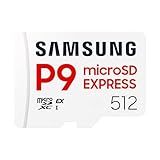
Samsung’s P9 Express line is a purpose-built microSD Express family, and this listing is the 512GB microSDXC version made for the Nintendo Switch 2. The P9 name sets it apart from the plainer Samsung card earlier in the list, because the series has its own published specifications.
Key specs
- Capacity: 512GB
- Series: P9 Express, microSDXC
- Platform named: Nintendo Switch 2
- Speeds: Samsung publishes read figures in the 800 MB/s class; confirm write speed for this capacity on the product page
Samsung describes the P9 as optimized for the Switch 2 and has highlighted thermal management features and host memory buffer support in its materials. Those are manufacturer statements, so read them as design intentions rather than guarantees of how the card behaves inside the console. Published third-party comparisons of 512GB Express cards suggest the load times for games from different cards are close, with differences showing more in sustained writes than in everyday play.
One interesting point from those comparisons is usable space. Cards of the same labeled capacity can show slightly different amounts of free space after formatting, depending on how the manufacturer sets up the card. The difference is small, but if you plan to fill the card to the brim, it can matter.
The 512GB size is the same midpoint capacity as the SanDisk cards, so the decision between them is about brand preference, the listing’s wording, and what you can confirm about warranty and returns.
Heat management is another point Samsung emphasizes for the P9 line. Fast storage can warm during long transfers, and a card that slows itself to stay cool can take longer to finish a big download. In ordinary play the card is mostly reading, which is gentler. If you plan to move a large library onto the card in one go, do it in batches and let the console rest between them, ideally with the kickstand open and the console on a hard surface instead of a pillow or blanket that traps warmth.
When comparing it with the SanDisk 512GB listings, put the stated speeds, warranty length and seller reputation side by side, since the practical gaming difference is small.
Pros
- Named for the Switch 2
- Series with published thermal and speed information
- Mid capacity suited to many libraries
Cons
- Write speeds can be lower than competitors’, according to published comparisons
- Larger spend than 256GB cards
- Speed figures must be confirmed on the product page
Against the SanDisk 512GB for Switch 2, this card is the main rival. Pick the Samsung if you prefer the brand or find it more readily; pick the SanDisk if you want to follow the overall pick.
7. SanDisk 256GB microSD Express – Best Entry Capacity from SanDisk

The 256GB SanDisk is the entry capacity of the family: microSD Express, 256GB. It is a good match for a player who wants the SanDisk name but does not need half a terabyte. Like the other SanDisk listings, it does not repeat the Switch 2 name in the title, so check the product page.
Key specs
- Capacity: 256GB
- Card type: microSD Express
- Brand: SanDisk
- Switch 2 wording: not in the name
Capacity planning for a 256GB card can use a simple model. Suppose the console’s internal storage has about 200GB available after system software, and your library includes ten games averaging 25GB. That is 250GB, which already exceeds the internal space. A 256GB card brings the total near 450GB and handles that library with room for updates. If the library grows to twenty large games, the same math pushes you toward 512GB.
Because a smaller card is a lower outlay, you can use it as a stepping stone. When you outgrow it, a larger card can take over the main role while the 256GB card holds screenshots, videos and smaller games, if you manage storage across two cards by swapping.
Switching cards means moving data, so think ahead. The console’s data management menu lets you move software between internal storage and the card, and deleting and redownloading is an option for digital purchases.
For most players the biggest question with an entry card is when to upgrade. Watch for two signs: you find yourself deleting games you wanted to keep, or you regularly leave a download waiting for space to free up. Either one tells you that the library has outgrown 256GB. At that point, buying a 512GB card and keeping the old one as a secondary for the original Switch or for media storage often makes better use of the first purchase than trying to squeeze one more game onto a nearly full card.
It is also a good fit as a first Express card for a child’s console, where the library stays small and a lower outlay is easier to justify. Parents can later move up to a larger size once the collection grows.
Pros
- Entry capacity from a major brand
- Right type for the Switch 2
- Good for rotating a small set of games
Cons
- Fills quickly with large games
- Title does not name the Switch 2
- Switching to a larger card later means moving data
Compared with the Samsung 256GB cards, this one is the SanDisk counterpart. They sit at the same capacity, so choose based on brand preference and listing detail.
8. Gigastone 256GB microSD Express – Best for Entry Capacity with a Clear Spec Line

Gigastone’s 256GB card carries the same style of detailed listing as the 1TB: designed for Switch 2, microSD Express, R/W 880/650 MB/s, SDXC, SD 7.1 and UHS-I and UHS-II references, and mentions of action cameras and drones. The read speed figure of 880 MB/s is higher than the 800 MB/s listed for the 1TB card, which shows that rated speeds can vary by capacity.
Key specs
- Capacity: 256GB
- Stated read and write: 880 and 650 MB/s
- Card type: microSD Express, SDXC
- Platform wording: designed for Switch 2
Since the console limits how fast any card can run, the extra 80 MB/s of claimed read speed over the 1TB version is unlikely to change the experience. The listing is more useful for the clarity it gives about the card type and the Switch 2 design intent.
The wording about drones and action cameras suggests the card is marketed for general storage as well. Expect such use to work only in devices that support microSD Express or fall back to a UHS interface, and verify that on the product page before relying on it. For video recording, check the device’s card requirements.
Buying from a smaller brand makes it worth checking the return window and warranty. Run a quick capacity check after you install the card, such as copying a few large files and verifying them, to be sure the card is genuine and not a counterfeit.
Before you rely on any lesser-known card for your whole library, verify the installation with a small trial. Download one large game, play for a short session, restart the console, and confirm that the game still launches. Then check that the card shows the capacity you expect in the storage screen. This takes under an hour and catches faulty or mislabeled cards early, when returns are simple. Keep the retail packaging and proof of purchase until the card has run without trouble for a few weeks, because warranty claims go more smoothly with a documented history.
Treat the drone and camera mentions as a bonus rather than a reason to buy; a card chosen for a console should be judged first on how it behaves in the console.
Pros
- Explicit Switch 2 design wording and speed figures
- 256GB entry capacity
- Possible use in other devices
Cons
- Lesser-known brand
- Rated speed will not be reached in the console
- Small capacity for large libraries
The nearest alternative is the Samsung 256GB. Samsung brings brand recognition and Switch 2 optimization language; Gigastone brings a more detailed listing.
9. Samsung P9 Express microSDXC 256GB – Best for the Samsung P9 Line at Entry Capacity

This is the 256GB member of Samsung’s P9 Express family, named for the Nintendo Switch 2. It shares the series design with the 512GB version and gives you an affordable way to get into the P9 line without committing to a bigger card.
Key specs
- Capacity: 256GB
- Series: P9 Express, microSDXC
- Platform named: Nintendo Switch 2
- Speeds: read speeds are advertised in the 800 MB/s class; write speeds can differ by capacity, so confirm on the product page
Write speed is where capacities within a line often differ. Flash cards usually write faster at higher capacities, because more memory chips can work in parallel. A 256GB card may therefore have a lower write rating than the 512GB version, though the console limits how much of that you see. For installing games and downloading updates, write speed affects how quickly the card fills; for playing, read speed and latency matter more.
If you install games straight from the eShop, the download is typically limited by your internet connection long before the card writes at its limit, so write speed matters less than it looks on paper. The exception is when you copy large amounts of data between storage locations.
Capacity is the true limitation. At 256GB, players with a handful of large titles will find themselves managing space. Keep the card for current favorites and archive the rest.
Pairing the card with good habits matters more than the series name. Eject the card from the system menu or power down before removal, avoid hot cars and direct sun where the console might bake, and keep the card slot clear of dust. If you carry the console in a bag, put it in a case so that the kickstand is not forced open and the card compartment stays closed. These small steps protect any card, and they matter more as you store more data on a single piece of flash memory.
If you can, compare it with the generic Samsung 256GB listing on warranty and speed wording, and take whichever page offers the clearer specification table.
Pros
- Part of Samsung’s P9 Express series
- Named for the Switch 2
- Entry capacity gets you started
Cons
- Write speed may be lower at this capacity
- 256GB fills quickly
- Rated speeds are not reached in the console
Compared with the generic Samsung 256GB card, the P9 name signals a defined product line. If the details match, they may be equivalent; read the product page to see which has clearer specifications.
10. SanDisk Nintendo Switch 2 Micro SD Card – Best for Buyers Who Want Switch 2 Wording and Confirm Capacity

The last listing is the least specific: a Nintendo Switch 2 micro SD card from SanDisk, with no capacity in the title. The Switch 2 wording is a plus, but the missing capacity means you must read the product page carefully, since the listing could refer to any of several sizes.
Key specs
- Brand: SanDisk
- Platform named: Nintendo Switch 2
- Capacity: not shown in the name, so confirm before ordering
- Card type: confirm that the product page says microSD Express
The phrase micro SD card in the title is general, and Switch 2 buyers should verify that the card is a microSD Express type with the EX marking. A listing that names the Switch 2 is likely to be an Express card, but the safe approach is to confirm. A standard UHS-I card in a Switch 2 will not store game data.
Check the capacity options on the page and choose using the planning math from the buying guide below. If the page offers several sizes, the 512GB option aligns with our overall pick.
Because information is limited in the title, read the specifications, packaging photos and warranty terms. Look for the EX logo in the images. If the page does not make the card type clear, pick one of the listings in this roundup that does.
The sensible way to handle an unspecific listing is to read the full product page as if it were a contract. Look at the capacity options in the selector, the card type in the specifications table, the compatibility statement, and the warranty length. Check the product photos for the EX mark and the printed capacity. If everything lines up with a 256GB, 512GB or 1TB Express card, you can treat it like the clearer listings above. If any detail is missing, the quickest solution is to pick one of the listings that states capacity and card type in the title.
If you do end up with this listing, photograph the packaging on arrival so that you have a record of the capacity and card type printed on it.
Pros
- SanDisk brand with Switch 2 wording
- Possible choice of several capacities
- Straightforward to compare once capacity is confirmed
Cons
- Listing name omits capacity
- Card type must be confirmed on the page
- Harder to compare with other listings at a glance
The nearest alternative is the SanDisk 512GB card that names the Switch 2 directly. That listing states capacity and card type up front, which makes it the clearer purchase.
Why Switch 2 Storage Fills Faster Than You Expect
Many buyers underestimate how quickly storage disappears on a modern console, so it helps to know where the gigabytes go before choosing a capacity.
Large installs and day-one updates
Current-generation games ship with high-resolution textures, large audio files and sometimes multiple language packs. A digital copy of a big release can occupy tens of gigabytes, and updates add more. A game that fits easily in the first week can grow noticeably over a year of patches and expansions.
Game-Key Cards and physical releases
Not every physical release stores the whole game on the cartridge. Some Switch 2 releases use a Game-Key Card, which is a physical key that triggers a download, so the game itself still lives on internal storage or your card. Check the packaging before assuming that a physical copy saves space.
Screenshots and videos
Captured media also uses storage, and because the Switch 2 saves it to the Express card when one is installed, a large collection of clips can take up a surprising share over time. Copy captures to a computer or phone periodically and delete them from the console.
Original Switch software
Games you play from the original Switch library are also stored on the console. Backward-compatible titles take space like any other, so factor them in if you plan to keep a large library of older games installed.
A simple buffer rule
Leave at least 10 to 15 percent of the card free. Flash storage works best with free space, and a console that must clear room before every download is frustrating. If your calculation lands near a capacity boundary, choose the larger size; the extra room is easy to use and hard to add later.
How to Choose a microSD Card for the Switch 2: Capacity, Speed and Safety
The Switch 2 changed the rules for expansion storage. A card that worked in the original Switch may not work at all in the new console, and the capacity you need depends on how you buy games. Work through the sections below in order.
Start with the card type
The Switch 2 stores game data on microSD Express cards. These use a PCIe-based interface that is much faster than the UHS-I bus on older microSD cards. Nintendo’s support pages state that only microSD Express cards can save game data, screenshots and videos to expansion storage on the Switch 2, so check for the EX mark on the card or packaging. A standard microSD card, including a high-capacity SDXC or UHS-II card, does not meet that requirement. If you own older cards, keep them for the original Switch or other devices.
Capacity: do the math with your own library
Capacity is the main decision, because all Express cards that meet the requirement are fast enough for the console. Use this method:
- Open the console’s data management screen and note how much free internal space you have. The label size of the internal storage is larger than the free space, because system software takes a share.
- List the games you want installed at once and their sizes, which appear on each game’s store page and in data management.
- Add the sizes, then add 15 to 20 percent for updates, DLC and screenshots.
- Subtract the free internal space. The remainder is what the card must hold, and the card’s usable space will be somewhat lower than its label.
Worked example: suppose you want twelve games installed with an average size of 25GB. That is 300GB. Add 20 percent for updates and extras and you reach 360GB. If about 200GB of internal space is free, the card must cover roughly 160GB of games, and a 256GB card, with its usable space slightly under 256GB, has a comfortable margin. If you want twenty games at the same average, the total is 500GB plus 20 percent, or 600GB; subtracting 200GB leaves 400GB, which points to a 512GB card, or a 1TB card if you want growth room.
Speed: ratings versus reality
Express cards are rated in hundreds of megabytes per second, and the figures in listings can differ by brand and capacity. Published comparisons of 512GB cards suggest the Switch 2 does not run cards at their maximum rates and that game load times between different Express cards are close. That makes speed ratings a tiebreaker rather than a deciding factor. Capacity, warranty and listing clarity are better criteria.
Brand, warranty and counterfeits
Memory cards are a common target for counterfeits, which report a larger capacity than the card actually has. Buy from sellers that clearly stand behind the product, keep the receipt, and check the full capacity by copying a large file set and verifying it with a card-checking utility on a computer with an Express-capable reader. If the card reports less space than the label suggests beyond the normal formatting difference, return it.
Decision matrix
| Your situation | Best pick | Why |
|---|---|---|
| Keep 3 to 6 games installed | Samsung 256GB or SanDisk 256GB | Capacity matches a small library |
| Mixed library of 8 to 15 games | SanDisk 512GB for Switch 2 | Balanced capacity, clear wording |
| Mostly digital, 20+ games | SanDisk 1TB or Gigastone 1TB | Room for a large backlog |
| Prefer Samsung | Samsung P9 Express 512GB or 256GB | Series with published specifications |
| Want speeds shown in the listing | Gigastone 256GB or 1TB | R/W figures in the title |
| Want the most explicit Switch 2 wording | SanDisk 512GB for Switch 2 | Console named in the title |
Installation and care
The microSD slot on the Switch 2 is under the kickstand on the back. Power the console off before changing the card, insert it with the contacts facing the right way, and push until it seats. The console may ask to format a new card, which erases everything on it, so back up any other data first. Avoid removing the card while the console is writing, and store spare cards in the case they came in. Keep the console in a ventilated spot during large downloads, because Express cards can warm up.
Moving games and saves
Use the console’s data management tools to move software between internal storage and the card. Save data stays on the console; cloud backup, where available, protects it if you replace hardware. When you upgrade to a larger card, move or redownload games rather than assuming the new card will copy itself.
Frequently Asked Questions
Can I use a regular microSD card in the Switch 2?
Not for game storage. Nintendo states that only microSD Express cards can store game data on the Switch 2. Older UHS-I and UHS-II microSD cards use a different interface and are not accepted for that purpose.
What size microSD card should I get for the Switch 2?
Most players do well with 512GB, which holds a mixed library alongside the built-in storage. Choose 256GB if you keep only a few games installed, and 1TB if you buy mostly digital releases. Use the capacity calculation in this guide to match your library.
What is the largest card the Switch 2 supports?
Nintendo has said that microSD Express cards up to 2TB are supported. Cards in the retail market have been sold mainly in capacities up to 1TB, so check current listings if you want a larger one.
Do faster cards load games faster?
Slightly, at most. Published comparisons suggest the console limits how fast any card runs, and load times between comparable Express cards are close. Compare capacity, warranty and listing clarity before chasing a higher speed rating.
How can I tell if a card is a microSD Express card?
Look for the EX logo on the card or packaging and the words microSD Express in the product details. If a listing only says microSD or SDXC without Express, do not assume it will work. Confirm on the product page or choose a different listing.
Will my games move over if I upgrade to a bigger card?
Not automatically. Use the data management menu to move software between storage locations, or redownload digital purchases to the new card. Make sure you have enough space on the console to hold the data during a move.
Can I use the same card in my phone or camera?
Some Express cards are backward compatible with older interfaces at lower speeds, but not every device supports them. Check the card’s product page and the device’s manual before relying on that, and keep game cards dedicated to the console if you want to avoid accidental formatting.
Is a bigger card riskier?
A bigger card concentrates more data in one place, so a failure or loss means more to redownload. Digital purchases remain tied to your account, and cloud saves, where available, protect progress, so the practical risk is time and bandwidth rather than lost purchases.
Our Recommendation by Situation
For most owners, the SanDisk 512GB card that names the Switch 2 is the safest choice. If you only keep a few games installed, a 256GB Samsung or SanDisk card is enough. Heavy digital buyers should consider the 1TB SanDisk or Gigastone, and Samsung loyalists can pick the P9 Express in 256GB or 512GB. Before you buy any card, confirm that it is microSD Express with the EX mark, and match capacity to your own library using the calculation above.