The best Nintendo Switch 2 screen protector for most owners is the amFilm Auto-Alignment OneTouch screen protector, because its alignment system is designed to take the guesswork out of the step where most installs go wrong: placing the glass straight on the first try. Players who want a multi-pack for spare attempts or for a second console should look at the ivoler, daydayup or Orzly four-packs, and anyone who wants a brand with a long accessory track record can choose the Spigen GlasTR EZ FIT or the ZAGG Glass+. All ten listed protectors are made for the Switch 2’s 7.9-inch screen, which is larger than the original Switch’s, so older protectors will not fit. This guide explains the real differences between them, covering clear versus matte finishes, alignment frames, pack sizes and case compatibility, and it ends with a decision table so you can match a protector to your habits.
Our Top Picks
 ivoler 4-Pack Tempered Glass Screen Protector Designed for7.9''7.5 x 4.23 x 0.5 inches0.4 PoundsCheck on Amazon
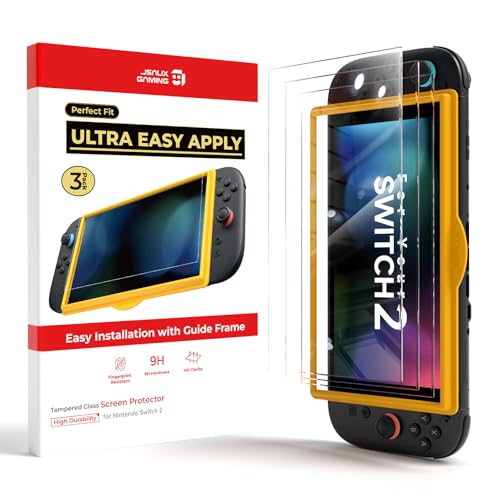 JSAUX 3-Pack Ultra HD Screen Protector for Nintendo7.9″ (3-Pack)7.67 x 4.21 x 0.5 inchesCheck on Amazon
 Spigen GlasTR EZ FIT Screen Protector for Nintendo(7.9-inch) Nintendo Switch 20 PoundsCheck on Amazon


Top 3 picks at a glance
Top 3 Picks
Best overall: amFilm Auto-Alignment OneTouch (clear). The one-touch alignment design addresses the most common installation failure, and the clear finish keeps the Switch 2’s 1080p display looking as intended. It is the easiest recommendation for a first-time installer.
Best value for spare attempts: ivoler 4-Pack Tempered Glass with Alignment Frame. Four protectors plus a frame mean a botched install or a cracked sheet is not a crisis, and the pack can cover a second console or a family member’s handheld.
Best for a trusted brand: Spigen GlasTR EZ FIT 2-Pack. Spigen’s EZ FIT installation system and a two-pack give you a spare while staying with a brand that sells cases and protectors across many devices.
Quick Comparison
| Product | Best for | Key specs from the listing |
|---|---|---|
| amFilm OneTouch (clear) | Overall pick, easy alignment | Auto-alignment, Switch 2, clear |
| ivoler 4-Pack Tempered Glass | Spares and multi-console homes | 4 pieces, alignment frame, HD clear |
| amFilm OneTouch Matte | Glare reduction and a paper-like feel | Auto-alignment, matte finish |
| JSAUX 3-Pack Ultra HD | Three attempts at a clear finish | 3 pieces, Ultra HD, Switch 2 |
| Spigen GlasTR EZ FIT 2-Pack | Brand-focused buyers | 2 pieces, EZ FIT installation, glass |
| daydayup 4-Pack | Spares plus travel use | 4 pieces, 7.9 inch, alignment frame, HD clear, anti-scratch |
| MAGIC JOHN Easy to Install | First-time installers | Easy-install wording, Switch 2 |
| Orzly Glass 4-Pack | Bubble-free install with spares | 4 pieces, 7.9 inch, no-bubble, anti-scratch |
| ZAGG Glass+ | Established protector brand | Glass+, Switch 2 |
| Belkin Blue Light Filter | Buyers interested in a filter coating | Tempered glass, blue light filter |
How We Chose
This guide is built from desk research and manufacturer information, not from lab measurements. We started with each product name exactly as listed and kept only the facts stated: brand, pack size, finish, alignment aids and any named features. We then compared those against what is well established about tempered glass protectors for handheld consoles and about the Switch 2’s display, which is a 7.9-inch 1080p LCD. Selection criteria were stated finish, installation aids, pack size relative to the odds of a failed install, brand track record, and case compatibility concerns. Where a listing leaves out a detail, such as glass thickness or edge treatment, we say so and point you to the product page. We used no rating data and did not invent durability or clarity numbers.
1. amFilm Auto-Alignment OneTouch – Best Overall for Easy, Straight Installation
As an Amazon Associate we earn from qualifying purchases at no extra cost to you.

amFilm is a screen protector specialist, and this listing for the Switch 2 highlights the auto-alignment OneTouch system and the 2025 console. The idea behind such systems is that a tray or guide holds the protector in position over the screen so that it lands in the correct place when you press it down, instead of relying on your eye. That addresses the most common failure with glass protectors: a crooked sheet with a bubble or a gap at one edge.
Key specs
- Installation aid: auto-alignment OneTouch system
- Platform named: Nintendo Switch 2 (2025)
- Finish: clear
- Material and thickness: not stated in the name, so confirm on the product page
A clear finish keeps the screen looking as designed. The Switch 2’s display is a 7.9-inch LCD at 1080p, which works out to a fairly high pixel density for a handheld, and a clear protector avoids adding any texture over those pixels. If you play mostly indoors with controlled lighting, clear is usually the best choice for sharpness and color.
The protector’s job is to guard the screen against scratches from keys, coins and bag contents, and to absorb minor impacts. Manufacturers of tempered glass protectors often quote a 9H hardness figure, but that refers to a pencil-hardness scale and does not mean the glass is unbreakable. A hard drop onto a corner can still crack the glass or the console.
Because the listing does not specify the thickness, check the product page. A thinner protector keeps touch response closer to bare glass, while a thicker one gives somewhat more impact cushion, and either can work with a case if the edges are slightly inset.
Before you start, check what is in the box. Look for the alignment tray or frame, the cleaning wipe, the dust-removal sticker and the microfiber cloth, and keep the packaging until you have confirmed the fit. After installation, give the console a quick test: tap through the home menu, use any touch-driven features, and check the corners for lifting. If the touch response seems off near an edge, press the edge gently with the cloth and recheck. The listing’s year in the title suggests the protector was cut for the 2025 console, so if you see an older model name anywhere on the packaging, contact the seller before installing.
Pros
- Alignment system targets the most common install mistake
- Clear finish preserves the display’s look
- Made specifically for the Switch 2 screen size
Cons
- Pack contents beyond the protector are not stated in the name
- Material and thickness need confirming
- A single protector leaves no spare if the install fails
Against the matte version of the same line, this clear one is the better choice for sharpness; the matte option trades some clarity for reduced glare. Against the four-packs, it is the cleaner install but offers fewer spares.
2. ivoler 4-Pack Tempered Glass with Alignment Frame – Best Value for Spare Attempts
![ivoler 4-Pack Tempered Glass Screen Protector Designed for Nintendo Switch 2 2025 with [Alignment Frame] Transparent HD Clear[Updated Versio](https://m.media-amazon.com/images/I/41uGcXjQkuL._SL160_.jpg)
The ivoler listing states four tempered glass protectors for the Switch 2 (2025), transparent HD clear, with an alignment frame and an updated version note. Four sheets mean you can afford to practice, and a frame means the first try has a good chance of landing straight.
Key specs
- Pack size: 4 tempered glass protectors
- Installation aid: alignment frame
- Finish: transparent HD clear
- Platform named: Nintendo Switch 2 (2025)
Pack size changes the economics of a failed install. If a single protector has even a modest chance of being installed crookedly or with trapped dust, having three spares removes the stress. A four-pack also covers a second console in the household, a travel spare, or a replacement for the day the first sheet cracks.
An alignment frame is a plastic guide that sits around the console so that the protector can drop into the correct position. The usual method is to attach the frame, clean the screen, remove the dust, place the protector in the frame, and press the center first so that the adhesive spreads outward. The listing mentions an updated version, which suggests the maker revised the design; check the product page to see what changed.
Unlike a premium brand, a multi-pack of this style is chosen for the number of tries and the guide. If you are a first-time installer, the pack’s frame and extra sheets reduce risk more than any single feature.
A practical tip with any multi-pack is to use the first sheet as the practice run only if you are unsure; otherwise install the best-looking sheet first and keep the rest sealed. Inspect each protector under a lamp before you begin, because a sheet with a chip or scratch from shipping should be set aside right away. Once the first one is on, store the spares flat in the original packaging, away from heat, so the adhesive stays clean. When the first protector eventually scratches or cracks, peel it off from a corner with a plastic card, clean the residue, and install the next.
If you share the console with children, apply a fresh protector before handing it over, since a new sheet takes the early knocks that a bare screen would otherwise absorb.
Pros
- Four protectors cover mistakes and spares
- Alignment frame helps with straight placement
- Clear HD finish
Cons
- Less established brand than Spigen, ZAGG or Belkin
- You may not use all four
- Thickness and edge treatment need confirming on the product page
The closest alternatives are the daydayup and Orzly four-packs, which follow the same formula. This one is a good pick when you value the stated updated version and the clear HD wording.
3. amFilm OneTouch Matte – Best for Glare Reduction

This is the matte variant of the amFilm OneTouch line. A matte surface diffuses light, which cuts reflections from windows, lamps and the glare you meet on a train or in a bright room. It can also feel smoother under the finger for some players, closer to writing on paper.
Key specs
- Installation aid: auto-alignment OneTouch system
- Finish: matte
- Platform named: Nintendo Switch 2
- Material and thickness: confirm on the product page
Matte finishes come with a trade-off. The diffusion that reduces glare also adds a slight haze, and fine detail can look a touch softer or grainier, especially on bright, saturated scenes. On a 1080p handheld screen, that effect is visible if you look closely, though many players stop noticing after a short time. If your main concern is color and sharpness for HDR games, choose clear; if you mostly play in bright places, matte is worth considering.
Fingerprint behavior is another benefit. Matte surfaces show fewer smudges, which is useful for a console you handle often in touch mode. Keep in mind that the oils from fingers can still collect and need cleaning with a soft microfiber cloth.
Because the alignment system is the same as the clear version, installation risk is similar. Choose the finish first, then rely on the install guide.
If you are choosing between finishes, a quick experiment helps. Hold a sheet of matte tablet film or a matte phone screen up against your usual lighting and decide whether the haze bothers you. Players who read a lot of small text, such as strategy game menus, sometimes find matte slightly less crisp, while action players who care mainly about reflections often do not notice. A matte surface also tends to feel a little drag under a fingertip, which some people like for drawing or precise tapping, and others find less smooth for swiping.
In short, pick it if reflections are your daily annoyance and a slightly softer picture is an acceptable price for calmer viewing in bright places. It is also a sensible choice for players who prefer the paper-like feel under the finger when navigating menus by touch.
Pros
- Cuts reflections in bright places
- Shows fewer fingerprints
- Same alignment system as the clear version
Cons
- Slight loss of sharpness and punch
- Material and thickness are not stated in the name
- Single protector, so no spare
Compared with the clear amFilm, this version prioritizes comfort in bright environments over crispness. If you commute or play outdoors often, it is the better fit; at home with controlled lighting, the clear one wins.
4. JSAUX 3-Pack Ultra HD Screen Protector – Best for Three Clear Attempts
JSAUX is known for console accessories such as docks, cases and grips, and this listing is a three-pack of Ultra HD screen protectors for the Switch 2. The brand’s focus on gaming accessories makes the product a natural one to consider alongside a JSAUX case or dock.
Key specs
- Pack size: 3 protectors
- Finish: Ultra HD (clear)
- Platform named: Nintendo Switch 2
- Material and installation aids: confirm on the product page
Three protectors strike a middle ground between a single sheet and a four-pack. You get one to install, one to replace it when it eventually scratches, and one for a mistake. For a household with one console, that is usually enough.
The Ultra HD description is marketing language for a clear, high-transparency finish. It is not a measurable spec, so judge clarity by the result on your own screen. Compare it against bare glass in good light after installation: if you can see a rainbow effect, haze or obvious edges, consider returning it.
The listing name does not describe an alignment frame, so check whether one is included. If not, use the usual careful method. Clean thoroughly, remove dust with the supplied sticker, line up the protector with the camera cutouts if any, and lay it down from one edge to avoid trapped air.
For a family console, three sheets can be shared out sensibly: one on the main console, one held back as the replacement for the day the first is damaged, and one for a mistake or a second device such as a friend’s handheld. Write the install date on the packaging of the spares, and replace the active protector when it shows deep scratches that catch a fingernail, because a heavily scratched sheet can catch light and distract from the picture. Keep the cleaning cloth in the console case so you can wipe fingerprints without grinding grit across the surface.
As a final check, compare the sheet size with your console before peeling any backing. Hold the protector over the screen and confirm that the cutouts and edges line up with the display area, which takes ten seconds and prevents a wasted sheet.
Pros
- Three protectors for a spare and a mistake
- From a brand focused on console accessories
- Clear finish
Cons
- Listing does not state material or alignment aids
- Fewer sheets than the four-packs
- No matte option in this listing
The nearest alternative is the Spigen two-pack, which has an installation system and a famous brand name; this JSAUX pack gives you one more sheet for the same kind of use.
5. Spigen GlasTR EZ FIT 2-Pack – Best for a Trusted Accessory Brand
![Spigen GlasTR EZ FIT Screen Protector for Nintendo Switch 2 [2 Pack]](https://m.media-amazon.com/images/I/411cHbTu9BL._SL160_.jpg)
Spigen is one of the best-known makers of phone and console cases, and its GlasTR line is the company’s tempered glass protector family. The EZ FIT name refers to an installation system that helps align the glass on the device. This listing is a two-pack for the Nintendo Switch 2.
Key specs
- Pack size: 2 protectors
- Line: GlasTR with EZ FIT installation system
- Platform named: Nintendo Switch 2
- Finish and thickness: confirm on the product page
The brand matters most for compatibility with its own cases. If you plan to use a Spigen case, the protector and case are designed by the same company, which lowers the chance of the case lifting the glass at the edges. Even so, check the product page for compatibility notes with any specific case you own.
EZ FIT systems typically use a tray that sits over the screen and holds the protector in the right place, with a guide you slide or press to apply it. The benefit is similar to the amFilm OneTouch: a straighter install with less skill required. Two protectors give one spare for a mistake or a future replacement.
The trade-off is quantity. If you want to protect two consoles or to practice, two sheets may feel limiting. The brand’s support and warranty terms add reassurance if a defect appears.
Read the installation card in the box before you open anything else, because tray-style systems have a specific order of steps. Typically you clean the screen, fit the tray, place the glass in the tray, and press a button or slide a lever to lower it. Skipping a step can leave the glass unaligned even though the tray is working. Take your time on the first sheet and keep the second sealed until you are happy with the first. If the first install is flawless, the second becomes a ready-made replacement.
If you already own a Spigen case for the console, place the case on a flat table beside the console before you buy, and confirm on the product page that the glass and case are listed as compatible, because case lips are the usual source of lifting edges.
Pros
- Established accessory brand
- EZ FIT installation system
- Two protectors, one spare
Cons
- Only one spare
- Finish and thickness not stated in the name
- Brand recognition may come with a higher cost of ownership
Next to the amFilm OneTouch, both promise easy alignment; Spigen adds a second sheet and a bigger brand, while amFilm offers matte and clear variants. Choose Spigen if you trust the name and want a spare.
6. daydayup 4-Pack Tempered Glass (7.9 inch) – Best for Spares and Travel
![daydayup 4-Pack Screen Protector Tempered Glass for Nintendo Switch 2 [7.9 inch] 2025 with [Alignment Frame] -HD Clear Anti-Scratch Travel T](https://m.media-amazon.com/images/I/512ejCrfFfL._SL160_.jpg)
The daydayup listing describes a four-pack of tempered glass protectors for the Switch 2 with the 7.9-inch screen size spelled out, an alignment frame, HD clear finish, anti-scratch wording and a mention of travel use. Stating the screen size directly is helpful, because it confirms the protectors are cut for the new console rather than the original Switch.
Key specs
- Pack size: 4 tempered glass protectors
- Screen size named: 7.9 inch
- Installation aid: alignment frame
- Finish and claims: HD clear, anti-scratch
The travel mention hints at a use case: if you take the console on trips, a spare protector in the bag lets you replace a damaged one on the spot. Keep the spare flat and sealed in its original packaging, and carry the dust-removal sticker and the cleaning wipe with it so that a mid-trip install is realistic.
Anti-scratch is a claim about the protector’s hardness, which is the point of tempered glass. It does not make the screen immune to damage. Sand, grit and hard keys can still mark glass, and a hard impact can chip the edge. The protector’s role is to take that damage in place of the console’s screen.
Because the pack includes four sheets and a frame, it is similar to the ivoler pack. The most meaningful difference is the explicit 7.9-inch label. If you are shopping and comparing sizes, that clarity can ease doubts about whether the sheet fits.
Before packing the console for a trip, install the protector at home rather than in a hotel room, since your own space is likely cleaner and calmer. Carry the spare in a rigid pouch or notebook sleeve so it does not bend, and pack a small microfiber cloth. If the console goes in a bag with other items, a case matters as much as the protector, because the glass can chip at the edge when it is crushed against hard objects. A padded case plus a spare sheet is a sturdy combination for frequent travelers.
For households with several handhelds, the four-sheet count also gives you a way to rotate protectors between devices as they age, leaving the freshest sheet on the console that gets carried the most.
Pros
- Four protectors and a frame
- Screen size is spelled out
- Good for travel spares
Cons
- Brand has less recognition
- Thickness is not stated in the name
- Four sheets may be more than one console needs
The nearest alternative is the ivoler four-pack, which is nearly identical in format. Pick based on which page gives clearer specification details and warranty terms.
7. MAGIC JOHN Easy to Install – Best for First-Time Installers

The MAGIC JOHN listing is simple: a Nintendo Switch 2 screen protector with easy installation as the headline. The name does not state pack size, material or alignment aids, so this is a listing where reading the product page matters.
Key specs
- Platform named: Nintendo Switch 2
- Headline feature: easy installation
- Pack size, material and finish: not stated in the name
Easy installation can mean several things: an alignment frame, a pre-applied sticker, a peel-off layer that guides placement, or simply an adhesive that spreads without bubbles. Look for photos of the included parts. A frame or tray is the most dependable aid. Without one, take extra care with positioning.
First-time installers often make the same errors. They clean the screen in a dusty room, touch the adhesive side, or place the protector from the middle instead of from one edge. Prepare the space: run a hot shower to settle dust, wait a few minutes, wash your hands, and work on a clean table. Use the dust-removal sticker, then lift the protector by the edges only.
If bubbles remain after pressing, many tempered glass protectors let small bubbles work themselves out over a day or two. Large pockets near the edge, or a visible dust speck under the glass, usually mean the protector should be lifted and re-applied while the adhesive is fresh.
Since the listing leaves out a lot, create your own checklist from the product page. Does it show a frame or tray in the photos? Is the glass thickness stated? How many sheets are in the box? Is the screen size named? Is there a stated return period? If three or more answers are missing, choose a listing that supplies them, because buying blind makes it harder to know what to expect. If the answers are reassuring, the simple approach of this listing can be a perfectly good fit for a casual player who just wants some protection without comparing details.
Whatever you decide, save the order confirmation and the packaging for a few weeks so a return stays simple if the fit or finish disappoints.
Pros
- Focus on easy installation
- Made for the Switch 2
- Simple, no-frills listing
Cons
- The listing name leaves out pack size and material
- Brand is not widely known
- Hard to compare with others until you read the product page
Against the amFilm OneTouch, which names its alignment system, this listing is vaguer about how it helps. If install confidence is your priority, the amFilm or a four-pack with a frame is the more concrete choice.
8. Orzly Glass Screen Protector 4-Pack – Best for a Bubble-Free Install with Spares

Orzly is a gaming accessory brand that sells console cases, controllers and grips. This listing is a four-pack of glass screen protectors for the Switch 2’s 7.9-inch screen, with no-bubble, easy installation and anti-scratch wording.
Key specs
- Pack size: 4 glass protectors
- Screen size named: 7.9 inch
- Claims: no bubbles, easy installation, anti-scratch
- Alignment aid: not clear from the name, so confirm
No-bubble claims usually refer to the adhesive layer, which is designed to spread without trapping air when pressed from the center outward. In practice, bubbles are more often the result of dust or a rushed press, and a good adhesive makes the process more forgiving but not foolproof.
As a gaming accessory brand, Orzly also sells cases designed for consoles. If you buy a case from the same maker, the protector and case may be designed with each other in mind, but verify any such claim on the product page, and check that the case rim does not press on the edge of the glass.
Four glass sheets give you the same spare-attempt advantage as the ivoler and daydayup packs, with a brand that has a long history with console owners. The decision between them comes down to the product page details, such as the presence of a frame, the glass edge treatment, and the warranty.
When you compare four-packs, line up the details that actually differ: whether a frame is included, how the edges are finished, what the warranty period is, and whether the listing names the 7.9-inch size. The glass itself is likely to be very similar from pack to pack, so the extras decide it. Think about your spares too. Four sheets can be split between two consoles, and a household with a child who plays handheld may find the extra sheets useful when a protector takes a hit, which is what it is for.
Finally, check the return terms. A four-pack with a clear return window is a low-risk way to find out whether the finish suits your eyes and your case, and unopened sheets can often be sent back if you change your mind.
Pros
- Four protectors for spares
- Established gaming-accessory brand
- Screen size named
Cons
- Alignment frame not clear from the name
- Thickness not stated
- Four sheets may exceed one console’s needs
Compared with the daydayup pack, this one has a better-known brand name and mentions bubbles; the daydayup listing is clearer about the alignment frame. Choose based on which feature you value.
9. ZAGG Glass+ – Best for Buyers Who Prefer a Major Protector Brand

ZAGG is a long-standing screen protector brand with products for phones, tablets and consoles. The Glass+ name refers to its glass protector line, and this listing is for the Switch 2. The product name is short, so the specifics are on the product page.
Key specs
- Line: Glass+
- Platform named: Nintendo Switch 2
- Pack size, finish and installation aids: confirm on the product page
Brands like ZAGG usually publish warranty information, and some offer replacement programs for installation problems. If the idea of a failed install worries you, check whether the product page lists such a program. That may be more valuable than an extra sheet in a multi-pack.
Glass+ lines often add features such as reinforced edges or additional coatings, but the listing name does not say which, so treat them as unknowns. Look for details on edge treatment, because rounded or reinforced edges help the glass resist chipping when the console is knocked.
It is also worth thinking about case compatibility. Some protectors cover the entire screen up to the bezel, and these can conflict with cases that have a raised lip. A protector that is slightly inset from the edge is more case-friendly. The product page should say which type this is.
If you choose a brand-name protector, register the purchase if the maker offers a warranty program, and keep the receipt and the packaging. Many support teams ask for a photo of the packaging and the damaged protector. Also look at the instructions in the box, because a well-known brand often includes a more detailed guide with illustrations. A good guide is worth more than extra sheets for someone who has never applied a protector, and it reduces the chance of needing the support line.
Because the listing is so brief, a quick message to the seller asking about pack contents and installation aids can save a surprise at the door. Keep any reply for your records, and compare the answer with the other brand-name options in this list before you decide.
Pros
- Established protector brand
- Glass construction named in the line
- Possible warranty support
Cons
- Listing name gives few specifications
- Pack size not shown in the name
- May cost more to own than generic multi-packs
The closest alternative is the Spigen two-pack. Both are brand-focused choices, and the decision comes down to the installation system, the pack contents and the warranty.
10. Belkin Blue Light Filter Tempered Glass – Best for Buyers Interested in a Filter Coating
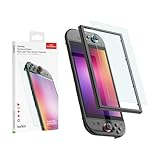
Belkin is a well-known maker of charging and device protection accessories. This listing is a tempered glass protector for the Switch 2 with a blue light filter. The manufacturer’s claim is that the coating reduces some of the high-energy blue light from the screen.
Key specs
- Material: tempered glass
- Feature: blue light filter
- Platform named: Nintendo Switch 2
- Pack size and thickness: confirm on the product page
Treat blue light claims cautiously. Manufacturers state that filters reduce a portion of blue wavelengths, and some users report that filtered screens feel more comfortable at night, but the evidence about eye strain and sleep is mixed. For questions about eye comfort or sleep, ask an eye-care professional. A more reliable comfort measure is to take breaks, lower brightness in dim rooms, and use the console’s own display settings.
Filters can also tint the display slightly, making whites a touch warmer. That may be pleasant for reading menus at night, but it can shift color balance in games. If color accuracy matters, compare with a clear protector.
The tempered glass construction is named in the listing, which gives a clearer basis than some others. Check the product page for edge treatment, installation method and the number of sheets.
If you decide to try a filter, treat it as an experiment. Install it, play for a week at your usual times, and compare how the screen feels with your previous setup. If the warmer tone bothers you, you can peel the protector off and replace it with a clear one. Remember that room lighting matters more than any coating: a dim room with a bright handheld screen is harder on the eyes than a well-lit room with moderate brightness, regardless of the protector you choose.
Finally, remember that the console’s own brightness and display settings are the quickest way to adjust comfort, so try those first before attributing any change in how the screen feels to the protector alone.
Pros
- Names tempered glass directly
- Established accessory brand
- Filter coating for those who want it
Cons
- Filter may slightly alter color
- Health benefits of such filters are not established
- Pack size and alignment aids not shown in the name
Compared with the clear amFilm, Belkin trades a bit of color neutrality for the filter coating. If you do not care about the filter, a clear protector is the simpler choice.
How to Install a Switch 2 Screen Protector Without Bubbles
The protector you choose matters less than the installation, because dust under the glass is permanent once the adhesive sets. This routine works for most glass protectors, with or without an alignment frame.
- Pick the space. Choose a clean, still room. Run a hot shower for a few minutes beforehand, then switch it off and wait; the steam helps settle airborne dust. Wash and dry your hands.
- Power down and clean. Turn the console off. Use the alcohol wipe from the kit on the screen, then dry it with the microfiber cloth. Wipe in one direction, not in circles.
- Lift the dust. Press the dust-removal sticker onto the screen and peel it away. Repeat around the edges until no specks are visible when you tilt the console under a lamp.
- Attach the frame, if there is one. Fit the alignment frame around the console so that it sits flat. Check the cutouts for the sensors and the edges.
- Place the protector. Peel the backing from the adhesive side, holding the glass by the edges. Lower it into position from one side, letting the adhesive touch last at the other edge.
- Press from the center. Press the center first, then work outward with the microfiber cloth. Most glass protectors spread the adhesive on contact.
- Handle stubborn bubbles. Small bubbles near the edge often disappear over a day. If a bubble has dust in it, lift gently from the nearest edge, remove the speck, and relay the glass.
- Let it cure. Avoid pressing hard on the edges for the first day, and keep the console out of heat while the adhesive settles.
If a protector arrives scratched, chipped or the wrong size, stop and contact the seller instead of forcing an installation. A chipped edge can crack further, and a mismatched protector will not cover the touchscreen correctly.
Aftercare and replacement
Clean the protector with a dry or slightly damp microfiber cloth, and avoid abrasive cleaners or paper towels, which can leave fine marks. Do not press hard on the screen when the console is in a bag, and avoid leaving it on a car dashboard, where heat can soften the adhesive. If the edge starts to lift, press it down with the cloth and check for dust underneath. When cracks reach the middle of the screen, remove the protector from a corner with a plastic card and replace it, so that a damaged sheet does not catch fingers or hide the picture. Keep a spare in the packaging for that day.
How to Choose a Screen Protector for the Nintendo Switch 2
Start with a decision table, then work through the factors that separate the options. Most of the products in this roundup are close in basic function, so the choice comes down to finish, installation help and how many sheets you want.
Decision matrix
| Your situation | Best pick | Why |
|---|---|---|
| First-time installer, one console | amFilm OneTouch (clear) | Auto-alignment targets the main mistake |
| Nervous about a failed install | ivoler, daydayup or Orzly 4-pack | Spare sheets and, for two of them, a frame |
| Play in bright rooms or outdoors | amFilm OneTouch Matte | Matte finish cuts reflections |
| Want a major accessory brand | Spigen GlasTR EZ FIT or ZAGG Glass+ | Established names with support |
| Interested in a filter coating | Belkin Blue Light Filter | Only listing that names a filter |
| Two consoles in the household | 4-pack (ivoler, daydayup or Orzly) | Enough sheets for both plus a spare |
| Want a straightforward easy-install label | MAGIC JOHN or JSAUX 3-pack | Simple listings aimed at casual buyers |
Match the size: 7.9 inches
The Switch 2 has a 7.9-inch LCD, compared with 7 inches on the Switch OLED and 6.2 inches on the original Switch. A protector cut for an older model will not cover the screen. Always confirm that the listing names the Switch 2, and where a 7.9-inch label is given, use it as a second check.
Clear or matte
A clear protector preserves the display’s sharpness and color. A matte protector reduces glare and fingerprints at the cost of a slight haze. The Switch 2 screen supports HDR10 and refresh rates up to 120Hz, so players who care about vivid color often prefer clear. If you play on commutes or near windows, the glare reduction of matte can be worth the softness.
Glass, film and thickness
Tempered glass resists scratches and feels like the original surface. Film is thinner and more forgiving to apply but scratches more easily. For glass, thinner sheets keep touch response closer to normal; thicker ones feel more protective. Check edge treatment as well, since rounded edges chip less and are friendlier to cases.
Do the pack-size math
Here is a simple way to size the pack. Suppose you estimate a 20 percent chance that any given install attempt goes wrong, such as a crooked placement or trapped dust. The chance that both of two attempts fail is 0.2 x 0.2, or 4 percent. For three attempts, it falls to 0.8 percent, and for four to 0.16 percent. A two-pack therefore leaves a small risk of ending up with nothing, while a three- or four-pack makes it very unlikely. If you add a second console, double the number of sheets you need before the spares: two consoles plus two spares is four sheets.
Case compatibility
Protectors that run edge to edge can clash with cases that have a raised front lip. If you use a snug case, look for a protector that sits slightly inset, or choose a case with a recessed lip. Check the case maker’s guidance before you buy both.
Warranty and support
Brands such as Spigen, ZAGG and Belkin publish warranty and support information, and some offer help for installation problems. Smaller brands often compete on pack size. Decide whether you value support or quantity more, and check the product page for the terms.
Understand the hardness claim
Many listings mention 9H hardness. That figure comes from a pencil-hardness scale where 9H is the hardest standard pencil, so it indicates that the glass resists scratching from softer materials. It does not measure impact resistance or shatter behavior. Treat it as a sign of scratch resistance, not as a promise that the screen survives a fall.
Check what comes in the box
A complete kit includes the protector or protectors, an alcohol wipe, a microfiber cloth, a dust-removal sticker and, in some cases, an alignment frame. Missing items are easy to replace with household supplies, but an alignment frame is hard to improvise. If you are nervous about placement, make the frame or tray a requirement.
Think about replacement timing
A protector is a consumable. Plan to replace it when it develops deep scratches, cracks that spread, or lifting edges. Heavy handheld use and travel shorten that interval, while docked-only use extends it. Buying a multi-pack now means the replacement is already waiting when you need it.
Frequently Asked Questions
Do I need a screen protector for the Switch 2?
It is optional, but the Switch 2 has a larger 7.9-inch screen that you may touch, carry in a bag and prop on a table. A protector adds a replaceable layer between the screen and everyday hazards such as keys and grit. Players who always keep the console in a hard case may feel less need.
Will old Switch screen protectors fit the Switch 2?
No. The Switch 2 screen is larger than the screens of the original Switch and Switch OLED, so protectors made for those models are the wrong size. Look for listings that name the Switch 2, and ideally the 7.9-inch screen.
Is tempered glass better than plastic film?
Glass resists scratches better and feels closer to the console’s own screen, while film is thinner, more flexible and often easier to apply without bubbles. Many players prefer glass for scratch resistance. Film can be a good option if you want a very thin layer and do not mind it scratching more easily.
Does a matte protector hurt picture quality?
It can. Matte finishes diffuse light, which reduces reflections but also adds a slight haze that can make fine detail look a bit softer. Clear protectors preserve sharpness and color better. If you play in bright places, matte may be worth the trade.
Will a protector affect touch response?
A thin tempered glass protector should leave touch response close to normal, though a thicker one or a poorly seated one may feel less sensitive. If the screen seems unresponsive after installation, check that the protector is fully seated with no trapped dust and that edges are not lifting.
What if I get a bubble or dust under the protector?
Small bubbles often shrink or disappear within a day or two. Large bubbles or a dust speck mean you should lift the protector gently from one edge, remove the debris with the dust sticker, and re-lay it. Multi-packs make this less stressful because you have spares.
Do blue light filter protectors protect my eyes?
Manufacturers state that the coating filters some blue light, and some users report that they find it more comfortable. Evidence on eye strain and sleep is mixed, so for any concern about eye health or sleep, ask an eye-care professional. Regular breaks and sensible brightness are more reliable habits.
Will a protector work with a case?
Often yes, but cases with a raised front lip can press on the edge of a full-coverage protector and cause it to lift. Check the case maker’s guidance, and look for protectors that sit slightly inset from the screen edge if you use a snug case.
Our Recommendation by Situation
For a first-time installer who wants a straight, clear result, choose the amFilm Auto-Alignment OneTouch. If you want spares, one of the four-packs from ivoler, daydayup or Orzly is the most practical. Brand-focused buyers can look at Spigen or ZAGG, and players in bright places should consider the matte amFilm. If a filter coating appeals to you, the Belkin option is the one that names it. Whichever you choose, confirm the Switch 2 fit on the product page and take your time with the installation.