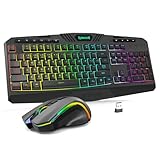
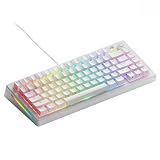
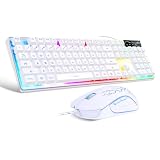
For most buyers the Redragon K668 is the best pick in this group: it is a full-size, wired RGB keyboard with hot-swappable switches, four extra hotkeys, and sound-dampening foam, so it works for gaming and office typing alike. If desk space matters more than a number pad, the K617 60% board is the compact alternative, and the K552 remains the straightforward tenkeyless choice. Redragon is a budget-focused gaming peripheral brand, and the six listings below range from classic fixed-switch boards to hot-swap designs and one membrane combo set.
Our Top Picks
 Redragon K668 108-Key Hot-Swap Wired RGB Gaming Keyboard17.3 x 4.7 x 17.3 inches1.9 PoundsCheck on Amazon





Top 3 picks at a glance
Quick List
- Redragon K552 – best for a no-frills compact tenkeyless mechanical board with Red switches
- Redragon S101-3 PRO – best for a first wired keyboard-and-mouse set with macro keys (membrane, not mechanical)
- Redragon K580 – best for MMO and productivity users who want dedicated macro keys and a media wheel
- Redragon hot-swap Red-switch keyboard (PBT keycaps) – best for buyers who want double-shot PBT keycaps and switch swapping
- Redragon K668 – best overall for a full-size hot-swap board with extra hotkeys
- Redragon K617 – best for a compact 60% layout with hot-swappable switches
Which One Is Right for You?
| If you… | Choose |
|---|---|
| want one full-size board that can swap switches later | Redragon K668 |
| have a small desk and want the most room for mouse swings | Redragon K617 |
| want a tenkeyless layout at a simple, familiar design | Redragon K552 |
| play MMOs or edit video and want macro keys plus a volume wheel | Redragon K580 |
| care about PBT keycaps and a hot-swap socket in the same listing | Redragon hot-swap Red-switch keyboard |
| need a keyboard and mouse together on the lowest budget and accept a membrane typing feel | Redragon S101-3 PRO |
The simplest rule is to choose size first, then decide whether hot-swap sockets matter to you. Hot-swap lets you change a worn or unwanted switch without a soldering iron, which extends the life of a keyboard. Fixed-switch boards cost less to design and often feel just as good out of the box, so they remain fine if you never plan to modify anything.
All 6 Picks in Detail
1. Redragon K552 – Best for a Classic Compact Mechanical Layout
As an Amazon Associate we earn from qualifying purchases at no extra cost to you.

The K552 is a long-running tenkeyless design that has served as an entry point to mechanical keyboards for many players. It drops the number pad but keeps arrow keys, navigation keys, and a function row in a small 87-key layout. It suits students, console-to-PC switchers, and anyone who wants a metal-frame look without a large footprint. The listing names Red switches, which are linear and smooth, and an LED backlight.
Because this is the standard K552 listing rather than a newer hot-swap revision, treat the switches as fixed and confirm on the product page whether the version in stock is the hot-swap variant. The cable is wired, so there is no battery to charge and no pairing, which also means no input lag from wireless modes.
- Tenkeyless layout with roughly 87 keys
- Red linear switches named in the listing
- LED backlighting; confirm color options on the listing
- Wired connection with a detachable or fixed cable depending on revision; confirm on listing
- Anti-ghosting designed for gaming key combinations
- Metal-style top plate on the original design; confirm on listing
One practical advantage of a tenkeyless board is posture: with the number pad gone, the mouse sits closer to the center of your body, which reduces reach and shoulder strain over long sessions. That matters more than most spec-sheet items for anyone who spends hours at a desk. The Red switch is also forgiving for beginners, since the lack of a bump or click makes fast double taps easy to execute.
Pros
- Compact tenkeyless footprint
- Smooth linear Red switches suit gaming
- Simple, wired, no setup
Cons
- Fixed switches on the standard model
- No number pad or macro keys
Against the K617, it keeps arrow keys and a function row, but the K617 is smaller and hot-swappable.
2. Redragon S101-3 PRO – Best for a Budget Keyboard and Mouse Starter Set

This is not a mechanical keyboard. The S101 family is sold as a keyboard-and-mouse bundle, and Redragon’s own support materials describe the keyboard as membrane, which means rubber domes under quiet, soft keys. It is a runner-up in this guide because the page is about Redragon keyboards and this set trades mechanical feel for the lowest total cost and the convenience of getting both devices in one box.
It suits a first PC, a secondary computer, or a shared family desk where quiet typing matters. The listing highlights RGB backlighting, programmable keys, software control, and independent macro record keys. The bundled mouse is a basic gaming mouse; the DPI range differs between sources, so confirm the maximum on the product page.
- Full-size layout with number pad
- Membrane keys, not mechanical switches
- Dedicated macro keys with on-the-fly recording, per the listing
- RGB backlit keyboard and a gaming mouse in the same set
- Software available for customizing keys and lighting
- Wired USB connection with no batteries
For parents buying a first gaming setup, or for a spare office desk, the bundle approach removes the guesswork about whether a mouse and keyboard will look or behave alike. If you later decide you want a mechanical board, the mouse can stay in use while only the keyboard is replaced, so the purchase is not wasted.
Pros
- Two devices in one box
- Quiet typing
- Macro keys without extra purchases
Cons
- No mechanical switches or hot-swap
- Mouse specs vary by source
If you want true mechanical key feel, the K668 is the nearest full-size upgrade.
3. Redragon K580 – Best for Macro Keys and a Media Wheel

The K580 Vata is built for people who use many shortcuts. Along the left edge it adds a column of programmable macro keys, and in the top corner it has a metal-feeling wheel for volume and other controls. That layout suits MMO players, streamers, video editors, and office workers with repetitive command sequences. The listing describes a wired RGB mechanical keyboard with a macro key and a media wheel.
It is large and heavy compared with the tenkeyless boards, so measure the desk. Switch type depends on the version: Redragon sells Blue and Brown options, and the listing does not state which ships, so confirm on the product page. Blue switches are loud, which matters in a shared room.
- Full-size layout with a full number pad
- Roughly five dedicated macro keys on the left, per Redragon’s product description
- Dedicated media controls and a rotary wheel
- RGB lighting with multiple modes and edge lighting
- Wired USB-C connection with USB passthrough on some revisions; confirm on listing
- Hot-swap support is described differently by different sources; confirm on listing
Macro keys are only as useful as the commands you assign, so plan a few before buying: a loot or heal sequence in an MMO, a paste-and-format combination in an office app, or a push-to-talk key. Even a short list tends to pay back the extra desk space within a week of daily use.
Pros
- Dedicated macro keys and media controls
- Large, stable body
- Strong feature set for the category
Cons
- Bulky on small desks
- Switch noise may be high on clicky versions
Compared with the K668, the K580 adds macro keys and a wheel, while the K668 adds guaranteed hot-swap sockets.
4. Redragon Hot-Swap Red-Switch Keyboard with PBT Keycaps – Best for Keycap Quality at a Low Cost

This listing is a wired mechanical keyboard whose name emphasizes three things: 11 programmable backlight modes, hot-swappable Red switches, and double-shot PBT keycaps. PBT plastic resists the glossy shine that ABS keycaps develop over time, and double-shot construction means the legends are molded through the key rather than printed on top. It suits typists who want a durable-feeling board without spending more.
The listing title does not state the layout or the exact model number, so the specs below are limited to what the title says. Confirm layout, key count, and cable type on the product page before ordering.
- Wired mechanical keyboard
- Red linear switches, hot-swappable
- Double-shot PBT keycaps named in the listing
- 11 programmable backlight modes
- Anti-ghosting named in the listing
- Layout and key count: confirm on listing
Keycap upgrades are one of the cheapest ways to improve how a budget keyboard looks and sounds. Starting with PBT caps means you can skip that step, and the hot-swap sockets mean the next upgrade could be a different switch rather than a new board.
Pros
- PBT keycaps age better than glossy ABS
- Hot-swap sockets for future switch changes
- Linear Reds suit gaming
Cons
- Layout is not stated in the title
- Fewer extras than the K580 or K668
It is the nearest alternative to the K668 if keycap material is a priority and you do not need the extra hotkeys.
5. Redragon K668 – Best Overall Full-Size Hot-Swap Board

The K668 is the best all-round pick because it combines a full-size 108-key layout with hot-swap sockets, RGB lighting, and a wired USB-C connection in a single design. The four extra keys default to useful actions, and they can be reassigned through software. Foam inside the case dampens the hollow sound that cheap boards often have, so the typing sound is more muted than many entry-level boards.
It suits people who want a mechanical board that will not feel like a dead end: if you tire of the stock Red switches, you can fit tactile or other compatible switches. Check whether your replacement switches are 3-pin or 5-pin; the K668 accepts both, according to Redragon’s product information.
- Full-size layout with 108 keys, including four extra hotkeys
- Hot-swappable switches accepting 3-pin and 5-pin types
- Red linear switches by default, as listed for the common version
- RGB lighting with multiple effects
- Sound-absorbing foam and two sets of mixed-color keycaps in the box
- Wired USB-C connection to the PC
The mixed-color keycap sets in the box let you style the escape and modifier keys, which is a small touch that helps distinguish a gaming profile from a work profile at a glance. The foam also gives the board a deeper sound than a bare plastic case.
Pros
- Hot-swap sockets with wide switch compatibility
- Four extra programmable hotkeys
- Better acoustics than basic budget boards
Cons
- Large footprint
- Wired only
Next to the K580, it gives up dedicated macro keys and a wheel in exchange for swappable switches.
6. Redragon K617 – Best Compact 60% Hot-Swap Board

The K617 is a 60% keyboard with about 61 keys. It removes the function row, navigation block, and number pad, then recovers those functions through a function-key layer. That makes it ideal for small desks, travel setups, and gamers who want maximum space for a mouse. It is a poor match for people who press arrow keys constantly or who work in spreadsheets, because every extra action needs a key combination.
The listing says RGB, wired, compact, and hot-swap, which covers the main points. The cable is detachable, which makes transport simpler and replacement easy.
- 60% layout with roughly 61 keys
- Hot-swappable switches
- Red linear switches by default, per the common version
- Per-key RGB lighting named in the listing
- Wired connection with a detachable cable
- Function layer for arrows and navigation
Because the function layer controls arrows and media, spend ten minutes learning the key combinations before the first work day. Most 60% users report they adapt within a few days, but the trade is real: a board this small is a gaming and portability tool first and an office board second.
Pros
- Very small footprint
- Hot-swap sockets
- Detachable cable for travel
Cons
- No dedicated arrow keys or function row
- Learning curve for the function layer
The K552 keeps arrow keys on a larger body, so choose it if the missing arrows would bother you.
Specs Compared
| Model | Layout | Switch type | Hot-swap | Connection | Notable features |
|---|---|---|---|---|---|
| Redragon K552 | Tenkeyless (about 87 keys) | Red linear | Confirm on listing | Wired | LED backlight, anti-ghosting |
| Redragon S101-3 PRO | Full-size | Membrane (not mechanical) | No | Wired | Includes mouse, macro keys, RGB |
| Redragon K580 | Full-size with macro keys | Mechanical (Blue or Brown by version; confirm on listing) | Confirm on listing | Wired | Macro keys, media wheel, RGB |
| Redragon hot-swap Red-switch keyboard | Confirm on listing | Red linear | Yes | Wired | Double-shot PBT keycaps, 11 backlight modes |
| Redragon K668 | Full-size, 108 keys | Red linear | Yes | Wired USB-C | Four extra hotkeys, foam, RGB |
| Redragon K617 | 60%, about 61 keys | Red linear | Yes | Wired, detachable cable | RGB, compact |
How We Chose These
This guide covers only the six Redragon listings in our catalog set, so it is not a ranking of every Redragon keyboard. We compared layout, switch type, hot-swap support, connection, and extras using manufacturer pages, retailer listing titles, and published hardware reviews for cross-checking. We did not test or benchmark the keyboards, and we do not claim anything about sound or durability beyond stated specifications. Where sources disagree, such as hot-swap support on the K580, we note it and tell you to confirm on the product page. The one non-mechanical item is labeled plainly and placed as a runner-up.
What to Look For
Layout: 60%, Tenkeyless, or Full-Size
Layout is the choice that shapes daily use. A 60% board has about 61 keys and saves roughly 8 to 9 cm of width compared with a full-size board. Tenkeyless boards have about 87 keys and keep the arrow cluster and function row. Full-size boards have 104 to 108 keys and include a number pad. A practical rule: if you use the number pad more than a few times per week, stay full-size; if you game with a low mouse sensitivity and need wide arm sweeps, a 60% or tenkeyless board is more comfortable.
Switch Types and What They Feel Like
Red switches are linear: they travel smoothly with no bump and no click, typically actuating around 2 mm into about 4 mm of travel with roughly 45 grams of force. Brown switches have a tactile bump, and Blue switches add a click that is loud in shared spaces. For gaming, linear Reds are popular because repeated taps feel consistent. For typing, many people prefer tactile switches. Many Redragon boards use Outemu switches, which are budget-friendly and sit in the same general families as better-known brands.
Hot-Swap Sockets
Hot-swap sockets let you pull a switch and push a new one into the same spot. They keep a keyboard useful for years, because one failed switch no longer ruins the board. Look for 3-pin and 5-pin compatibility, as the K668 states, since plate-mounted 5-pin switches fit only 5-pin sockets. If you never plan to change switches, a fixed board is fine and may cost a little less.
Keycaps, Cable, and Lighting
PBT keycaps are denser and resist shine better than ABS, and double-shot legends do not wear away. A detachable USB-C cable is easier to replace than a fixed cable. RGB lighting modes are a matter of taste, but make sure the keyboard stores a lighting profile on board, because some budget models need software running to keep a custom pattern.
Anti-Ghosting and Key Rollover
Ghosting happens when a keyboard fails to register one of several keys pressed at once. Gaming listings advertise anti-ghosting or N-key rollover to avoid that. For most games, being able to hold five or six keys together without a missed input is enough, and all of the mechanical boards here address this in some form. Membrane boards usually guarantee only a limited set of simultaneous keys, so check the stated number if you play fighting games or rhythm titles.
Worked Example
Suppose you game at a desk 60 cm deep with a mouse pad 45 cm wide. A full-size board is about 44 cm wide, leaving very little room, so a K617 or K552 is a better fit. If you also need a number pad for accounting work, the K668 would still work with a smaller mouse pad.
Questions
Are Redragon keyboards good for gaming?
Yes, for entry-level and mid-budget play. They offer anti-ghosting, linear switches, and RGB lighting, though they lack the premium polling-rate and software features of high-end brands.
Which Redragon keyboard has hot-swappable switches?
The K668, K617, and the PBT-keycap listing state hot-swap sockets. The K552 and K580 vary by version, so confirm on the product page.
Is the Redragon S101-3 PRO a mechanical keyboard?
No. Redragon’s own support materials describe the S101 keyboard as membrane, so it has quieter, softer keys than a mechanical board. It is best viewed as a budget starter set.
What size Redragon keyboard should I buy?
Choose a 60% board like the K617 for small desks, a tenkeyless board like the K552 for balance, and a full-size board like the K668 or K580 for number-pad work. Measure your desk first.
Are Red switches loud?
Red switches are linear and generally quieter than Blue switches, but the bottoming-out sound of keys still carries. Foam inside the case, as on the K668, reduces the hollow noise.
Update History
- October 14, 2026 – Initial publication; product set drawn from current catalog listings.
- Check the product page for current specifications and availability before buying.
Sources
- Manufacturer product and specification pages for Redragon models
- Retailer listing titles and specification fields
- Independent hardware reviews cross-checked for layout, switch, and macro-key details