The best smart notebook for students in 2026 depends on whether you want to digitize handwritten pages, replace paper with an e-ink tablet, or combine both: choose Rocketbook for inexpensive reusable paper, reMarkable Paper Pro for a focused handwriting-first tablet, Kindle Scribe for reading and annotating textbooks, and a BOOX Note Air-class device for apps and flexible exports.
As an Amazon Associate we earn from qualifying purchases at no extra cost to you.


Our Top Picks

Quick comparison: which smart notebook fits your workflow?
| Student situation | Best fit | Capture method | Typical export options | Typical market range |
|---|---|---|---|---|
| You want real paper and the lowest upfront cost | Rocketbook Core | Write with Pilot FriXion pens, scan with the Rocketbook app, then erase pages with water | PDF, JPG, cloud destinations including Google Drive, OneDrive and email | Usually $25–$40 |
| You want a distraction-free digital notebook | reMarkable Paper Pro | Write on a color paper-like display with a stylus | PDF and document export, cloud synchronization, desktop and mobile access | Usually $550–$700 before optional accessories |
| You read PDFs or textbooks and annotate them | Kindle Scribe | Stylus writing on an e-ink display alongside books and documents | PDF export, send-to-email workflows, synchronized notebooks and supported document imports | Usually $300–$500, depending on storage and bundle |
| You need Android apps, color and broad file support | BOOX Note Air-class tablet | Digital ink on an e-ink Android tablet | PDF, PNG and other file formats, cloud services and Android apps | Usually $400–$600 |
| You want long battery life and a paper-like writing system | Supernote Nomad or A5 X2-class device | Digital pen input with structured notebooks and templates | PDF, DOCX and image-based workflows, plus desktop and cloud synchronization | Usually $300–$600, depending on model and accessories |
1. Rocketbook: best reusable notebook for handwritten notes
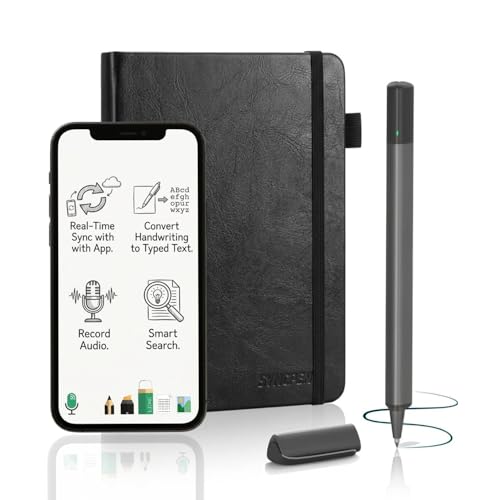
Rocketbook is the most literal smart notebook in this group. You write on specialized pages with compatible erasable ink, use the Rocketbook app to scan the page, and then wipe it clean for reuse. It preserves the feel, speed and visual freedom of handwriting without requiring a tablet or charging cable.
The Core is a sensible choice for lecture notes, revision summaries and temporary calculations. Its main limitation is that the page is not automatically digital: you must scan it, and the app is most useful when your handwriting is clear and the page is well lit. A busy student may also find the wipe-and-reuse routine less convenient than simply opening a digital notebook.
Choose Rocketbook if:
- You already remember material better when writing on physical paper.
- You want to spend under roughly $50 on the notebook itself.
- You are comfortable scanning pages after class.
- You mainly need finished notes as PDFs or images rather than fully editable text.
For the cleanest scans, use dark blue or black compatible ink, keep the phone parallel to the page, and scan under even lighting. Let the ink dry before closing the notebook; otherwise, writing can smear or transfer between pages.
2. reMarkable Paper Pro: best for focused digital handwriting
The reMarkable Paper Pro is designed to feel more like a digital sheet of paper than a general-purpose tablet. It is especially effective for students who write extensive notes, draw diagrams, mark up readings and want their work organized into folders without carrying multiple notebooks.
Its strength is focus. The interface is intentionally limited, so notifications, social media and most unrelated apps are not part of the experience. That can improve concentration during lectures, but it also means you should not buy it expecting Android-style app flexibility. You will need a separate laptop or tablet for many research, browser and collaboration tasks.
Handwriting can be converted to typed text, but conversion quality depends on legibility, language support and page layout. Treat handwriting recognition as a time-saver for reasonably neat notes, not as a perfect transcription service. Export your notes as PDF when preserving page appearance matters; use typed conversion when you need to revise or quote content in another document.
3. Kindle Scribe: best for reading and annotating course material
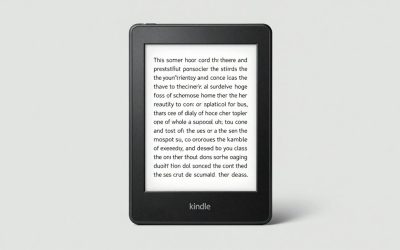
Kindle Scribe makes the most sense for students whose workflow begins with reading. Its large e-ink screen lets you annotate compatible books and write in notebooks, while the front light makes reading practical in different rooms. The distraction level is much lower than on a conventional tablet.
It is less suitable for students who depend on a large selection of third-party note-taking apps or who regularly need advanced diagramming and file-management features. Check your course-material formats before buying: PDF annotation is useful, but document import and export behavior can vary by file type and workflow.
Choose the Scribe when the central problem is carrying and marking up readings. Choose reMarkable when freeform handwriting is the central activity. Choose BOOX when you need the flexibility to install apps.
4. BOOX Note Air: best smart notebook for apps and file compatibility
BOOX Note Air models combine a large e-ink writing surface with Android software. This gives students access to note-taking tools, cloud storage, PDF readers and selected productivity apps. It is the most adaptable option here, particularly for students who move between Google Drive, Microsoft services, academic PDFs and multiple note systems.
That flexibility comes with more setup. Android apps may not be optimized for e-ink, scrolling can feel slower than on an LCD tablet, and some apps behave poorly with refresh modes. For writing, use the device’s native note application when possible; it is usually more responsive and better tuned for pen input than a general Android app.
BOOX is a strong choice for law, engineering and graduate-level study where documents arrive in many formats. It is also the better option if you need split-screen reading and note-taking or want to keep your existing cloud services.
5. Supernote: best for organized, long-term handwritten notes
Supernote devices emphasize a structured notebook system, linking and handwriting-focused organization. They are attractive for students building a long-term archive of lecture notes, research ideas and project planning rather than treating notes as disposable pages.
The writing experience and file workflow are more specialized than a conventional tablet. Before purchasing, verify that the export formats match your university’s requirements. A device can be excellent for writing while still requiring a computer for final formatting, citation management or group collaboration.
Digital versus reusable paper: the decision that matters most
| Requirement | Reusable paper | Dedicated e-ink notebook | Android e-ink tablet |
|---|---|---|---|
| Immediate writing feel | Closest to ordinary paper | Consistent digital surface | Good, but may need settings adjustment |
| Searchable handwriting | Usually requires OCR after scanning | Often built in or available through conversion | Depends on the app and handwriting engine |
| Battery dependence | None for writing; phone needed for scanning | Yes, but typically measured in days or weeks | Yes, with additional drain from apps and front lighting |
| App compatibility | Depends on the scanning app | Limited by the manufacturer’s ecosystem | Broadest compatibility |
| Accidental data loss | Possible if a page is erased before scanning | Reduced when synchronization is enabled | Reduced, but more settings create more failure points |
How to choose based on your note-capture method
- Fast lecture notes: Pick Rocketbook if you think best with real paper. Pick reMarkable or Supernote if you need every lecture stored automatically in folders.
- Math, chemistry and diagrams: Use a digital tablet with a low-latency pen and generous canvas space. Reusable paper works well too, but scan important work before erasing it.
- PDF-heavy courses: Choose Kindle Scribe for a focused reading workflow or BOOX for broader file and app support.
- Group projects: Favor BOOX or a conventional tablet if you need shared documents, browser research and collaboration tools. A focused notebook may require frequent exports.
- Exam revision: Choose a system with reliable search, folders and export. The ability to find “mitosis” or “contract law” weeks later is often more valuable than a slightly more realistic paper texture.
Export and backup settings students should use
Set up the export workflow before the first lecture. Create a folder structure such as Course > Semester > Week, then test one handwritten page, one PDF annotation and one converted-text export. Open each result on your laptop. This catches missing fonts, clipped margins and unreadable handwriting recognition before important notes accumulate.
Use PDF when visual layout matters, such as diagrams or annotated readings. Use converted text or DOCX when you plan to edit paragraphs. Export PNG or JPG only for individual diagrams and quick sharing; image files are harder to search and less convenient for long revision documents.
For a simple backup calculation, suppose you create 20 scanned pages per week and each compressed page averages 1.5 MB. Over a 14-week semester, that is:
20 pages × 1.5 MB × 14 weeks = 420 MB
Even several semesters of image-based notes fit comfortably in ordinary cloud storage, but PDF compression and OCR layers can change the total. The more important issue is organization: a perfectly backed-up folder is still difficult to revise if filenames are only “Scan001” and “Scan002.” Use course and week names during export.
Frequently asked questions
Do smart notebooks work without an internet connection?
Some smart notebooks can capture handwriting without an internet connection, but scanning, synchronization, cloud storage and certain exports may require a connected phone, computer or network. Rocketbook requires the app to scan pages, while digital devices store notes on the device and can synchronize later. Check each device’s export and synchronization workflow before relying on it offline.
Can handwriting from these notebooks be converted into typed text?
Yes, handwriting can be converted into typed text on some digital notebooks, but recognition quality depends on legibility, language support and page layout. reMarkable describes conversion as a time-saver rather than perfect transcription. Rocketbook can produce PDFs or images through scanning, while converted text or DOCX is more useful when you plan to edit paragraphs.
Which option is best for diagrams, equations and visual notes?
A digital tablet with a low-latency pen and generous canvas space is the strongest fit for diagrams, equations and other visual notes. Reusable paper can also work well, especially if you scan important work before erasing it. reMarkable, BOOX and Supernote support handwriting-focused workflows, but their file and app flexibility differs.
How can students prevent losing notes when reusing pages?
Students should scan important Rocketbook pages before erasing them and test their export workflow before the first lecture. Create a course folder structure, then open a scanned page, PDF annotation and converted-text export on a laptop. This helps identify missing fonts, clipped margins or unreadable handwriting recognition before important notes accumulate.
Which export format should I use for handwritten notes?
Use PDF when preserving visual layout matters, such as for diagrams or annotated readings. Use converted text or DOCX when you plan to edit paragraphs. PNG or JPG is better for individual diagrams and quick sharing, but image files are harder to search. Testing each export on a laptop can reveal formatting or recognition problems.
Bottom line
Rocketbook is the best smart notebook for students who want physical handwriting, reusable pages and a low-cost scan-to-cloud workflow. The reMarkable Paper Pro is better for distraction-free digital writing, while Kindle Scribe is the natural choice for reading and annotating documents. Choose a BOOX Note Air-class device when app compatibility and file flexibility matter most, or Supernote when long-term handwritten organization is your priority.
The right purchase is not the one with the longest feature list. It is the one that matches how you capture information, where your course files come from and whether you will actually export and back up your notes after class.