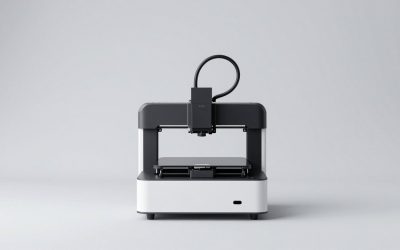
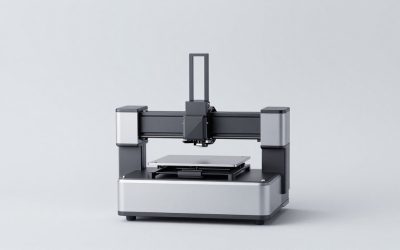
The best 3D printers for miniatures are the Elegoo Mars 5 Ultra for affordable detail, the Elegoo Saturn 4 Ultra for larger batches, and the Bambu Lab A1 Mini when low mess and easy operation matter more than painted-surface quality.
As an Amazon Associate we earn from qualifying purchases at no extra cost to you.


Our Top Picks
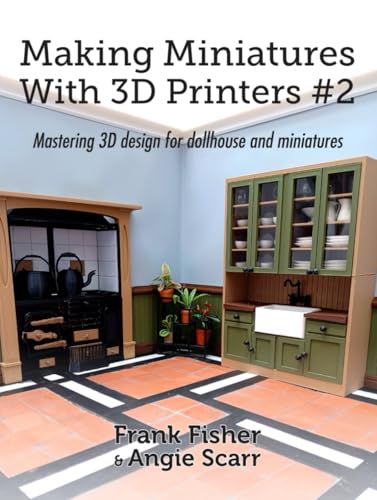
 Making Miniatures With 3D Printers: Designing for dollhouse8.27 x 0.19 x 10.98 Inches0.57 poundsCheck on Amazon
 phrozen Sonic Mini 8K S LCD Resin 3DSonic Mini 8K S11.4 x 11.4 x 16.9 inches22 poundsCheck on Amazon

Top 3 picks at a glance
Quick picks
- Best overall for most hobbyists: Elegoo Mars 5 Ultra — excellent facial and armor detail, a compact build area suited to miniatures, and usually a lower total cost than larger resin machines.
- Best for armies and terrain: Elegoo Saturn 4 Ultra — a larger 10-inch 12K resin printer that can produce many figures or larger scenic pieces in one layer.
- Best high-resolution alternative: Anycubic Photon Mono M7 Pro — large 14K-class resolution, fast-printing features, and enough volume for sizable batches.
- Best low-maintenance option: Bambu Lab A1 Mini — easy setup and inexpensive filament, but visible layer lines and softer small features make it less suitable for display-quality figures.
What matters when choosing a miniature printer
Fine detail is more than the advertised resolution
Resin printers are usually the right choice for 28 mm, 32 mm, and 75 mm display miniatures because their layer heights can be very small and their XY pixels are fine enough to reproduce facial features, chainmail, weapon edges, and cloth texture. A 12K label does not automatically guarantee better figures, however. Lens quality, screen uniformity, exposure calibration, resin formulation, and the model’s orientation all affect the result.
For miniature work, an XY pixel size around 18–24 microns is already highly capable. Reducing layer height from 0.05 mm to 0.03 mm can improve curved surfaces and reduce visible stair-stepping, but it also increases print time. It cannot restore details that are absent from the model or compensate for overexposure that closes tiny gaps.
Supports determine whether detail survives
Supports are not just structural scaffolding. A badly placed support can leave a mark on a face, cloak edge, shield rim, or sword blade. Resin printers produce their cleanest results when the model is angled to reduce large cross-sections and when heavy supports are kept on hidden or easily sanded surfaces.
For a typical 32 mm figure, begin with the miniature tilted roughly 20–35 degrees rather than placing the entire base flat against the build plate. Use heavier supports for the first contact points and for the lowest parts of the model, medium supports along the body, and light supports under small overhangs. Keep light support tips away from the face and other focal details. Hollow large models only when necessary, and add drainage holes; trapped uncured resin can cause cracking and unpleasant failures later.
Build volume matters by layer, not just by figure height
A larger resin printer does not necessarily print one figure faster. Resin exposure time is largely determined by the number of layers, so a Mars-class printer and a Saturn-class printer may take a similar amount of time to print a single figure at the same height. The larger machine becomes faster per miniature when you fill its wider platform with several figures, bases, or terrain pieces in one job.
Best 3D printers for miniatures compared
| Printer | Printing method | Resolution and build volume | Best use | Typical printer price |
|---|---|---|---|---|
| Elegoo Mars 5 Ultra | MSLA resin | 9K; approximately 18 × 18 microns; 153 × 77 × 165 mm | Small batches and highly detailed figures | Usually $200–$300 |
| Elegoo Saturn 4 Ultra | MSLA resin | 12K; approximately 19 × 24 microns; 211.7 × 118.4 × 220 mm | Squads, armies, busts, and terrain | Usually $350–$500 |
| Anycubic Photon Mono M7 Pro | MSLA resin | 14K; approximately 16.8 × 24 microns; about 223 × 126 × 230 mm | Large detailed batches and taller pieces | Usually $400–$600 |
| Bambu Lab A1 Mini | FDM filament | 0.4 mm nozzle standard; 180 × 180 × 180 mm | Terrain, organizers, oversized figures, and low-mess printing | Usually $200–$300 |
Elegoo Mars 5 Ultra: best compact resin choice
The Mars 5 Ultra is a strong starting point for hobbyists who mainly print individual figures, small groups, busts, and scenic accessories. Its build area is large enough for several 28–32 mm figures while remaining compact on a workbench. The fine pixel size is appropriate for sharp eyes, buckles, weapon grips, and engraved armor.
Its main limitation is capacity. A wide infantry formation, large monster, or multi-part terrain piece may need to be split across several jobs. It is also still a resin printer: you need ventilation, nitrile gloves, washing, curing, and a plan for disposing of contaminated materials. Resin itself commonly costs around $20–$40 per kilogram, depending on toughness, color, and specialty features.
Elegoo Saturn 4 Ultra: best for production-sized batches
The Saturn 4 Ultra is the better choice when you want to print an army, several player characters, or large bases without dividing every job into small plates. Its larger platform can hold substantially more miniatures in the same layer, while its 12K-class screen provides detail suitable for both gaming pieces and display models.
The extra capacity increases resin consumption when a failure occurs, and the machine requires more bench space and a larger wash-and-cure workflow. It is most economical when you routinely fill the platform. Printing one small figure at a time does not fully use its advantage.
Anycubic Photon Mono M7 Pro: best large high-resolution alternative
The Photon Mono M7 Pro belongs in the same larger-format category but offers a particularly high-resolution screen and a generous build area. It suits hobbyists who print detailed busts, monsters, scenic elements, or repeated batches of smaller figures. Features such as automated resin handling can reduce interruptions, although they do not eliminate the need to calibrate exposure and inspect supports.
Choose it when you value platform capacity and want room for future projects. For a first printer dedicated only to 32 mm infantry, a smaller machine may leave more money for resin, a wash-and-cure station, replacement film, and painting supplies.
Bambu Lab A1 Mini: best when convenience beats surface finish
The A1 Mini is an FDM printer, so it uses melted filament rather than liquid resin. That makes it cleaner and easier to operate in a living space, and PLA filament generally costs around $18–$30 per kilogram. It is excellent for movement trays, buildings, token holders, large bases, gaming accessories, and chunky stylized figures.
It is not the best tool for tiny realistic faces or fine chainmail. Even with a 0.2 mm nozzle and a carefully tuned profile, FDM surfaces usually need more sanding or filler than resin prints. A practical two-printer setup is often an A1 Mini for terrain and utility parts plus a small resin printer for character models.
Decision matrix: which printer fits your workflow?
| Your priority | Recommended direction | Why |
|---|---|---|
| Maximum detail on individual 28–75 mm figures | Mars 5 Ultra or another small MSLA printer | Fine XY detail without paying for unused platform area |
| Many figures per session | Saturn 4 Ultra or Photon Mono M7 Pro | More miniatures fit in each layer, improving output per job |
| Very little ventilation or cleanup available | A1 Mini or another FDM printer | No liquid resin washing workflow, though filament still produces fumes and particles |
| Lowest ongoing material cost | FDM for terrain; resin only for characters | Filament is generally cheaper and produces less waste during support removal |
| Display-quality smooth surfaces | MSLA resin with careful supports | Small layers and fine pixels reduce visible texture and sanding |
Settings that reduce miniature failures
Use these as starting points, not universal profiles. Resin color, room temperature, film condition, and printer firmware can change the correct values.
- Set layer height to 0.03–0.05 mm. Use 0.03 mm for faces and display pieces; use 0.05 mm when speed matters for gaming armies.
- Calibrate normal exposure. Start near the resin manufacturer’s profile, then use an exposure test. Too much exposure merges eye sockets and weapon gaps; too little exposure produces soft edges and fragile supports.
- Use conservative lift settings. If layers separate from the build plate, increase bottom exposure or improve leveling before dramatically increasing support density. Excessive lift speed can create peel failures and suction stress.
- Orient faces away from support contact. Put support marks on the back, underside, or base. This usually saves more post-processing time than adding dozens of supports everywhere.
- Wash and cure consistently. Remove excess resin before curing, then cure according to the resin’s guidance. Over-curing can make some resins brittle, while under-curing leaves a tacky surface.
Material and post-processing costs
A resin printer’s purchase price is only part of the budget. Allow for resin, a wash-and-cure station, gloves, filters, paper towels, replacement release film, and tools for removing supports. A realistic starter setup around a small resin printer often reaches roughly $300–$500 after those extras, before paints and an enclosure or ventilation equipment.
Support waste is another hidden cost. A hollowed large model may use less resin, but it takes more preparation and requires correctly positioned drain holes. For ordinary 32 mm figures, solid printing is often simpler; for large busts and terrain, hollowing can materially reduce resin consumption and weight.
Final recommendation
Choose the Elegoo Mars 5 Ultra if you want the best balance of miniature detail, manageable build volume, and reasonable cost. Move up to the Elegoo Saturn 4 Ultra when you regularly print squads, armies, or terrain in batches. Pick the Anycubic Photon Mono M7 Pro for a larger high-resolution workflow with room for ambitious models. If resin handling is a deal-breaker, the Bambu Lab A1 Mini is the easier choice—but plan on using it mainly for terrain and accessories rather than the finest character miniatures.