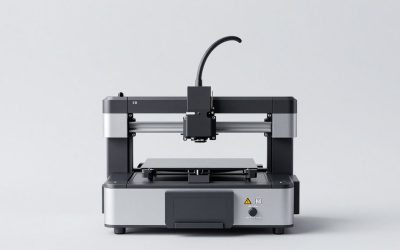
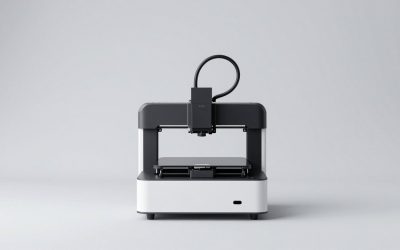
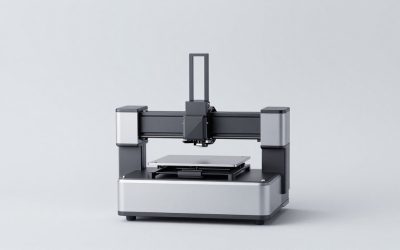
The best FDM 3D printers for reliable printing in 2026 are the Bambu Lab A1 for low-maintenance PLA/PETG work, Bambu Lab P1S for fast enclosed printing, Prusa MK4S for repairability and long-term support, and QIDI Plus4 or Prusa CORE One when engineering materials are the priority.
As an Amazon Associate we earn from qualifying purchases at no extra cost to you.




Our Top Picks
 FLASHFORGE Adventurer 5M 3D Printer with Fully Auto15.83 x 14.29 x 17.64 Inches22 poundsCheck on Amazon


Top 3 picks at a glance
Best FDM 3D printers at a glance
| Printer | Best fit | Typical market range | Enclosure | Notable strengths | Main limitation |
|---|---|---|---|---|---|
| Bambu Lab A1 | PLA, PETG, TPU, beginners | Usually $300–$500 | Open frame | Automatic calibration, excellent first-layer consistency, optional multicolor system | Less suitable for ABS, ASA, and other temperature-sensitive materials |
| Bambu Lab P1S | Fast general-purpose printing | Usually $500–$800 | Enclosed | Fast CoreXY motion, automatic bed leveling, strong PLA/PETG/ABS/ASA versatility | Limited user-serviceability compared with a Prusa |
| Prusa MK4S | Repairable, dependable workshop printing | Usually $800–$1,200 | Optional enclosure | Excellent documentation, replaceable parts, reliable filament handling | Not as fast out of the box as the quickest CoreXY models |
| Prusa CORE One | Enclosed engineering and production use | Usually $1,000–$1,500 | Integrated | Temperature-controlled enclosed design, strong support and serviceability | Higher purchase cost |
| QIDI Plus4 | Large ABS, ASA, nylon, and other engineering parts | Usually $700–$1,000 | Enclosed, actively heated chamber | Large build volume and high-temperature material capability | Needs more attention to ventilation, drying, and tuning |
| Creality K1C | Fast enclosed printing with carbon-fiber-capable materials | Usually $400–$700 | Enclosed | Quick CoreXY platform, hardened nozzle, automatic calibration | Material profiles and maintenance may require more user adjustment |
How to choose among the best FDM 3D printers
Reliability is not just a printer’s advertised speed. A dependable machine produces a consistent first layer, keeps the nozzle at the correct temperature, handles your chosen filament, and makes routine maintenance predictable. The right choice therefore depends on the material you will print most often rather than on the largest headline speed.
| Your situation | Best direction | Why |
|---|---|---|
| Mostly PLA models, organizers, and gaming accessories | Bambu Lab A1 | An open frame is adequate, and automatic calibration reduces setup work. |
| PLA, PETG, ABS, or ASA with minimal tinkering | Bambu Lab P1S | The enclosure reduces drafts and retains heat for temperature-sensitive filaments. |
| You want to repair and upgrade the printer for years | Prusa MK4S | Parts, documentation, firmware, and maintenance procedures are unusually accessible. |
| Large functional parts in nylon, ABS, or ASA | QIDI Plus4 or Prusa CORE One | A heated or well-managed chamber reduces warping and layer separation. |
| Speed matters, but you still need an enclosed machine | Bambu Lab P1S or Creality K1C | CoreXY motion allows fast travel and printing while the enclosure limits drafts. |
Filament compatibility matters more than the material list
Nearly every current FDM printer can print PLA, but “supports nylon” can mean very different things. Reliable nylon printing requires a dry filament path, a hot nozzle, a heated bed, and usually an enclosure. Some nylon blends also need a hardened nozzle because carbon-fiber or glass-fiber additives wear brass quickly.
- PLA: The easiest material for detailed models and first projects. It generally does not need an enclosure.
- PETG: Tougher and more heat-resistant than PLA, but it benefits from a clean, dry spool and careful retraction settings.
- TPU: Flexible filament works best with a short, constrained filament path. Very high print speeds are usually counterproductive.
- ABS and ASA: Use an enclosure. ASA is especially useful outdoors because it resists ultraviolet exposure, but ventilation remains important.
- Nylon and polycarbonate: These demand dry storage, high extrusion temperatures, and good chamber temperature control. They are poor choices for an open-frame beginner printer.
- Carbon-fiber-filled filament: Choose a hardened nozzle and preferably a hardened drive gear. The fibers can abrade standard components.
For a first printer, the safest strategy is to select a model that excels at PLA and PETG, then add an enclosure or move to an enclosed machine when your projects actually require ABS, ASA, or nylon.
Print speed: advertised maximum versus dependable speed
Maximum speed is normally measured under favorable conditions with a particular layer height, nozzle, acceleration, and material profile. It does not mean every model will print well at that speed. Small parts, overhangs, flexible filament, and detailed miniatures often need slower motion even on a fast CoreXY printer.
A useful practical target is to compare volumetric flow, not only millimeters per second. For example, a 0.4 mm nozzle printing a 0.45 mm line at a 0.20 mm layer height produces:
0.45 × 0.20 × 150 = 13.5 mm³/s
That is the approximate plastic volume required at 150 mm/s. If the filament and hotend can reliably melt only 12 mm³/s, the printer may under-extrude despite reporting the correct motion speed. Lowering the speed to about 130 mm/s brings the demand to roughly 11.7 mm³/s. This is why a slightly slower, well-tuned profile can produce stronger and cleaner parts than a headline speed setting.
The Bambu Lab A1 is particularly attractive for consistent everyday printing, while the P1S, CORE One, QIDI Plus4, and K1C offer faster enclosed platforms. For miniature gaming terrain or decorative models, quality at 0.12–0.20 mm layer heights is usually more important than maximum throughput.
Bed leveling and first-layer reliability
Automatic bed leveling is valuable, but it cannot compensate for a dirty build plate, a damaged surface, or an incorrectly mounted nozzle. The most dependable printers combine mesh leveling with a system that measures nozzle or bed behavior before printing.
When a first layer fails, use this order:
- Clean the plate. Remove fingerprints and residue with the cleaning method recommended for that plate surface. Adhesion problems often come from contamination rather than incorrect calibration.
- Check the nozzle tip. A small blob of cooled filament can lift the nozzle and make one side of the first layer too high.
- Confirm the build plate is seated. A trapped filament fragment or bent spring-steel sheet can create a false leveling result.
- Run calibration again. Do this after changing the nozzle, plate, or major temperature settings.
- Adjust first-layer temperature and speed. As a starting point, PLA commonly works around 55–65°C for the bed and 20–30 mm/s for the first layer; PETG often benefits from a bed around 70–85°C. Exact values depend on the spool and surface.
The Bambu Lab A1, P1S, Prusa MK4S, CORE One, and K1C all reduce manual leveling work. Prusa’s approach is especially appealing if you want clear maintenance procedures and the ability to replace individual components instead of treating the printer as a sealed appliance.
Enclosure options and temperature control
An enclosure is useful for two different reasons: it blocks drafts and it contains heat. For PLA, an enclosure can be unnecessary or even undesirable if the chamber becomes too warm and causes heat creep. For ABS, ASA, and nylon, stable ambient temperature is much more important.
An enclosure does not automatically make engineering materials easy. Large parts can still warp because the corners cool unevenly. Use a brim for broad footprints, avoid placing the printer near an open window, and allow the part to cool inside the enclosure before opening the door. For ABS and ASA, also provide suitable ventilation because the materials can produce unpleasant and potentially harmful emissions.
The P1S and K1C are practical enclosed choices for mixed household use. The Prusa CORE One and QIDI Plus4 are better suited to users who expect to print demanding materials regularly, particularly when chamber temperature and build volume are more important than the lowest purchase price.
Maintenance that prevents most failures
- Wipe the build plate when adhesion becomes inconsistent instead of repeatedly increasing bed temperature.
- Inspect the nozzle and silicone sock for accumulated plastic before long prints.
- Keep filament dry, especially PETG, TPU, nylon, and polycarbonate. A dry box or filament dryer is often more useful than a faster printer.
- Check belts for visible slack and listen for grinding or skipped motion.
- Lubricate rails, rods, or lead screws only according to the manufacturer’s maintenance instructions.
- Replace worn build plates when cleaning and recalibration no longer restore a consistent first layer.
Which printer should you buy?
Choose the Bambu Lab A1 if you mainly want uncomplicated PLA, PETG, or TPU printing and do not need an enclosure. Choose the Bambu Lab P1S if you want the best balance of speed, automation, and enclosed-material flexibility.
Choose the Prusa MK4S when long-term repairability, documentation, and an established support ecosystem matter more than maximum speed. Choose the Prusa CORE One for a more capable enclosed Prusa platform. Choose the QIDI Plus4 for large, demanding engineering-material parts, and the Creality K1C when you want a compact fast CoreXY printer with a hardened-nozzle path.
For most people, the best FDM 3D printer is the one matched to the filament they will actually use. A clean build plate, dry material, sensible flow rate, and a stable enclosure will contribute more to dependable print quality than a higher advertised speed.