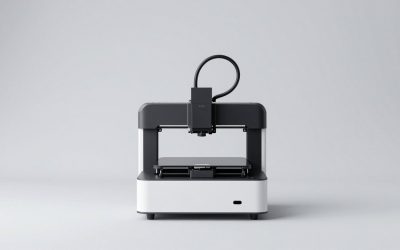
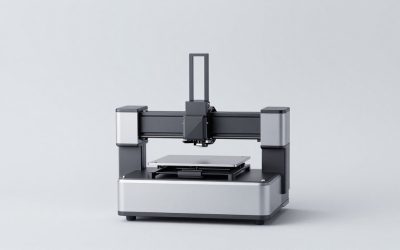
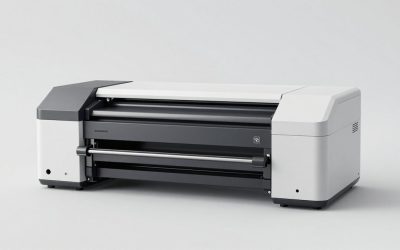
The best photo printers for vibrant prints in 2026 are the Epson EcoTank ET-8550 for low running costs and large borderless photos, the Canon PIXMA G620 for economical 6-color printing up to 8.5×11 inches, the Epson SureColor P700 or Canon imagePROGRAF PRO-300 for archival-quality gallery work, and the Canon SELPHY CP1500 for convenient 4×6-inch dye-sublimation prints.
As an Amazon Associate we earn from qualifying purchases at no extra cost to you.




Our Top Picks
 Liene Amber M110 Bluetooth Portable Photo Printer for4x6" & 3x3" Photo Printer2.87 poundsCheck on Amazon



Top 3 picks at a glance
Quick comparison: which photo printer fits your needs?
| Printer | Ink or process | Largest listed paper size | Borderless output | Best for | Typical price range |
|---|---|---|---|---|---|
| Epson EcoTank ET-8550 | 6-color refillable dye/pigment ink | 13×19 inches | Up to 13×19 inches | Frequent photo printing and low ink cost | Usually $600–$800 |
| Canon PIXMA G620 | 6-color refillable dye ink | 8.5×11 inches | Up to 8.5×11 inches | Colorful family photos and high volume | Usually $250–$350 |
| Epson SureColor P700 | 10-color pigment ink | 13×19 inches | Up to 13×19 inches | Fine-art and monochrome photography | Usually $700–$900 |
| Canon imagePROGRAF PRO-300 | 10-color pigment ink | 13×19 inches | Up to 13×19 inches | Highly controlled exhibition prints | Usually $700–$900 |
| Canon SELPHY CP1500 | 4-pass dye sublimation | 4×6 inches | Full-bleed 4×6 output | Portable, durable snapshots | Usually $100–$180 |
Best overall for frequent large photos: Epson EcoTank ET-8550
The ET-8550 is the strongest all-round choice when you want vibrant color, borderless enlargement, and manageable long-term ink costs. Its six-ink system uses photo-oriented dye colors alongside pigment black, and it accepts sheets up to 13×19 inches. That gives it a practical advantage over many inexpensive photo printers: you can produce large wall prints without moving to a much more expensive professional model.
Its refillable tanks are especially useful for photographers who print regularly. A full set of replacement bottles usually costs far less than replacing several small cartridges, although the printer’s initial purchase price is higher. Wireless printing, Ethernet, USB, and support for common mobile printing workflows make it suitable for a home office as well as a gaming-room setup.
For the best color accuracy, turn off automatic “vivid” or enhancement modes when the image already has a carefully edited color profile. Use the printer’s photo-paper setting, select the exact paper surface, and let the application manage color if you are using an ICC profile. Otherwise, the printer driver should manage color consistently rather than allowing both the editing application and driver to make separate corrections.
Best low-cost high-volume option: Canon PIXMA G620
The PIXMA G620 is a compelling choice for 4×6, 5×7, and letter-size photos. Its six dye-ink colors provide smoother transitions than a basic four-color office printer, particularly in skies, skin tones, and saturated flowers. The refillable design keeps the cost per print low when you print often.
The main limitation is size: it is an 8.5×11-inch-class printer rather than a 13-inch wide model. That makes it a better fit for albums, frames, and everyday family photos than for large portfolio prints. Wireless connectivity is built in, and its compact design is easier to accommodate than a professional pigment printer.
Choose the G620 if your priority is the lowest practical running cost below 11 inches. Choose the ET-8550 instead if you expect to print posters, panoramic images, or full-bleed 13×19-inch work.
Best for long-term durability: Epson SureColor P700
The SureColor P700 uses pigment inks designed for substantially better display longevity than ordinary dye inks when paired with suitable archival paper and protected from direct sunlight. It is aimed at photographers who care about neutral black-and-white tones, shadow detail, and predictable results across matte and glossy media.
Its 10-color system includes dedicated black choices for different paper types. That matters because glossy and matte surfaces need different black behavior; switching media can involve ink-path changes and a small amount of ink use. Running costs are therefore higher than on a tank printer, but the extra control can be worthwhile for signed prints or client work.
The P700 supports sheets and roll media workflows within its 13-inch class. It also provides wired and wireless connectivity, but professional printing is usually more reliable over USB or Ethernet when sending large, high-resolution files.
Best Canon option for fine-art color: imagePROGRAF PRO-300
The Canon imagePROGRAF PRO-300 is a 13-inch pigment printer with a 10-ink system built for photographers who need strong color separation and deep blacks. It is particularly attractive if your editing workflow already uses Canon cameras, Canon paper profiles, or Canon’s professional print software.
Compared with a refillable tank model, the PRO-300 costs more to operate and is less forgiving of long periods without use. Pigment printers benefit from regular printing because dormant ink can dry in the nozzles. If you only print a few photos every month, a tank printer or dye-sublimation printer may be less troublesome.
For exhibition prints, do not judge longevity by ink alone. The paper, display lighting, UV exposure, humidity, framing glass, and handling all affect the final life of a photograph. Use the paper maker’s profile and store unused prints flat in acid-free sleeves.
Best for instant-looking 4×6 prints: Canon SELPHY CP1500
The SELPHY CP1500 uses dye sublimation rather than liquid ink. It transfers color in multiple passes and adds a protective overcoat, producing clean, full-bleed 4×6 prints with no wet-ink drying period. Each print uses a matched cartridge-and-paper pack, so budgeting is simpler than estimating separate ink and paper consumption.
It is not the right choice for large prints, soft fine-art gradients, or extensive color editing. It is excellent for parties, scrapbooks, travel albums, and anyone who wants predictable small prints from a phone. Wi-Fi, USB, and memory-card workflows make it easy to print without a computer.
Ink cost, paper cost, and the calculation that matters
Printer price alone can make the wrong model look inexpensive. Consider a household that prints 250 4×6 photos and 50 8×10-equivalent pages per year. If a cartridge printer averages around $0 in ink per 4×6 photo and around $0 per larger page, annual ink spending is approximately:
(250 × around $0) + (50 × around $0) = around $130 per year in ink.
A refillable tank printer might reduce the ink portion to roughly $0–around $0 per 4×6 photo and around $0–around $0 per larger page, depending on coverage and maintenance. Using middle estimates:
(250 × around $0) + (50 × around $0) = $31 per year in ink.
That is about $100 in annual ink savings before paper. If the tank model costs $250 more initially, the ink-only break-even point is approximately 2.5 years. Dye-sublimation systems can be competitive for occasional 4×6 printing because their media cost includes both color material and paper, while tank printers are usually more economical at higher volume and larger sizes.
Color accuracy: settings that prevent disappointing prints
- Use the correct media setting. Glossy, luster, matte, and fine-art papers absorb ink differently. Selecting the wrong surface can cause dull color, excess ink, or blocked shadows.
- Match the viewing light. A print edited under cool LED lighting may look too warm under household bulbs. For serious work, compare prints under a neutral daylight-balanced lamp.
- Print at the image’s intended size. For a 12×18-inch print, a 3600×5400-pixel file provides 300 pixels per inch. A 2400×3600-pixel file provides 200 pixels per inch, which can still look good at normal viewing distance but gives less cropping freedom.
- Use profiles consistently. If the editing application manages color, disable driver color adjustment. If the driver manages color, do not also apply an ICC conversion in the application.
- Run a nozzle check before important work. A missing cyan or magenta segment can create a color cast. Perform one cleaning cycle, wait several minutes, and check again rather than repeatedly running cleaning cycles that consume ink.
Decision matrix
| Your situation | Best match | Why |
|---|---|---|
| Mostly phone photos and albums | Canon SELPHY CP1500 | Simple full-bleed 4×6 dye-sublimation prints |
| Hundreds of photos per year, up to letter size | Canon PIXMA G620 | Six-color output and low refill cost |
| Frequent borderless 13×19-inch printing | Epson EcoTank ET-8550 | Large format with refillable ink tanks |
| Gallery, client, or archival work | Epson SureColor P700 or Canon PRO-300 | Pigment inks and stronger paper-profile control |
| Printer may sit unused for months | SELPHY CP1500 or an inexpensive dye printer | Less dependence on maintaining pigment nozzles |
How to choose the best photo printer
Buy the Canon SELPHY CP1500 for convenient small snapshots, the PIXMA G620 for economical letter-size color, or the ET-8550 for the best balance of vibrant output, wireless convenience, borderless size, and running cost. Move to the Epson P700 or Canon PRO-300 when long-term durability, monochrome neutrality, and fine-art paper support matter more than ink economy. The best photo printer is ultimately the one whose maximum paper size, maintenance requirements, and color workflow match how often and how seriously you print.