
If you work or game at a desk after sundown, you already know the problem: a bright monitor floating in a pitch-dark room. Your eyes constantly adjust between the glowing screen and the black wall behind it, which is a fast track to fatigue, squinting, and headaches by the end of a long session. Turning on a ceiling fixture is too harsh, and a desk lamp only adds glare on the screen itself.
That’s the gap RGB light bars are built to fill. Mounted on top of or behind your monitor, they wash the wall in soft bias lighting that matches your screen’s glow, cutting contrast and adding genuine atmosphere to a home office or battlestation. We sorted through the crowded market to find the bars worth buying, from budget backlights to premium dual-light options, and ranked them below.
As an Amazon Associate we earn from qualifying purchases at no extra cost to you.





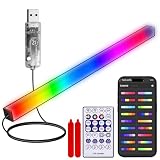

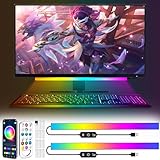
Our Top Picks
 Quntis Curved Monitor Light Bar 15 RGB BacklightIM 26 inch17.3 x 5.5 x 4 inches2.7 PoundsCheck on Amazon
 Quntis RGB Monitor Light Bar with Remote20 inches20.08 x 0.78 x 0.78 inches2.1 PoundsCheck on Amazon



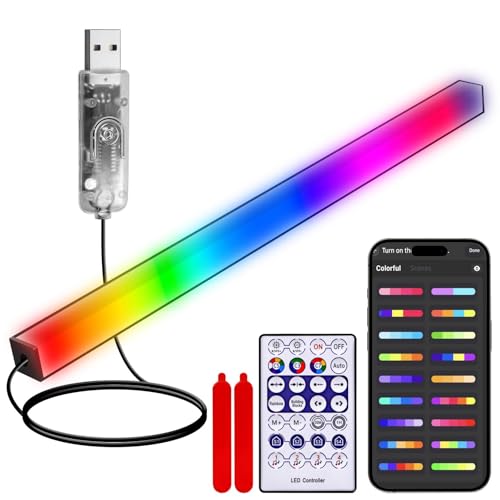
Top 3 picks at a glance
Quick Picks
| Product | Best for | Price |
|---|---|---|
| Quntis Curved Monitor Light Bar 15 RGB Backlight for 34″+ Screens | Best overall for large ultrawide setups | Check on Amazon |
| RGB Light Bar Music Sync USB Powered Remote Control | Best ultra-budget ambient glow | Check on Amazon |
| SAMPHON RGB Monitor Light Bar | Best budget dual-light bar | Check on Amazon |
| Quntis RGB Monitor Light Bar with Remote | Best for flat, curved, and ultrawide compatibility | Check on Amazon |
| Smart Monitor Light Bar with RGB Backlight, Software-Controlled | Best software control and music sync | Check on Amazon |
| FenglinWisdom RGB LED Monitor Ambient Light Bar | Best budget value | Check on Amazon |
| Quntis Monitor Light Bar 15.7 Inch | Best mid-range dual-light pick | Check on Amazon |
| KANTUTOE Under Monitor Light Bar (2pcs) | Best under-monitor and TV backlighting | Check on Amazon |
How We Compared
Because these bars all look similar in listing photos, we compared them on the specifications that actually change how a setup looks and feels: whether the bar includes a front task light or only a backlight, how well the clamp fits flat, curved, and ultrawide panels, how the lighting is controlled (remote, app, or PC software), whether music or screen sync is available, and where each product lands on price. We relied on manufacturer specifications and listing details, and we weighed each bar against the kind of desk it suits best rather than declaring one winner for every monitor.
The Best Picks
1. Quntis Curved Monitor Light Bar 15 RGB Backlight for 34″+ Screens
This is the pick for anyone running a 34-inch or larger ultrawide, especially a curved panel. The bar’s foldable dual-light design puts an adjustable front light over your desk and an RGB backlight on the wall behind, and the curved mounting clip hugs curved monitors securely where flat-only bars rock loose. Front lighting offers stepless dimming across a full color temperature range, so you can dial in anything from a warm reading glow to a cool daylight white. If you want one device that solves both task lighting and bias lighting on a big screen, this is it.
- Foldable dual light with stepless dimming and adjustable color temperature
- Designed specifically for 34″+ curved and ultrawide screens
- It sits in the premium tier, above most bars here
Skip it if your monitor is smaller than 30 inches — the SAMPHON or Quntis 15.7-inch models will fit better and cost less.
2. RGB Light Bar Music Sync USB Powered Remote Control
This simple two-function bar does one thing well: it puts color behind your monitor at a budget price. It’s USB powered, so it draws from your monitor or PC’s USB port and switches on with your setup, and the included remote handles color changes, brightness, and effects. The music sync mode makes the lighting react to audio, which is genuinely fun for gaming and movie nights. It won’t light your desk for paperwork, and effect quality won’t match pricier bars, but as pure ambient backlighting on a budget, it’s hard to beat.
- Budget-tier price with remote control included
- Music sync mode reacts to game and movie audio
- No front-facing task light — backlighting only
Skip it if you also want a reading light over your keyboard; step up to a dual-light model like the SAMPHON.
3. SAMPHON RGB Monitor Light Bar
The SAMPHON is the standout value here because it splits the difference between a cheap backlight strip and a full monitor light bar. It offers nine RGB backlight modes for the wall behind your screen plus a three-color dimmable front light that actually makes it usable as an eye-care reading and desk lamp. The 15.75-inch bar suits most standard monitors, and USB power keeps your desk free of another wall wart. At a budget price, getting both functional front lighting and nine modes of ambient glow is a combination most brands reserve for the mid-range tier.
- Dual light: 3-color dimmable frontlight plus 9 RGB backlight modes
- Eye-care oriented design at a budget price
- 15.75-inch length may look short on ultrawide monitors
Skip it if you want app control or millions of colors; the FenglinWisdom offers those for less.
4. Quntis RGB Monitor Light Bar with Remote
This is Quntis’s premium-tier flagship, and it earns its place through sheer flexibility. The mounting clip fits flat, curved, and ultrawide monitors, so you can move it between setups without worrying about compatibility — a real advantage if you upgrade panels often. The included remote controls the RGB backlight and front light, letting you switch from a neutral work tone to saturated game-night colors without reaching for your keyboard. If you want a premium, do-everything bar that will outlast monitor upgrades, this is the safest long-term bet.
- Fits flat, curved, and ultrawide monitors alike
- Remote control for both front and backlight
- Premium-tier price
Skip it if your monitor is a fixed 24–27 inch flat panel and budget matters; the SAMPHON covers the basics for a fraction of the cost.
5. Smart Monitor Light Bar with RGB Backlight, Software-Controlled
This 16-inch bar is the tinkerer’s budget pick. Unlike remote-only bars, it’s software-controlled, meaning you can manage the display color and lighting effects from your PC, with 16 million colors and 18 modes to program. Music sync is built in, so your backlight pulses with in-game action or your playlist. The front and backlight split keeps it useful during the workday too. At a budget price, getting software control that usually costs much more elsewhere makes this the smartest feature-per-dollar bar for gamers who like to customize.
- Software control with 16M colors and 18 modes
- Music sync at a budget price point
- Software control means installing an app some minimalists won’t want
Skip it if you’d rather press a remote button than open a program to change colors.
6. FenglinWisdom RGB LED Monitor Ambient Light Bar
This is the lowest-priced bar in the main list. Despite the price, it doesn’t skimp on the headline features: a 16-inch USB-powered bar with app control, 16 million colors, dimmable output, and music sync. It’s backlight-only, so it won’t illuminate your keyboard, but as a bias light it covers the essentials that bars three times its price offer. It’s also a low-risk way to find out whether bias lighting is for you before investing in a dual-light model. Stick it behind a monitor, TV, or console setup and see how much the glow changes the room.
- 16M colors, app control, and music sync at a budget price
- Generous 16-inch length at this price
- No front task light — purely ambient
Skip it if you need desk illumination for paperwork; buy the SAMPHON instead.
7. Quntis Monitor Light Bar 15.7 Inch
This Quntis sits in the sweet spot between budget and flagship. The 15.7-inch bar brings eye-care dual light — a flicker-free front lamp for your desk plus a 24-mode RGB backlight for the wall — at roughly half the price of the premium Quntis models. The front light’s even, glare-free beam makes it a genuine daily driver for spreadsheets and reading, then one tap flips it into full ambient mode after hours. If you want proven build quality and both lighting functions without moving into the premium tier, this is the balanced choice for most standard-size monitors.
- 24 RGB backlight modes plus eye-care front light
- Mid-range pricing with premium-brand build
- Fewer color options than 16M-color competitors
Skip it if you have an ultrawide; the Quntis 34″+ model is built for that job.
8. KANTUTOE Under Monitor Light Bar (2pcs)
The KANTUTOE takes a different approach: instead of sitting on top of your monitor, these two bars mount underneath it or behind a TV, casting upward or wall-facing glow from below. Each bar is USB powered, and you get both app and remote control, music sync, 16 million colors, and a timing function that can shut the lights off after you fall asleep. The two-piece design also spreads light more evenly across wide screens or dual-monitor arrays. If your goal is pure backlight drama rather than desk illumination, this kit delivers it at a budget price.
- Two-piece setup covers wide or dual-monitor layouts evenly
- App plus remote control with timing and music sync
- No front-facing light for desk tasks
Skip it if you want the classic monitor-top bar look with a task light included.
More Light Bars and Backlights Worth Considering
The picks above cover most budgets, but they cluster around simple USB bars and Quntis models. Several other products take a different approach to ambient lighting: premium bars with wider rear halos, kits that read your screen and match its colors, and standalone light bars that sit behind the monitor rather than on top of it. These five fill the gaps.
BenQ ScreenBar Halo 2

The ScreenBar Halo 2 is the premium-tier choice for people who care more about comfortable bias lighting than about rainbow effects. Its backlight is not RGB; it is a white, color-temperature-adjustable rear light. That is exactly why it belongs in this discussion. Eye-comfort guidance for dark-room viewing favors neutral, dimmable bias light, and the Halo 2 is built around it.
BenQ describes the rear light as a tri-zone design that spreads up, down, and to the sides, with coverage it claims is far wider than the original Halo. Both the front and rear lights adjust independently from 2700K to 6500K with stepless brightness, and a dedicated button on the wireless controller switches between front only, back only, or both. The front light is designed with a sharp cut-off angle to keep glare off the screen, and BenQ quotes a color rendering index of Ra 95 or higher.
Smart features go further than any bar on our main list. An ultrasonic presence sensor turns the light on when you sit down and off after a few minutes away, and auto-dimming tops up room light toward a target desk brightness. The clamp fits monitors from about 0.43 to 6cm thick and curved panels from 1000R to 1800R, which covers most gaming curves. It is powered over USB-C.
Strengths: wide, even rear halo, excellent front light, motion sensor, and a premium aluminum build. Drawbacks: no RGB at all and a price several times higher than the Quntis bars. Compared with the Quntis 34-inch curved model, the BenQ is the better eye-comfort tool; the Quntis is the better choice if you want color.
ASUS ROG Aura Monitor Light Bar (ALB01)

The ROG Aura ALB01 is the premium pick for gamers who already run ASUS ROG hardware. It combines a white screen light with Aura RGB lighting that can be synced with other Aura Sync compatible components and peripherals, so the bar matches your motherboard, keyboard, and case lighting rather than running its own unrelated effects. You can run the desk light alone, the RGB alone, or both together.
ASUS emphasizes the asymmetrical optics, which push light down onto the desk while keeping reflections off the screen. Its listed specs are strong: over 800 lux at the center from 45cm height, a color rendering index of Ra 95 or higher, and a roller switch for color temperature from 2700K to 6500K. The clamp uses a patented design with a magnetic loop and thumbwheel, and ASUS says it fits standard and curved monitors of varying thicknesses. Power comes from a 5V USB connection drawing up to 5W, and the bar can also be managed through ASUS DisplayWidget Center software on supported ROG monitors.
At nearly 50cm long, it is a better fit for 27-inch and larger monitors than the 15.7-inch bars on our main list. ASUS does not clearly specify the direction of the RGB LEDs, so treat it as accent and ecosystem lighting rather than a dedicated wall-wash backlight like the Govee kits below.
Strengths: Aura Sync integration, bright and accurate desk light, a secure clamp, and a long body for large screens. Drawbacks: premium pricing and the most value only inside the ROG ecosystem. If you do not use Aura Sync, a Quntis dual-light bar gives you a similar front-plus-RGB layout for much less.
Govee Gaming Light for Monitor G1

The Govee G1 is not a bar at all, and that is the point. It is an RGBIC LED strip that wraps all four sides of the back of your monitor and changes color to match what is on screen. If your goal is immersive ambient lighting rather than desk illumination, the G1 goes further than any light bar on our main list. It sits in the mid-range tier.
Screen matching runs through the Govee Desktop app on your PC, with no camera or HDMI box required. The software splits the screen into zones, averages the colors in each, and sends them to the strip. Govee sells versions for 24 to 26-inch and 27 to 34-inch monitors, and curved screens are supported. Beyond screen sync, you get app, control box, and voice control over Wi-Fi and Bluetooth, music modes, many scene presets, and compatibility with Razer Chroma and Govee’s DreamView syncing.
There are trade-offs. The strip runs from a 12V adapter rather than a USB port, so there is an extra power brick. Copy-protected streaming video may not be readable by the sync software, which limits it for some movies. And because it lights only the wall, it does nothing for your keyboard.
Strengths: true screen-color matching, four-sided coverage, and a broad ecosystem. Drawbacks: requires PC software and wall power, and offers no task lighting. Pair it with a simple front-light bar if you also need desk illumination; compared with the music-sync bars on our main list, it is far more immersive for games.
Govee Flow Plus Smart Light Bars

The Govee Flow Plus is a pair of standalone light bars that stand vertically or lie flat behind a monitor, on a shelf, or beside a TV. Think of it as the larger, smarter version of the KANTUTOE two-piece kit on our main list. It lands in the mid-range tier.
Each bar uses RGBICWW LEDs, meaning it can display multiple colors at once across six segments and also produce adjustable white from 2200K to 6500K. That white channel matters for bias lighting: you can run a neutral, eye-friendly glow for work and switch to color for games or movies. Control runs through the Govee app over Wi-Fi or Bluetooth, an included control box, or voice assistants, and current listings add Matter and SmartThings support. A built-in microphone drives music modes without extra hardware.
Brightness is modest at around 400 lumens for the kit, which is fine for a wall behind a monitor but not enough to light a room. The bars are connected to a shared cable, which limits how far apart you can place them, and they run from a wall adapter rather than USB. Govee recommends them for TVs under about 45 inches, so they suit typical gaming monitors well.
Strengths: flexible placement, true adjustable white plus segmented color, and smart-home support. Drawbacks: moderate brightness and wall power required. Choose these over the KANTUTOE kit if you want better whites and smart-home control.
ONWAY Curved Monitor Light Bar with RGB Backlight
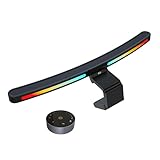
The ONWAY RGB curved bar (model PCTB-002) is a mid-range alternative to the Quntis 34-inch curved model at the top of our list. It combines a front task light with an RGB backlight, and its curved body is designed for curved monitors in the 27 to 34-inch range, so it follows the arc of the screen instead of hanging off the ends.
Two features make it stand out. First, it ships with a wireless remote, a round puck that sits on the desk and controls the light without reaching for the bar. Second, the base includes a camera mount, so a webcam can sit on top of the bar rather than fighting with the clamp for space, which is a common conflict with monitor light bars. Competitor coverage notes ten RGB backlight modes with memory, and the front light offers auto-dimming. It runs on 5V USB-C power.
The trade-off is that the remote needs batteries, which are not included, and the bar is relatively large at around 45cm long. Some reviewers note that bars without RGB offer brighter task light at the same price, so buy it for the combination of curved fit, webcam mount, and color rather than raw desk brightness.
Strengths: curved-monitor fit, wireless puck remote, webcam mount, and RGB backlight. Drawbacks: batteries for the remote are extra, and the front light is not the brightest in its tier. Streamers with a curved panel will find it more practical than the Quntis curved bar.
Buying Guide
Front Light vs. Backlight Only
Decide whether you need task lighting. Dual-light bars like the Quntis models and the SAMPHON include a glare-free front lamp for reading and keyboard work, plus an RGB backlight for ambiance. Backlight-only bars — the FenglinWisdom, KANTUTOE, and the budget music-sync RGB bar — cost less and are fine if your room already has adequate desk lighting, but they won’t reduce screen-to-desk contrast during work.
Fit and Mounting
Measure first. Bars range from 15.75 to 16 inches, which suits 24- to 32-inch monitors, while ultrawide and superwide panels need extended or adjustable clips like those on the Quntis 34″+ and its flat/curved/ultrawide sibling. Curved monitors demand a clip designed for curvature — flat-only clips sit unevenly and can slip. If you use a monitor arm or a top-mounted webcam, check that the clip won’t collide. Under-monitor kits like the KANTUTOE sidestep top-mounted clearance issues entirely.
Control and Connectivity
All of the main picks are USB powered (5V), so any monitor or PC USB port works, but control methods differ. Remote-control bars are simplest; app- and software-controlled bars unlock 16 million colors, music sync, scenes, and timers. If you like deep customization, prioritize the software-controlled Smart bar or the app-driven FenglinWisdom and KANTUTOE. If you want set-and-forget simplicity, a remote is enough — and note that music sync is now available even at the budget tier.
More Things to Check Before You Buy
Bias Lighting Color: RGB for Fun, White for Comfort
Bias lighting reduces eye strain because it lowers the contrast between a bright screen and a dark wall. That benefit comes from the light itself, not the color. For long work or movie sessions, a neutral white around 6500K, set noticeably dimmer than the screen, is the classic recommendation because it does not shift how you perceive colors on the display. Saturated RGB effects are great for atmosphere, but for color-sensitive work such as photo editing, switch to white or turn the backlight off.
Screen Sync vs. Music Sync
Music sync uses a microphone or audio signal and makes the lights pulse to sound. Screen sync reads the colors on your display and extends them onto the wall. Screen sync is far more immersive for games and movies but usually needs PC software or a capture box, and it may not work with protected streaming content. Music sync is cheaper and works anywhere, but it reacts to noise in the room as well as your audio.
Monitor Thickness, Curvature, and Webcam Clearance
Check three numbers: your monitor’s top-edge thickness, its curvature (such as 1000R or 1800R), and whether a webcam sits on top. Many budget clamps assume a thin flat bezel. Curved panels need a curved bar or a clamp rated for your curvature, and a webcam needs either a bar with a camera mount or an alternative position.
Color Rendering and Flicker
If the bar includes a front light, look for a color rendering index (CRI) of 95 or higher and flicker-free dimming. High CRI keeps paper, skin tones, and keyboard legends looking natural, and flicker-free drivers matter during long sessions.
Power Source
USB-powered bars are the simplest because they switch on and off with your monitor or PC. Larger kits, strips, and standalone bars often need a wall adapter. If your monitor’s USB ports are limited or switch off in standby, a powered USB hub keeps several accessories running reliably.
Comparison of the Additional Picks
| Product | Type | Backlight | Front light | Control | Best for | Price tier |
|---|---|---|---|---|---|---|
| BenQ ScreenBar Halo 2 | Monitor-top bar | White, 2700K to 6500K | Yes, asymmetric | Wireless controller, motion sensor | Eye comfort, work | Premium |
| ASUS ROG Aura ALB01 | Monitor-top bar | Aura RGB | Yes, asymmetric | Roller switch, Aura Sync | ROG setups | Premium |
| Govee Gaming Light G1 | Four-sided strip | RGBIC, screen sync | No | App, PC software, voice | Immersive gaming | Mid-range |
| Govee Flow Plus | Standalone bars (pair) | RGBICWW | No | App, control box, voice | Flexible placement | Mid-range |
| ONWAY Curved RGB | Curved monitor-top bar | RGB | Yes | Wireless puck remote | Curved monitors, streamers | Mid-range |
Setup Tips for Better Ambient Lighting
- Keep the wall glow dimmer than the screen. Bias light should frame the display, not compete with it. Start low and raise brightness only until the wall no longer feels black.
- Leave space between the monitor and the wall. A gap of roughly 10 to 30cm lets backlight spread into a soft halo instead of a hot spot.
- Light-colored walls work best. White or light grey walls reflect color evenly. Dark or strongly colored walls absorb light and tint every effect.
- Center the bar and level the clamp. An off-center bar casts uneven light on both the desk and the wall. Most clamps have a counterweight or thumbwheel; tighten it until the bar sits flat.
- Use USB power from the monitor for auto on and off. Plugging into the monitor’s USB port means the lights shut down when the screen does, which avoids forgetting them overnight.
- Save a work preset and a game preset. Neutral white for daytime work and a color or sync mode for evenings makes switching effortless.
- Route cables behind the stand. Clip the cable along the monitor arm or stand so it does not drape across the screen.
Which Option Fits Your Setup?
With bars, strips, and standalone light bars all competing for the same space behind your monitor, it helps to start from your desk rather than from a feature list.
24 to 27-Inch Flat Monitor, Mixed Work and Play
A 15.7 to 16-inch dual-light bar is the natural fit. The Quntis 15.7-inch and SAMPHON bars give you a front light for daytime work and an RGB backlight for the evening. If you want to spend more for better optics, the BenQ ScreenBar Halo 2 swaps RGB for a wider, eye-friendlier white halo.
34-Inch Curved Ultrawide
Prioritize curved fit above everything else. The Quntis 34-inch curved bar, the ONWAY curved RGB bar, and the BenQ Halo 2 all list curved-monitor support. A flat-only clip on a curved panel tends to rock, lights the desk unevenly, and leaves the outer edges of the wall dark.
Immersive Gaming and Movie Nights
If the goal is atmosphere, screen-synced lighting outperforms any preset effect. The Govee G1 strip mirrors what is on screen across all four sides of the monitor. Pair it with a simple front-light bar if you also need to see your keyboard clearly.
Matching an Existing RGB Ecosystem
If your PC already runs ASUS Aura Sync, the ROG ALB01 joins the same lighting scheme. Govee products sync with each other and with Razer Chroma. Mixing ecosystems is possible, but you will usually end up with two or more apps controlling different parts of the desk.
Dual Monitors or a TV-Style Setup
Monitor-top bars are designed for one screen. For two monitors side by side, standalone light bars such as the Govee Flow Plus or the KANTUTOE pair can sit behind or between the screens and wash the whole wall. The same approach works for a monitor used as a small TV.
Tight Budget, First Try
If you are not sure bias lighting is for you, a budget USB backlight bar such as the FenglinWisdom is a low-risk experiment. If you find yourself using it every night, step up to a dual-light bar or a screen-sync kit later.
Our Verdict
Our top pick is the Quntis Curved Monitor Light Bar for 34″+ screens: it combines a dimmable front light with an RGB backlight and a clip built for curved ultrawides. If your monitor is a standard 24 to 27-inch panel, the Quntis Monitor Light Bar 15.7 Inch is the best mid-range balance of build quality and dual-light functionality, and the Quntis with Remote suits people who switch between flat and curved panels. On a tight budget, the SAMPHON is the lowest-cost worthwhile dual-light bar, while the FenglinWisdom is the best pure-backlight value. Whatever you choose, the fundamentals stay the same: fit, control, and whether you need light on your desk or just on your wall.
FAQ
Do RGB light bars reduce eye strain?
Bias lighting reduces the contrast between a bright screen and a dark wall, which eases the constant pupil adjustment that causes fatigue in dark rooms. A dual-light bar adds even, glare-free task lighting on top, which helps further during reading and paperwork.
Will a monitor light bar fit my curved or ultrawide monitor?
Most standard bars from 15.75 to 16 inches fit 24- to 32-inch flat monitors. Curved and 34″+ ultrawide panels need a curved-compatible or extended clip — the Quntis 34″+ and Quntis with Remote are built for those screens. Check your monitor’s top bezel depth against the clip’s spec before buying.
Do these bars use much power?
No. The main picks are all USB powered at 5V, typically drawing only a few watts — comparable to a phone charger at idle. Your monitor’s USB port can usually handle one, though a powered hub is safer if you plan to run several accessories.
Can I use a monitor light bar on a TV?
Yes, if the TV’s top bezel is flat enough for the clip — many aren’t. For TVs, under-monitor style kits like the KANTUTOE two-piece set mount behind the panel instead and work better for living-room bias lighting.
What color should bias lighting be?
For comfort and accurate on-screen color, neutral white around 6500K is the standard recommendation. RGB colors are fine for gaming atmosphere, but switch back to white for color-critical work or long reading sessions.
Is screen-sync lighting worth it over a regular RGB bar?
For immersive gaming and movies, yes. Screen sync extends the image onto the wall and feels far more dynamic than preset effects. It usually needs PC software or an HDMI sync box, and it does not provide any task lighting, so it suits people who already have good desk lighting.
Can a light bar damage my monitor?
No. Clamps rest on the top edge with padding, and USB-powered bars draw very little power. Avoid overtightening clamps on very thin panels, and check the listed thickness range before buying.
Do I need a light bar if I already have a desk lamp?
A desk lamp lights the desk but often reflects off the screen. A monitor light bar points light downward with less glare and adds a backlight for the wall. If your lamp causes no glare, a backlight-only bar or strip is enough.
Will the backlight work with a monitor mounted on an arm?
Usually, yes. Top-mounted bars clamp to the monitor itself, so they move with the arm. Strips attach to the back panel. Check that the arm’s mounting plate does not block the spot where a strip or clamp needs to sit.
Related guides
- Best Ultrawide Gaming Monitors: Six Screens Sized Against Real Desks: 6 Compared (2026)
- Best Game Room Neon Lights: Ten Signs and Icon Lamps Compared: 10 Compared (2026)
- 10 Best 75% Hot-Swappable Mechanical Keyboards (October 2026)
- Best Mini-LED Monitor: Five Listings From a Renewed KTC to a 5K LG, Compared by Pixels and Ports (2026)









