
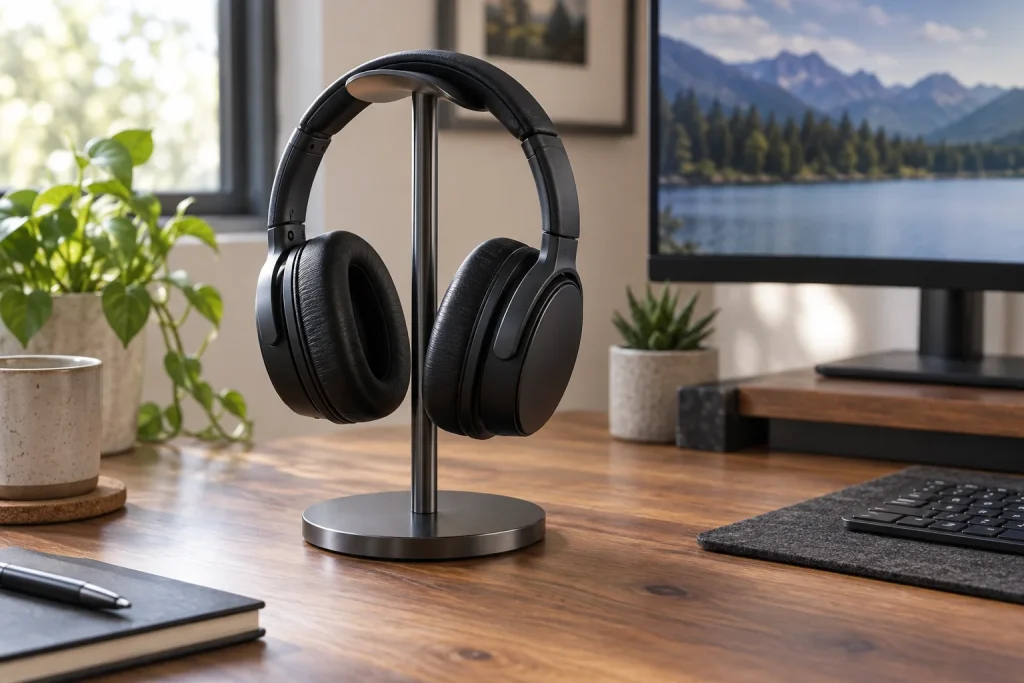
Here is the problem nobody talks about: your headphones cost more than your stand, and the cheapest stands in this category are genuinely terrible at holding them. A thin wire frame that tips when you lean forward on your desk, a plastic hook that cracks after three weeks of use, a base so light it slides across your surface every time you reach for your mouse.
What separates the best headphone stands from the throwaway ones comes down to three things: base weight distribution, contact surface protection, and structural rigidity at the headband cradle. A stand can look beautiful and still wobble when you drape a heavy gaming headset with a thick padded band across it. Conversely, a plain aluminum tube on a weighted disc can outperform a designer wooden piece every single day. This list covers both extremes, from budget utilitarian options to walnut-and-aluminum pieces that actually earn their price.
As an Amazon Associate we earn from qualifying purchases at no extra cost to you.




Our Top Picks


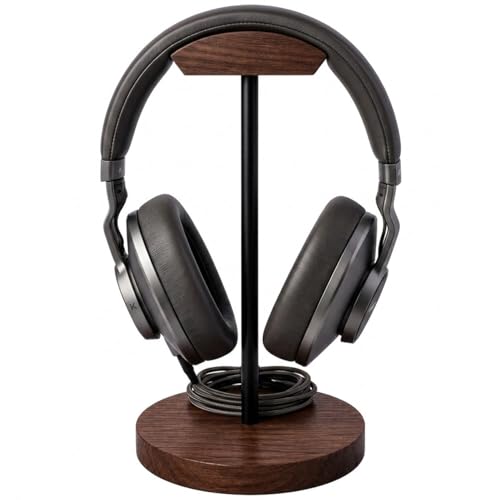


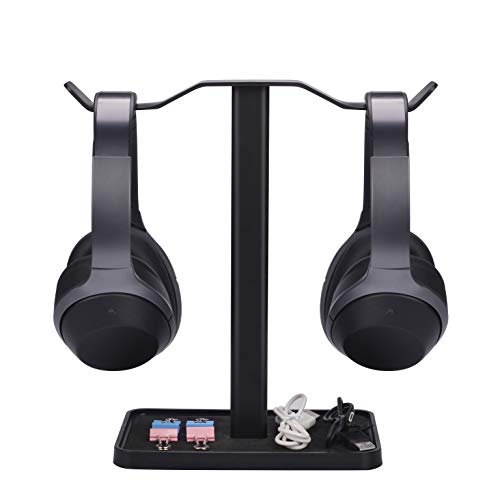
Top 3 picks at a glance
Quick Picks
| Product | Best for | Price |
|---|---|---|
| New Bee Headphone Stand | Most budget-conscious buyer | Check on Amazon |
| Ahonnpely Headphone Stand (Black) | Minimalist desk setup | Check on Amazon |
| Bliocefo Wood and Metal Hanger | Warm aesthetic on a budget | Check on Amazon |
| QinCoon Walnut & Aluminum (Black) | Heavy gaming headsets | Check on Amazon |
| DGPLUS Sleek Modern (White) | Lightweight and easy assembly | Check on Amazon |
| Avantree Neetto HS908 | Two headsets at once | Check on Amazon |
| Headphone Stand with Utility Slot | Cable and accessory management | Check on Amazon |
| QinCoon Walnut & Aluminum (Gold) | Design-forward desk setups | Check on Amazon |
How We Compared
We evaluated stands on load stability (does the base resist tipping under a heavy headset?), material durability at stress points (where the headband contacts the cradle), desk footprint efficiency (how much valuable surface area it consumes), and value relative to price. We also considered whether each stand accommodates common gaming headsets with thick padded bands, not just slim studio headphones, because if you are on a gaming-peripherals site, that is your real use case.
The 8 Best Headphone Stands in 2026
New Bee Headphone Stand
This is the default answer when someone asks what to buy on a tight budget. It works. The base is weighted enough for lightweight and mid-weight headphones, and the cradle shape does not mangle thin headbands. For a spare desk or a first setup, it eliminates the “where do I put these” problem for under the cost of a coffee order.
- Pro: Among the cheapest stands in this list while still offering a proper weighted base.
- Pro: Compact footprint that fits between a monitor and a keyboard without crowding.
- Con: The finish feels cheap and scratches easily with daily handling.
Skip this if you use a heavy gaming headset with a thick padded band; the base can rock when you load it.
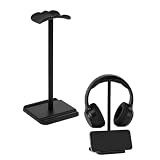
Ahonnpely Headphone Stand for Desk (Black)
Similar price point to the New Bee but with a slightly different aesthetic. The matte black finish gives it a more cohesive look against dark desk mats and peripherals. Owner feedback suggests this style of stand holds lightweight wireless headsets and earphone cases without complaint. It is not a performer, but it is tidy.
- Pro: Clean matte finish that resists fingerprint visibility.
- Pro: Low profile that does not interfere with monitor arms or cable channels.
- Con: Base is narrow enough that tall, top-heavy headsets feel precarious.
Skip this if your primary headset is a full-size gaming model weighing more than 350 grams.
Bliocefo Wood and Metal Headset Hanger
The Bliocefo earns its place by being the cheapest stand in this list that does not look like a stand. The solid wooden base combined with the metal hook gives it a craft-shop quality that the all-metal budget options lack. It suits someone building a warm, wood-accented desk who wants to stay in the budget tier. Functionally, the wooden base provides more mass than a comparable plastic disc.
- Pro: Real wood base at an entry-level price point.
- Pro: Hook geometry keeps the headband from sliding off during desk vibration.
- Con: Metal-on-wood contact points can loosen over months of repeated loading.
Skip this if you want a single cohesive color scheme; the mixed material finish stands out on minimalist setups.
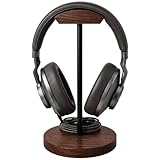
QinCoon Headphone Stand, Walnut Wood & Aluminum (Black)
Walnut base with an aluminum upright and a black anodized finish that matches dark peripherals effortlessly. The base is genuinely heavy, so a 380-gram gaming headset can go on and off many times a day without the stand shifting. For 2026, the build quality here is hard to argue with at this price tier.
- Pro: Weight distribution handles heavy headsets without any wobble or sliding.
- Pro: Premium material pairing that looks proportionally expensive beyond its cost.
- Con: Walnut base requires occasional oiling to maintain its finish in dry climates.
Skip this if you need portability; it is heavier and bulkier than the budget options.
DGPLUS Sleek Modern Headphone Stand (White)
The DGPLUS solves a problem most stands ignore: assembly and disassembly. If you move your setup, travel with your desk rig, or just want to store it flat, this one clicks apart without tools. The white finish is clean and pairs well with Apple ecosystems or bright minimalist desks. The base uses a wide, low-profile disc that keeps the center of gravity low.
- Pro: Tool-free disassembly makes it ideal for users who reconfigure their desk regularly.
- Pro: Wide base geometry provides surprising stability for its weight class.
- Con: The plastic cradle insert can mark soft-touch headbands over extended contact.
Skip this if you dislike white accessories; it shows dust and scuffs visibly.
Avantree Neetto HS908 Dual Headphone Stand
One stand, two headsets. If you alternate between a gaming headset and a pair of wireless studio headphones, this saves desk space compared to running two separate stands. The dual-branch design is stable because Avantree widened the base to compensate for the offset load. The build feels more substantial than its price suggests.
- Pro: Eliminates the need for two stands, freeing real desk surface area.
- Pro: Both arms are padded, protecting headbands from metal contact marks.
- Con: Wider footprint than single-arm stands; measure before committing to a tight space.
Skip this if you only own one headset; the extra footprint buys you nothing.
Headphone Stand with Utility Slot
The utility slot is the quiet feature that sells this stand. A recessed channel along the base catches your coiled cable, extra ear tips, or a USB dongle, so those small items stop migrating across your desk. At a budget price, it is arguably the most practical budget option because the slot replaces a separate cable organizer.
- Pro: Integrated storage channel consolidates small accessories onto the stand itself.
- Pro: One of the cheapest stands in this list.
- Con: Cradle shape is generic and does not center very large headbands well.
Skip this if your desk already has a dedicated cable tray or organizer system.
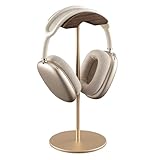
QinCoon Headphone Stand, Walnut Wood & Aluminum (Gold)
Same excellent platform as the Black version, swapped to a gold-tone aluminum upright. The warm metal against the walnut creates a cohesive, luxury-feeling piece. If your keyboard, mouse, or monitor arm has gold or copper accents, this stand ties them together without looking like an afterthought.
- Pro: Gold anodized finish complements warm-toned and copper-accented desk builds.
- Pro: Identical load-bearing performance to its sibling, which is exceptional at this tier.
- Con: Gold finish shows fingerprints and smudges more readily than black.
Skip this if your desk is monochrome black or white; the warm tone will clash.
EURPMASK Rotating Clamp-On Headphone Holder

Every stand above sits on the desk surface. The EURPMASK takes the opposite approach: it clamps to the edge of your desk and uses zero surface area. For gamers working with a narrow desk, a large mouse pad or a monitor arm base that already eats space, that is the single most practical upgrade on this list.
The spring-loaded clamp fits desk tops roughly 0.31 to 1.57 inches thick (about 8 to 40mm), which covers most home desks and many gaming desks. No screws or adhesive are involved, so you can move it between desks or remove it without leaving marks. The hook swivels 360 degrees, letting you tuck the headset under the desk edge when you are not using it or swing it outward for a quick grab. Rubber pads on the clamp jaws protect the desk finish, and the curved hook edge is softened to avoid creasing headband padding. A small cable clip on the arm keeps a wired headset’s cord from dangling into your legs.
Strengths: takes no desk surface space; tool-free installation; 360-degree swivel; inexpensive; includes a cable clip.
Drawbacks: made of ABS plastic rather than metal, so it flexes slightly under heavy headsets; will not fit very thick desks or desks with a lip or frame under the edge; the narrow hook concentrates more pressure on the headband than a wide cradle does.
How it compares: it costs about the same as the New Bee and Ahonnpely stands but solves a different problem. Choose it over desktop stands when surface space is the constraint; choose the QinCoon instead if you want a display piece that protects a premium headband.
Elevation Lab The Anchor Under-Desk Mount

The Anchor is the minimalist’s answer to headset storage. It is a small hook made of thick silicone over a steel inner reinforcement that sticks to the underside of your desk with 3M VHB adhesive, the same family of tape commonly used to mount action cameras. On clean, finished surfaces, the adhesive is rated to hold far more than any headset weighs. The hook is sized to hold two headsets, one on each side.
Installation takes a minute, but patience matters: the surface must be clean, dry and free of oil, and the adhesive takes about 24 hours to reach full strength. Hang a headset too soon and it may peel. Once cured, it essentially disappears from view, which is ideal for streamers who want a clean camera shot or anyone running a clutter-free desk aesthetic. Removal is possible by softening the adhesive with a hair dryer.
Strengths: completely hidden; works on desks too thick for clamps; soft silicone cradle is kind to headbands; holds two headsets.
Drawbacks: needs a smooth finished surface (raw wood, textured laminate and some glass tops can be unreliable); 24-hour cure time; repositioning means using a new adhesive pad; headsets hang under the desk where you can bump them with your knees.
How it compares: where the EURPMASK clamp needs a desk edge between 8 and 40mm thick, the Anchor works on any thickness as long as the surface is smooth. It is a better fit than any desktop stand when you want the headset completely out of sight.
Razer Base Station V2 Chroma

The Base Station V2 Chroma is the gaming-focused stand that earns its higher price by doubling as a desk hub. Its base has two USB 3.1 Type-A ports and a 3.5mm combo port with a built-in DAC, all connected to your PC through one USB cable. That means you can plug a wired headset, a flash drive or a mouse receiver into the stand rather than reaching behind your tower.
The 3.5mm port gives access to Razer’s 7.1 surround sound software, which is activated by registering the product for a code. The base has eight Chroma RGB lighting zones that sync with other Razer Synapse devices, so the stand blends into an RGB setup. Construction is aluminum with an anti-slip base; the base measures about 120mm across, the stand is about 278mm tall, and it weighs roughly 470 grams. Razer says any headset up to 278mm tall fits.
Strengths: USB 3.1 hub and DAC built in; Chroma RGB integration; tall enough for large gaming headsets; heavy, stable base.
Drawbacks: one of the most expensive stands here; needs a USB connection to the PC for lighting and ports; 7.1 surround requires a software activation step; features are PC-centric and less useful for console-only setups.
How it compares: it costs several times more than the QinCoon stands but adds hub and audio functions none of the other picks offer. If your desk is already full of Razer gear, it is the most cohesive choice.
SAMDI Walnut Wood Headphone Stand
The SAMDI is one of the best-known wooden stands, and its design is genuinely different from the hook-on-a-pole format of most picks. It is a one-piece omega-shaped stand made from bent walnut, so there is no assembly, no screws and no metal-to-wood joint to loosen over time, a weakness noted with the Bliocefo above. The wide, flat top distributes the headband’s weight across a larger area, and the shape lets the earcups rest naturally on either side rather than hanging off a single point.
The walnut version weighs about 460 grams and measures roughly 16 x 11 x 26 cm. SAMDI lists compatibility with headbands up to about 14.5cm wide and headsets up to about 26cm tall, which covers most gaming headsets and studio headphones. The feet are shaped so a cable can be wound around the base, and the varnished, matte-polished surface resists light scuffs. Birch, oak and black walnut finishes are also sold.
Strengths: one-piece bentwood construction with nothing to loosen; wide headband contact surface; built-in cable wrap; warm, furniture-like look.
Drawbacks: larger footprint than a pole-style stand; very tall gaming headsets may leave the earcups touching the desk; no padding on the wood surface; costs more than budget metal stands.
How it compares: it costs about the same as the QinCoon stands. The QinCoon has a smaller footprint and a metal upright; the SAMDI wins on headband protection and the simplicity of a single piece of wood.
Lamicall Desktop Headphone Stand

The Lamicall desktop stand is a tall, lightweight alternative for people whose headsets are too big for compact stands. It stands about 31.7cm (12.5 inches) tall on a 13cm round base, giving large over-ear headsets with deep earcups enough clearance to hang without touching the desk. That height is notably taller than most budget stands in this guide.
The upright is aluminum, while the curved headband rest is ABS plastic with a smooth, rounded surface. The stand disassembles for storage or travel and weighs roughly 285 grams, using a low center of gravity to stay upright. Its curved, bird-like silhouette looks more designed than a plain pole.
Strengths: very tall for large headsets; aluminum upright; disassembles flat; wide round base for its weight.
Drawbacks: lighter than the walnut and Razer stands, so it can rock when a heavy headset is dropped on quickly; the plastic rest is not padded; the tall height can block part of a low-mounted monitor.
How it compares: it sits between the budget New Bee and the QinCoon in price. Choose it over the New Bee when your headset is tall; choose the QinCoon if stability with a heavy headset matters more than height.
New Bee RGB Headphone Stand with USB-C and USB Ports

This is New Bee’s step up from the basic stand at the top of our list, and it is the affordable way to get some of the Razer Base Station’s features. The base adds a USB-C port and a USB-A port that can charge a phone or transfer data when the stand is connected to your PC, with plug-and-play support on Windows, macOS and Linux and no drivers required.
The lighting ring offers seven-color RGB, breathing modes and several single-color modes, and a long press of the touch button turns the lights off entirely. The upright is aluminum, the base is non-slip, and New Bee quotes about 9.5 inches of vertical clearance with a widened, curved rest for gaming headsets. It comes in black, pink and silver.
Strengths: USB-C and USB-A ports in the base; RGB lighting you can switch off; aluminum upright; much cheaper than branded hub stands.
Drawbacks: no DAC or audio port, unlike the Razer; needs a USB cable to the PC for the ports and lighting; RGB modes are preset with no software sync; the base is lighter than the Razer’s.
How it compares: it costs a fraction of the Razer Base Station V2 Chroma and covers the charging and lighting basics. If you do not need a DAC or Chroma sync, it is the better value.
NEETTO HS906 2-in-1 Above and Under Desk Stand

The NEETTO HS906 comes from the same family as the Avantree Neetto HS908 dual stand above, but it is built to solve a different problem: it works both above and below the desk. The clamp grips a desk or shelf edge up to about 1.97 inches (50mm) thick, which is thicker than the EURPMASK’s limit, and soft silicone pads on the jaws protect the desk finish. Flip it one way and it is an upright stand next to your monitor; flip it the other way and it becomes an under-desk hanger.
The arm extends from roughly 6.5 to 10.2 inches, so you can shorten it to keep a headset tucked under the desk or lengthen it so a tall headset clears the desk surface when used as a stand. The mount rotates 360 degrees, a raised lip on the hook stops the headset from being knocked off, and a cable clip is included. The listed load limit of about 5kg is generous, so a bag or a coil of cables can share the hook.
Strengths: works above or under the desk; fits thicker desks than most clamps; height-adjustable arm; rotating mount with a retaining lip.
Drawbacks: a clamp still needs a clear desk edge with no frame directly underneath; the hook is narrower than a full cradle; plastic-heavy construction does not look as premium as wood or anodized aluminum.
How it compares: it costs a little more than the EURPMASK but adds height adjustment, a thicker clamp range and the option to sit upright. If you are not sure whether you want the headset on or under the desk, this is the most flexible choice.
Buying Guide
Base Weight and Footprint
The number one failure mode is tipping. A stand with a small base diameter and low mass will rock when you load a heavy headset onto it, especially if the cradle arm is tall. Look for stands where the base is at least twice as wide as the upright arm’s offset distance from center. Solid wood or weighted metal disc bases outperform hollow plastic every time. The tradeoff is desk space: a wider base stabilizes but consumes more surface area.
Headband Contact Surface
Where your headband rests matters more than people think. Bare metal or hard plastic will compress foam padding over months and can crack thin leather finishes. Rubberized, padded, or soft-touch coated cradles protect your investment. If you own a headset with a metal or carbon-fiber band, this is less of a concern, but padded bands need protection from sharp contact points.
Material and Longevity
Budget stands are fine for a year or two of casual use, but their finishes degrade fast. If your stand is always visible in your setup, materials like walnut, anodized aluminum, or powder-coated steel justify the higher price because they age gracefully rather than peeling or chipping.
The Four Types of Headphone Stand
Before comparing materials and prices, decide which mounting style fits your desk. Most buyers default to a desktop stand without realizing there are alternatives that save more space.
- Desktop stands (New Bee, QinCoon, SAMDI, Lamicall): sit on the desk surface and keep the headset at eye level. They are the easiest to use and the best for display, but they consume roughly a 4 to 6 inch circle of desk space.
- Clamp-on hangers (EURPMASK): grip the edge of the desk and swing the headset out of the way. They use no surface space but need a desk edge of compatible thickness with no frame or lip directly beneath.
- Adhesive under-desk mounts (Elevation Lab Anchor): stick to the underside of the desk and hide the headset completely. They work on any desk thickness but need a smooth, finished surface and a full day to cure.
- Hub and charging stands (Razer Base Station V2 Chroma, New Bee RGB): add USB ports, lighting and sometimes audio to a desktop stand. They are best when the stand sits within reach of your PC and you want to cut down on separate hubs.
Matching the Stand to Your Headset
Headset size and weight should drive the choice more than looks. Lightweight headsets under about 300 grams sit happily on almost any stand, including clamp hooks and budget poles. Heavier wireless gaming headsets in the 350 to 400 gram range need a heavier base or a wide cradle; the QinCoon, SAMDI and Razer stands handle that load best. Check vertical clearance too: if your headset’s total height from headband to the bottom of the earcups is close to the stand’s height, the earcups will rest on the desk and the stand loses its purpose. The Lamicall (about 31.7cm) and Razer (about 27.8cm) offer the most clearance among the new picks. For headsets with leather or protein-leather headbands, favor wide or soft contact surfaces like the SAMDI’s flat top or the Anchor’s silicone hook over narrow plastic hooks.
Comparison of the Additional Picks
| Stand | Type | Key Feature | Best For | Price Tier |
|---|---|---|---|---|
| EURPMASK Rotating Clamp | Clamp-on | 360-degree swivel, fits 8 to 40mm desks | Saving surface space | Budget |
| Elevation Lab The Anchor | Adhesive under-desk | Hidden mount, holds two headsets | Clean, minimal desks | Budget |
| Razer Base Station V2 Chroma | Hub stand | Two USB 3.1 ports, 3.5mm DAC, Chroma RGB | Razer and RGB setups | Premium |
| SAMDI Walnut | Desktop | One-piece bentwood, wide headband rest | Protecting premium headbands | Mid-range |
| Lamicall Desktop | Desktop | About 31.7cm tall, aluminum upright | Tall over-ear headsets | Budget |
| New Bee RGB with USB Ports | Hub stand | USB-C and USB-A ports, switchable RGB | Budget charging and lighting | Budget |
| NEETTO HS906 2-in-1 | Clamp-on, above or under desk | Height-adjustable arm, fits desks up to 50mm | Flexible placement | Budget |
Setup and Care Tips
- Place the stand on your non-mouse side. Most people reach for the headset with their free hand, and it keeps the stand away from wide mouse swipes.
- Use the cable management. Wrap a wired headset’s cord around the stand’s base or clip it to the arm so it does not drag the headset off when you move your chair.
- Clean the contact surface. Wipe the cradle every few weeks. Dust and skin oils on a hard rest can scuff a headband over time.
- Prep before adhesive mounting. Clean the spot with isopropyl alcohol, press the mount firmly for at least 30 seconds, and wait the full cure time before hanging anything.
- Check clamp tension periodically. Spring clamps can loosen if bumped often; reseat the clamp if the hook starts to droop.
- Oil or wax wooden stands occasionally. A light coat of furniture wax keeps walnut and other hardwoods from drying out, especially in heated rooms.
How Much Should You Spend on a Headphone Stand?
Prices in this category run from pocket change to the cost of a decent headset, and the extra money buys specific things rather than general quality.
- Budget tier: simple metal poles, clamp hooks and adhesive mounts. They hold a headset fine, but finishes and padding are basic. Good for second setups, lightweight headsets and tight budgets.
- Mid-range tier: heavier bases, real hardwood, anodized aluminum, height adjustment and budget USB ports. This tier, which includes the QinCoon, SAMDI, Lamicall and NEETTO, is where most gamers get the best balance of stability and looks.
- Premium tier: integrated hubs, DACs and synced RGB lighting like the Razer Base Station V2 Chroma, or handcrafted designer stands. Worth it if the stand replaces another device on your desk or is the centerpiece of a themed setup.
A sensible guide is to match the stand to the headset. A premium wireless headset with a leather headband deserves a stand with a wide, soft or wooden rest; a lightweight wired headset is perfectly happy on a basic hook.
Our Verdict
Top pick: The New Bee Headphone Stand is our top pick overall. It pairs a weighted base and a compact footprint with a cradle that does not mangle thin headbands, at a budget price that suits almost any desk.
Upgrade pick: The QinCoon Walnut & Aluminum (Black or Gold) is the upgrade pick for anyone using a substantial gaming headset daily. The weight, material quality, and structural rigidity are a full tier above the budget stands here.
Budget pick: The Headphone Stand with Utility Slot offers the most functionality per dollar because it doubles as a small-accessory organizer without costing more than the bare-minimum options.
Condition where another product wins: If you regularly carry your setup between locations, the DGPLUS with its tool-free disassembly is the strongest choice on this list.
FAQ
Do headphone stands damage headbands?
A well-designed stand with a padded or wide cradle will not cause noticeable damage. The risk comes from narrow, sharp-edged hooks that concentrate pressure on a small area of the band, which can accelerate foam compression or crack thin outer materials over time.
Can I use a headphone stand for earbuds or in-ear monitors?
Most stands are sized for over-ear headphones. In-ear monitors and earbuds can rest on a stand’s base surface or hang from the hook, but they will not stay securely. A dedicated earbud dock or a small tray is more practical for those form factors.
How much desk space does a typical stand need?
Single-arm stands with round bases generally require a circle roughly four to five inches in diameter. Dual-arm models like the Avantree need noticeably more. Measure before committing, especially on smaller or crowded desks.
Are wooden stands better than metal ones?
Aluminum is actually denser than wood, but wooden bases are usually cut thick and wide, which gives them useful mass and a low center of gravity under a lighter upright. However, wood can be sensitive to humidity and requires occasional maintenance. Metal stands are more resilient and can reach similar tipping resistance with a slimmer, weighted base.
Is a clamp-on or under-desk mount safe for heavy gaming headsets?
Generally yes, within the product’s limits. Adhesive mounts like the Elevation Lab Anchor are rated far above the weight of any headset once the adhesive has fully cured. Clamp hangers made of plastic can flex slightly under a 400 gram headset, so make sure the clamp is tightened against a solid desk edge and avoid yanking the headset off sideways.
Do headphone stands with USB ports work with consoles?
The ports on stands like the Razer Base Station V2 Chroma and the New Bee RGB stand rely on a USB connection to a powered host. Plugged into a console, they may supply power for charging and lighting, but hub and audio features are designed with PCs in mind. If you game on console only, a simple desktop or clamp stand is usually a better value.
Can I hang two headsets on one stand?
Dual-arm stands like the Avantree Neetto HS908 are designed for it. The Elevation Lab Anchor also has room for one headset on each side. Hanging two headsets on a single-arm desktop stand is not recommended because it can tip the base.
Will a headphone stand stretch my headband?
Not if the cradle is narrower than the headband’s natural resting width. Stands with very wide tops can slowly spread a tight headband; most stands designed for gaming headsets avoid this by using a curved rest that lets the headband hang at its natural shape.









