Destiny 2 asks more of a mouse than most shooters. One moment you are holding a lane in the Crucible, tracking a strafing opponent with a hand cannon; the next you are deep in a raid encounter, juggling a grenade, a charged melee, a class ability, a finisher, and a weapon swap while adds pour in from three directions. A mouse that only does raw aiming well will leave you reaching across the keyboard at the worst possible moment, and a mouse with a wall of buttons but a mediocre sensor will cost you duels you should have won. The best gaming mouse for Destiny 2 balances both sides of that equation: a flawless optical sensor for flicks and tracking, enough well-placed programmable buttons to move key abilities off your keyboard hand, and a shape and weight that stay comfortable through a full evening of strikes, dungeons, and Trials matches.
This guide explains what actually matters for Bungie’s shooter, then walks through four mice that cover the main ways Guardians play: a button-rich wireless flagship, a feature-loaded ergonomic option, an ultralight esports shape for pure aim, and a wired multi-button pick for players who never want to think about a battery. Every pick below is a gaming mouse suited to Destiny 2’s mix of FPS accuracy and ability-driven combat, and every specification quoted comes from the manufacturer’s Amazon US product listing.
As an Amazon Associate we earn from qualifying purchases.
Our Top Picks
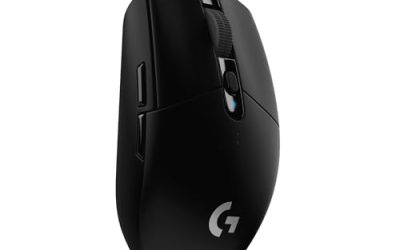
 Logitech G502 X Plus Wireless RGB Gaming MouseWireless7.1 x 4.6 x 2.7 inches0.84 poundsCheck on Amazon
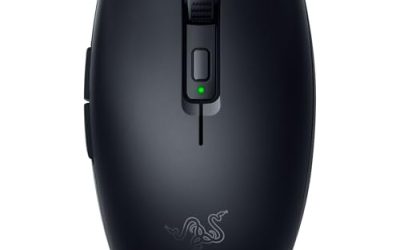
 Razer Basilisk V3 Pro Customizable RGB Wireless GamingMouse5.12 x 2.96 x 1.67 inches0.24 poundsCheck on Amazon
 Logitech G Pro X Superlight 2 Lightspeed WirelessClassic1.57 x 2.5 x 4.92 inches0.1 poundsCheck on Amazon

Top 3 picks at a glance
What Destiny 2 Demands From a Mouse
Sensor accuracy for hand cannons, snipers, and pulse rifles
Destiny 2’s gunplay rewards precision. Hand cannons and scout rifles pay out for landing crits, snipers punish shaky tracking on a moving target, and pulse rifles ask for small, controlled corrections between bursts. All of that comes down to the sensor. Modern flagship optical sensors from Logitech, Razer, and SteelSeries track at hundreds of inches per second with no smoothing, filtering, or acceleration, which means the crosshair goes exactly where your hand goes. You do not need the highest DPI number on the box — most players run somewhere between 400 and 1,600 DPI in a shooter — but you do want a sensor that stays accurate at high hand speeds, because a sensor that spins out during a fast 180-degree turn will lose you fights in the Crucible and add control during a dungeon boss burn.
Polling rate matters at the margins. A standard 1,000 Hz polling rate reports the mouse position every millisecond, which is already fast. Some current flagship mice offer higher wireless polling rates through a dedicated dongle, which can make cursor movement feel marginally smoother on high-refresh monitors. It is a nice extra rather than a requirement, and it usually costs battery life, so treat it as a bonus on top of a good sensor rather than the reason to buy.
Buttons for abilities, finishers, and weapon swaps
Where Destiny 2 separates itself from a pure aim trainer is ability density. On top of shooting and aiming, a Guardian regularly uses a grenade, a powered melee, a class ability such as a Rift, Barricade, or Dodge, a Super, an air move on some subclasses, a finisher, and three weapon slots. Every one of those actions that you can move onto the mouse is one your movement hand does not have to abandon WASD to reach. Two thumb buttons are the baseline: binding powered melee and finisher, or grenade and class ability, to the side of the mouse is one of the simplest upgrades a Destiny 2 player can make. Mice with additional controls — a DPI-shift thumb button you can rebind, extra top buttons, or a larger side cluster — let you put a Super or an air dash under your thumb as well, which is genuinely useful in high-end PvE where a half-second of fumbling for a key can end a flawless run.
Just as important as the count is the placement. Buttons should sit where your thumb naturally rests, be easy to tell apart by feel, and be stiff enough that you do not trigger them accidentally when you lift or reposition the mouse. Software matters too: Logitech G HUB, Razer Synapse, and SteelSeries GG all let you remap buttons, build a Destiny 2 profile, and store settings, so check that the remapping you want is actually supported before you commit.
Weight, shape, and grip for long sessions
Destiny 2 sessions run long. A raid with teaching runs, a dungeon farm, or an evening of Iron Banner can keep your hand on the mouse for three or four hours. Weight and shape decide how your wrist feels at the end of that. Lighter mice, roughly under 70 grams, reduce the effort of constant small corrections and fast swipes, and they suit fingertip and claw grips. Heavier, sculpted mice in the 85 to 110 gram range fill the palm, give the thumb a shaped rest, and tend to suit palm grips and players who prefer a planted, deliberate feel. Neither is objectively better; the right answer is the one that matches your hand size and how you hold the mouse. If you can, match the shape to your grip first and the spec sheet second.
Wired versus wireless
Modern gaming wireless from Logitech’s LIGHTSPEED, Razer’s HyperSpeed, and similar systems has closed the latency gap with wired mice to the point where connection type is now mostly a lifestyle choice. Wireless frees your aim from cable drag, which is especially noticeable on low-sensitivity settings with big mousepads, but it adds charging to your routine and usually some weight. Wired mice are lighter for the same shape, never need charging, and are ready the moment you sit down. For Destiny 2, either is fine; pick based on your desk and your habits rather than latency fears.
The Picks
Logitech G502 X Plus Wireless Gaming Mouse — the ability-heavy all-rounder
If your Destiny 2 play leans on abilities — and in the current sandbox, whose doesn’t — the G502 X Plus is built around exactly that problem. Logitech’s listing credits it with 13 programmable controls, the most on this page, arranged around a right-handed ergonomic shell with a pronounced thumb rest. Beyond the two main thumb buttons, there is a removable and reversible DPI-shift button that sits ahead of the thumb; rebind it in G HUB and it becomes a third thumb control, a natural home for a finisher, a class ability, or an air move. Two additional buttons beside the left click and the hyperfast scroll wheel’s tilt and mode controls round out a layout that can absorb most of a Guardian’s off-hand keybinds without contorting your grip.
The aiming side is covered by the HERO 25K sensor, which Logitech rates for sub-micron accuracy with zero smoothing, filtering, or acceleration, and by LIGHTFORCE hybrid optical-mechanical switches on the main clicks, which combine optical actuation speed with a mechanical click feel. LIGHTSPEED wireless keeps the connection responsive, and the listing quotes battery life of up to 120 hours with the LIGHTSYNC RGB off, dropping to 37 hours with the lighting always on — still enough for many evenings of play between charges. At 106 grams it is the heaviest mouse here, and that weight, paired with the sculpted shape, suits palm and relaxed claw grips best. It is also POWERPLAY compatible, so it can charge on Logitech’s wireless charging pad if you already own one. For a Warlock main who wants grenade, melee, Rift, and finisher all under the right hand, this is the most complete package in the guide.
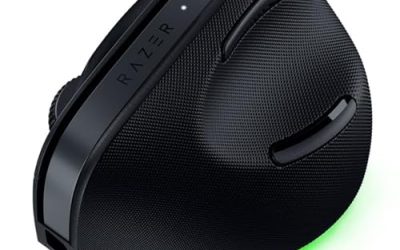
Razer Basilisk V3 Pro Wireless Gaming Mouse — ergonomic comfort with a clever wheel
The Basilisk V3 Pro is Razer’s answer to the same brief: an ergonomic right-handed mouse that refuses to make you choose between buttons and aim. Razer’s listing gives it 13 programmable controls, including a multi-function trigger on the thumb side that works well as a push-to-talk key, a finisher button, or a hold-to-shift-sensitivity clutch for lining up a sniper shot in the Crucible. Under the shell, the Focus Pro 30K optical sensor delivers the tracking headroom serious FPS play expects, and Razer’s Gen-3 optical switches actuate with light rather than physical contact, which removes debounce delay and double-click wear from the equation.
The feature that sets the Basilisk apart is its HyperScroll tilt wheel. It clicks left and right for two extra inputs — an easy place to park weapon swaps — and it can switch between a tactile, notched mode and a smooth free-spin mode, with a smart-reel setting that shifts between them based on scroll speed. In Destiny 2 terms, tactile mode keeps weapon cycling deliberate during a fight, while free-spin is there for menus and long inventory screens between activities. Three connection modes — HyperSpeed wireless, Bluetooth, and wired over USB — mean it can stay paired to a gaming PC and a laptop at once, and the 13-zone Chroma RGB is there if your setup already runs Razer’s lighting ecosystem. Players who want an ergonomic shape, a deep button layout, and the most flexible wheel in the category will find this the most versatile pick here.
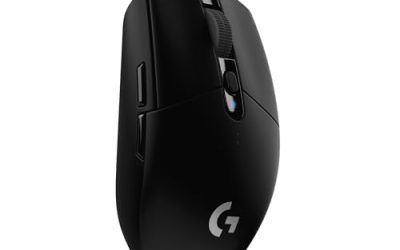
Logitech G Pro X Superlight 2 Wireless Gaming Mouse — pure aim, minimum weight
Some Guardians would rather keep abilities on the keyboard and give the mouse one job: aim. The G Pro X Superlight 2 is that mouse. At 60 grams it is by far the lightest pick in this guide, and its symmetrical shell with a low profile is shaped for fingertip and claw grips and the constant micro-corrections that hand cannon duels and sniper lanes demand. The listing pairs it with Logitech’s HERO 2 sensor, quoted at up to 44K DPI with an 8 kHz report rate, plus LIGHTFORCE hybrid switches and zero-additive PTFE feet, so the glide stays consistent across the whole pad.
You get five programmable buttons — the two main clicks, the wheel click, and two thumb buttons — which is enough for the classic Destiny 2 setup of powered melee on one thumb button and finisher or class ability on the other, with everything else staying on the keyboard where practiced hands already know it. Battery life is quoted at up to 95 hours, and charging is over USB-C. The trade-offs are the mirror image of the two mice above: no extra thumb trigger, no tilt wheel, and a right-handed but essentially ambidextrous shape that offers less palm support on long raid nights. For Crucible-focused players and anyone whose aim style is built on fast, low-effort swipes, those trade-offs are the point. This is the pick for players who measure a mouse by how completely it disappears during a gunfight.
SteelSeries Rival 5 Gaming Mouse — wired, nine buttons, no charging routine
The Rival 5 takes the multi-button idea and strips away everything else that can complicate it. It is a wired mouse, so there is no battery to manage and no dongle to keep track of — plug it in and it is ready for a raid, a dungeon, or a Trials card at any hour. SteelSeries’ listing gives it nine programmable buttons, including five quick-action side controls built around a two-way thumb paddle, which is a genuinely useful layout for Destiny 2: the paddle’s up and down inputs fall naturally under the thumb and map cleanly to things like grenade and powered melee, leaving the remaining side buttons for a class ability and a finisher.
Aiming is handled by the TrueMove Air optical sensor, rated on the listing at 18,000 CPI with 400 IPS tracking and 40G acceleration — comfortably beyond what Destiny 2’s engagements require, with the consistent wired connection behind it. The main clicks use SteelSeries Golden Micro IP54 switches, rated for 80 million clicks and sealed against dust and splashes, which speaks to the Rival 5’s role as a workhorse. At 85 grams in a long right-handed shell, it sits between the ultralight Superlight 2 and the heavier ergonomic flagships, and it supports claw and fingertip grips. Ten-zone PrismSync RGB lighting finishes the package. If you want a proper thumb panel for abilities, a dependable sensor, and zero interest in charging cables or wireless settings, the Rival 5 is the straightforward choice.
How to Choose Between Them
Start with your ability habits. If you regularly wish your grenade, melee, class ability, and finisher were all reachable without leaving WASD, the G502 X Plus and Basilisk V3 Pro are your shortlist — the Logitech offers the removable DPI-shift button and POWERPLAY charging, while the Razer counters with its tilt wheel, multi-function trigger, and three connection modes. If you play Destiny 2 like a pure FPS and your keyboard binds are already muscle memory, the Superlight 2’s 60-gram shell and high-end sensor will do more for your aim than any extra button. And if you want buttons without batteries, the Rival 5’s wired nine-button layout is the low-maintenance route.
Then check the fit. Palm grippers with medium or large hands will usually be happiest on the sculpted G502 X Plus or Basilisk V3 Pro. Claw and fingertip players, and anyone with smaller hands, will generally prefer the Superlight 2 or the Rival 5. Finally, set the mouse up properly once it arrives: install the maker’s software, build a Destiny 2 profile, put your most time-critical ability on the button your thumb finds fastest, set a DPI you can control rather than the maximum on the box — most shooter players land somewhere between 400 and 1,600 — and give the new layout a few strikes and patrol sessions before you judge it in the Crucible. Muscle memory takes a little time to move, and in Destiny 2 the payoff for moving it is a Guardian who can shoot, throw, dash, and finish without ever letting go of the fight.
Related guides
More from Amazon
Programs that pair well with the guide above. Offers and eligibility are set by Amazon and may change.
Free shipping on eligible items, Prime Video and more. Eligible new members can start with a free trial.
Start a Prime free trialAd-free music streaming. Eligible new subscribers can start with a free trial.
Try Music Unlimited freeA Prime membership for ages 18-24 with a trial period. Eligibility is set by Amazon.
See Prime for Young AdultsAudiobooks and podcasts to listen to on the go. Eligible new members can start with a free trial.
Try Audible freeAs an Amazon Associate we earn from qualifying purchases.