The best digital audio workstations for most beginners are Reaper for value, Logic Pro for Mac users, Ableton Live for electronic and loop-based production, Cubase for detailed MIDI and scoring, and Pro Tools for studio-centered recording and mixing.
As an Amazon Associate we earn from qualifying purchases at no extra cost to you.



Our Top Picks
 The Beginner’s Guide to Digital Audio Workstations: How6 x 0.53 x 9 inchesLarge PrintCheck on Amazon


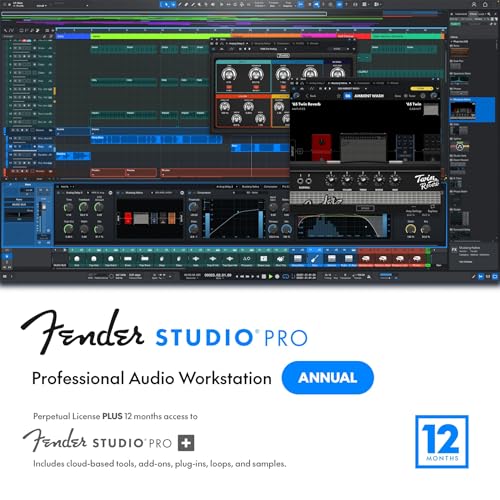
Top 3 picks at a glance
Quick Match: Which DAW Fits Your Workflow?
| Best fit | Recommended DAW | CPU profile | Plugin compatibility | Pricing approach |
|---|---|---|---|---|
| Low-cost learning and general recording | Reaper | Very light | VST3, AU, AAX support depending on platform | Usually about $60 discounted or $225 commercial, one-time license |
| Mac production and songwriting | Logic Pro | Light to moderate | AU plugins; excellent built-in instruments | Usually about $200, one-time purchase |
| Live performance, electronic music, and loops | Ableton Live 12 | Moderate; effects-heavy projects can be demanding | VST3 and AU; strong Max for Live ecosystem in Suite | Usually about $100–$750 depending on edition, one-time license |
| Complex MIDI, orchestration, and conventional recording | Cubase 14 | Moderate to high with large sample libraries | VST3, with strong instrument and expression support | Usually about $100–$580 depending on edition, one-time license |
| Professional studio tracking and mixing | Pro Tools | Moderate; track count and plugins matter more than raw track count | AAX is central, with additional plugin formats through tools or wrappers | Usually about $100–$300 per year, subscription-focused |
| Fast pattern-based production and sound design | FL Studio | Light to moderate | VST, VST3, and AU on supported systems | Usually about $100–$500, one-time license with edition differences |
Best DAWs by Workflow
Best for beginners on a budget: Reaper
Reaper is the strongest choice when the priority is learning recording, editing, mixing, and routing without committing to a subscription. Its installation is small, startup is fast, and it consumes relatively little CPU compared with many full-featured alternatives. The interface is less immediately guided than Logic Pro or Ableton Live, but that flexibility becomes useful as projects become more complicated.
Reaper supports detailed automation, nested folders, flexible buses, surround workflows, scripting, and extensive customization. It is especially suitable for guitarists, podcasters, bands, and anyone recording several microphones at once. Its MIDI tools are capable, although composers who depend on notation and sophisticated articulation management may find Cubase more efficient.
Choose Reaper if you want a conventional timeline, low system overhead, and a one-time license. Avoid choosing it solely because it is inexpensive if you need a large collection of built-in instruments immediately.
Best for Mac songwriting: Logic Pro
Logic Pro is the easiest recommendation for a Mac user who wants a broad collection of instruments, drum tools, loops, amp simulations, mixing effects, and songwriting features in one purchase. Its Live Loops view supports sketching ideas, while the traditional timeline handles complete songs and detailed edits.
Logic is efficient on Apple silicon Macs, particularly when projects use its native instruments and effects. It uses Audio Units rather than VST3 as its main third-party format, so plugin compatibility should be checked before buying a large collection. Most major plugin developers support AU, but some specialized tools are available only in other formats.
Logic’s MIDI editing is strong for melody, chords, quantization, drum programming, and automation. It is less attractive for Windows users because it is tied to Apple platforms. Its one-time pricing also makes it appealing to beginners who want professional tools without recurring payments.
Best for electronic production and performance: Ableton Live 12
Ableton Live is the best match for producers who think in clips, loops, scenes, and real-time experimentation. Session View makes it easy to audition alternate arrangements, trigger loops, and build a live set. Arrangement View then provides a conventional timeline for finishing the track.
Live’s MIDI workflow is quick rather than notation-oriented. Piano-roll editing, scale assistance, groove controls, probability, and generative MIDI features are useful for electronic music, hip-hop, pop production, and sound design. The Suite edition adds a much larger sound library and Max for Live, but the Standard edition may be better value if you already own instruments and effects.
CPU use can rise quickly when many tracks contain synthesizers, convolution reverbs, oversampling, or real-time spectral effects. Use track freezing and flattening when a sound is finished. This converts temporary processing into audio and frees the processor for new ideas without deleting the original project.
Best for MIDI depth and orchestral work: Cubase 14
Cubase is a strong choice for composers, arrangers, and producers who need precise MIDI editing alongside serious audio recording. Its Key Editor, drum editor, expression tools, articulation support, chord features, and score capabilities make it particularly effective for orchestral mockups and complex arrangements.
Cubase also provides a mature mixer, control-room features, flexible routing, and VST3 support. It is less immediately playful than Ableton Live, but it offers more structure when a project contains dozens of instruments and carefully organized sections.
Large sample libraries are usually the main performance limitation. A template with 100 orchestral instruments may consume more RAM and disk bandwidth than the DAW itself. Use an SSD, purge unused samples, raise the audio buffer while composing, and print finished parts to audio before final mixing.
Best for studio compatibility: Pro Tools
Pro Tools remains a sensible choice when you exchange sessions with commercial studios, engineers, post-production facilities, or clients who specifically request Pro Tools sessions. Its strengths are editing, recording, comping, playlist management, routing, and established professional workflows.
The trade-off is cost and ecosystem dependence. Pro Tools is primarily subscription-based, and AAX compatibility matters when selecting plugins. A plugin that is available as VST3 or AU may not be available as AAX, so check the developer’s format list before building a Pro Tools system around it.
For home recording, Pro Tools is not automatically better than Reaper, Logic, or Cubase. Choose it when collaboration and studio interchange justify the ongoing expense, not simply because it has a professional reputation.
Best for pattern-based beatmaking: FL Studio
FL Studio is particularly fast for drum programming, piano-roll composition, sampling, and pattern-based arrangements. Its piano roll is widely valued for rapid note manipulation, and the Channel Rack and step sequencer suit beatmakers who prefer building ideas in modular blocks.
It can also handle full vocal recordings, mixing, automation, and mastering, although users coming from a traditional tape-machine workflow may need time to understand its routing model. FL Studio’s one-time licensing structure is attractive, and some editions include lifetime updates, but confirm the exact edition and included instruments before purchasing.
CPU, Buffer Size, and Plugin Compatibility
DAW performance is determined by real-time deadlines, not only by the number of tracks. At 48 kHz with a 128-sample buffer, the computer has approximately 128 ÷ 48,000 = 0.00267 seconds, or 2.67 milliseconds, to process each audio block. The round-trip monitoring delay is higher because it includes input conversion, output conversion, and interface processing.
Use these practical starting points:
- Recording vocals or guitar: 64–128 samples at 44.1 or 48 kHz, with direct monitoring if latency is distracting.
- Mixing: 256–512 samples, because extra latency is usually irrelevant while playback is being mixed.
- Large orchestral or synthesizer templates: 512–1,024 samples while composing, then reduce the setting for recording.
- CPU overloads: freeze or render instrument tracks, disable unused oversampling, and bypass look-ahead limiters during recording.
Before selecting a DAW, list every plugin format you already own. VST3 is common on Windows and widely supported. AU is central to Logic on macOS. AAX matters for Pro Tools. Some plugins are platform-specific, and older 32-bit plugins may require bridging software or may not work reliably at all.
One-Time Purchase or Subscription?
A one-time license usually costs more at the beginning but becomes cheaper over several years if updates remain usable. A subscription lowers the entry price and may include continuous updates, cloud services, or bundled plugins, but it creates an ongoing cost even during periods when you are not producing.
For example, a $200 perpetual DAW license costs about $200 over four years before optional upgrades. A $20 monthly subscription costs $240 per year, or $960 over the same period. The subscription can still make sense for a professional who needs current compatibility and treats the DAW as a business expense. For a student or occasional producer, Reaper, Logic Pro, Cubase, Ableton Live, and FL Studio offer more predictable long-term ownership options, depending on platform and edition.
A Practical Buying Decision
- Choose Reaper if low CPU usage, recording flexibility, and price matter most.
- Choose Logic Pro if you use a Mac and want the most complete songwriting package for one purchase.
- Choose Ableton Live if clips, loops, electronic instruments, or live performance drive your workflow.
- Choose Cubase if MIDI editing, orchestration, notation, and detailed arrangements are central.
- Choose Pro Tools if clients or studios require its session format and AAX plugin ecosystem.
- Choose FL Studio if fast beatmaking, pattern sequencing, and piano-roll editing are your priorities.
The best digital audio workstation is therefore the one that removes friction from your main task. Compare the demo workflow, required plugin formats, buffer performance, MIDI tools, and five-year ownership cost before comparing feature lists.
Frequently asked questions
Which DAW is best if I use Windows?
Reaper, Ableton Live, Cubase, Pro Tools, and FL Studio are suitable options for Windows users. Logic Pro is less attractive in this case because it is tied to Apple platforms. Before choosing, check your existing plugin formats and workflow needs, such as recording, electronic production, orchestral MIDI, studio collaboration, or pattern-based beatmaking.
Can I use third-party plugins with these DAWs?
Yes, but compatibility depends on the DAW and the plugin format. Reaper supports VST3, AU, and AAX depending on the platform; Logic Pro mainly uses Audio Units; Ableton Live supports VST3 and AU; Cubase emphasizes VST3; Pro Tools centers on AAX; and FL Studio supports VST, VST3, and AU on supported systems.
What should I do if my project causes CPU overloads?
Freeze or render instrument tracks, disable unused oversampling, and bypass look-ahead limiters during recording. You can also raise the audio buffer when recording latency is not critical, especially during mixing or while working with large orchestral or synthesizer templates. Track freezing and flattening can convert temporary processing into audio while preserving the original project.
What audio buffer size should I use when recording?
Start with a 64–128 sample buffer at 44.1 or 48 kHz for vocal or guitar recording. If latency is distracting, use direct monitoring. For mixing, 256–512 samples is usually practical because additional latency generally does not matter during playback. Large templates may benefit from 512–1,024 samples while composing.
Do I need a powerful computer for a large orchestral template?
The main limitations are often RAM and disk bandwidth rather than the DAW itself. A template containing 100 orchestral instruments can be demanding, especially when using large sample libraries. An SSD, purging unused samples, raising the buffer while composing, and printing finished parts to audio can help manage system demands.