
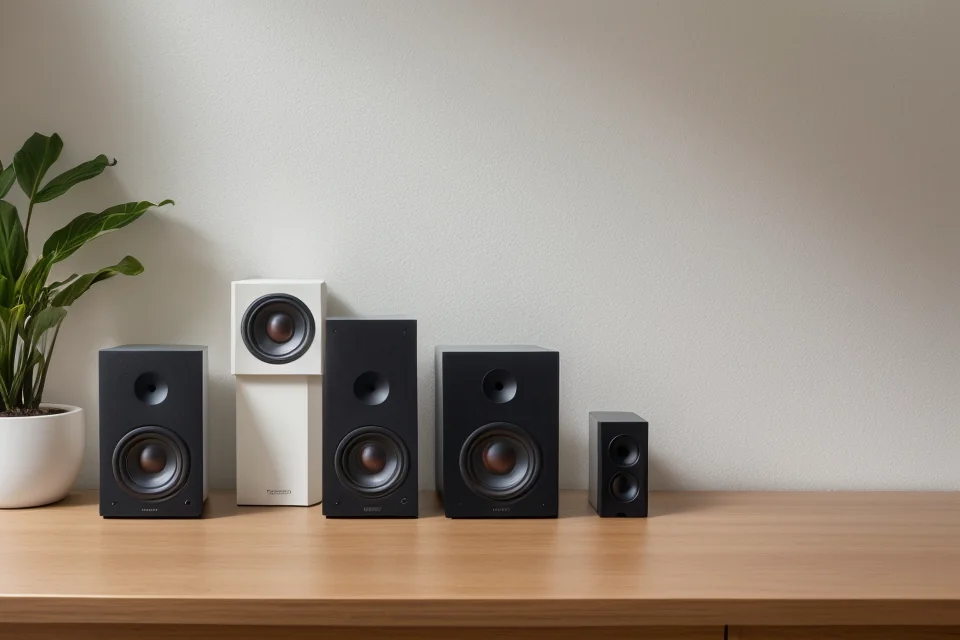
Most people buy computer speakers the same way they buy a phone case: they grab whatever is cheap, plug it in, and accept that it sounds like a tin can. The problem is that desktop audio is not a solved category, and the gap between a budget pair and a mid-range system is not linear. A well-tuned two-inch driver in a properly braced enclosure will embarrass a larger speaker that was designed by committee. What separates good from bad in this segment comes down to enclosure rigidity, crossover design, and whether the manufacturer actually listened to the speaker before shipping it.
We compared these eight pairs for music, video calls, and gaming at realistic desk distances. The best computer speakers for 2026 are not necessarily the most expensive, but they are the ones that respect the constraints of a desktop environment. That means decent bass without a subwoofer, clean vocals for calls, and connectivity that does not require a dongle hunt every time you sit down.
As an Amazon Associate we earn from qualifying purchases at no extra cost to you.





Our Top Picks
 Amazon Basics USB-Powered Computer Speakers with Volume Control1-Pack2.76 x 3.55 x 5.3 inches1.5 PoundsCheck on Amazon


Top 3 picks at a glance
Quick Picks
| Product | Best for | Price |
|---|---|---|
| Amazon Basics 2.0 | Basic desk audio on a budget | Check on Amazon |
| Desktop Soundbar | Monitor-mounted space savings | Check on Amazon |
| Amazon Basics USB | Ultra-compact portability | Check on Amazon |
| Logitech Z207 | Wireless desk setup | Check on Amazon |
| OHAYO 60W | Power users who want volume headroom | Check on Amazon |
| LENRUE G11 | Aesthetic desk setups with RGB | Check on Amazon |
| Creative Pebble | Minimalist clean audio | Check on Amazon |
| Logitech Z313 | Bass-heavy music and movies | Check on Amazon |
How We Compared
We evaluated each pair on four criteria: tonal balance at low and mid volumes (because most people listen quietly), bass extension relative to the speaker’s size and price, build quality of the enclosure and driver assembly, and real-world connectivity without friction. A speaker that sounds great in a spec sheet but distorts at 60% volume is useless. A speaker with Bluetooth that pairs instantly and holds a connection across a room is worth paying for. We also weighed desk footprint, because a good-sounding speaker you cannot fit on your desk is not a good speaker for your desk.
The 8 Best Computer Speakers in 2026
Amazon Basics Stereo 2.0 Speakers for PC
This is the speaker you buy when your laptop’s built-in speakers have finally given up and you want to stay firmly in the budget tier. The 3.5mm aux input means it works with any source without drivers, and the inline volume control is genuinely convenient when you are sharing a desk with a coworker. The enclosure is plastic and lightweight, but the drivers are tuned for clarity at conversational volumes, which is most of what a computer speaker actually does.
- Pro: No driver installation or software required, plug into any 3.5mm output and go.
- Pro: Inline volume dial is accessible and tactile, easier than fiddling with OS sliders.
- Con: Bass rolls off noticeably below midrange frequencies; music with sub-bass content sounds thin.
Skip this if you listen to bass-heavy genres or need the speakers to fill a room larger than a small office. It is a laptop-replacement pair, nothing more.
Desktop PC Monitor Soundbar with USB
This soundbar clips directly onto your monitor bezel, which solves the desk-clutter problem that plagues every other entry on this list. The adaptive channel switching automatically selects the correct input, and the USB-C adapter means it works on modern laptops without a hub. For a form factor this compact, the loudness is surprising, and the deep bass claim is more convincing than most soundbars this size manage.
- Pro: Clipping mechanism saves desk space entirely, ideal for minimal setups or shared workstations.
- Pro: Adaptive channel switching eliminates the manual input-select dance that annoys on most soundbars.
- Con: Proximity to the monitor means vibration feedback is audible at higher volumes, which can be distracting.
Pass on this if your monitor sits on a thin stand or a glass desk where vibration amplification becomes a real issue.
Amazon Basics USB-Powered Computer Speakers
The absolute floor price for functional desktop audio. These are smaller than the stereo pair above, and the difference is audible. However, the headphone jack passthrough is a small but meaningful convenience for anyone who switches between speakers and earbuds during the workday. USB-powered means one less wall outlet consumed, and the compact footprint makes them viable for dorm desks or crowded workstations where every square inch matters.
- Pro: Built-in headphone jack on the speaker body allows seamless switching without reaching behind the PC case.
- Pro: Smallest footprint on this list; virtually invisible on a desk once placed.
- Con: Volume ceiling is low; they distort earlier than the larger pairs here when pushed.
Do not buy these if you need loudness or plan to use them for anything beyond background music and video calls.
Logitech Z207
Bluetooth at this price point from a brand with actual audio engineering heritage is the headline. The Z207 pairs cleanly with phones, laptops, and tablets without re-pairing each time, and the 2.0 stereo separation is wider than the physical spacing suggests. The design is rounded and unobtrusive, and the separate volume knob is a welcome analog control that avoids on-screen overlays. Sound quality is balanced across the midrange, with slightly warm lower mids that flatter vocal-heavy content.
- Pro: Bluetooth for up to two devices plus a 3.5mm input, and the speakers can play wired and wireless sources together.
- Pro: Physical volume knob provides intuitive, immediate control without OS intervention.
- Con: Small drivers limit bass and maximum volume, so it suits near-field listening rather than filling a room.
Skip this if you want deep bass or room-filling volume; the 3.5mm input covers desktops without Bluetooth, but the small drivers cap the low end.
OHAYO 60W Active Bluetooth 5.3 Speakers
The wattage here is real, and it translates to headroom that smaller speakers simply cannot match. At full volume these fill a bedroom-sized space with music without obvious compression artifacts. Bluetooth 5.3 keeps the wireless connection steady across a large desk. Multiple wired inputs alongside Bluetooth make this one of the most versatile speakers on the list for anyone juggling multiple sources.
- Pro: Output level is well above what competitors offer at similar prices, useful for larger rooms or parties.
- Pro: Several inputs let a PC, phone and other sources stay connected without cable swapping.
- Con: The enclosure is bulky for a desk environment; these demand significant surface area.
Not ideal for tight workstations or small apartment desks where footprint matters more than volume capability.
LENRUE G11 Touch Light Speakers
This is a speaker that looks like a desk accessory first and an audio device second. The touch-activated RGB lighting is gimmicky, but the sound quality behind the gimmick is more competent than expected. USB-C and USB-A power options cover any machine, and the aux input ensures compatibility with legacy systems. For a budget pair, the clear sound and USB-C power option are genuine value-adds that justify this over cheaper, less polished alternatives.
- Pro: RGB lighting and modern aesthetic integrate naturally with gaming setups without requiring separate desk lamps.
- Pro: USB-C power support means one less cable type cluttering your desk.
- Con: Audio quality is adequate rather than impressive; the lighting clearly prioritizes form over function.
Skip this if you care primarily about sound fidelity and do not want illuminated hardware on your workspace.
Creative Pebble
Creative has been making audio hardware since the Sound Blaster era, and the Pebble benefits from that institutional knowledge. The angled driver design fires sound directly at the listener rather than bouncing off the desk surface, which improves clarity and imaging at no extra cost. The white finish is clean and neutral. USB power means no wall adapter and no driver install. As a budget pick, the Pebble is the best-sounding option on this list relative to its size.
- Pro: Upward-angled drivers deliver a focused soundstage that outperforms flat-fronted competitors at this price.
- Pro: Compact, low-profile design disappears on a desk while maintaining audio presence.
- Con: Bass is limited by the small 2-inch drivers, and there is no headphone jack.
Pass if you need deeper bass or a headphone jack for quick earbud swaps; the volume knob sits on the right speaker.
Logitech Z313 2.1 System
The only speaker system on this list with a dedicated subwoofer, and the difference is immediately apparent. The Z313 delivers genuine low-end extension that every 2.0 design here cannot touch, making it the clear winner for movies, bass-heavy music, and immersive gaming audio. The satellite speakers are small and easy to position, and the wired volume control pod sits conveniently on the desk surface. Build quality is above average for the price bracket.
- Pro: Dedicated subwoofer provides real bass response down to low frequencies that no 2.0 speaker here can replicate.
- Pro: Wired control pod puts power, volume and a headphone jack within easy reach on the desk.
- Con: The subwoofer occupies significant floor or desk space and is not something you can hide.
Skip this if your setup cannot accommodate a subwoofer physically, or if you primarily use your computer for productivity rather than entertainment.
Six More Computer Speakers Worth Considering
The eight picks above are almost all budget, USB-powered designs, which is the right starting point for most desks. But a lot of buyers outgrow that tier quickly, especially gamers who want real bass, people who listen to music for hours, and anyone who has a jack-less laptop and wants a clean digital connection. The six speakers below step up in sound quality, inputs and build, from upgraded budget models to proper bookshelf and studio-style pairs.
Creative Pebble V3

The Pebble V3 takes the basic idea of the original Creative Pebble, small spheres with drivers angled up at the listener, and fixes most of its limitations. It stays in the budget tier, but the feature list is far more modern. The biggest change is connectivity: a single USB-C cable carries both power and digital USB audio, so on a modern laptop it bypasses the headphone jack entirely. It also adds Bluetooth 5.0 for phones and tablets, plus a 3.5 mm aux input for older sources. A USB-A converter is included for desktops.
Creative rates it at up to 8W RMS and 16W peak when the high-gain switch under the right speaker is enabled and the speakers are powered from a 10W-capable USB-C port or a 5V 2A adapter. On a weaker USB port it runs at lower output, so if you want the full volume, a phone charger brick is worth using. The 2.25-inch full-range drivers are backed by passive radiators and angled at 45 degrees, the same geometry that made the original sound clearer than flat-faced budget speakers.
The other useful extra is Clear Dialog, Creative’s processing that lifts voices in video calls, YouTube and game cutscenes without needing to raise the overall volume. For a speaker that spends much of its life on calls and streaming, that is a practical feature.
Strengths: USB digital audio plus Bluetooth plus aux in one compact pair, a physical volume knob, angled drivers, and voice-enhancement processing.
Drawbacks: bass is still limited by the small drivers, maximum output depends on the power source, and it still needs USB power even when used over Bluetooth.
How it compares: it is the direct upgrade over the original Creative Pebble in the main list and a stronger all-rounder than the Logitech Z207 for laptop users, because it adds a wired digital connection alongside Bluetooth.
Creative Pebble Plus 2.1

The Pebble Plus answers the most common complaint about tiny desk speakers: there is no bass. It keeps the familiar Pebble satellites with 2-inch drivers but adds a 4-inch down-firing ported subwoofer that sits under the desk. That moves the low end down considerably; Creative lists the frequency response as starting at 50 Hz, compared with 100 Hz on the Pebble V3. For movies, music and games with low-frequency effects, the difference is obvious.
It remains a budget-tier, USB-powered system. Audio comes in over a single 3.5 mm cable, with USB-A supplying power, and the volume control sits on the front of the main satellite. Total output is rated at 8W RMS, split as 2W per satellite and 4W for the subwoofer, with a high-gain mode that needs a 5V 2A USB adapter, which is not included. There is no Bluetooth and no USB audio, so it relies on your device’s headphone output.
The subwoofer is compact enough to tuck beside a PC tower or under a monitor shelf, and because it fires downward it couples with the floor or desk to make the bass feel bigger than the box size suggests. On a desk, placing it on a mat or rubber feet reduces rattle.
Strengths: real bass from a separate subwoofer in a budget-tier system, simple setup, and small satellites that leave room for a keyboard and mouse.
Drawbacks: analog-only connection, no Bluetooth, the subwoofer cable runs need space, and overall loudness is modest compared with wall-powered 2.1 systems.
How it compares: it is the low-cost alternative to the Logitech Z313 for buyers who want a subwoofer but would rather avoid another wall plug. The Z313 plays louder; the Pebble Plus is tidier and more compact.
Edifier R1280T

The R1280T is the speaker many people move to once they realize desk audio can sound like a small hi-fi. It is a mid-range-tier pair of powered bookshelf speakers with 4-inch bass drivers and 13 mm silk dome tweeters in wood-finish MDF cabinets, rated at 42W RMS total. That combination of larger drivers, a real two-way design and wooden enclosures gives it fuller bass and a smoother treble than any USB-powered speaker in this guide.
Connectivity is analog but flexible. Two RCA inputs let you connect two sources at once, for example a PC and a turntable preamp or a game console, and an RCA to 3.5 mm cable is included. The side panel of the powered speaker has bass and treble knobs, and a small infrared remote controls volume from across the room. It is wall-powered, which is what allows the extra headroom.
The trade-off is size. These are true bookshelf speakers, much deeper and taller than desk satellites, so they need a reasonably deep desk or stands beside the monitor. There is no Bluetooth or USB input on this model, so a jack-less laptop needs an adapter or DAC.
Strengths: the most natural, room-filling sound among the 2.0 options here, two simultaneous inputs, tone controls and a remote, and a classic wood look.
Drawbacks: large footprint, wired analog inputs only, and no subwoofer output for later expansion.
How it compares: if the OHAYO 60W appeals because of its volume and multiple inputs, the R1280T is the more refined alternative from a speaker specialist, with better tonal balance and tone controls.
PreSonus Eris 3.5 (2nd Gen)

The Eris 3.5 is a compact studio monitor that also makes an excellent computer speaker, and it addresses the FAQ in this article about music production. It sits in the mid-range tier and is the most neutral-sounding option in this guide. Each speaker uses a 3.5-inch woven-composite woofer and a 1-inch silk-dome tweeter, powered by 25W per side of Class AB amplification, in vinyl-laminated MDF cabinets.
The input panel is the most versatile here for desk use. The rear offers balanced 1/4-inch TRS and RCA inputs for an audio interface or mixer, and the front has a 1/8-inch aux input plus a 1/8-inch headphone jack that mutes the speakers when headphones are connected. Rear high- and low-frequency controls let you compensate for placement, for example trimming bass when the speakers sit close to a wall. Cables for both RCA and 3.5 mm connections are included, and a power-saver mode kicks in after a period of inactivity.
Because the tuning is flatter than consumer speakers, music can sound less bass-heavy at first. That is the point: what you hear is closer to the actual recording, which helps for editing video, podcasts or beginner music production. PreSonus also sells a Bluetooth version, the Eris 3.5BT, if wireless matters.
Strengths: accurate, uncolored sound, front headphone jack and aux, professional rear inputs, and room tuning controls.
Drawbacks: bass stops short of what a subwoofer system delivers, the standard version has no Bluetooth or USB, and the studio look is plain.
How it compares: it is the pick for creators. The Edifier R1280T is warmer and more relaxed for casual listening; the Eris is more honest for anyone who mixes, edits or simply wants accuracy.
Klipsch ProMedia 2.1 THX

The ProMedia 2.1 is a long-running classic in PC audio, and its specifications explain why it remains relevant. It is a premium-tier 2.1 system with THX certification, two-way satellites using 3-inch midbass drivers and 3/4-inch tweeters in Klipsch’s MicroTractrix horns, and a 6.5-inch side-firing subwoofer in a ported MDF cabinet. Klipsch rates total system power at 100 watts continuous, with 65 watts continuous going to the subwoofer.
The horn-loaded tweeters are the signature feature. They project detail and dialogue clearly at desk distances and give games a lively, dynamic sound. The subwoofer reaches far lower than any USB or 2.0 option here, with Klipsch listing frequency response down to 35 Hz, so explosions and soundtracks have genuine weight. A control pod attached to a satellite provides volume and a 3.5 mm headphone output within easy reach.
The ProMedia uses a single 3.5 mm input, so it depends on your PC’s audio output; pairing it with a clean USB DAC or a good onboard audio chip gets the best result. The satellites are fairly tall and the subwoofer is a real box on the floor, so it suits a gaming desk with floor space rather than a cramped dorm setup.
Strengths: deep, powerful bass, crisp horn-loaded treble, THX certification, and a convenient control pod with headphone jack.
Drawbacks: only one analog input, no Bluetooth or USB, a bright treble that some listeners find intense at high volume, and a large subwoofer.
How it compares: it is the step up from the Logitech Z313 for gamers who want cinema-like impact, with a larger subwoofer and much higher output.
Logitech Z623

The Z623 is for buyers who want maximum loudness and bass at the desk and also want to connect a console or TV. It is a premium-tier THX-certified 2.1 system that Logitech rates at 200 watts RMS, with a large subwoofer and two satellites. It is significantly larger and more powerful than the Z313 in the main list, aimed at rooms rather than just the space between you and your monitor.
Connectivity is more flexible than the Klipsch: Logitech lists two 3.5 mm inputs and a pair of RCA inputs, so up to three devices, for example a PC, a game console and a phone, can stay connected at the same time without swapping cables. Controls on the right satellite handle power, volume and bass level, and a 3.5 mm headphone jack sits on the same satellite for late-night sessions. That built-in bass control is useful for keeping the low end in check in apartments.
The trade-offs are footprint and finesse. The subwoofer is big and needs floor space, and the satellites lack the refined treble of the Klipsch horns or the accuracy of studio monitors. There is no Bluetooth. For explosive game audio, action movies and parties, though, few desktop systems deliver this much output.
Strengths: very high output and deep bass, two input types for multi-device setups, on-satellite bass control and headphone jack.
Drawbacks: large subwoofer, no wireless connectivity, and too much power for a small room or quiet listening.
How it compares: choose the Z623 over the Klipsch ProMedia if you need two inputs and maximum volume; choose the Klipsch if you value detail and clarity more than sheer output.
Buying Guide
Power Source and Its Practical Impact
USB-powered speakers draw their energy from your computer’s USB port, which simplifies cabling but limits maximum output. Most USB ports deliver five volts at up to two amps, and the speaker’s wattage is directly constrained by that ceiling. If you need volume that fills a room, look for speakers with a dedicated wall adapter or active amplification. For desk-bound, quiet-to-moderate listening, USB power is perfectly adequate and removes one power brick from your setup.
Driver Orientation and Desk Acoustics
A flat-fronted speaker radiates sound across the desk surface, where it reflects upward toward your ears with added coloration and phase interference. Angled or elevated drivers, like the Creative Pebble’s design, aim sound directly at the listener and produce cleaner imaging without any DSP trickery. If your desk is a hard, flat surface (wood, glass, or metal), this factor matters more than driver size. Position speakers at ear height or angle them upward whenever possible.
Connectivity Beyond the Obvious
Aux inputs are universal but require a free 3.5mm jack on your machine, which modern laptops increasingly lack. USB-C audio support is becoming standard but is not guaranteed on all machines without a dongle. Bluetooth adds convenience but introduces latency that makes it unsuitable for gaming or video editing. The best setups offer at least two input methods so you are never stranded by a single missing port. Check your specific machine’s available outputs before committing.
Comparison Table: The Additional Picks
| Speaker | Price tier | Type | Power source | Inputs | Best for |
|---|---|---|---|---|---|
| Creative Pebble V3 | Budget | 2.0 | USB-C | USB audio, Bluetooth 5.0, aux | Jack-less laptops and calls |
| Creative Pebble Plus | Budget | 2.1 | USB-A | 3.5 mm | Bass on a small desk without a wall plug |
| Edifier R1280T | Mid-range | 2.0 bookshelf | Wall outlet | 2x RCA | Music listening and room-filling sound |
| PreSonus Eris 3.5 (2nd Gen) | Mid-range | 2.0 studio monitor | Wall outlet | TRS, RCA, front aux | Creators who want accurate sound |
| Klipsch ProMedia 2.1 THX | Premium | 2.1 | Wall outlet | 3.5 mm | Gaming and movies with deep bass |
| Logitech Z623 | Premium | 2.1 | Wall outlet | 2x 3.5 mm, RCA | Maximum volume and multi-device setups |
RMS Versus Peak Power: Reading the Wattage Correctly
Speaker boxes often lead with the biggest number they can print, and that is usually peak power, the output a speaker can reach for a split second. RMS, or continuous power, is the number that tells you how loud a speaker can play steadily without distorting. The Creative Pebble V3 is rated at 8W RMS and 16W peak; the Klipsch ProMedia 2.1 at 100W continuous and higher peak figures. When comparing two speakers, compare RMS to RMS. For a typical desk at arm’s length, 5 to 10 watts RMS per channel is plenty for everyday use, and anything beyond that mainly adds headroom for parties, larger rooms or bass-heavy content.
2.0 Versus 2.1: Do You Need a Subwoofer?
A 2.0 system uses two speakers that handle the full range. A 2.1 system adds a dedicated subwoofer for low frequencies. Small 2.0 speakers physically cannot move enough air to reproduce deep bass, so if you play games with heavy sound effects, watch action movies or listen to electronic and hip-hop music, a 2.1 system such as the Logitech Z313, Creative Pebble Plus, Klipsch ProMedia or Logitech Z623 makes a clear difference. If you mostly take calls, watch YouTube or listen to vocal and acoustic music at moderate volume, a quality 2.0 pair like the Edifier R1280T or PreSonus Eris 3.5 is simpler and takes less space. Larger bookshelf 2.0 speakers with 4-inch drivers sit in between, offering usable bass without the extra box.
Speaker Placement and Setup Tips
- Form a triangle. Place the two speakers roughly as far apart as they are from your head, forming an equilateral triangle. This produces the most accurate stereo image, which helps with positional audio in games.
- Raise or angle them to ear level. Tweeters are directional. If your speakers sit flat on the desk, tilt them up with small stands or foam wedges so the tweeters point toward your ears. Angled designs like the Pebble V3 do this by default.
- Decouple from the desk. Hollow desks resonate and muddy bass. Rubber feet, foam pads or a dense mat under each speaker reduce vibration and rattling.
- Mind the wall. Rear-ported speakers placed right against a wall produce boomy bass. Pull them a few inches forward, or use bass controls like those on the Eris 3.5 and R1280T to compensate.
- Put the subwoofer on the floor near the desk. Low frequencies are less directional, so the subwoofer can sit under the desk. Corners boost bass; move it out of the corner if the sound gets boomy.
- Set your PC volume high and control loudness at the speakers. Running the computer output very low and the speaker amp very high can raise background hiss. Set Windows or macOS volume fairly high and use the speaker’s knob or remote for day-to-day control.
- Disable unwanted enhancements. Windows audio “enhancements” and virtual surround features can make good speakers sound worse. Turn them off first, then add EQ only if needed.
Choosing Speakers for Gaming, Music or Work
For gaming, prioritize a 2.1 system or larger bookshelf speakers placed in a good stereo triangle, and use a wired connection to avoid the latency of Bluetooth. For music, tonal balance and driver quality matter more than wattage: the Edifier R1280T and PreSonus Eris 3.5 are better long-term choices than louder budget speakers. For work, video calls and streaming, a compact pair with clear midrange and an easy volume control, such as the Pebble V3 with its Clear Dialog processing, covers most needs. If one setup must do all three, a bookshelf pair with two inputs connected to both your PC and console is the most versatile route.
When to Add a DAC
Speakers that take an analog input, including the Edifier, PreSonus, Klipsch and Logitech systems above, depend on the quality of your computer’s headphone output. If you hear hiss, buzzing when the mouse moves, or crackling, a small external USB DAC can take the audio conversion outside the PC case and usually solves it. Speakers with USB audio built in, like the Pebble V3, already include their own conversion, so they do not need one.
Our Verdict
The Amazon Basics Stereo 2.0 Speakers are our top pick for most desks: plug them into any 3.5mm output, power them from USB, and the inline volume dial keeps control within reach, all at a budget price. If you want the cleanest, most focused sound for the size, step up to the Creative Pebble, whose angled drivers aim sound straight at the listener.
For budget buyers who simply need sound to exist, the Amazon Basics USB-Powered pair is the absolute floor. You get working audio, a headphone jack, and a footprint that fits anywhere. It will not impress anyone, but it will not let you down either.
The Logitech Z313 wins outright if bass response is your priority. No 2.0 speaker on this list can compete with a dedicated subwoofer for movies or bass-heavy music, and the step up in price over the 2.0 options is small relative to the experience gap.
FAQ
Do computer speakers need a dedicated amplifier?
No. Active computer speakers have built-in amplification and connect directly to your machine via USB, aux, or Bluetooth. Passive speakers require an external amp and are not part of this category. Any product labeled “active” or “powered” is self-contained and ready to use without additional hardware.
Is USB-powered audio worse than using a headphone jack?
It depends on the speaker. Speakers with true USB audio, like the Pebble V3, receive a digital signal and use their own internal DAC, bypassing your computer’s analog output stage, which often means less noise. A 3.5mm aux connection routes through your machine’s sound card or motherboard audio, which can introduce ground-loop hum on poorly shielded desktops. Many budget pairs, including the Amazon Basics models and the original Creative Pebble, use USB only for power and still take audio over a 3.5mm cable, so they sound no different from any aux speaker.
Can I use desktop speakers for music production?
Not accurately. Desktop speakers are tuned for pleasant, consumer-oriented sound and will color your mixes in ways you cannot predict. For production work, you need near-field studio monitors with a flat frequency response. Desktop speakers are perfectly fine for casual listening, gaming, video calls, and content consumption.
How do I fix a ground-loop hum from my speakers?
Ground loops occur when your computer and speakers share a circuit with different potential differences, most common with aux-connected speakers. Speakers with true USB audio can avoid the issue, but USB-powered speakers that still take audio over 3.5mm can create a ground loop through the shared USB ground. If you must use aux, a ground-loop isolator inline between the jack and the speaker resolves it.
Are bookshelf speakers better than regular computer speakers?
Generally, yes, for sound quality. Bookshelf speakers such as the Edifier R1280T use larger drivers, separate tweeters and wooden cabinets, which produce fuller bass and cleaner treble than small USB-powered speakers. The trade-offs are size and the need for a wall outlet. If your desk is shallow, a compact pair like the Creative Pebble V3 is the more practical choice.
Can I connect computer speakers to a game console or TV?
Many can, as long as the device has a compatible audio output. Consoles and TVs with a 3.5 mm or RCA analog output can connect to speakers like the Logitech Z623, which has multiple inputs, or the Edifier R1280T with its two RCA inputs. TVs that only offer optical or HDMI audio need a converter or speakers with those inputs. Bluetooth speakers can pair with TVs that support Bluetooth audio, though latency may cause lip-sync issues.
Why do my speakers buzz when I move the mouse?
That noise is usually electrical interference from inside the PC reaching the analog headphone output, or a ground loop between the PC and the speakers’ power source. Try a different output port, such as the rear motherboard jack instead of the front panel, plug the speakers into the same power strip as the PC, or use a USB DAC or speakers with built-in USB audio. A ground-loop isolator on the 3.5 mm cable can also help.
Is Bluetooth good enough for computer speakers?
For music, podcasts and video, modern Bluetooth is fine and removes a cable. For gaming and video editing, Bluetooth latency can make audio lag slightly behind the picture, and some devices compress the audio. Speakers with both Bluetooth and a wired input, such as the Pebble V3, let you use the wired connection when timing matters.
How long do computer speakers last?
Well-built powered speakers commonly last many years; the amplifier and power supply are usually the first parts to fail, not the drivers. Wooden-cabinet models with separate power supplies tend to outlast lightweight plastic USB speakers. Avoid running them at maximum volume for long periods, keep them away from heat sources, and turn them off or use their auto-standby feature when not in use.









