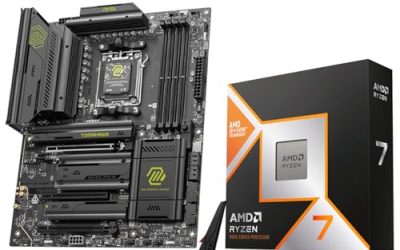
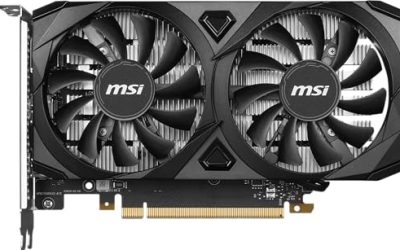
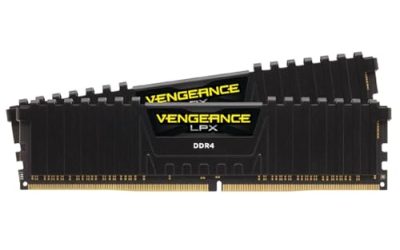
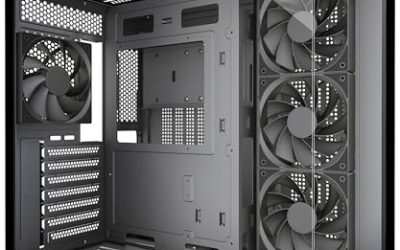
Shopping for a Ryzen gaming PC means choosing between two very different AMD generations hiding under one brand. On one side sit older AM4 machines built around the Ryzen 5 5500 and Ryzen 7 5700X, paired with DDR4 memory and last-generation graphics. On the other sit AM5 machines with the Ryzen 7 8700F, Ryzen 9 7900X, Ryzen 9 9900X and the X3D gaming chips, all on DDR5. Those two groups sit in very different budget tiers and age very differently, so the first decision is how long you want the PC to stay relevant in 2026 and beyond.
This guide is for buyers who want a ready-to-play tower and have already settled on AMD processors. We read the eight listings for what the titles actually state: CPU model, graphics card, memory type and size, SSD capacity, power supply and cooling. The questions that separate them are simple. Do you want an affordable 1080p machine, a strong 1440p all-rounder, or a flagship with a large power supply and a 360mm liquid cooler for the highest-end games and streaming?
Our Top Picks
 iBUYPOWER Element Gaming PC Desktop Computer AMD Ryzen20 x 9.1 x 17.4 inches36 poundsCheck on Amazon

Top 3 picks at a glance
Quick Picks
As an Amazon Associate we earn from qualifying purchases at no extra cost to you.






| Product | Best for | Key spec from the title |
|---|---|---|
| CyberPowerPC Gamer Master | Mid-range 1080p to 1440p play | Ryzen 7 8700F, RTX 5060 Ti 8GB, 16GB DDR5 |
| YAWYORE Ryzen 7 5700X PC | Memory-heavy multitasking on a budget | Ryzen 7 5700X, RTX 5060, 32GB DDR4 |
| iBUYPOWER Element | Gaming plus content creation | Ryzen 9 7900X, RTX 5070 12GB, 32GB DDR5 |
| Skytech Ryzen 7 9800X3D RTX 5070 Ti | High-refresh 1440p gaming | 9800X3D, RTX 5070 Ti, 850W Gold, 360 AIO |
| CyberPowerPC Gamer Xtreme | Balanced high-core-count builds | Ryzen 9 9900X, RTX 5070 12GB, 32GB DDR5 |
| Olialia Ryzen 5 5500 PC | Entry-level 1080p gaming | Ryzen 5 5500, RTX 3060 Ti, 600W power |
| Skytech Ryzen 7 9850X3D RTX 5080 | Flagship high-resolution gaming | 9850X3D, RTX 5080, 2TB SSD, 850W Gold |
| Skytech Ryzen 7 9850X3D RX 9070 XT | All-AMD high-end builds | 9850X3D, RX 9070 XT, 2TB SSD, 360 AIO |
The 8 Best Options
CyberPowerPC Gamer Master (Ryzen 7 8700F, RTX 5060 Ti)
The Gamer Master is the sensible middle of the road for someone who wants current-generation parts without paying for a flagship. The title lists a Ryzen 7 8700F processor, a GeForce RTX 5060 Ti with 8GB of video memory, 16GB of DDR5, a 1TB PCIe 4.0 SSD, WiFi-ready hardware and Windows 11 Home. DDR5 and a PCIe 4.0 drive put it on a modern platform, which keeps upgrade options open compared with the older AM4 machines in this guide.
Strengths
- A Ryzen 7 class processor is a sensible match for a mid-range graphics card at 1080p and 1440p.
- DDR5 memory and PCIe 4.0 storage are current-generation choices.
- A 1TB drive fits a handful of large modern games out of the box.
Trade-offs
- 8GB of video memory is the main limit and can force lower texture settings in the heaviest titles.
- 16GB of system RAM is adequate now but leaves less room for streaming plus gaming.
For a family buying one shared gaming PC, this is the kind of tower that avoids both extremes: nothing in the title is cut to the bone, and nothing is padded for show. It rewards a buyer who plans to add storage or memory in a year rather than pay for everything on day one.
Skip it if you plan to play at high resolution with maximum textures or stream at the same time. Compared with the YAWYORE next, it is the newer platform with less memory, while the YAWYORE offers double the RAM on an older one.
YAWYORE Gaming PC (Ryzen 7 5700X, RTX 5060)
This is the choice for a shopper who prioritizes memory and storage capacity over platform age. The title lists a Ryzen 7 5700X, a GeForce RTX 5060, 32GB of DDR4 RAM, a 1TB M.2 NVMe SSD, ARGB fans and WiFi with Bluetooth. Thirty-two gigabytes of memory is generous for this tier, and it makes multitasking easier than on the 16GB machines, which suits someone who keeps a browser, chat and a game running at once.
Strengths
- 32GB of RAM gives room for a browser, chat apps and a game at once.
- A current-generation RTX 5060 graphics card is paired with an established Ryzen 7 processor.
- WiFi and Bluetooth are included, so no extra adapters are needed.
Trade-offs
- DDR4 and the 5700X belong to the older AM4 platform, which has a limited upgrade path.
- The title does not state the power supply wattage or cooler type, so check them on the full listing.
This build makes the most sense for a student or a first-time PC owner who expects to keep a browser, a voice chat app and a game open together. The memory headroom is the feature that will be noticed every day, long before the processor or graphics card becomes a limit.
Skip it if you want a platform that can take a newer processor later. Against the iBUYPOWER Element that follows, it sits a tier lower on the CPU and graphics card but matches the memory capacity, trading future headroom for a lower entry point.
iBUYPOWER Element (Ryzen 9 7900X, RTX 5070)
The Element suits buyers who split their time between gaming and heavier desktop work such as rendering or streaming. The title lists a Ryzen 9 7900X CPU, an NVIDIA GeForce RTX 5070 with 12GB of memory, 32GB of DDR5 RAM, a 1TB NVMe SSD and Windows 11 Home. A Ryzen 9 processor with 32GB of DDR5 gives it a clear edge for productivity over the cheaper gaming-only builds, and 12GB of video memory leaves more headroom than the 8GB cards above.
Strengths
- The Ryzen 9 7900X is a higher-end processor for streaming and creative tasks.
- 12GB of video memory on the RTX 5070 gives more breathing room than 8GB cards.
- 32GB of DDR5 is a comfortable amount for multitasking.
Trade-offs
- It is not an X3D chip, so it is aimed more at mixed workloads than pure gaming.
- The visible title text does not confirm the power supply or cooler.
Video editors, streamers and anyone who runs a game alongside a capture program will see the value in the memory and processor tier. The 12GB graphics card also keeps it comfortable at higher texture settings, which matters more each year as new games ask for more video memory.
Skip it if gaming alone is the goal and you would rather put the budget into an X3D processor. Compared with the Skytech 9800X3D system next, the Element leans toward productivity, while the Skytech leans toward gaming speed and a stronger supporting cast of parts.
Skytech Ryzen 7 9800X3D with RTX 5070 Ti
This Skytech is for players who want a gaming-focused processor and a strong graphics card without going to the flagship tier. The title lists a Ryzen 7 9800X3D, an RTX 5070 Ti, 32GB of RAM, a 2TB SSD, Windows 11, a Gen4 NVMe SSD, DDR5 6000 memory, an 850W Gold ATX 3 power supply and a 360mm ARGB AIO. The X3D branding signals a CPU built with gaming in mind, and the 850W ATX 3 supply is a sturdy match for a graphics card in this class.
Strengths
- An X3D processor is designed with gaming performance as its focus.
- A 2TB Gen4 NVMe drive holds a large game library.
- An 850W Gold ATX 3 supply and 360mm AIO are quality supporting parts.
Trade-offs
- It sits in the premium tier, which is more than casual players need.
- The wireless details are not visible in the truncated title.
The listing is more transparent than most about supporting parts: it names the power supply rating, the cooler size and the memory speed, which lets you judge the whole machine instead of guessing. That is a good habit to demand from every prebuilt on your shortlist.
Skip it if you play at 1080p with modest settings, since the extra processor power will go unused. It sits below the Skytech RTX 5080 system and above the CyberPowerPC Gamer Xtreme that follows, which is the better pick when you care more about core count than gaming speed.
CyberPowerPC Gamer Xtreme (Ryzen 9 9900X, RTX 5070)
The Gamer Xtreme targets buyers who want a high-end Ryzen 9 processor and a modern GPU in a ready-made case. The title lists a Ryzen 9 9900X, a GeForce RTX 5070 with 12GB, 32GB of DDR5, a 1TB PCIe 4.0 SSD, WiFi-ready hardware and Windows 11 Home. It is a balanced build for gaming and creative work, with a processor that targets multi-threaded jobs as much as frame rates.
Strengths
- A Ryzen 9 9900X processor gives plenty of headroom for multitasking and creative apps.
- 12GB of video memory is a healthier amount than 8GB.
- 32GB of DDR5 supports heavier multitasking and streaming.
Trade-offs
- 1TB of storage fills up quickly with several large games.
- The X3D chips elsewhere in this list are aimed more squarely at frame rates.
It fits a buyer who edits video on weekdays and plays on weekends, and who wants one machine to handle both without a second computer. Adding a second SSD later is the obvious upgrade, since the 1TB drive is the part most likely to run short first.
Skip it if your only goal is the fastest gaming performance. Compared with the Olialia that follows, it sits several tiers higher on processor, graphics and memory, so the two serve entirely different buyers.
Olialia Ryzen 5 5500 with RTX 3060 Ti
The Olialia is the entry point, built for players who want to start gaming at 1080p without a big outlay. The title lists an RTX 3060 Ti, a Ryzen 5 5500, 16GB of RAM, a 512GB SSD, RGB lighting, WiFi 6, a 600W power supply, Windows 11 and a panoramic tower. It is the smallest spec sheet here, and that is the point: it is a straightforward way to get into PC gaming and keep the rest of the budget for a monitor and peripherals.
Strengths
- It is the lowest entry tier among the eight.
- WiFi 6 and RGB lighting are included.
- A panoramic tower shows off the internal parts.
Trade-offs
- A 512GB drive fills fast once several modern games are installed.
- The 600W supply and the AM4 platform leave little room for future upgrades.
A younger player, a spare-room PC or a second machine for a LAN night are the natural homes for it. If you buy it, budget for a monitor and an extra drive, because the cheapest tower is only a bargain when the rest of the setup is already in place.
Skip it if you want a machine that lasts many years or plays new releases at high settings. It is the budget baseline against which the Skytech RTX 5080 system, next, is a very large step up.
Skytech Ryzen 7 9850X3D with RTX 5080
This is the flagship pick for players who want strong high-resolution gaming. The title lists a Ryzen 7 9850X3D, an RTX 5080, 32GB of RAM, a 2TB SSD, Windows 11, an NVMe SSD, DDR5 6000 memory, an 850W Gold ATX 3 PSU and a 360 ARGB AIO. It combines a gaming-focused X3D CPU with a top-tier GeForce card, and it is the system on this page that least needs excuses.
Strengths
- An X3D processor plus an RTX 5080 form the strongest pairing on this page.
- 2TB of storage and DDR5 6000 memory are generous.
- An 850W Gold ATX 3 PSU and a 360mm AIO support the hardware properly.
Trade-offs
- It is the premium tier, with a cost to match.
- It is overkill for 1080p play and esports titles at modest resolutions.
To get full value, pair it with a high-resolution, high-refresh monitor and a good headset; otherwise a large part of the machine is wasted. Players who record gameplay or stream in high quality will appreciate the spare capacity in every part of the build.
Skip it if you play lighter games on a standard monitor. Compared with the final Skytech, it uses a GeForce card where the last uses a Radeon, so your choice depends on which features you value most.
Skytech Ryzen 7 9850X3D with RX 9070 XT
This is the all-AMD alternative at the top of the range. The title lists a Ryzen 7 9850X3D, an RX 9070 XT, 32GB of RAM, a 2TB SSD, Windows 11, a Gen4 NVMe SSD, DDR5 5600 memory, an 850W Gold ATX 3 PSU and a 360 ARGB AIO. It pairs an AMD processor with an AMD graphics card, which appeals to buyers who prefer a single-brand build and its driver ecosystem.
Strengths
- An all-AMD pairing in one box.
- 2TB of Gen4 NVMe storage.
- A strong power supply and 360mm AIO cooling.
Trade-offs
- DDR5 5600 is slower than the DDR5 6000 listed on the other Skytech machines.
- Buyers who need NVIDIA-specific features should look at the GeForce models instead.
Buyers who like open driver tools and a single-vendor setup will find it appealing, and the memory speed is the one spec to weigh against the other Skytech listings. It is a sound choice if you play mostly in native resolution and do not rely on NVIDIA-specific software.
Skip it if you depend on NVIDIA-only software or features. It closes the list as the alternative to the RTX 5080 Skytech, trading a GeForce card for a Radeon one.
Why Choose a Ryzen Gaming PC
AMD processors have become the default for many gaming builds because they combine strong gaming performance with a long platform life on AM5. The choice is easier when you break it down by the kind of player who benefits most from each style of machine.
Players who want gaming-focused processors
The X3D models on this page use extra cache aimed at games. If frame rates in competitive shooters, simulators and strategy titles are your priority, those are the chips to look for. They pair best with a strong graphics card and a monitor with a high refresh rate, since a fast processor can only help if the display can show it.
Creators who also game
The Ryzen 9 7900X and 9900X are higher-end processors, which helps with streaming, rendering and compiling code. A creator who games in the evening gets more from them than from a pure gaming processor, especially when paired with 32GB of DDR5 memory and a graphics card with 12GB of video memory.
Budget buyers who want to start low
The Ryzen 5 5500 and Ryzen 7 5700X machines let you start gaming at a lower tier. The trade-off is the older AM4 platform, so decide whether you will accept a shorter life or replace the whole PC later. For a first PC or a younger player, that can be a reasonable bargain.
How to Choose a Ryzen Gaming PC
Pick the graphics card first
The graphics card sets what resolution and settings you can use. Entry cards like the RTX 3060 Ti fit 1080p, mid-range cards like the RTX 5060 and 5060 Ti suit 1080p to 1440p, and the RTX 5070, 5070 Ti, RTX 5080 and RX 9070 XT target high-refresh 1440p and above. Look for at least 12GB of video memory if you play new releases at high texture settings, and treat 8GB as a 1080p-oriented amount. Match the card to your monitor: a 1080p screen does not need a flagship card, and a high-refresh 1440p screen is wasted on an entry one.
Choose the processor for your use
For gaming, X3D chips such as the 9800X3D and 9850X3D are the focus. For mixed work, a Ryzen 9 offers more cores and more multitasking room. Check the core count and boost clock in the full listing, since titles often leave them out, and avoid overpaying for cores your games will not use. As a rough guide, six to eight cores handle most games, while streaming and editing reward 12 or more.
RAM, platform and memory type
16GB is a floor and 32GB is the sweet spot. DDR5 on AM5 offers an upgrade path, while DDR4 on AM4 does not. Check that the memory runs at the speed in the listing, such as DDR5 6000 on most Skytech models, and make sure the RAM is installed as two sticks for dual-channel operation. A single stick can limit memory bandwidth, which hurts integrated and processor-bound workloads more than most buyers expect.
Storage capacity and type
1TB is the minimum for today’s large games, and 2TB is comfortable. A Gen4 NVMe drive loads games quickly and handles updates well. A 512GB drive, as on the Olialia, is a stopgap that fills with a few titles, so plan to add a second drive. Check that the case has a free M.2 slot or drive bay, because some compact boards offer only one.
Power supply and cooling
A power supply of 650W to 750W suits mid-range cards, and 850W suits high-end cards such as those in the Skytech builds. An ATX 3 supply handles modern graphics card connectors. A 360mm AIO is a premium cooling choice, while air coolers are fine for mid-range processors. Avoid listings that do not state PSU wattage, since an undersized supply is a common cut.
What to ignore and where budget builds cut corners
Low-cost systems often hide a small power supply, a basic motherboard, a single memory stick and limited airflow. Ask what the case fans and PSU are, and ignore RGB claims or case styling as a measure of quality. Trust the numbers for the processor, graphics card, memory and storage instead. Also read what the warranty covers and who handles repairs, since a prebuilt is only as good as the support behind it.
AM4 vs AM5: The Choice Behind the Budget Gap
The cheapest Ryzen gaming PCs in this guide use AM4 parts, while the rest use AM5. The difference decides how long the machine stays useful, and it is the question most buyers of this keyword actually face when they compare the YAWYORE or Olialia to the CyberPowerPC and Skytech towers.
| Factor | AM4 (5500, 5700X) | AM5 (8700F, 7900X, 9900X, X3D) |
|---|---|---|
| Memory type | DDR4 | DDR5 |
| Upgrade path | Limited | Longer |
| Entry cost | Lower | Higher |
| Graphics pairing in this guide | RTX 3060 Ti, RTX 5060 | RTX 5060 Ti up to RTX 5080, RX 9070 XT |
| Best for | 1080p on a budget | 1440p and beyond |
When AM4 makes sense
If you want to play popular titles at 1080p and keep the cost low, an AM4 build such as the YAWYORE is reasonable. Expect to replace the whole PC rather than upgrade it in a few years. The 32GB of RAM on the YAWYORE makes it the easier AM4 option to live with day to day.
When AM5 is worth it
If you want to keep the PC for many years, AM5 lets you change the processor and add faster memory later. The CyberPowerPC and Skytech machines are the safer long-term choices, and they are the ones to pick when you plan to play new releases at higher resolutions for several years.
Setup, Compatibility and Upgrade Tips
What to check before buying
Confirm the graphics card, power supply wattage, case size and memory type. Check that the listing names the motherboard or chipset and the cooler, because some titles omit them. Make sure your monitor supports the resolution and refresh rate you want, since a strong PC wasted on a basic display is a common disappointment. Also check that the case fits your desk and has enough ports for a headset, controller and mouse.
What to upgrade first
If the PC ships with one memory stick, add a second for dual-channel operation. Add a second SSD if storage is tight, then update graphics drivers and the BIOS after the first boot. Turn on the memory profile in the BIOS so that the RAM runs at its rated speed rather than a slower default. Finally, keep dust filters clean and leave space around the case so the fans can move air freely, which keeps the processor and graphics card at their boost clocks for longer.
Common compatibility traps
The biggest trap is assuming an AM4 PC can take newer processors, since it cannot. Another is a small power supply that cannot support a future graphics card. Finally, check case clearance before choosing a larger card, and remember that DDR4 and DDR5 are not interchangeable if you decide to add memory. Prebuilt cases can also use proprietary parts, so confirm that a standard power supply or motherboard can be swapped in later if you want to upgrade.
Which One Fits Your Situation
You want to game at 1080p without spending much
The Olialia Ryzen 5 5500 PC fits, as does the YAWYORE with a Ryzen 7 5700X and 32GB of RAM if you value memory over platform age. Either gives you a path into PC gaming at a modest tier.
You want the best mix of gaming and streaming
The iBUYPOWER Element with a Ryzen 9 7900X and RTX 5070 suits mixed workloads, and the CyberPowerPC Gamer Xtreme with a Ryzen 9 9900X is a close alternative with a newer processor.
You want high-refresh 1440p play
The Skytech Ryzen 7 9800X3D with RTX 5070 Ti is the strong pick, with a 2TB drive and an 850W supply included.
You want a flagship build
The Skytech 9850X3D with RTX 5080 is the pick for top performance, while the RX 9070 XT variant suits those who prefer an all-AMD build.
Common Mistakes
- Buying a PC with an 8GB graphics card for high-resolution play.
- Ignoring the power supply wattage when the listing leaves it out.
- Assuming an AM4 system can be upgraded with new processors.
- Skipping a second memory stick and losing dual-channel performance.
- Paying for cores that games will not use instead of a better graphics card.
- Choosing a 512GB drive for a large and growing game library.
Related guides
- What Is The Best Budget Most Responsive Gaming Mouse Wired
- Low Latency Gaming Headphones Usb-C 2.4 Ghz Wireless
- Mechanical Gaming Keyboards Competitive Pc Gaming
Frequently Asked Questions
What does X3D mean on a Ryzen processor?
X3D denotes AMD processors with extra cache aimed at gaming. The 9800X3D and 9850X3D on this page use it, and it is the feature to look for if frame rates are your priority.
Is 16GB of RAM enough for a gaming PC?
It works for gaming alone, but 32GB is more comfortable for multitasking and streaming. The YAWYORE, iBUYPOWER, CyberPowerPC Xtreme and Skytech listings all show 32GB.
Do I need an 850W power supply?
High-end cards benefit from it, while mid-range builds can use less. The Skytech systems list 850W Gold ATX 3 units, a good match for their graphics cards.
Is DDR4 still worth buying?
For a budget build it can be, but DDR5 on AM5 offers a longer upgrade path. Decide based on how long you plan to keep the PC.
Which is better, RTX 5080 or RX 9070 XT?
The RTX 5080 is the higher tier in the GeForce lineup, while the RX 9070 XT suits an all-AMD build. Consider the features and software you need before choosing.
Can I upgrade these PCs later?
AM5 systems have more room to grow than AM4 ones. Check the case size and power supply limits before planning a bigger graphics card.
Final Words
The best Ryzen gaming PC depends on how long you want it to last and what you play. The Olialia and YAWYORE start low on the older platform, the CyberPowerPC and iBUYPOWER machines balance modern parts with sensible tiers, and the two Skytech X3D systems lead for gaming speed. Check the power supply, cooler and storage details in each listing before ordering, and choose between GeForce and Radeon based on the features you need. Spend where the games will notice it, which is the graphics card and the memory, and leave cosmetic extras for last.