A 240mm all-in-one liquid cooler sits in a useful middle ground. It uses a two-fan radiator that fits the top or front of most mid-tower cases, it clears tall memory modules that often collide with big air coolers, and it keeps a CPU cooler’s footprint small around the socket. The decision is rarely about raw numbers. It comes down to socket support, radiator thickness, fan noise character and whether you want a pump cap that doubles as a display.
This guide is written for builders choosing a cooler for a new or upgraded gaming PC in 2026, particularly anyone moving to AM5 or a recent Intel socket. It compares seven 240mm designs using only what their titles state, then walks through socket checks, case clearance, pump and fan behavior and the corners cheaper units tend to cut. Where a listing does not name something, such as a TDP rating, confirm it with the manufacturer before relying on it.
Our Top Picks
 Cooler Master Elite Liquid 240 AIO Liquid CPU240mm Radiator4.7 x 4.7 x 1 Inches2.87 PoundsCheck on Amazon



Top 3 picks at a glance
Quick Picks
As an Amazon Associate we earn from qualifying purchases at no extra cost to you.




| Product | Best for | Key spec from the title |
|---|---|---|
| Cooler Master Elite Liquid 240 | Current-socket builds with ARGB | AM5/AM4 and Intel LGA1851/1700 support, dual-chamber pump, 2 low-noise fans |
| NZXT Kraken Plus 240 | Builders who want a screen on the pump | Customizable LCD, Turbine pump, F120P fans |
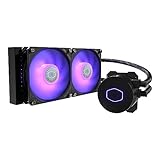
| Cooler Master MasterLiquid ML240L RGB V2 | Familiar closed-loop design | Gen3 dual chamber pump, 240mm radiator, SickleFlow 120 PWM ARGB |
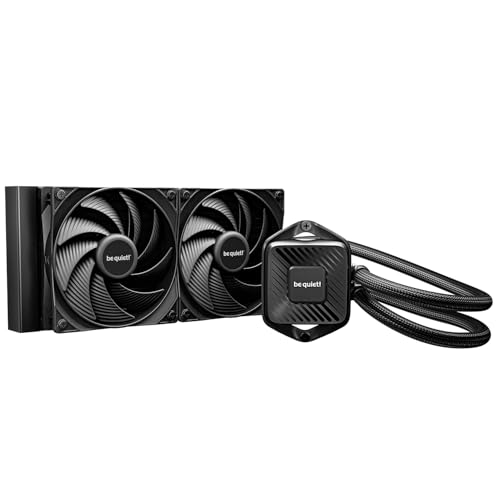
| be quiet! Pure Loop 3 240mm | Quiet, non-RGB systems | Slight overclocking focus, 2 silent 120mm PWM fans, non-RGB |
| Antec Skeleton 240 ARGB | Visible, showy builds | Skeleton-frame ARGB pump, copper base, PWM ARGB fans |
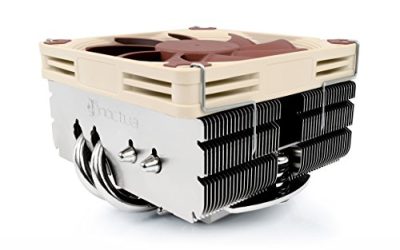
| Noctua NL-LC1-24 | Low-noise priority and slim radiator | 30mm slim radiator, pump noise absorber, Intel and AMD |
| Thermalright Aqua Elite 240 V3 | Value-minded ARGB build | ARGB PWM fans, lists Intel 1150 through 1851 and AM4/AM5 |
How to Choose
Socket and bracket support
Socket compatibility is the first filter. Read the title and the manufacturer page for the exact list: AM4 and AM5 on the AMD side, and LGA1700 or LGA1851 on newer Intel boards. Older coolers may include older Intel sockets but skip the newest. Some brands ship mounting hardware for all supported sockets in the box, while others require a request for a bracket. Before ordering, confirm that your motherboard’s socket appears on the list and that the cooler comes with the retention hardware.
Case clearance and radiator mounting
A 240mm radiator needs two 120mm fan positions on the front or top of the case, plus room for tubing to reach the CPU. Measure the space between the top panel and the motherboard, and check the maximum radiator thickness your case supports. A slim 30mm radiator, as in the Noctua listing, clears memory and motherboard heatsinks more easily than a thick one. Also confirm where tubing exits: tubes at the top of a radiator can trap air if the radiator sits above the pump, so many builders prefer front mounting with tubes at the bottom.
Pump design, fans and noise
Dual-chamber pump designs separate the cold plate flow from the pump motor and are popular for quieter operation. Fans matter just as much: PWM control lets the motherboard adjust speed, and a fan curve that ramps gently is easier on the ears than one that jumps. Premium coolers often carry fans tuned for low noise, while budget units can produce a faint whine at the pump or a rattling hum at idle. Ignore lofty claims about decibel levels unless the listing states a measured value, and focus on the fan type and pump architecture.
Extras: RGB, displays and warranty
ARGB lighting and LCD pump caps are a style choice, not a cooling upgrade, and they can add cost and software requirements. If you do not want another lighting app, a non-RGB model keeps things simple. Check the warranty period and the manufacturer’s recommendation on pump lifespan. A liquid cooler is a sealed component that wears over time, so budget for a replacement window rather than treating it as permanent.
Airflow around the radiator deserves a separate thought. In most cases a radiator mounted at the top exhausts warm air out of the case, while a front-mounted one pulls cool room air through the fins first and then feeds that air to the rest of the system. Front mounting gives the CPU the coolest water but warms the air the graphics card receives, so builders with a hot GPU often choose the top. Neither is wrong, and the better choice depends on your case’s fan layout and filter placement.
Finally, consider serviceability. Most 240mm loops are sealed, so a failed pump means replacing the whole unit, not topping off fluid. Keep the retail box and the mounting hardware, write down the purchase date for warranty purposes, and check temperatures after the first week of use. A sudden rise in idle temperature or a new grinding sound is the usual sign that the pump or its mounting needs attention. Make sure the pump header on the motherboard is set to full speed rather than a variable fan curve, since a pump that is throttled can be mistaken for a weak cooler.
Before buying, check the case height and the fan layout for obstructions such as a drive cage or a front-panel bracket. Cooler boxes list the radiator length and thickness, and cases list the maximum supported radiator size at each mounting spot, so a quick comparison saves a return. Also remember the cooler’s tubing length: short tubes can limit which radiator positions are possible in a large case. Fit the fans with the cables pointing toward the nearest header, then run the pump and fan wires together so the side panel closes cleanly.
The 7 Best Options
Cooler Master Elite Liquid 240 ARGB
This cooler is newer in the lineup and explicitly lists AMD AM5 and AM4 along with Intel LGA1851 and LGA1700, so a recent platform is covered. The title also mentions a dual-chamber pump and two low-noise fans. It fits builders who want ARGB lighting without leaving the mainstream price tier.
- Strength: Broad current-generation socket list in the title.
- Strength: Dual-chamber pump design named by the maker.
- Trade-off: Radiator thickness is not visible in the title, so confirm clearance in your case.
Skip it if you want a display on the pump cap or a slim radiator for tight memory clearance.
NZXT Kraken Plus 240
The Kraken Plus adds a customizable LCD to the pump head and a Turbine pump described as improving thermals. It is the pick for builders with a window panel who want the cooler to double as a status display for temperatures, images or animations. F120P fans are included.
- Strength: Customizable LCD makes the pump a visible feature.
- Strength: Turbine pump and F120P fans come with it.
- Trade-off: The screen is a style feature that adds software dependence and cost.
Skip it if you want a plain, quiet cooler without extra software.
Cooler Master MasterLiquid ML240L RGB V2
This is a simpler closed-loop cooler with a Gen3 dual-chamber pump, a 240mm radiator and SickleFlow 120 PWM ARGB fans. It targets builders who want a proven formula from a familiar maker rather than the newest features. The listing is cut off, so confirm the socket list before ordering.
- Strength: Dual-chamber pump generation is named in the title.
- Strength: PWM ARGB fans offer speed control and lighting.
- Trade-off: The older V2 name may not list the newest Intel socket in the title.
Skip it if you are building on a brand-new socket and need verified support.
be quiet! Pure Loop 3 240mm
The Pure Loop 3 is described for slight overclocking, with a non-RGB look and two silent 120mm PWM high-speed fans with daisy chain wiring. It suits builders who want clean, understated aesthetics and low fan noise. The daisy chain cable can simplify wiring behind the motherboard tray.
- Strength: Non-RGB design keeps the build simple.
- Strength: Silent PWM fans are the stated focus.
- Trade-off: The title signals light overclocking, not heavy loads, so confirm its rating for your chip.
Skip it if you want lighting or a display built into the pump.
Antec Skeleton 240 ARGB
The Skeleton uses an open-frame ARGB pump design with a copper base and PWM ARGB fans. It leans toward a visual statement, putting the internals of the pump on display. It is aimed at builders who want a showy cooler in a glass-panel case.
- Strength: Copper base named in the title.
- Strength: Skeleton pump design delivers a distinctive look.
- Trade-off: Style-first designs may offer fewer details on pump noise.
Skip it if you prefer a minimal, quiet build with no lighting.
Noctua NL-LC1-24
Noctua’s offering stresses a 30mm slim radiator, a pump noise absorber and support for Intel and AMD. The slim radiator can clear obstructions in tighter cases. Fans are two 120mm units, and the brand’s reputation centers on quiet operation.
- Strength: Slim radiator can help with clearance in compact builds.
- Strength: Pump noise absorber addresses a common complaint.
- Trade-off: Premium tier, and a slim radiator trades surface area for fit.
Skip it if you want RGB lighting or a low upfront cost.
Thermalright Aqua Elite 240 V3
This ARGB cooler lists a long run of Intel sockets from LGA1150 through LGA1851 along with AMD AM4 and AM5, which makes it useful for builders with older boards. It includes PWM ARGB fans and positions itself as a value pick.
- Strength: Wide socket list in the title.
- Strength: PWM ARGB fans included.
- Trade-off: Value positioning often means less sound-dampening refinement.
Skip it if you want the quietest possible pump and brand-level noise tuning.
Which One Fits Your Situation
You are building on AM5 or LGA1851
The Cooler Master Elite Liquid 240 lists both in the title, so it removes the guesswork about brackets.
You want a statement piece in a glass case
The NZXT Kraken Plus 240 brings an LCD, while the Antec Skeleton 240 puts the pump internals on show. Choose based on whether you prefer a screen or a mechanical look.
Noise is your top concern
The Noctua NL-LC1-24 and be quiet! Pure Loop 3 both emphasize quiet fans and pump design. Pair either with a gentle fan curve.
You are upgrading an older platform on a budget
The Thermalright Aqua Elite 240 V3 lists many older Intel sockets plus AM4, which helps with legacy motherboards.
Common Mistakes
- Assuming every 240mm cooler supports the newest socket without reading the list.
- Ignoring radiator thickness and tall memory clearance.
- Mounting the radiator so the pump sits at the highest point, which can trap air.
- Paying for LCD or ARGB features when cooling is the only goal.
- Skipping the case’s radiator support list before ordering.
Related guides
- What Is The Best Budget Most Responsive Gaming Mouse Wired
- Low Latency Gaming Headphones Usb-C 2.4 Ghz Wireless
- Mechanical Gaming Keyboards Competitive Pc Gaming
Frequently Asked Questions
Is a 240mm cooler enough for a gaming CPU?
For many mainstream processors, yes. Check your CPU’s power draw and the cooler maker’s guidance, since high-end chips may benefit from a larger radiator.
Where should the radiator go?
Front or top mounting is typical. Keep the pump lower than the radiator top when possible so air gathers in the radiator rather than the pump.
Do AIO coolers need maintenance?
They are sealed and low maintenance, but fans collect dust and the pump has a finite life. Clean the radiator fins periodically and watch temperatures and noise.
Will an AIO fit a given case?
Check the case spec sheet for a 240mm radiator mount and maximum radiator thickness, then compare against the cooler listing.
Related guides
More from Amazon
Programs that pair well with the guide above. Offers and eligibility are set by Amazon and may change.
Free shipping on eligible items, Prime Video and more. Eligible new members can start with a free trial.
Start a Prime free trialAd-free music streaming. Eligible new subscribers can start with a free trial.
Try Music Unlimited freeA Prime membership for ages 18-24 with a trial period. Eligibility is set by Amazon.
See Prime for Young AdultsAudiobooks and podcasts to listen to on the go. Eligible new members can start with a free trial.
Try Audible freeAs an Amazon Associate we earn from qualifying purchases.