Persona 3 Reload is easy to run, so the best GPU for it is whichever inexpensive current card fits your monitor: the publisher’s recommended line is a GTX 1650 with 4 GB for 1080p at 60 fps, an entry 8 GB card is plenty for 1440p, and a high-end card adds little because the PC version has a frame limiter capped at 120 and no DLSS or FSR support. Spend on the monitor and storage before you spend on a flagship graphics card.
As an Amazon Associate we earn from qualifying purchases at no extra cost to you.



Our Top Picks
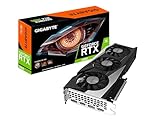
 msi Gaming RTX 3050 Ventus 2X 6G OC1.7" x 4.3" x 7.4"7.4 x 4.3 x 0.1 inches1.3 poundsCheck on Amazon


Top 3 picks at a glance
What the Steam page lists
| Item | Minimum | Recommended |
|---|---|---|
| Operating system | Windows 10, 64-bit | Windows 10, 64-bit |
| CPU | Intel Core i5-2300 or AMD FX-4350 | Intel Core i7-4790 or AMD Ryzen 5 1400 |
| Memory | 8 GB | 8 GB |
| Graphics | GeForce GTX 650 Ti (2 GB) or Radeon HD 7850 (2 GB) | GeForce GTX 1650 (4 GB) or Radeon R9 290X (4 GB) |
| DirectX | 12 | 12 |
| Storage | 30 GB | 30 GB |
| Stated target | 720p, low settings, 30 fps | 1080p, high settings, 60 fps |
The listed cards are modest and old. Every card currently sold, including the lowest model in each maker’s line-up, clears the recommended graphics entry.
What the game offers on PC
Reviews and comparison features describe the PC port as lean. Reviewers report a frame-rate limit with choices of 30, 60 or 120, a rendering scale from 50 percent to 200 percent, and a raytraced-reflection toggle that is the one graphics option with a large cost. The same coverage reports no DLSS, no FSR, no ultrawide support and no field-of-view slider. One comparison states that PC is the only platform that goes past 60 fps, reaching its cap of 120.
That shapes the purchase. Without upscaling, the way to hit a high refresh rate is raw card speed, but the 120 fps ceiling means any card that can reach it is enough. The rendering-scale slider also lets you push above 100 percent as a form of supersampling if you have spare power, which is where a stronger card can show its value.
GPU tiers by monitor
| Monitor | Target | Card class | Examples (maker-listed VRAM) |
|---|---|---|---|
| 1080p 60 Hz | High settings, 60 fps | Entry | GeForce RTX 5050 (8 GB), Intel Arc B570 (10 GB) |
| 1080p 120 Hz or 1440p 60 Hz | Reflections on, 60 to 120 fps | Mid-range | Radeon RX 9060 XT (8 or 16 GB), GeForce RTX 5060 (8 GB), Arc B580 (12 GB) |
| 1440p 120 Hz | Reflections on, near the cap | Upper mid-range | GeForce RTX 5060 Ti, Radeon RX 9070 |
| 4K 60 to 120 Hz | Native 4K | High | GeForce RTX 5070 or RTX 5070 Ti, Radeon RX 9070 XT |
No outlet published modern-card frame rates for this game in the sources found, so these tiers are class guidance built from the publisher’s list and the port’s features. One comparison tested a GeForce RTX 4080 at 4K with maximum settings and reported the 120 fps cap, which implies the top of the range is already more than the game can use.
Raytraced reflections: the one setting that matters
Reviewers describe the reflection toggle as the setting with a visible cost, and reports of rough launch performance with reflections on, including drops on strong AMD hardware early on, appear in Steam forum threads. Another source says it improved soon after release. If you want reflections at 1440p or higher, favour a card with hardware ray-tracing support from the current generation, which includes every card in the table. Players on handhelds such as the Steam Deck are reported to reach 60 fps with reflections off, so the feature is the first to disable on weak hardware.
VRAM
The publisher lists 2 GB at minimum and 4 GB at recommended. For 1080p and 1440p, 8 GB is far above that. Only if you push the rendering scale toward 200 percent at 4K would extra memory be useful, and the sources contain no figure for it. If you are choosing between 8 GB and 16 GB versions of one model, the extra memory is a luxury for this game.
Pick X if… decision table
| Pick | If you | Skip if |
|---|---|---|
| RTX 5050 or Arc B570 | Play at 1080p and want the lowest cost | You want reflections at 1440p |
| RTX 5060 or RX 9060 XT 8 GB | Want a safe 1080p and light 1440p card that also covers other new games | You only play this one title |
| Arc B580 | Want more VRAM for the money | You prefer long-established driver behaviour on older games |
| RTX 5060 Ti or RX 9070 | Own a 1440p high-refresh monitor and play many games | Your monitor is 60 Hz |
| RTX 5070 Ti or RX 9070 XT | Want 4K for everything, this title included | This is the only game you will play |
Alternatives and what to skip
- Used or previous-generation cards. An older GTX 1660 or RTX 2060 class card is well above the recommended line, and a secondhand purchase can be fine if the seller gives a return window.
- Integrated graphics. The minimum lists a discrete card from 2012, and recent APUs may run the game at low settings, but the sources found do not confirm it, so check the maker’s notes.
- Handheld PCs. Reports say the ROG Ally runs it at 1080p and 60 fps or higher, and Steam Deck reaches 60 fps with reflections off, so a dedicated GPU upgrade is unnecessary there.
- Skip paying for DLSS. The game does not support it, so NVIDIA’s upscaling advantage does not apply here.
- Skip flagship cards. The 120 fps cap removes the benefit.
Other parts that matter more
With a light GPU load, a few other choices change the experience more. A 120 Hz or faster monitor is the real unlock for the 120 fps option. An SSD helps with load times and shader compilation, and 30 GB of free space is the stated need. A recent six-core CPU avoids any stutter attributed to shader work, although the listed processors are very old. Reviewers also mention shader compilation stutter in early threads, which tends to settle after the first play session.
Common mistakes
- Expecting DLSS or FSR to help. Neither is offered, according to reviewers.
- Buying for 4K without a 4K monitor.
- Leaving the frame-rate limit at 60 on a 120 Hz display and thinking the card is slow.
- Turning raytraced reflections on with a weak card, then judging the whole game by that setting.
- Assuming ultrawide works. Reviewers report no ultrawide support.
Fit, power and compatibility notes
Because the game asks so little, a compact entry card is a good match for small-form-factor builds and for older office PCs being turned into gaming machines. Before buying for an older system, read the card maker’s page for the exact length, slot count and recommended power supply wattage, and confirm the supply has the required power connectors. Some entry cards draw all their power from the slot and need no cable. Do not open a power supply to add connectors; replace the unit or use the cables the maker supplies. PCIe 3.0 boards can host current cards, and the speed loss at this performance level is small.
Windows 10 is listed in the requirements, though the Steam page also notes that Microsoft no longer supports it, so most new builds will run Windows 11. DirectX 12 support is built into every card named here.
Buying notes for 2026
Think about the next few games before choosing, because this title will run on nearly anything. Read the maker’s specification page for the exact memory size of the variant, since several models are sold in two capacities. Keep graphics drivers current from the maker’s support site, and if you see stutter after a fresh install, give the shader cache a play session to build before changing settings. If reflections cause the only slowdown, turning that single option off is a simpler fix than a hardware change.
Frequently Asked Questions
What GPU do I need for Persona 3 Reload at 1080p 60 fps?
The publisher’s recommended line is a GeForce GTX 1650 with 4 GB or a Radeon R9 290X with 4 GB, aimed at 1080p, high settings and 60 fps. Any current entry card exceeds that.
Does it support DLSS or FSR?
Reviewers report that the PC version offers neither, and no ultrawide mode either. You can change the rendering scale from 50 to 200 percent instead.
Can it run at more than 60 fps?
Yes, the PC settings include a frame limit of 120, which a comparison feature describes as the only platform going past 60 fps. A high-refresh monitor is required to benefit.
Is 8 GB of VRAM enough?
The listed requirement is 4 GB at the recommended tier, so 8 GB is more than enough for 1080p and 1440p. The sources do not give a figure for 4K at maximum rendering scale.
Will it run on a Steam Deck or handheld?
Coverage reports 60 fps on Steam Deck with reflections off and 1080p at 60 fps or higher on ROG Ally. Results depend on the settings chosen.
Is a flagship card worth it for this game?
Not for this game alone. The frame-rate cap and lack of upscaling options mean a mid-range card reaches the limits of the port, so a flagship only makes sense if you play other demanding titles.
Related guides
More from Amazon
Programs that pair well with the guide above. Offers and eligibility are set by Amazon and may change.
Free shipping on eligible items, Prime Video and more. Eligible new members can start with a free trial.
Start a Prime free trialAd-free music streaming. Eligible new subscribers can start with a free trial.
Try Music Unlimited freeA Prime membership for ages 18-24 with a trial period. Eligibility is set by Amazon.
See Prime for Young AdultsAudiobooks and podcasts to listen to on the go. Eligible new members can start with a free trial.
Try Audible freeAs an Amazon Associate we earn from qualifying purchases.