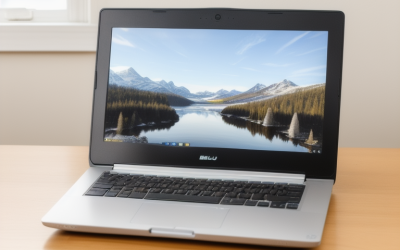
A digital art laptop is judged by its screen first and its processor second. The three things that matter most are color accuracy and gamut coverage on the display, pen support with low latency and pressure sensitivity (or a good pairing with an external tablet), and 16 GB of memory or more so large canvases do not choke your brushes. Everything else is secondary to how faithfully the screen shows your work.
This guide serves illustrators, concept artists, comic creators, photo retouchers, and students who paint in raster painting suites, comic-creation apps, open-source painters, or 3D tools. It lays out the thresholds that count in 2026, from sRGB and DCI-P3 coverage to canvas-size memory needs, and explains how to choose between a pen-enabled convertible and a traditional laptop paired with a drawing tablet.
Why Digital Art Needs Different Priorities
Painting software puts unusual demands on a laptop. Brush engines process every stroke instantly, and large canvases with many layers can consume several gigabytes of memory. Latency between pen and pixel affects how natural the work feels, and the screen must show colors accurately because what you see is what clients and printers will get.
Unlike gaming, which rewards raw graphics power, art workflows reward balanced hardware. A modest processor and a mid-range GPU can handle most 2D painting well, while heavy 3D sculpting, animation, or high-resolution rendering raise the bar. Match the hardware to the most demanding task you do regularly, rather than the average one.
You also need to decide how you prefer to draw. Some artists want to draw directly on the screen of a convertible or tablet-style laptop. Others prefer a standard laptop with a separate pen tablet or pen display. Both paths work, but each changes what specifications matter.
Key Specifications for Artists
Display: Gamut, Accuracy, and Brightness
Look for a panel that covers 100 percent of sRGB at minimum, and 95 percent or more of DCI-P3 if you do print, animation, or video work. OLED panels offer deep blacks and wide gamut, while quality IPS panels remain a dependable, glare-free choice. Factory color calibration, usually indicated by a Delta E rating below 2, saves you from buying a calibration tool. Aim for brightness of 400 nits or more, and a resolution of at least 2560 by 1600 so fine lines look sharp.
Pen Support and Touch
If you draw on the screen, look for active pen support with at least 4096 pressure levels, tilt recognition, and low latency. Check that the pen is included, because some manufacturers sell it separately. A screen that supports palm rejection and a surface with a slight texture mimics paper and gives better control. If you choose a conventional laptop, plan on a separate tablet and make sure the laptop has the USB ports it needs.
Memory: 16 GB Minimum, 32 GB for Large Canvases
Sixteen gigabytes is the working minimum for layered work at common canvas sizes. Move to 32 GB if you paint high-resolution print files, large poster canvases, or have many layers, and if you keep reference images, a browser, and chat open. Memory that cannot be upgraded later is a warning sign, so check the configuration before buying.
Processor and Graphics
A current-generation six- or eight-core chip handles brush strokes, filters, and exports smoothly. For graphics, integrated options are enough for 2D art, but a discrete GPU with 6 GB or more of video memory speeds up filters, 3D sculpting, and rendering. Programs that use GPU acceleration for canvas rotation and zoom feel noticeably smoother with a dedicated chip.
Storage and Connectivity
Art files are large, and projects add up quickly. Choose a 1 TB solid-state drive if you can, since 512 GB fills fast with layered files. Thunderbolt or USB4 ports let you attach fast external drives, tablets, and displays. A built-in SD card reader helps photographers and mixed-media artists import reference photos without an adapter.
Spec Targets by Budget Tier
| Spec | Budget | Mid-range | Premium |
|---|---|---|---|
| Display | Full HD IPS, 100 percent sRGB | 2.5K IPS or OLED, 100 percent sRGB, 90 percent P3 | OLED or mini-LED, 100 percent P3, factory calibrated |
| Pen | Basic pen or external tablet | Active pen, 4096 levels, tilt | Low-latency pen, 8192 levels, haptic or textured surface |
| RAM | 16 GB | 16 to 32 GB | 32 to 64 GB |
| Graphics | Integrated | Entry discrete, 4 to 6 GB | Discrete, 8 GB or more |
| Storage | 512 GB SSD | 1 TB SSD | 1 to 2 TB SSD plus fast external port |
| Ports | USB-C, USB-A, HDMI | Thunderbolt or USB4, SD card reader | Multiple Thunderbolt ports, SD express reader |
Convertible, Standard Laptop, or Tablet Pairing
Convertibles that fold flat into a tablet let you draw directly on the screen with a pen. They are portable and immersive, but the screen angle, weight, and hot surface under your hand can tire you over long sessions. Look for a stable hinge, a rubber-footed base, and a pen that attaches to the chassis so it does not get lost.
A traditional laptop paired with a pen display or a pen tablet gives more screen quality and comfort for long sessions. You can place the tablet where it feels natural and keep the laptop screen upright for reference. This route costs more in total and is less portable, but it often delivers more precision for professional work.
Some artists use a laptop that also supports an external color-accurate monitor. In that case, check that your laptop can drive the external display at the full resolution and refresh rate over USB-C or HDMI, and that its own display is good enough for sketching away from the desk.
Calibration, Comfort, and Workflow Details
Even a factory-calibrated panel drifts over time, so artists who deliver client work benefit from a laptop that works well with a hardware colorimeter. Check that the display has stable brightness and does not use aggressive automatic contrast or adaptive color features that cannot be switched off, because these can change shades while you paint. A color profile that you can lock in the operating system is a small but useful convenience.
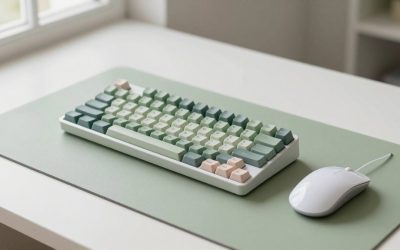
Comfort matters as much as numbers. Look at the keyboard layout, because shortcuts such as brush size, undo, and layer toggles are used constantly; some artists attach a small programmable keypad to avoid reaching for the main keyboard. Weight, hinge stability, and the angle at which the screen can rest are practical points for convertibles. A cool chassis near the area where your wrist rests prevents sweaty palms and slippery pen strokes.
Battery life matters less for studio use, but sketching in a cafe or on a train needs at least six hours of real use. Remember that bright OLED screens and active pens drain power faster, and that full performance is often reserved for plugged-in mode. If you travel with a pen display, check that your laptop can power it over a single cable.
Who Should Buy What
The Hobbyist or Student Illustrator
If you are learning, a convertible with 16 GB of memory, a 1080p or 2.5K IPS panel with good sRGB coverage, and an included pen is a good start. It allows you to draw anywhere, and the hardware is enough for mainstream raster painting and comic apps at modest canvas sizes.
The Professional Illustrator or Concept Artist
Professionals handling large, layered files need 32 GB of memory, a wide-gamut calibrated display, a fast processor, and a roomy SSD. Many choose a standard laptop and a separate pen display for the studio, then use the laptop screen for reference on the go.
The 3D Sculptor or Animator
If your workflow includes 3D sculpting, or animation rendering, prioritize a discrete GPU with 8 GB or more of video memory, 32 GB of RAM, and strong cooling. The screen still matters, but graphics power becomes the deciding factor.
The Photographer or Retoucher Who Also Paints
Color accuracy and wide gamut take priority, along with an SD card slot and a fast external port for backups. A matte or low-reflection panel with factory calibration helps with consistent edits, and 32 GB of memory handles large raw files and stacked layers.
Common Mistakes
- Ignoring display gamut: a bright but narrow-gamut screen can hide color shifts that appear in print or on other devices.
- Assuming any touchscreen supports serious pen work: without an active pen standard and good pressure sensitivity, strokes feel disconnected.
- Underbuying memory: 8 GB of RAM makes large canvases stutter, regardless of how fast the processor is.
- Forgetting the pen is sold separately: some convertibles omit the stylus, which adds to the total cost and delays your start.
- Overlooking cooling and comfort: a hot chassis under your drawing hand makes long sessions unpleasant.
Before You Buy
- Check sRGB and DCI-P3 coverage and whether the panel is calibrated.
- Confirm pen pressure levels, tilt support, and whether the pen is included.
- Choose at least 16 GB of memory, ideally upgradeable.
- Plan storage of 1 TB or an external drive for archives.
- Verify Thunderbolt or USB4 for tablets and displays.
- Read the return policy so you can evaluate screen feel and heat.
Related guides
- What Is The Best Budget Most Responsive Gaming Mouse Wired
- Low Latency Gaming Headphones Usb-C 2.4 Ghz Wireless
- Low Latency Gaming Headphones Usb-C Dongle 2.4 Ghz
Frequently Asked Questions
Do I need a touchscreen laptop for digital art?
No. Many artists use a standard laptop with a separate pen tablet or display. A touchscreen convertible is convenient for portable sketching but not required.
How much color coverage is enough?
Full sRGB coverage suits web and social illustration. For print, animation, or video work, look for 90 to 100 percent of DCI-P3 and factory calibration.
Is a powerful GPU necessary?
Not for most 2D painting, where integrated graphics are usually enough. A discrete GPU helps with 3D sculpting, rendering, and GPU-accelerated filters.
How much storage should I buy?
One terabyte is a comfortable target for layered files and software. If you cannot afford that much internal space, plan to use a fast external drive for finished projects.
Related guides
- How to Choose the Best Laptops for Homeschooling (October 2026)
- Best UGREEN USB-C Hubs: Ports, Speeds and Passthrough Compared (2026)
- Best UGREEN DisplayPort Cables for 240Hz Monitors: DP 1.4 vs DP 2.1 Compared by Bandwidth (2026)
- Best UGREEN Bluetooth Adapters for PC: Versions, Codecs and Range (2026)
More from Amazon
Programs that pair well with the guide above. Offers and eligibility are set by Amazon and may change.
Free shipping on eligible items, Prime Video and more. Eligible new members can start with a free trial.
Start a Prime free trialAd-free music streaming. Eligible new subscribers can start with a free trial.
Try Music Unlimited freeA Prime membership for ages 18-24 with a trial period. Eligibility is set by Amazon.
See Prime for Young AdultsAudiobooks and podcasts to listen to on the go. Eligible new members can start with a free trial.
Try Audible freeAs an Amazon Associate we earn from qualifying purchases.