For Dragon’s Dogma 2, a 16 GB card from the current RTX 50 or Radeon RX 9000 families is the safest pick for 1440p and 4K, while a 12 GB or 16 GB mid-range card covers 1080p and 1440p, and the game’s biggest bottleneck, the CPU in crowded cities, will not be fixed by any graphics card at all. That second half matters as much as the first, so this guide covers both.
As an Amazon Associate we earn from qualifying purchases at no extra cost to you.



Our Top Picks
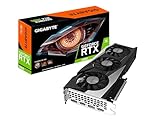
 ASUS Dual GeForce RTX 5060 Ti 16GB GDDR7RTX5060Ti|OC|16GB9 x 4.7 x 2 inches1.4 poundsCheck on Amazon
 msi Gaming RTX 3050 Ventus 2X 6G OC1.7" x 4.3" x 7.4"7.4 x 4.3 x 0.1 inches1.3 poundsCheck on Amazon

Top 3 picks at a glance
Short Answer by Resolution
| Target | GPU class that fits | Example current models | Main limit |
|---|---|---|---|
| 1080p, 60 fps goal | Entry to mid-range, 8 GB minimum, 12 GB or more preferred | GeForce RTX 5060, Radeon RX 9060 XT, Arc B580 | VRAM headroom with higher texture settings |
| 1440p, high settings | Upper mid-range, 12 to 16 GB | GeForce RTX 5070, RTX 5070 Ti, Radeon RX 9070, RX 9070 XT | City areas stay CPU-limited |
| 4K, high settings | High-end, 16 GB or more | GeForce RTX 5080, RTX 5090, Radeon RX 9070 XT with upscaling | GPU load, plus CPU in towns |
| Ray tracing on | Strong ray tracing hardware | RTX 50-series, Radeon RX 9070 class | Extra CPU and VRAM cost |
What the Publisher Actually Lists
The Steam store page lists a minimum of a GeForce GTX 1660 or Radeon RX 5500 XT with 8 GB of VRAM, paired with a Core i5-8500 or Ryzen 5 3500 and 16 GB of RAM. The publisher says that tier targets 1080p with an upscaler at 45 to 60 fps when the Prioritize Performance graphics option is selected.
The recommended tier is a GeForce RTX 2070 Super or Radeon RX 6600 XT with a Core i7-10700 or Ryzen 5 3600X, again 16 GB of RAM. The stated target is 1080p with an upscaler at 60 fps on the Prioritize Performance setting. Ray tracing is listed as needing a GeForce RTX 2080 Ti or Radeon RX 6800 class card. An SSD is recommended, and Windows 11 is listed as the operating system.
Two things stand out. First, the publisher’s own targets are 1080p with upscaling, not native 1440p or 4K, which tells you the game is demanding for its visual output. Second, the 8 GB VRAM figure appears even on the lowest tier, so a card with less than 8 GB is working against the stated minimum.
Why the CPU Changes the Advice
Reviewers have consistently described this game as CPU-bound in its large settlements. PC Gamer’s performance analysis reported that raising resolution barely changed frame rates in the capital city, which points at the processor rather than the graphics card, and Digital Foundry coverage discussed heavy CPU load across PC and consoles in busy areas, with non-player character density as a suspected factor. Outside cities, in the open world and in combat, the game responds to graphics hardware much as other demanding titles do.
The practical consequence: spending a large amount on a flagship graphics card will lift fights, forests and cliffs, but the capital may still dip no matter what you buy. If you are choosing between a better GPU and a better CPU for this one game, look at where you will spend your time. Players who stay mostly in the wilderness benefit from the GPU. Players who like lingering in cities benefit more from a fast processor with strong single-thread performance and large cache, such as an AMD X3D chip, though reports from owners suggest even those can dip in the capital.
Tier by Tier Picks
1080p: budget to mid-range
The RTX 5060 and Radeon RX 9060 XT sit in the class that comfortably exceeds the publisher’s recommended card. NVIDIA lists the RTX 5060 with 8 GB of GDDR7; AMD and its partners offer the RX 9060 XT in 8 GB and 16 GB versions, and the 16 GB version is the better long-term choice if you want high textures. Intel’s Arc B580 lists 12 GB, which is attractive for VRAM, but its driver maturity varies by title, so read recent reviews before choosing it for this game.
1440p: the sweet spot
The RTX 5070 (12 GB), RTX 5070 Ti (16 GB), Radeon RX 9070 and RX 9070 XT (16 GB each) form the natural 1440p group. Reviewers generally place the RX 9070 XT near the RTX 5070 Ti in rasterized games, with NVIDIA ahead in ray tracing and upscaling support breadth. Because the game is CPU-limited in cities, a 1440p display makes sense: the extra resolution costs little in the areas where the processor is already the limit.
4K: premium
The RTX 5080 (16 GB) and RTX 5090 (32 GB) are the only options reviewers usually describe as comfortable at native 4K in demanding games, and even they lean on upscaling when ray tracing is enabled. A Radeon RX 9070 XT can run 4K with upscaling turned on. The publisher does not publish 4K figures, so any frame-rate promise for this resolution should be treated as unconfirmed.
Upscaling and Frame Generation
The publisher’s own requirement lines assume an upscaler, so treat upscaling as part of normal play rather than a last resort. The game’s menu offers upscaling choices; which ones appear depends on the game version and your GPU, so read the in-game graphics menu and the latest patch notes. NVIDIA owners can look for DLSS options, and Radeon owners for AMD FSR options. Frame generation raises displayed smoothness but does not cut the CPU work per simulated frame, so it cannot fully rescue a city that is limited by the processor, and it adds some input latency.
Pick X If
| Pick this | If you | Skip it if |
|---|---|---|
| RTX 5060 or RX 9060 XT 16 GB | play at 1080p and want a modest build | you plan to move to 4K soon |
| RTX 5070 or RX 9070 | want 1440p without paying flagship money | you need ray tracing at high settings plus extras |
| RTX 5070 Ti or RX 9070 XT | want a long-lived 1440p or upscaled 4K card with 16 GB | your CPU is older than the publisher’s recommended class |
| RTX 5080 | target 4K with upscaling and some ray tracing | you mostly play in towns, where the CPU limits you |
| RTX 5090 | run other heavy games at 4K as well | Dragon’s Dogma 2 is your only reason to buy |
Common Mistakes
- Buying only for the GPU. A Ryzen 5 3500 class chip is the stated minimum, and many reports show cities struggling on mid-range processors.
- Ignoring VRAM. The publisher lists 8 GB even at minimum; picking a card with less is a poor start.
- Using a hard drive. An SSD is recommended; streaming a large world from a mechanical drive causes stutter.
- Running 8 GB of RAM or less. 16 GB is the stated floor and recommended level.
- Expecting ray tracing for free. The publisher ties it to a high-end tier, and it adds CPU and VRAM cost.
Alternatives and What to Skip
If the budget is tight, a previous-generation card such as the Radeon RX 7800 XT or GeForce RTX 4070 class can still meet 1440p goals, though stock availability varies by region. Skip any card below the publisher’s 8 GB floor, and be cautious about 8 GB cards at 1440p, where texture memory gets tight. Also skip paying a premium for a flagship if your processor is near the minimum, since the money does more good on a faster CPU, 32 GB of RAM or an NVMe drive.
Also consider the monitor. A 1440p display at 144 Hz works well with this game because the CPU-bound areas will not hit that figure anyway, while the open world can get closer. Variable refresh rate (G-Sync Compatible or FreeSync) smooths the dips that this game is known for, and it costs far less than moving up a GPU tier.
Frequently Asked Questions
Is 8 GB of VRAM enough for Dragon’s Dogma 2?
The publisher lists 8 GB as the minimum even for its lowest tier, so 8 GB is the floor rather than a comfortable level. At 1080p with moderate textures it can work, but 12 GB or 16 GB leaves room for higher texture quality and for 1440p.
Will a faster graphics card fix the city slowdowns?
Probably not by much. Reviewers who looked at the capital found frame rates barely changed with resolution, which indicates a processor limit. A faster CPU, quicker memory and an SSD are more likely to help than a bigger GPU.
Is the Radeon RX 9070 XT or the GeForce RTX 5070 Ti the better choice?
Both carry 16 GB of VRAM and target 1440p and upscaled 4K. Reviewers tend to place the Radeon close in standard rendering and the GeForce ahead in ray tracing and in the breadth of upscaling features, so the choice often comes down to ray tracing interest and the pricing available where you live.
Do I need ray tracing for this game?
No. It is optional, and the publisher lists a high-end card for it. Many players leave it off to protect frame rates, particularly because the game is already demanding on the processor.
Can I play at 4K?
Yes with a high-end card and upscaling, but the publisher does not state 4K targets. Expect to adjust settings, and expect city areas to remain limited by the CPU.
Does an older GTX 1660 still work?
It matches the publisher’s minimum tier, which aims at 1080p with an upscaler and the performance-focused graphics option. It is workable for a first playthrough, but it leaves little margin.
Related guides
More from Amazon
Programs that pair well with the guide above. Offers and eligibility are set by Amazon and may change.
Free shipping on eligible items, Prime Video and more. Eligible new members can start with a free trial.
Start a Prime free trialAd-free music streaming. Eligible new subscribers can start with a free trial.
Try Music Unlimited freeA Prime membership for ages 18-24 with a trial period. Eligibility is set by Amazon.
See Prime for Young AdultsAudiobooks and podcasts to listen to on the go. Eligible new members can start with a free trial.
Try Audible freeAs an Amazon Associate we earn from qualifying purchases.