Most new gaming mice chase the lowest possible weight, yet a fixed featherweight shell is not what every player aims best with. Extra mass slows the glide, steadies small corrections and keeps the mouse planted through long, low-sensitivity sweeps, and removable weights let one mouse cover several of those feels. The real decision is how much adjustment a design gives you: a single 10 g puck, a tray of small weights, or a slotted system that also moves the balance point.
This guide suits low-sensitivity arm aimers, MOBA and MMO players who like a heavier, planted mouse, and anyone whose current mouse feels twitchy on a cloth pad. The five mice below were chosen from their Amazon listings because each ships with a genuine user-adjustable weight system, and their listed weight ranges, sensors and buttons are compared exactly as published.
Our Top Picks
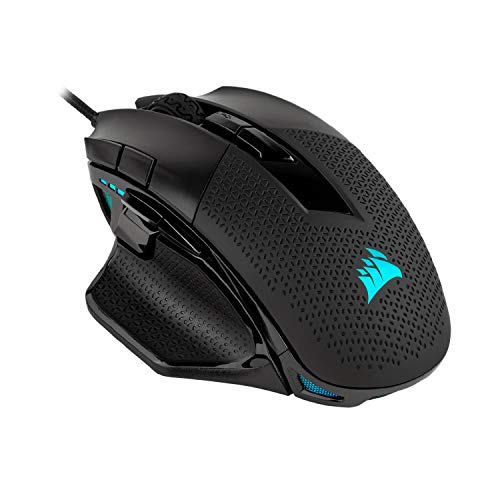 CORSAIR NIGHTSWORD RGB Adjustable Weight FPS MOBA PC5.08 x 3.38 x 1.71 inches0.3 poundsCheck on Amazon
 Corsair M65 RGB Ultra Wired Adjustable Weight FPS1.2" x 1.5" x 4.6"4.6 x 1.5 x 0.1 inches0.2 poundsCheck on Amazon
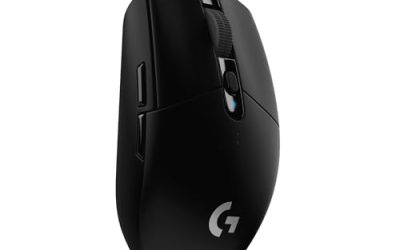
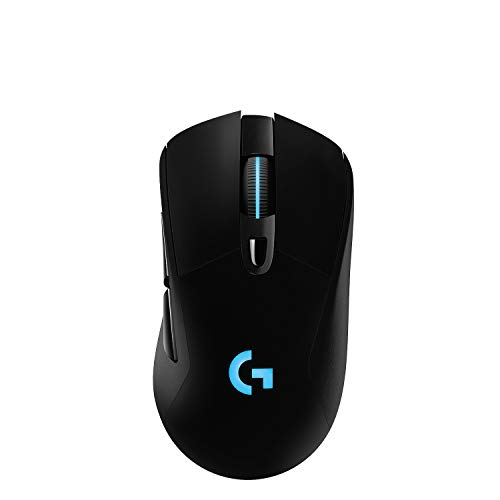 Logitech G703 LIGHTSPEED Wireless Gaming Mouse4.9" x 2.7" x 1.7"43 x 68 x 124 inches0.2 poundsCheck on Amazon


Top 3 picks at a glance
Quick Picks
As an Amazon Associate we earn from qualifying purchases.
| Product | Best for | Key spec from title |
|---|---|---|
| Logitech G502 HERO | All-round tuning and balance play | 121 g base, five 3.6 g weights |
| Corsair Nightsword RGB | The finest weight calibration | 119-141 g, six mounting locations |
| Corsair M65 RGB Ultra | FPS players who tune by grams | 97-115 g, up to six weights |
| Logitech G903 LIGHTSPEED | Wireless with a weight option | 107 g plus optional 10 g weight |
| Logitech G703 LIGHTSPEED | Palm-grip wireless comfort | 95 g plus optional 10 g weight |
How to Choose
How Each Weight System Works
Designs fall into three families. Bay systems hide several small weights inside the shell: the G502 HERO takes up to five 3.6 g pieces in a bottom compartment, so you add them one at a time and place them toward the front or back. Slotted frames spread weights across fixed positions, as on the Nightsword and the M65 RGB Ultra, which gives more combinations of total mass and placement. The third family is a single puck: the G903 and G703 each accept one 10 g disc under a cover, a coarser step that simply makes the mouse heavier or lighter.
Total Weight Range Matters More Than the Headline
Weights only ever add mass, so the base weight sets the floor and the included set sets the ceiling. The G703 starts lightest here at 95 g and reaches 105 g with its puck fitted, while the Nightsword starts at 119 g before any tuning and tops the group at 141 g as listed. Between those extremes, the M65 RGB Ultra spans 97 to 115 g and the G502 HERO runs from 121 g to roughly 139 g with all five weights inside. Decide the band you actually want first, then check which systems can reach it.
Balance Versus Total Mass
Two mice at the same total weight can feel completely different, because where the mass sits changes how the mouse pivots under your fingers. Weight loaded toward the nose makes the front feel anchored and resists overshooting on flicks, while weight toward the heel steadies slow tracking and lifts. Multi-slot systems earn their keep here: moving one small weight between positions shifts the centre of gravity without changing the total at all. A single central puck cannot do that, since it only raises or lowers overall mass around the middle of the shell.
Who Actually Benefits From Added Weight
Low-sensitivity arm aimers gain the clearest advantage, because a heavier mouse carries more stopping power at the end of a long sweep and is harder to knock past a target. MOBA and MMO players also tend to like mass, since their play mixes constant small movements with heavy button use rather than constant flicking. Palm-grip players with larger hands often find light shells feel hollow and skittish. Fingertip players who live on fast flicks usually prefer a fixed light mouse instead, and for them an adjustable system mainly adds cost and complexity they will never use.
The 5 Best Options
Logitech G502 HERO

The Logitech G502 HERO is the benchmark for weight tuning because its system is simple and genuinely flexible. Five 3.6 g weights sit in a bay under the shell, and you can load any number of them toward the front or rear to change both total mass and balance. Around that system sits a full-featured wired mouse: a HERO 25K sensor, 11 programmable buttons, a dual-mode scroll wheel that switches between ratcheted and free spinning, and on-board memory for saved profiles, all in a right-handed shape built for palm and claw grips.
Specs
- Sensor: HERO 25K optical, up to 25,600 DPI
- Weight: 121 g base, five removable 3.6 g weights included
- Buttons: 11 programmable
- Scroll wheel: dual-mode hyper-fast
- Lighting: LIGHTSYNC RGB
- Memory: on-board profiles
- Connection: wired USB
- Model: 910-005469
Best for: Players who want one wired mouse they can rebalance for different games.
Watch out for: At 121 g before any weights, it starts heavier than many players now expect.
ASIN: B07GBZ4Q68
Corsair Nightsword RGB
The Corsair Nightsword RGB treats weight as a calibration exercise rather than a rough adjustment. Two sets of blocks, three at 4.5 g and three at 2.8 g, fit six mounting locations, and Corsair’s software reads the installed layout and reports the centre of gravity in real time, with the listed range running from 119 g to 141 g. The shell is a large, contoured right-handed design with a thumb rest, ten programmable buttons and a PixArt PMW3391 sensor that adjusts in single DPI steps, aimed squarely at FPS and MOBA players with bigger hands.
Specs
- Sensor: PixArt PMW3391 optical, 18,000 DPI in 1 DPI steps
- Weight range: 119 g to 141 g as listed
- Weights: three 4.5 g and three 2.8 g blocks, six mounting locations
- Configurations: 120 weight and balance combinations
- Buttons: 10 programmable
- Switches: Omron
- Software: iCUE with real-time centre of gravity detection
- Model: CH-9306011-NA
Best for: Larger-handed players who want the most granular balance tuning here.
Watch out for: Even fully unloaded it is a heavy mouse, and the contoured shell suits palm grips best.
ASIN: B07QX9C9WH
Corsair M65 RGB Ultra
The Corsair M65 RGB Ultra brings weight tuning to a smaller, FPS-shaped aluminium frame. Up to six included weights move the total between 97 g and 115 g and shift the centre of gravity, which is a useful span for players who want a touch more control without crossing into heavy-mouse territory. The rest of the specification is built for shooters: a MARKSMAN 26,000 DPI optical sensor, optical switches, AXON hyper-processing with polling up to 8,000 Hz, and eight programmable buttons including the signature sniper button on the left flank.
Specs
- Sensor: CORSAIR MARKSMAN optical, 26,000 DPI
- Weight: 97 g base, tunes to 115 g with up to six included weights
- Switches: optical Omron switches
- Polling: up to 8,000 Hz via AXON hyper-processing
- Buttons: 8 programmable, including a sniper button
- Frame: anodized aluminium
- Connection: wired USB
- Model: CH-9309411-NA2
Best for: FPS players who want gram-by-gram tuning in a mid-weight shell.
Watch out for: The compact, right-handed shape and sniper button will not suit every grip or hand size.
ASIN: B09CXQZMHG
Logitech G903 LIGHTSPEED
The Logitech G903 LIGHTSPEED is the wireless pick for players who still want a say in weight. It weighs 107 g on its own, and a single optional 10 g weight drops into the bottom compartment when you want a steadier glide, bringing the total to 117 g. That compartment is shared with the POWERPLAY charging module, so the weight is the choice when the mouse is not living on a charging mat. The ambidextrous shell carries the HERO 25K sensor, configurable side buttons for either hand and a dual-mode scroll wheel.
Specs
- Sensor: HERO 25K optical, up to 25,600 DPI
- Weight: 107 g, plus optional 10 g removable weight
- Wireless: LIGHTSPEED
- Battery: 140+ hours as listed
- Buttons: 11, with configurable side buttons for either hand
- Shape: ambidextrous
- Charging: POWERPLAY compatible
- Scroll wheel: dual-mode hyper-fast
Best for: Wireless players, including left-handers, who want one simple weight step.
Watch out for: The single puck only adds central mass, and it cannot be fitted alongside the POWERPLAY module.
ASIN: B07NSVMT22
Logitech G703 LIGHTSPEED
The Logitech G703 LIGHTSPEED is the comfort-first wireless option, built around a right-handed ergonomic shell with rubber side grips. At 95 g it is the lightest base weight in this group, and the included 10 g optional weight takes it to 105 g for players who find the stock feel too flighty during slow tracking. It runs the HERO 25K sensor over a LIGHTSPEED connection, keeps six programmable buttons, and works with the POWERPLAY mat for charging between sessions, with battery life listed at up to 35 hours with the default lighting enabled.
Specs
- Sensor: HERO 25K optical, 100-25,600 DPI
- Weight: 95 g, plus 10 g optional weight
- Wireless: LIGHTSPEED
- Battery: up to 35 hours with default LIGHTSYNC RGB
- Buttons: 6 programmable
- Grips: rubber side grips
- Charging: POWERPLAY compatible
- Model: 910-005638
Best for: Palm-grip players who want wireless comfort with a small weight increase on hand.
Watch out for: One 10 g step is the whole adjustment range, so fine balance tuning is not possible.
ASIN: B07NSSPV9S
Which One Fits Your Situation
A G502 Upgrader Wanting More Tuning
If the G502 shape already works for you but its five identical weights feel blunt, the Nightsword is the natural next step, with two weight sizes, six locations and software that shows the resulting centre of gravity. The M65 RGB Ultra is the other upgrade path, trading the big ergonomic shell for a smaller aluminium FPS frame while keeping multi-weight adjustment. Either way, keep the G502 as the spare, since its bay system still covers a wide and useful range.
Low-Sensitivity Control Play
Arm aimers on low sensitivity benefit most from mass at the end of a sweep. Load the G502 HERO toward the heel for steadier stops, or run the Nightsword in the upper half of its listed range for the most planted feel here. Start with half the available weights rather than all of them, play a few sessions, and add more only if the mouse still feels easy to overshoot with when you stop a turn.
One Mouse Tuned Per Genre
Players who split time between a tactical shooter and a MOBA can keep two weight layouts for one mouse: lighter and front-biased for flicks, heavier and heel-biased for tracking and button-heavy games. The multi-weight mice suit this best, because their small pieces swap in seconds without tools. Write down the layout for each game next to the mouse, because a bay of identical-looking weights is easy to set up wrong from memory a month later.
A Heavy-Mouse Loyalist Going Wireless
If you are leaving a wired heavyweight behind, the G903 with its 10 g puck fitted reaches 117 g and keeps an ambidextrous shape, while the G703 at 105 g loaded suits palm grippers who want the lighter end of planted. Both keep the option honest: run the puck for a week, then run without it, and keep whichever setup your long sessions prefer rather than assuming heavier must be better.
Common Mistakes
- Fitting every included weight because a full set feels like the finished setup, instead of testing partial loads first.
- Ignoring the base weight: weights only add mass, so a 119 g mouse can never be tuned down to ultralight territory.
- Loading all the weight in one spot and blaming the total, when the balance point was the real problem.
- Losing the small weights in a desk drawer; keep them in the case or tray they shipped with.
- Expecting weights to fix a shell that is the wrong size or shape for your hand and grip.
Frequently Asked Questions
Does a heavier gaming mouse improve aim?
Weight changes how a mouse starts and stops moving rather than how accurately the sensor tracks. Added mass can steady small corrections and make long sweeps easier to stop on target, which some players experience as better control. It can also slow flicks and tire the arm over long sessions. The honest answer is that it is a preference, which is exactly why an adjustable system is useful.
Can I fit only some of the included weights?
Yes, and partial loads are the point of these systems. Bay and slotted designs accept any number of their weights in the available positions, so you can run one, three or all of them and place them where they feel right. Single-puck designs such as the G903 and G703 are simpler: the choice is only between the puck fitted or removed, with nothing in between.
Are mouse weights interchangeable between models?
No. Each system is built around its own shell, with weights shaped and sized for that model’s bay, slots or compartment, and the listed figures only apply to the mouse they ship with. A weight from one brand will not sit securely in another mouse, and forcing third-party pieces into a compartment risks a loose, rattling fit. Keep each set with its own mouse and storage case.
Does adding weight change DPI or sensor settings?
No. The sensor, DPI stages and button assignments stay exactly as configured, because the weights are passive pieces of metal with no electronics. What changes is the physical feel: total mass, balance point and the effort needed to start and stop movement. If a tuned mouse suddenly feels wrong, check the weight layout first before assuming a setting has changed in the software.
Related guides
More from Amazon
Programs that pair well with the guide above. Offers and eligibility are set by Amazon and may change.
Free shipping on eligible items, Prime Video and more. Eligible new members can start with a free trial.
Start a Prime free trialAd-free music streaming. Eligible new subscribers can start with a free trial.
Try Music Unlimited freeA Prime membership for ages 18-24 with a trial period. Eligibility is set by Amazon.
See Prime for Young AdultsAudiobooks and podcasts to listen to on the go. Eligible new members can start with a free trial.
Try Audible freeAs an Amazon Associate we earn from qualifying purchases.