A wireless gaming mouse lives or dies by how quickly its side buttons become second nature. When reload, melee, push-to-talk, or a healing ability sits under your thumb, you stop reaching for the keyboard at the worst possible moment, and your aim stays where it belongs. The wrong choice, though, leaves you fumbling for a tiny button mid-fight, or charging a mouse that dies halfway through a long session.
This guide is for competitive shooter players who want two or three well-placed thumb buttons, MMO and MOBA players who need a full bank of programmable controls, hybrid players who switch between genres, and anyone who works on the same desk they game on. Every mouse below was chosen from the name and specifications shown on its Amazon product page, with attention to button count, sensor, connection type, and battery life.
Our Top Picks
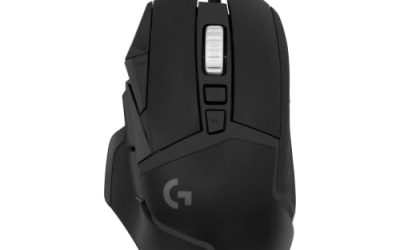
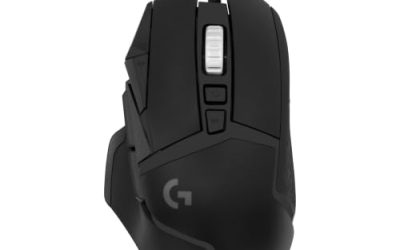
 Logitech G502 LIGHTSPEED Wireless Gaming MouseWireless5.19 x 2.95 x 1.57 inches0.81 poundsCheck on Amazon
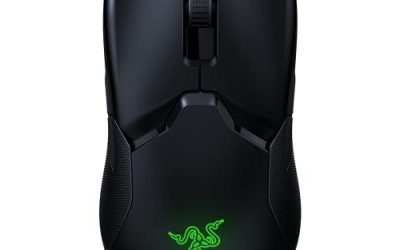
 Razer Basilisk V3 Pro Customizable RGB Wireless GamingMouse5.12 x 2.96 x 1.67 inches0.24 poundsCheck on Amazon
 Razer Naga V2 Pro Wireless MMO Gaming MouseNaga V2 Pro (Mouse)4.68 x 2.94 x 1.7 inches0.48 poundsCheck on Amazon
Top 3 picks at a glance
Quick Picks
As an Amazon Associate we earn from qualifying purchases.
| Product | Best for | Key spec from title |
|---|---|---|
| Logitech G502 LIGHTSPEED Wireless Gaming Mouse | FPS players who want a familiar shape with adjustable weight | HERO 25K Sensor, PowerPlay Compatible, Tunable Weights |
| Razer Basilisk V3 Pro Wireless Gaming Mouse | Players who want a tilt scroll wheel and deep button remapping | Focus Pro 30K Optical Sensor, HyperScroll Tilt Wheel, 13 Programmable Controls |
| Logitech G604 LIGHTSPEED Wireless Gaming Mouse | MMO players who want many thumb buttons and very long battery life | 15 Programmable Controls, up to 240 Hour Battery Life |
| Corsair Dark Core RGB Pro SE Wireless Gaming Mouse | Players who want Qi charging and interchangeable side grips | Qi Charging, 18,000 DPI, 8 Programmable Buttons |
| Razer Naga V2 Pro Wireless MMO Gaming Mouse | MMO players who want swappable side plates for different games | 19+1 Programmable Buttons, Swappable Side Plates, Focus Pro 30K Optical Sensor |
How to Choose
Count the side buttons you will actually use
Button count only helps when every button is easy to reach without shifting your grip. Two large thumb buttons suit most shooter players, because they can hold reload and melee or ping and push-to-talk without looking down. Six thumb buttons work well for MMO players who rotate through abilities, while a twelve-button grid suits players who memorise a full hotbar and want it under one thumb. Before settling on a number, picture your most-played game and list the actions you trigger most often. If that list has three entries, a mouse with twelve side buttons adds bulk and confusion rather than speed, and a simpler layout will serve you better in a tense match.
Match the shape to your grip and hand size
A mouse that looks impressive in a product photo can still cramp your hand after an hour. Palm-grip players usually prefer a taller, fuller shell that fills the hand and supports the thumb, while claw-grip players often favour a shorter body with a defined hump further back. Fingertip players need a lighter, narrower mouse that they can lift and reposition without dragging. Check the listed dimensions and weight on the Amazon product page, then compare them with the mouse you already own. If your current mouse feels too wide, too flat, or too heavy, use its measurements as the baseline and move in the opposite direction rather than guessing from appearance alone.
Weigh sensor, polling, and connection options
Most modern wireless gaming mice use a 2.4 GHz dongle for low-latency play, and many add Bluetooth for a laptop or a second machine. Bluetooth is convenient for browsing and work, yet the dongle connection is the one to use when timing matters in a competitive match. Sensor resolution matters less than tracking consistency at your usual sensitivity, so look for a sensor name you recognise and a polling rate that matches your setup. A mouse that also works wired over USB-C gives you a fallback for a dead battery or a lost dongle, and that flexibility is worth having on a desk where a single cable failure should not end a gaming night.
Check battery life against how you really play
Battery claims make sense beside your routine. A mouse rated for hundreds of hours on a low-power mode may last far fewer hours with bright lighting and a high polling rate, so read the listing and note which mode the figure refers to. If you play most evenings, a mouse that needs charging every few days becomes a chore, while a mouse that lasts weeks on a single charge fades into the background. Consider how it charges as well: a USB-C cable is simple, a charging dock keeps the desk tidy, and Qi wireless charging suits a player who already owns a charging pad. Choose the rhythm that fits your habits, not the largest number on the box.
The 5 Best Options
Logitech G502 LIGHTSPEED Wireless Gaming Mouse
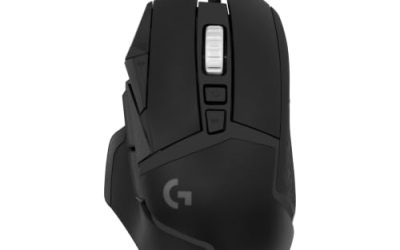
The G502 LIGHTSPEED suits shooter players who already like the classic G502 shape and want thumb buttons they can find without thinking. Its familiar right-handed curve, adjustable weight system, and well-spaced side buttons make it a comfortable step up from a basic wired mouse, and the HERO 25K sensor covers fast flicks as well as careful tracking. Players who switch between competitive matches and everyday work will appreciate that the same mouse handles both without a change of grip or habit.
Specs
- HERO 25K Sensor
- PowerPlay Compatible
- Tunable Weights
- LIGHTSYNC RGB
- 11 buttons
- LIGHTSPEED wireless
Best for: FPS players who want a proven ergonomic shape with adjustable weight and reliable thumb buttons.
Watch out for: Check the listed weight and dimensions against your current mouse, because the G502 shape feels substantial and may suit larger hands better than smaller ones.
Razer Basilisk V3 Pro Wireless Gaming Mouse
The Basilisk V3 Pro fits players who want more control than a two-button mouse offers without committing to a full MMO grid. Its tilt wheel adds left and right scroll clicks for weapon switching or leaning, and thirteen programmable controls give room for macros, DPI shifts, and push-to-talk. The ergonomic right-handed shell supports long sessions, while the Focus Pro 30K sensor and Gen-3 optical switches aim at the responsiveness competitive players expect from a flagship wireless mouse.
Specs
- Focus Pro 30K Optical Sensor
- HyperScroll Tilt Wheel
- Gen-3 Optical Switches
- 13-Zone Chroma RGB
- 13 Programmable Controls
- 3 Connection Modes
Best for: Players who want a versatile ergonomic mouse with a tilt wheel and plenty of remappable controls for shooters and action games.
Watch out for: Confirm which connection mode and battery figure apply to your setup, since wireless, Bluetooth, and wired use can differ, and check that the right-handed shape matches your grip.
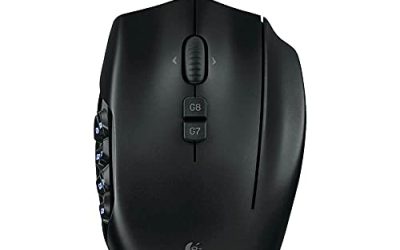
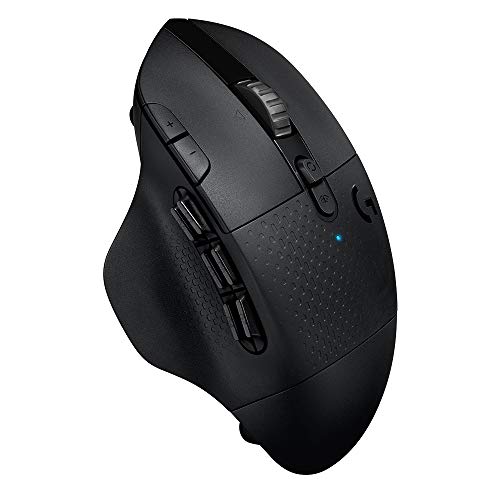
Logitech G604 LIGHTSPEED Wireless Gaming Mouse
The G604 LIGHTSPEED is built for players who need a lot of buttons and do not want to think about charging. Six thumb buttons sit in a row that MMO and MOBA players can learn by position, and fifteen programmable controls in total leave room for abilities, items, and communication shortcuts. Its very long battery life makes it equally appealing for someone who games in the evening and works at the same desk during the day, without swapping mice or hunting for a cable.
Specs
- 15 Programmable Controls
- Up to 240 Hour Battery Life
- Dual Wireless Connectivity Modes
- Hyper-Fast Scroll Wheel
- 6 thumb buttons
- HERO sensor
Best for: MMO and MOBA players who want six thumb buttons, long battery life, and a mouse that also works well for daily computer use.
Watch out for: Check the listed size and weight before buying, because the six-button thumb cluster and larger body suit medium to large hands better than small hands.
Corsair Dark Core RGB Pro SE Wireless Gaming Mouse
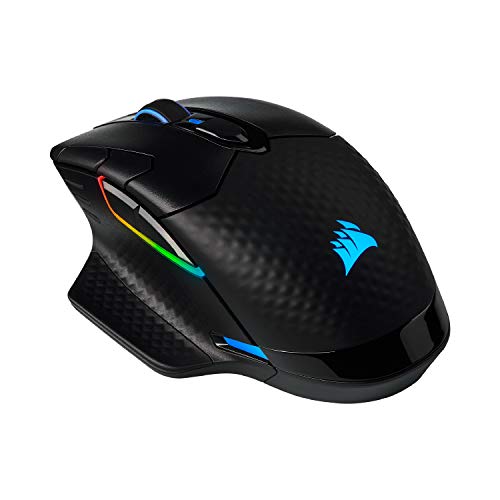
The Dark Core RGB Pro SE appeals to players who value flexibility in how a mouse connects and charges. Qi wireless charging means it can top up on a compatible pad between sessions, while Slipstream wireless, Bluetooth, and a wired USB connection cover different desks and devices. Interchangeable side grips let the owner adjust the feel of the right-hand side, and eight programmable buttons provide enough room for common shooter and MOBA commands without turning the thumb area into a crowded panel.
Specs
- Qi Charging
- 18,000 DPI optical sensor
- 8 Programmable Buttons
- Sub-1ms SLIPSTREAM WIRELESS
- 9-zone dynamic RGB backlighting
- Up to 50 hours of battery life
- Interchangeable side grips
Best for: Players who want Qi charging, three connection options, and a contoured wireless mouse with interchangeable grips.
Watch out for: Confirm that you have a Qi charging pad or a USB-C cable handy, and check the grip options in the listing to make sure the included side grips suit your hand.
Razer Naga V2 Pro Wireless MMO Gaming Mouse
The Naga V2 Pro is the pick for MMO players who want their side buttons to change with the game. Swappable side plates offer two, six, and twelve-button layouts, so the same mouse can handle a spell-heavy raid, a MOBA match, and a shooter without a second device on the desk. Nineteen-plus-one programmable buttons, a HyperScroll Pro wheel, and the Focus Pro 30K sensor give it the depth that dedicated MMO players look for, while the long battery life suits marathon sessions.
Specs
- 19+1 Programmable Buttons
- Swappable Side Plates
- HyperScroll Pro Wheel
- Focus Pro 30K Optical Sensor
- Optical Mouse Switches Gen-3
- 300 Hr Battery
Best for: MMO players who want interchangeable side plates and a large programmable button set that adapts to different games.
Watch out for: Check the side plate configurations listed on the product page and make sure the twelve-button plate spacing suits your thumb reach before committing to this layout.
Which One Fits Your Situation
You mainly play shooters and want a dependable all-rounder
Choose the Logitech G502 LIGHTSPEED. Its ergonomic shape, adjustable weights, and HERO 25K sensor cover fast aiming and steady tracking, while the thumb buttons stay easy to find during a firefight. It is the least specialised mouse here, which is exactly why it works for players who jump between shooters, action games, and everyday browsing without wanting to relearn a layout.
You play MMO or MOBA games with many abilities
Choose the Razer Naga V2 Pro if you want the most flexibility, because its swappable side plates let you move between two, six, and twelve-button layouts as your game changes. Choose the Logitech G604 LIGHTSPEED if you prefer a fixed six-button thumb row and very long battery life, since its layout is simpler to learn and its charge lasts far longer between top-ups.
You want one mouse for gaming and work
Choose the Logitech G604 LIGHTSPEED. Dual wireless connectivity lets it move between a gaming desktop and a laptop, the long battery life means it rarely needs attention during a work week, and the extra buttons can hold productivity shortcuts as easily as game abilities. The Hyper-Fast scroll wheel also helps when moving through long documents or web pages between matches.
You want wireless charging and connection flexibility
Choose the Corsair Dark Core RGB Pro SE. Qi charging keeps it ready on a compatible pad, while Slipstream wireless, Bluetooth, and USB cover nearly any desk setup. If you would rather have a tilt scroll wheel and deeper Razer software customisation, the Basilisk V3 Pro is the better alternative, since it trades Qi charging for a more versatile wheel and thirteen programmable controls.
Common Mistakes
- Buying the highest button count available instead of the count you can reach accurately without looking down.
- Ignoring hand size and grip style, then discovering that a large MMO mouse cramps a small hand or a light mouse slips in a palm grip.
- Using Bluetooth for competitive play when the 2.4 GHz dongle connection is the faster option listed for the mouse.
- Leaving RGB lighting at full brightness and then wondering why the battery runs down much sooner than the headline figure suggests.
- Mapping every side button on day one instead of starting with two or three essential actions and adding more once the layout feels natural.
Frequently Asked Questions
How many side buttons do I need for gaming?
Two side buttons cover most shooter players, who usually bind reload, melee, ping, or push-to-talk to the thumb. Six buttons suit MMO and MOBA players with a regular ability rotation, while twelve buttons suit players who run a full hotbar from the mouse. Start from the actions you use most often in your main game, then pick the smallest layout that holds them comfortably.
Is a wireless gaming mouse fast enough for competitive play?
A wireless gaming mouse using a 2.4 GHz dongle is designed for low-latency play, and flagship models from Logitech, Razer, and Corsair list sub-1ms wireless or equivalent dongle performance. Use the dongle rather than Bluetooth for competitive matches, keep the receiver close to the mouse, and use a wired connection if the battery runs low during a session.
Do side buttons work without installing software?
Most side buttons work as basic forward and back controls without extra software, yet remapping them to game actions, macros, or DPI shifts usually needs the maker software, such as Logitech G Hub, Razer Synapse, or Corsair iCUE. Install the software once, save the profile to the mouse onboard memory where the listing supports it, and the bindings will travel with the mouse to another computer.
Should I choose a heavy or a light wireless gaming mouse?
A lighter mouse suits fast flicks and frequent lifting in shooters, while a heavier mouse can feel steadier for tracking and for players who rest their palm on the shell. Mice with many side buttons tend to weigh more because of the extra switches and shell, so MMO players often accept the extra weight. If possible, compare the listed weight with your current mouse and choose the direction that matches how your hand tires.
Related guides
More from Amazon
Programs that pair well with the guide above. Offers and eligibility are set by Amazon and may change.
Free shipping on eligible items, Prime Video and more. Eligible new members can start with a free trial.
Start a Prime free trialAd-free music streaming. Eligible new subscribers can start with a free trial.
Try Music Unlimited freeA Prime membership for ages 18-24 with a trial period. Eligibility is set by Amazon.
See Prime for Young AdultsAudiobooks and podcasts to listen to on the go. Eligible new members can start with a free trial.
Try Audible freeAs an Amazon Associate we earn from qualifying purchases.