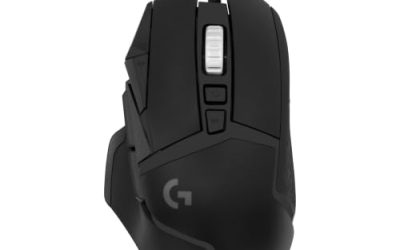
A palm grip gaming mouse is not a minor comfort choice. When the whole hand rests on the shell, the shape decides whether a long evening of play ends with relaxed fingers or with a cramped wrist and a pinky finger dragging on the desk. Many buyers discover this only after choosing for sensor numbers or lighting, then finding the shell too short, too flat, or too narrow. The right purchase starts with the hand, not the specification sheet, and rewards a careful look at length, hump position, width, and thumb support.
This guide is for players who rest their full palm on the mouse, for people with medium to large hands who feel squeezed by small symmetrical shells, and for anyone who plays for several hours at a time and wants steady control without constant readjustment. The five mice below were chosen from the names and specifications shown on their Amazon product pages, with attention to ergonomic right-handed shapes, sensor range, programmable buttons, weight, and cable or connection design.
Our Top Picks
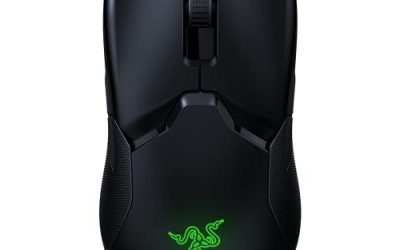
 Razer Basilisk V3 Customizable RGB Wired Ergonomic GamingMouse2.96 x 5.12 x 1.67 inches0.2 poundsCheck on Amazon


Top 3 picks at a glance

Quick Picks
As an Amazon Associate we earn from qualifying purchases
| Product | Best for | Key spec from title |
|---|---|---|
| Logitech G502 HERO | Players who want many buttons and adjustable weight in a large palm shell | HERO 25K Sensor, 25,600 DPI |
| Razer DeathAdder V2 | Players who want a classic tall palm shape with a fast optical sensor | 20K DPI Optical Sensor |
| Razer DeathAdder Essential | Players who want a simple ergonomic palm shape for everyday play | 6400 DPI Optical Sensor |
| Razer Basilisk V3 | Players who want a thumb rest and a versatile scroll wheel for long sessions | 26K DPI Optical Sensor |
| SteelSeries Rival 5 | Players who switch between shooter, MOBA, and battle royale games | 18,000 CPI TrueMove Air Optical Sensor |
How to Choose
Match the shell length to your hand
Palm grip works only when the mouse is long enough for the fingers to lie flat and the heel to stay supported. A shell around 120 to 130 millimetres long suits many medium to large hands, while a shorter shell leaves the palm hanging past the rear and forces the wrist to carry more work. Measure from the wrist crease to the middle fingertip, then compare that figure with the listed length and width. A hand near 19 centimetres will often feel cramped on a compact mouse, while the same mouse can feel generous to a hand near 17 centimetres. Width matters too, because a narrow body lets the ring and little fingers slide off during fast sweeps.
Look at the hump, not just the height
The tallest point of the shell, often called the hump, decides where the palm makes contact. A rear hump supports the centre of the palm and suits a relaxed, full-hand rest, while a centre hump can push the hand forward and suit a hybrid between palm and claw grip. A low, flat shell may look sleek, yet it can leave the palm unsupported and encourage the fingers to arch more than they should. Check the side profile and the listed height at the front and rear. If the rear is noticeably taller than the front, the mouse is usually built for a palm rest, and that shape is worth favouring for long sessions.
Decide how many buttons you will actually use
Extra buttons help only when they sit where the thumb can reach them without shifting the whole hand. A palm gripper keeps the thumb in one place, so a cluster of two or three well-spaced side buttons is often more useful than a dense panel that invites accidental presses. MMO or strategy players may want more, while shooter players may prefer fewer, larger buttons with clear separation. Look at the button count on the Amazon listing, then imagine the thumb pressing each one in turn. A sniper button, a DPI switch, and a pair of side buttons cover most needs, and anything beyond that should match a real command used often.
Weigh sensor range against weight and cable
A high maximum DPI looks impressive, yet most palm grip players settle in a much lower range and benefit more from steady tracking, a sensible weight, and a cable that does not drag. A heavier mouse can feel planted for a palm hold, while a very light mouse can feel twitchy when the whole hand rests on it. Tunable weights help, letting the player add or remove mass until the mouse stops feeling sluggish or flighty. A flexible cable also matters, since a stiff cable tugs at the rear during wide movements. Check weight, polling rate, and cable together, rather than judging by the sensor ceiling alone.
The 5 Best Options
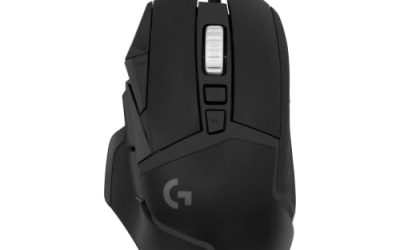
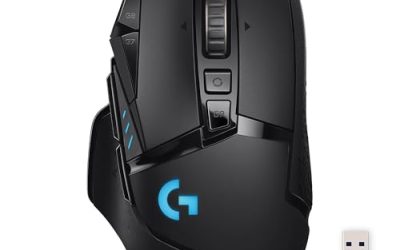
Logitech G502 HERO

The Logitech G502 HERO suits a player who wants one large, right-handed mouse to cover shooters, strategy games, and everyday desktop work without changing grip. Its broad shell gives the palm a full rest, the thumb falls naturally onto the side buttons, and the tunable weight system lets the player adjust the balance until the mouse feels planted rather than heavy. Eleven programmable buttons cover a wide range of commands, and the dual-mode scroll wheel moves between precise steps and free spinning for long documents and inventory lists.
Specs
- HERO 25K optical sensor, 100 to 25,600 DPI
- 11 programmable buttons
- Dual-mode hyper-fast scroll wheel with tilt
- Tunable weight system with five 3.6-gram weights
- On-board memory for up to five profiles
- RGB lighting
- Wired connection
- Weight: 121 grams
- Dimensions: 1.57 x 2.95 x 5.2 inches
Best for: Players with medium to large right hands who want a full palm rest, many buttons, and adjustable weight in one wired mouse.
Watch out for: Check that the listed 121-gram base weight suits your arm, because the shell feels substantial before any tuning weights are added, and confirm that the right-handed shape matches your hand.
Razer DeathAdder V2
The Razer DeathAdder V2 suits a player who loves the classic DeathAdder outline and wants a tall, comfortable shell for a full palm hold. Its curved right-handed body supports the palm without forcing the fingers into a claw, and the rubberised side grips help the thumb and ring finger stay in place during fast turns. Eight programmable buttons give enough room for common shooter and action-game commands, while the light, flexible cable keeps drag low during wide sweeps across a large pad.
Specs
- Razer Focus+ optical sensor, up to 20,000 DPI
- Resolution accuracy of 99.6 percent
- Tracking speed up to 650 IPS
- Acceleration up to 50G
- 8 programmable buttons
- Razer optical switches rated for 70 million clicks
- Razer Speedflex cable
- 100 percent PTFE mouse feet
- Chroma RGB lighting
- Weight: 82 grams
Best for: Players with medium to large right hands who want a proven ergonomic palm shape with a fast sensor and a light cable.
Watch out for: Check the listed 82-gram weight and the right-handed layout before buying, because the shape is made for a right hand and will not suit a left-handed player.
Razer DeathAdder Essential
The Razer DeathAdder Essential suits a player who wants the familiar DeathAdder palm shape without a long list of extra controls to learn. Its right-handed ergonomic body gives the palm a comfortable rest, the side grips add control during longer sessions, and five programmable buttons cover the commands most casual and competitive players reach for first. The straightforward wired design keeps setup simple, and the single-colour lighting suits a desk where a bright multi-colour glow would feel out of place.
Specs
- 6400 DPI optical sensor
- 5 programmable buttons
- Mechanical switches rated for 10 million clicks
- 1000 Hz ultrapolling
- Rubber side grips
- Wired connection
- Right-handed ergonomic design
Best for: Players who want an uncomplicated ergonomic palm mouse for everyday gaming and general computer use.
Watch out for: Check the listed 6,400 DPI ceiling against the sensitivity you normally use, because this mouse offers less headroom than the higher-DPI models in this guide.
Razer Basilisk V3
The Razer Basilisk V3 suits a player who wants a palm mouse with a proper thumb rest and a scroll wheel that adapts to different tasks. Its right-handed ergonomic shell supports the whole hand, the thumb rest takes pressure off the thumb during long sessions, and the tilt wheel switches between notched steps and free spinning for browsing, inventory management, and weapon selection. Eleven programmable buttons give plenty of room for binds, while the Focus+ sensor keeps tracking steady across a wide sensitivity range.
Specs
- Razer Focus+ optical sensor, up to 26,000 DPI
- Resolution accuracy of 99.6 percent
- Tracking speed up to 650 IPS
- 11 programmable buttons
- HyperScroll tilt wheel
- 11 Chroma RGB lighting zones
- Second-generation Razer optical switches
- Wired USB connection
- Weight: 101 grams
Best for: Players who want a thumb rest, a versatile tilt scroll wheel, and many programmable buttons in a comfortable palm shell.
Watch out for: Check the listed 101-gram weight and the thumb-rest width before buying, because the shell is broader than a symmetrical mouse and needs enough desk space for wide movements.
SteelSeries Rival 5
The SteelSeries Rival 5 suits a player whose library jumps between shooters, MOBAs, and battle royale games and who wants one palm-friendly mouse for all of them. Its ergonomic right-handed shell gives the palm a stable rest, the five-button side panel puts quick actions within thumb reach, and the TrueMove Air sensor tracks cleanly at the sensitivities most players use. Nine programmable buttons cover genre-specific commands without turning the side of the mouse into a crowded grid, and the light weight keeps long sessions from feeling tiring.
Specs
- TrueMove Air optical sensor, up to 18,000 CPI
- Tracking speed up to 400 IPS
- Acceleration up to 40G
- 9 programmable buttons, including 5 quick-action side buttons
- Golden Micro IP54 switches rated for 80 million clicks
- 10-zone RGB lighting with PrismSync
- Wired connection with super mesh cable
- Weight: 85 grams
- Dimensions: 128.8 x 68.15 x 42 millimetres
Best for: Players who play several genres and want a light ergonomic palm mouse with a useful thumb panel and a clean sensor.
Watch out for: Check the side-button layout in the product images before buying, because the five-button thumb panel takes a short adjustment period if you are moving from a two-button mouse.
Which One Fits Your Situation
You play for hours and want the most comfortable rest
Choose the Razer DeathAdder V2 when long sessions are the main concern. Its tall, curved shell supports the palm from heel to fingers, the rubberised sides reduce slipping as hands warm up, and the light weight keeps the arm from tiring during repeated sweeps. The shape has stayed close to the original DeathAdder for good reason, and it remains a safe choice for a player who values comfort over a long list of extra controls.
You want one mouse for many buttons and many games
Choose the Logitech G502 HERO when the priority is control rather than minimalism. Eleven programmable buttons, five stored profiles, and a tunable weight system let one mouse cover shooters, MMOs, and strategy games, while the broad palm shell keeps the hand supported through all of them. The dual-mode scroll wheel also helps outside games, when long pages and lists need quick navigation.
You want a simple palm mouse without a steep learning curve
Choose the Razer DeathAdder Essential when a straightforward shape matters more than extra features. Five programmable buttons are easy to learn, the ergonomic body needs no adjustment period for most palm players, and the wired connection works as soon as it is plugged in. It is a sensible starting point for a first gaming mouse, and a practical spare for a player who already knows the DeathAdder shape.
You play several genres and want a lighter all-rounder
Choose the SteelSeries Rival 5 when the game library changes every evening. Its nine-button layout and five-button side panel suit shooters, MOBAs, and battle royale titles alike, the TrueMove Air sensor covers a wide sensitivity range, and the 85-gram body feels lively without losing the palm support that a heavier shell provides. The Basilisk V3 is the better pick instead when a thumb rest and a tilt wheel matter more than a lighter body.
Common Mistakes
- Choosing a mouse by its maximum DPI alone, while ignoring shell length, hump position, and width, which decide whether a palm grip actually fits.
- Picking a symmetrical or compact mouse for a large hand, then wondering why the palm hangs off the rear and the wrist aches after an hour.
- Adding too many side buttons for the thumb to reach comfortably, which leads to accidental presses during tense moments in a match.
- Ignoring the cable, because a stiff cable drags at the rear of a palm-held mouse and fights every wide movement across the pad.
- Skipping the weight check, so a mouse that looked ideal on paper feels either too planted or too flighty once the whole hand rests on it.
Frequently Asked Questions
What hand size suits a palm grip gaming mouse?
A palm grip suits a mouse long enough for the fingers to lie flat and the heel to stay supported, which often means a shell around 120 to 130 millimetres long. Measure from the wrist crease to the middle fingertip and compare it with the listed length. A hand near 19 centimetres usually needs a larger shell, while a hand near 17 centimetres can use a mid-size ergonomic mouse.
Is a heavier mouse better for palm grip?
A heavier mouse can feel more planted when the whole hand rests on it, because the palm adds downward pressure and the extra mass resists small accidental movements. A very light mouse can feel twitchy under a full palm, while a very heavy one can tire the arm. Tunable weights, such as those on the Logitech G502 HERO, let the player add or remove mass until the balance feels right.
Can palm grip players use a symmetrical mouse?
A symmetrical mouse can work for palm grip when it is long and tall enough, yet most palm players find an ergonomic right-handed shell more comfortable. Its curved body, thumb rest, and raised rear hump support the palm in one natural position, while a symmetrical shell often leaves the ring and little fingers searching for rest. Left-handed players should check the listing, because most ergonomic palm mice here are right-handed.
How many buttons does a palm grip player need?
Most palm grip players use five to eleven buttons. Shooter players often need only a pair of side buttons and a DPI switch, while MMO and strategy players benefit from a larger cluster. The key test is reach: the thumb should press each button without shifting the palm. A button that forces the hand to move is worse than no button, so favour spacing over a high count.
Related guides
More from Amazon
Programs that pair well with the guide above. Offers and eligibility are set by Amazon and may change.
Free shipping on eligible items, Prime Video and more. Eligible new members can start with a free trial.
Start a Prime free trialAd-free music streaming. Eligible new subscribers can start with a free trial.
Try Music Unlimited freeA Prime membership for ages 18-24 with a trial period. Eligibility is set by Amazon.
See Prime for Young AdultsAudiobooks and podcasts to listen to on the go. Eligible new members can start with a free trial.
Try Audible freeAs an Amazon Associate we earn from qualifying purchases.