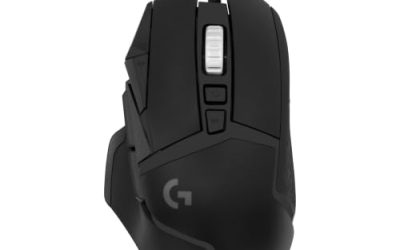
Shopping for a gaming mouse as a left-handed player means sorting through a catalogue where almost every ergonomic shell curves the wrong way. Most wireless gaming mice are sculpted for a right hand, with thumb buttons placed where a left thumb can never reach them, so the real decision is not about sensor numbers or lighting. It is about whether the shell is symmetrical, whether the side buttons sit on both flanks or can be moved there, and whether the software lets you swap the primary buttons without a fight.
This guide is for left-handed competitive players who need a wireless mouse for fast shooters, left-handed MMO and MOBA players who rely on side buttons, and anyone who shares a desk setup with a right-handed partner and wants one mouse that suits both hands. Every mouse below was chosen from the name and specifications shown on its Amazon product page, and every one of them is either built for both hands or has side buttons that work from the left side.
Our Top Picks
 Corsair M75 Wireless RGB Lightweight FPS Gaming MouseWireless – Light5.04 x 2.56 x 0.1 inches0.2 poundsCheck on Amazon

Top 3 picks at a glance

Quick Picks
As an Amazon Associate we earn from qualifying purchases.
| Product | Best for | Key spec from title |
|---|---|---|
| Razer Viper Ultimate Wireless Gaming Mouse | Competitive FPS players who want side buttons on both sides | 20K DPI optical sensor, 70-hour battery |
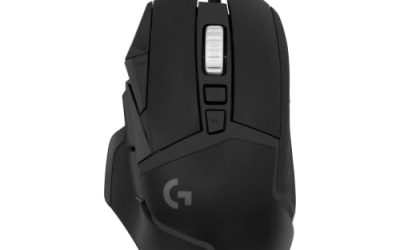
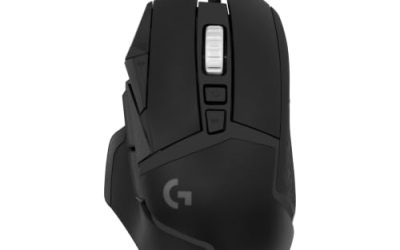
| Logitech G903 LIGHTSPEED Wireless Gaming Mouse | Players who want to rearrange every side button for the left hand | HERO 25K sensor, 140+ hour rechargeable battery |
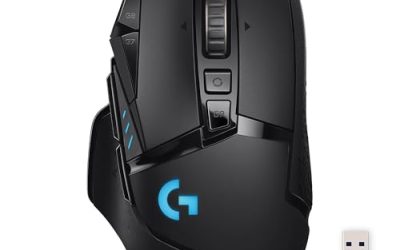
| Logitech G Pro Wireless Gaming Mouse | Tournament-style play with a light, symmetrical shell | HERO 25K sensor, 4 removable side buttons |
| Corsair M75 Wireless RGB Gaming Mouse | FPS players who want swappable side buttons and dual wireless modes | 26,000 DPI optical sensor, swappable side buttons |
How to Choose
Check the shape before the sensor
A symmetrical shell is the first thing to look for, because a right-handed ergonomic curve will push a left palm into an awkward angle within an hour of play. Mice such as the Viper Ultimate and the G Pro Wireless use a mirrored shape, so the hump sits in the middle of the palm and neither flank digs in. Hold your hand over the product photos and compare the outline with a mouse you already own: if one side flares out for a right thumb rest, it will fight a left grip. Sensor resolution matters far less than this, since every mouse in this guide tracks far beyond what a human wrist can use in a match.
Count the side buttons you can actually press
Side buttons are where most so-called ambidextrous mice fail left-handed players. A symmetrical shell with thumb buttons only on the left flank leaves a left-handed player with buttons under the ring finger, which is slow and unreliable in a firefight. Look for buttons on both sides, like the Viper Ultimate, or removable buttons you can fit to the right flank, like the G903 and the G Pro Wireless. Decide how many you need before buying: two is enough for most shooters, while MMO players who bind abilities to the mouse should aim for a layout that gives at least two comfortable buttons on the left-hand side.
Weigh the mouse against your grip
Left-handed players often grip differently because so few shells are made for them, so weight and length deserve a proper check. A palm grip on a long shell suits a heavier mouse with a tall hump, while a fingertip grip favours something under 90 grams that can be lifted and recentered quickly. The M75 Wireless at 89 grams and the Viper Ultimate at 74 grams suit fast flicks, whereas the G903, at 107 grams before its optional weight, feels planted and deliberate. If your hand measures under 17 centimetres from wrist to middle fingertip, a shorter shell will keep your fingers from overreaching the scroll wheel.
Confirm the wireless connection and the software
A wireless mouse is only as good as its connection, so check whether it uses a dedicated 2.4 GHz receiver, Bluetooth, or both. A dedicated receiver gives the lowest latency for competitive play, while Bluetooth is handy for a laptop or a second machine without a spare USB port. The M75 Wireless offers both, which makes it flexible for a mixed setup. Software matters too: you need to be able to swap the left and right click functions, reassign side buttons, and save the profile to the mouse itself, so your left-handed layout survives a move to another computer.
The 4 Best Options
Razer Viper Ultimate Wireless Gaming Mouse
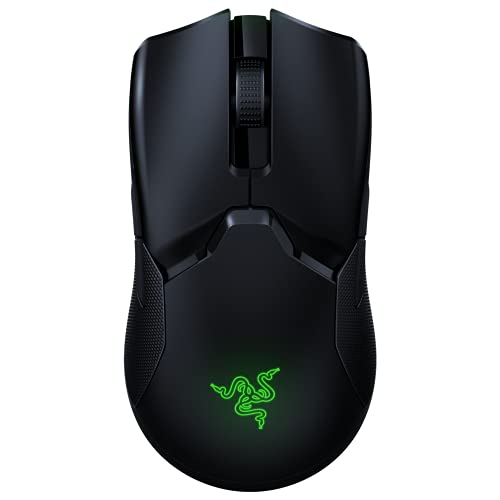
The Viper Ultimate is the most convincing left-handed option here because Razer built it as a true mirror image rather than a right-handed shell with a symmetrical label. Its programmable buttons sit on both flanks, so a left-handed player gets two thumb buttons in exactly the right place without any reconfiguration, and the light shell suits the fast, low-sensitivity flicks that dominate competitive shooters. The long battery life also means it can cover a full run of evening sessions before it needs a charge.
Specs
- 20,000 DPI optical sensor
- 74 gram lightweight design
- Up to 70 hours of battery life
- 8 programmable buttons
- Ambidextrous design with accessible, programmable buttons on both sides
- Razer HyperSpeed wireless technology
- Razer optical mouse switches
- Chroma lighting
Best for: Left-handed FPS players who want thumb buttons on the correct side straight out of the box.
Watch out for: Confirm the listing you order is the wireless model with the charging dock if you want dock charging, since the same name appears in variants without it.
Logitech G903 LIGHTSPEED Wireless Gaming Mouse
Logitech’s G903 takes a different approach to left-handed play: instead of fixing buttons on both sides, it ships with removable side buttons and covers for each flank, so you fit two buttons to the right side and blank covers to the left. That configurability makes it one of the most adaptable mice a left-handed player can buy, and the long battery life means it can go for weeks of evening sessions between charges. Its larger, heavier shell also suits palm grippers who found ultralight mice too twitchy to control.
Specs
- HERO 25K sensor with up to 25,600 DPI
- LIGHTSPEED wireless with a 1 ms report rate
- 140+ hour rechargeable battery
- LIGHTSYNC RGB lighting
- POWERPLAY wireless charging compatible
- Ambidextrous design with configurable button layout for left- or right-handed use
- Up to 11 programmable buttons
- 107 gram weight with an optional 10 gram weight
- Product dimensions: 1.59 x 2.62 x 5.13 inches
Best for: Left-handed players who want to choose exactly which side buttons are fitted and where they sit.
Watch out for: Check whether the listing is the HERO 25K revision or the older HERO 16K revision, because the sensor and model number differ between them.
Logitech G Pro Wireless Gaming Mouse
The G Pro Wireless has been a tournament staple for years, and its appeal for left-handed players comes from a clean symmetrical shell paired with four removable side buttons. Two buttons can be fitted to the right flank for a left thumb, while the other side takes blank covers, giving a tidy layout with nothing digging into the ring finger. At 80 grams it sits between the ultralight options and the heavier G903, which makes it a comfortable middle ground for players who switch between claw and palm grips during long sessions.
Specs
- HERO 25K sensor with up to 25,600 DPI
- LIGHTSPEED wireless with a 1 ms report rate
- Up to 48 hours of battery life
- 80 gram lightweight ambidextrous design
- 4 removable side buttons for left- or right-handed use
- 8 programmable buttons
- LIGHTSYNC RGB lighting
- Onboard memory for saved profiles
Best for: Left-handed players who want a proven, mid-weight tournament mouse with a clean two-button left-thumb layout.
Watch out for: This mouse charges over micro-USB rather than USB-C, so confirm you have a suitable cable or dock before ordering.
Corsair M75 Wireless RGB Gaming Mouse
Corsair’s M75 Wireless rounds out this list with a modern take on the ambidextrous formula: a symmetrical shape, swappable side buttons, and two wireless modes in one mouse. The side buttons can be moved to suit a left-handed grip, and the combination of a dedicated low-latency wireless connection plus Bluetooth means the same mouse can serve a gaming desktop and a laptop without swapping receivers. Its optical switches are built for fast clicks, and the 26,000 DPI sensor covers every sensitivity a competitive player is likely to set.
Specs
- 26,000 DPI optical sensor
- 89 gram lightweight design
- Ambidextrous shape with swappable side buttons for left- and right-handed players
- SLIPSTREAM wireless and Bluetooth connectivity
- CORSAIR QUICKSTRIKE optical left- and right-click switches
- iCUE software compatible
- RGB lighting
Best for: Left-handed FPS players who want one mouse for both a gaming PC and a laptop.
Watch out for: Confirm the listing is the wireless RGB model rather than the lighter M75 AIR, which is a different mouse with no side buttons.
Which One Fits Your Situation
You play competitive shooters and want thumb buttons that just work
Pick the Razer Viper Ultimate. Its buttons are already on both sides, so there is nothing to fit, remove, or configure before your first match, and the 74 gram shell flicks easily across a large mousepad. The long battery life also means it is ready whenever a ranked session starts.
You want to decide exactly where every button goes
Pick the Logitech G903. Its removable buttons and covers let you build a left-handed layout with two buttons on the right flank and a smooth surface on the other side, which no fixed-button mouse can match. The heavier shell and long battery life suit players who prefer a planted, deliberate feel.
You want a light tournament mouse with a simple layout
Pick the Logitech G Pro Wireless. Its symmetrical shell, two fitted side buttons, and 80 gram weight make it easy to control in claw or palm grip, and the onboard memory keeps your left-handed button mapping intact when you plug it into another machine. It is the least fussy option in this guide.
You split time between a gaming PC and a laptop
Pick the Corsair M75 Wireless. Bluetooth covers the laptop while the dedicated wireless receiver handles low-latency gaming on the desktop, and the swappable side buttons keep the left-handed layout consistent on both machines. The 89 gram weight is light enough for fast play without feeling insubstantial.
Common Mistakes
- Buying a symmetrical-looking mouse without checking where its side buttons sit, since many ambidextrous shells only fit thumb buttons on one flank.
- Assuming a right-handed ergonomic mouse can be fixed in software; swapping the click buttons does not move a thumb rest or a curved flank.
- Choosing the lightest mouse available when a palm grip and a large hand actually need a longer, heavier shell for control.
- Forgetting to check the charging connector, which can leave a micro-USB mouse stranded on a desk full of USB-C cables.
- Ordering a similarly named variant, such as the dock-free Viper Ultimate, the older G903 revision, or the M75 AIR, and receiving a different mouse from the one reviewed.
Frequently Asked Questions
Can a left-handed player use an ambidextrous mouse comfortably?
Yes, provided the shell is genuinely symmetrical and the side buttons are reachable with the left thumb. Mice with buttons on both sides or removable buttons that fit the right flank work well, while a symmetrical shell with buttons only on the left flank leaves a left-handed player reaching around the mouse. Always check the button layout in the listing photos before ordering.
Do I need to swap the primary buttons in software?
Most left-handed players do, because operating systems default to left-click on the left button, which sits under the middle finger of a left hand. Logitech G HUB, Razer Synapse, and Corsair iCUE all allow this swap, and saving the change to the mouse onboard memory keeps it active on any computer you connect to.
Is wireless fast enough for competitive left-handed play?
Yes, when the mouse uses a dedicated 2.4 GHz receiver rather than Bluetooth alone. Every mouse in this guide uses a low-latency wireless connection designed for gaming, with a 1 ms report rate on the Logitech models. Bluetooth is best kept for everyday use or a secondary machine, not for ranked matches.
What should I check first when the mouse arrives?
Fit the side buttons for your left hand, swap the primary clicks in the manufacturer’s software, and set your sensitivity before judging the shape. Then check that the receiver is seated properly and the firmware is current. If the shell still presses into your palm after a few sessions, the shape is wrong for your hand and no setting will fix it.
Related guides
More from Amazon
Programs that pair well with the guide above. Offers and eligibility are set by Amazon and may change.
Free shipping on eligible items, Prime Video and more. Eligible new members can start with a free trial.
Start a Prime free trialAd-free music streaming. Eligible new subscribers can start with a free trial.
Try Music Unlimited freeA Prime membership for ages 18-24 with a trial period. Eligibility is set by Amazon.
See Prime for Young AdultsAudiobooks and podcasts to listen to on the go. Eligible new members can start with a free trial.
Try Audible freeAs an Amazon Associate we earn from qualifying purchases.