A gaming mouse with a short battery turns every session into a countdown. The real decision is not which mouse has the biggest number on the box, but which one still lasts through your week once polling rate, lighting, and connection mode are taken into account. A mouse listed at 90 hours at a low polling rate can drain far faster at a high polling rate with lighting switched on.
This guide is for competitive players who practise daily, MMO players who need extra buttons, laptop gamers who play away from a desk, and anyone who would rather charge a mouse once a month than once a week. Every pick below is a wireless gaming mouse, and every battery figure comes from its Amazon listing, including the test condition when the listing states one.
Our Top Picks
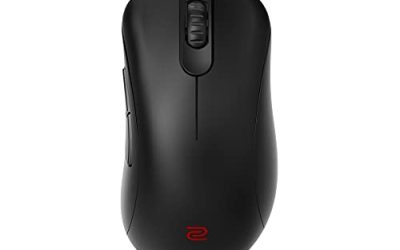
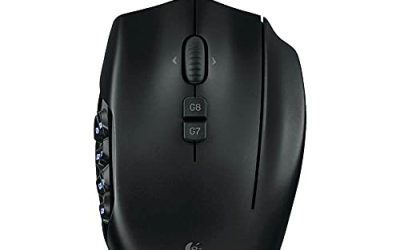
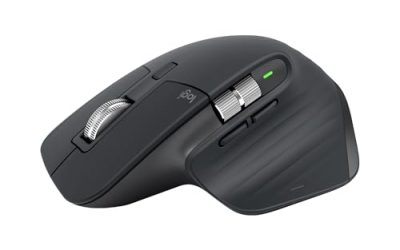
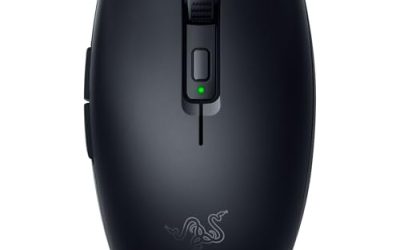
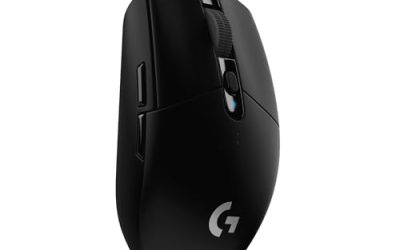
 Logitech G502 LIGHTSPEED Wireless Gaming MouseWireless5.19 x 2.95 x 1.57 inches0.81 poundsCheck on Amazon
 Razer DeathAdder V3 Pro Wireless Gaming Mouse1000 Hz5.01 x 2.65 x 1.69 inches0.1 poundsCheck on Amazon
 Logitech G Pro X Superlight 2 Lightspeed WirelessClassic1.57 x 2.5 x 4.92 inches0.1 poundsCheck on Amazon


Top 3 picks at a glance
Quick Picks
As an Amazon Associate we earn from qualifying purchases.
| Product | Best for | Key spec from title |
|---|---|---|
| Logitech G502 Lightspeed | Button-heavy play with weeks between charges | Up to 60 hours with lighting off |
| Razer DeathAdder V3 Pro | Lightweight esports play at a high polling rate | Up to 90 hours at 1,000 Hz |
| Logitech G Pro X Superlight 2 | Tournament-grade play at minimum weight | Up to 95 hours on a single charge |
| SteelSeries Aerox 5 Wireless | Extra buttons plus splash protection | Up to 180 hours on a single charge |
| Logitech G305 Lightspeed | The longest gap between battery changes | Up to 250 hours on one AA battery |
How to Choose
Match the battery figure to how you actually play
A headline battery figure only means something with its condition attached. Some listings quote hours with lighting switched off, some quote hours at a 1,000 Hz polling rate, and some quote a low-power Bluetooth figure that does not apply to the 2.4 GHz gaming connection. Before comparing two mice, check whether both figures were measured the same way. A mouse listed at 90 hours at 1,000 Hz will last far less time at 8,000 Hz, and a mouse listed with lighting off will lose hours once RGB is switched on. Read the condition first, then compare the numbers.
Check what the mouse runs on
Wireless gaming mice fall into two camps, and the choice changes daily life. Rechargeable mice use a built-in battery and charge over USB-C, so there is nothing to replace, but a dead battery means plugging in. Mice that run on a single AA battery keep going as long as you have a spare cell, and the G305 in this guide runs for months of normal play on one. Also check whether the mouse works while charging, whether a charging dock is included or sold separately, and whether it supports a wireless charging pad system.
Weight and shape decide comfort first
Battery capacity and weight pull in opposite directions, so the longest-lasting mouse is not always the most comfortable one. A 60-gram mouse feels almost weightless during fast flicks, while a 114-gram mouse with extra buttons can feel planted and steady in a palm grip. Shape matters just as much: an ergonomic right-handed shell suits long sessions for palm grippers, while a symmetrical shell suits claw and fingertip grips and left-handed players. If possible, match the shell to your grip style before worrying about the last 20 hours of battery.
Count the buttons and the sensor you need
Battery life is only one part of the decision, and a mouse that lasts a month is no help if it lacks the controls your games need. Fast-paced shooters suit a light five-button mouse with a top sensor, while MMO and strategy games benefit from extra side buttons and a tilt wheel. Sensor figures above 18,000 DPI matter less than tracking quality, and most players settle between 800 and 3,200 DPI. Pick the button layout and sensor for your games first, then choose the longest battery among the mice that fit.
The 5 Best Options
Logitech G502 Lightspeed
The G502 Lightspeed is the pick for players who want a full set of controls without charging every few days. Its Amazon listing rates the battery at up to 60 hours with lighting off and up to 48 hours with default lighting, so the figure you get depends on how you set the RGB. Eleven programmable buttons, a dual-mode scroll wheel, and a tunable weight system make it a strong fit for MMO and strategy play, and it works with the PowerPlay charging system for players who never want to think about charging at all.
Specs
- Battery: Up to 60 hours with lighting off, up to 48 hours with default lighting
- Sensor: HERO 25K optical sensor, up to 25,600 DPI
- Buttons: 11 programmable buttons
- Weight: 114 grams
- Connection: LIGHTSPEED wireless, 1 ms report rate
- Charging: Rechargeable LiPo battery, PowerPlay compatible
Best for: Players who want many buttons and a long battery in one mouse.
Watch out for: At 114 grams it is much heavier than the ultralight mice in this guide, so fast flick-heavy play feels different.
Razer DeathAdder V3 Pro
The DeathAdder V3 Pro pairs a classic ergonomic shape with one of the strongest battery figures among lightweight esports mice. Its Amazon listing rates the battery at up to 90 hours at a 1,000 Hz polling rate, and that figure falls to around 24 hours at 4,000 Hz when the HyperPolling dongle is used, so high-polling players should plan around the shorter number. At 63 grams it suits long sessions without tiring the wrist, and the Focus Pro 30K sensor tracks cleanly on glass as well as on a pad.
Specs
- Battery: Up to 90 hours at 1,000 Hz polling rate
- Sensor: Focus Pro 30K optical sensor, up to 30,000 DPI
- Buttons: 5 programmable buttons
- Weight: 63 grams
- Switches: Gen-3 optical switches, 90-million-click lifespan
- Connection: HyperSpeed wireless and Bluetooth, USB-C charging
Best for: Competitive players who want a light ergonomic mouse with a long battery at standard polling.
Watch out for: The 8,000 Hz polling dongle is sold separately, and battery life drops sharply at higher polling rates.
Logitech G Pro X Superlight 2
The Pro X Superlight 2 is built for players who want tournament-grade hardware with as little weight as possible. Its Amazon listing rates the battery at 95 hours on a single charge, and the 60-gram shell, HERO 2 sensor, and 8 kHz polling rate make it one of the most responsive mice in this guide. Five programmable buttons keep the layout clean for shooters, and USB-C charging plus PowerPlay support mean a dead battery is a short interruption rather than a lost evening.
Specs
- Battery: Up to 95 hours on a single charge
- Sensor: HERO 2 optical sensor, up to 44,000 DPI
- Buttons: 5 programmable buttons
- Weight: 60 grams
- Polling rate: Up to 8 kHz
- Switches: LIGHTFORCE hybrid switches
- Charging: USB-C, PowerPlay compatible
Best for: Serious shooter players who want the lightest mouse with a near-100-hour battery.
Watch out for: It has no RGB lighting and only five buttons, so players who want extra side controls should look at the G502 or the Aerox 5.
SteelSeries Aerox 5 Wireless

The Aerox 5 Wireless is the pick for players who want extra buttons, splash protection, and a very long battery in one mouse. Its Amazon listing states battery life of up to 180 hours, and a 15-minute fast charge provides around 40 hours of use, so even a forgotten charge is fixed quickly. Nine programmable buttons, a five-button side panel, and a flick switch suit ability-heavy games, while the perforated 74-gram shell and IP54 AquaBarrier rating protect against dust and splashes.
Specs
- Battery: Up to 180 hours on a single charge
- Sensor: TrueMove Air optical sensor, up to 18,000 DPI
- Buttons: 9 programmable buttons
- Weight: 74 grams
- Connection: Quantum 2.0 wireless, 2.4 GHz and Bluetooth 5.0
- Protection: IP54 AquaBarrier water-resistant shell
- Charging: USB-C, 15 minutes of charging for around 40 hours of use
Best for: MMO and action players who want many buttons and the longest rechargeable battery here.
Watch out for: The 180-hour figure is the low-power figure; expect less in default 2.4 GHz gaming mode, and the perforated shell is a matter of taste.
Logitech G305 Lightspeed
The G305 Lightspeed is the simplest answer to battery anxiety in this guide, because it runs on a single AA battery instead of a built-in cell. Its Amazon listing rates the battery at up to 250 hours of continuous gameplay in Performance mode at a 1 ms report rate, which works out to months of normal play on one cell. The 99-gram shell, HERO 12K sensor, and six programmable buttons cover everyday competitive play, and the nano receiver stores inside the mouse for travel.
Specs
- Battery: Up to 250 hours on one AA battery in Performance mode
- Sensor: HERO 12K optical sensor, up to 12,000 DPI
- Buttons: 6 programmable buttons
- Weight: 99 grams
- Connection: LIGHTSPEED wireless, 1 ms report rate
- Memory: On-board memory for saved settings
- Battery type: 1 AA battery included
Best for: Players who want the longest gap between battery changes and a mouse that never needs a charging cable.
Watch out for: It has no rechargeable battery, so keep a spare AA battery handy, and it has no RGB lighting.
Which One Fits Your Situation
You play competitive shooters every day
Pick the Logitech G Pro X Superlight 2 or the Razer DeathAdder V3 Pro. Both are light, track cleanly at high polling rates, and last around 90 hours or more at 1,000 Hz, which covers roughly two weeks of daily play. Choose the Superlight 2 for the lightest shell and the highest polling rate, or the DeathAdder V3 Pro if you prefer a larger ergonomic shape for a palm grip.
You play MMO or strategy games and need many buttons
Pick the SteelSeries Aerox 5 Wireless or the Logitech G502 Lightspeed. The Aerox 5 gives you nine buttons and the longest rechargeable battery in this guide, while the G502 gives you eleven buttons, a dual-mode scroll wheel, and tunable weights. Both last weeks between charges, so the choice comes down to button layout and shell shape.
You game on a laptop or travel often
Pick the Logitech G305 Lightspeed. Its battery lasts months on a single AA cell, the receiver stores inside the mouse, and there is no charging cable to pack. The Razer DeathAdder V3 Pro is the lighter alternative if you want a rechargeable mouse that still lasts around 90 hours between charges.
You hate charging and want the longest gap possible
Pick the Logitech G305 Lightspeed for a disposable-battery mouse, or the SteelSeries Aerox 5 Wireless for a rechargeable one. The G305 runs up to 250 hours on one AA battery, while the Aerox 5 runs up to 180 hours per charge and refills around 40 hours of use in 15 minutes. Either way, charging becomes a rare event rather than a weekly chore.
Common Mistakes
- Comparing headline battery hours without checking the polling rate, lighting, and connection mode behind each figure.
- Choosing a mouse only for battery life and ending up with a shell that does not fit your grip for long sessions.
- Assuming a Bluetooth battery figure applies to the 2.4 GHz gaming connection, which usually drains faster.
- Buying a rechargeable mouse without checking whether it works while charging or whether the dock is sold separately.
- Picking an AA-battery mouse and forgetting to keep a spare cell at the desk for the day it finally runs out.
Frequently Asked Questions
How long do wireless gaming mice last on a charge?
It depends on the model and the settings. The mice in this guide range from 60 hours to 250 hours per charge on their Amazon listings, with the longest figures coming from AA-battery models and low-power modes. Polling rate, lighting, and connection mode all change the real figure, so check the condition behind the headline number.
Does a higher polling rate drain the battery faster?
Yes. A higher polling rate means the mouse reports its position more often, which uses more power. The DeathAdder V3 Pro in this guide drops from around 90 hours at 1,000 Hz to around 24 hours at 4,000 Hz. If you play at 8,000 Hz, expect charging to become a weekly habit rather than a monthly one.
Is Bluetooth or 2.4 GHz better for battery life?
Bluetooth usually lasts longer because it runs at a lower power level, but it also has higher latency than a 2.4 GHz gaming connection. The Aerox 5 in this guide illustrates the gap: its longest figure applies to low-power modes, while default 2.4 GHz gaming mode lasts less. Use 2.4 GHz for games and Bluetooth for everyday work.
Do wireless gaming mice work while charging?
Most rechargeable gaming mice in this guide work as wired mice while plugged in over USB-C, so a dead battery costs you a cable, not a session. The G305 is the exception: it runs on an AA battery, so you swap the cell instead of plugging in. Check the listing before buying if wired-while-charging matters to you.
Related guides
More from Amazon
Programs that pair well with the guide above. Offers and eligibility are set by Amazon and may change.
Free shipping on eligible items, Prime Video and more. Eligible new members can start with a free trial.
Start a Prime free trialAd-free music streaming. Eligible new subscribers can start with a free trial.
Try Music Unlimited freeA Prime membership for ages 18-24 with a trial period. Eligibility is set by Amazon.
See Prime for Young AdultsAudiobooks and podcasts to listen to on the go. Eligible new members can start with a free trial.
Try Audible freeAs an Amazon Associate we earn from qualifying purchases.