Fortnite rewards speed more than most shooters. Building a wall, editing a window, and flicking to a target all happen in the same second, so the real decision is not which mouse looks best on a desk. It is which light, low-latency mouse lets your hand keep up with your build binds without dragging or stuttering. A heavy mouse with a slow connection makes every edit feel late, while a light wireless mouse with a fast sensor keeps aim and building in step.
This guide is for Fortnite players who build often, for competitive players who want a wireless mouse with no noticeable lag, and for casual players who want a lighter mouse that is easier on the wrist. Every mouse below was chosen from its name and listed specs on its Amazon page, with weight, sensor, polling rate, buttons, and battery life checked against the listing. All five are wireless gaming mice built for fast play.
Our Top Picks
 Logitech G Pro X Superlight 2 Lightspeed WirelessClassic1.57 x 2.5 x 4.92 inches0.1 poundsCheck on Amazon


Top 3 picks at a glance

Quick Picks
As an Amazon Associate we earn from qualifying purchases
| Product | Best for | Key spec from title |
|---|---|---|
| Logitech G PRO X Superlight 2 | All-round competitive play | 60g with 44,000 DPI sensor |
| Pulsar X2V2 Wireless | Lightest shell for fast building | 53g with 26,000 DPI sensor |
| Glorious Model O 2 Wireless | Ambidextrous grip and dual wireless | 68g with 26,000 DPI sensor |
| Logitech G PRO X Superlight (original) | Proven ultralight shape for claw and fingertip grips | Under 63g with 25,600 DPI sensor |
| HyperX Pulsefire Haste 2 Wireless | Long sessions without charging | 61g with 100-hour battery life |
How to Choose
Weight and Shape
Weight matters most when you build and edit for hours. A mouse under 70 grams is easier to lift and reset between fast build sequences, and it puts less strain on your wrist during long sessions. Shape matters just as much, because a shell that fits your grip keeps your aim steady when you flick between targets. Symmetrical mice suit claw and fingertip grips, while right-handed ergonomic shells suit palm grips. Check the listed weight and the shape description on the product page, then match them to how you hold a mouse and how often you lift it.
Sensor and Polling Rate
The sensor decides how faithfully the mouse tracks your hand, and the polling rate decides how often it reports that movement to your PC. For Fortnite, look for an optical sensor with a high maximum DPI and a high tracking speed, so fast swipes across the pad do not skip or stutter. A polling rate of 8,000 Hz reports movement far more often than a standard 1,000 Hz mouse, which helps edits and flick shots land on time. Do not chase the biggest DPI number alone; consistent tracking at your usual sensitivity matters more than a headline figure.
Buttons for Building and Editing
Fortnite building lives on extra buttons. Side buttons can hold wall, floor, ramp, and cone binds, so your left hand stays on movement keys instead of reaching across the keyboard. Most light esports mice have five to eight programmable buttons, which is enough for the main build pieces plus an edit bind. Check how many buttons the listing shows and whether they are programmable through the maker software. Buttons should click cleanly without accidental presses, because a stray build piece in a fight can give away your position.
Wireless Latency and Battery Life
Wireless is only worth it if the connection keeps up with wired play. Modern gaming wireless links use a dedicated 2.4 GHz receiver with low latency, and some mice add Bluetooth for use away from your desk. For Fortnite, play over the 2.4 GHz receiver during matches and save Bluetooth for browsing or travel. Battery life matters too, because a mouse that dies mid-match costs you the game. Look for a listed battery life of at least 90 hours at standard polling, plus USB-C charging so you can top up quickly between sessions.
The 5 Best Options
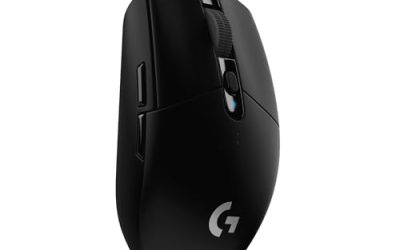
Logitech G PRO X Superlight 2
The Logitech G PRO X Superlight 2 is the safe all-round pick for Fortnite. At 60 grams it is light enough for fast building without feeling fragile, and its symmetrical shape works for claw and fingertip grips. The HERO 2 sensor tracks cleanly at high speeds, and the 8,000 Hz report rate keeps edits and flick shots responsive. LIGHTFORCE hybrid switches give the main clicks a crisp feel, and the 95-hour battery covers a full week of evening sessions before it needs a charge over USB-C.
Specs
- Weight: 60 grams
- Sensor: HERO 2, up to 44,000 DPI
- Report rate: up to 8,000 Hz
- Buttons: 5 programmable buttons
- Battery life: up to 95 hours
- Connectivity: LIGHTSPEED wireless and USB-C charging
- Switches: LIGHTFORCE hybrid switches
- Model number: 910-006628
Best for: Competitive Fortnite players who want one light wireless mouse for building, editing, and aiming.
Watch out for: The symmetrical shape has no thumb rest, so palm-grip players may want a more ergonomic shell.
ASIN: B09NBWL8J5
Pulsar X2V2 Wireless
The Pulsar X2V2 Wireless is the lightest mouse in this guide, and that shows in fast build sequences. At 53 grams its symmetrical shell lifts and resets with almost no effort, which helps when you are placing pieces quickly and resetting your aim between edits. The PAW3395 sensor tracks up to 26,000 DPI at 650 IPS, and the 2.4 GHz wireless link reports at 1,000 Hz for steady, low-latency play. Optical switches rated for 90 million clicks keep the main buttons responsive, and the 70-hour battery lasts through long ranked sessions.
Specs
- Weight: 53 grams
- Sensor: PAW3395, up to 26,000 DPI
- Tracking speed: up to 650 IPS, up to 50G acceleration
- Polling rate: 1,000 Hz over 2.4 GHz wireless; 4K-ready with separate Pulsar 4K dongle
- Switches: Optical switches rated for 90 million clicks
- Battery life: up to 70 hours
- Connectivity: 2.4 GHz wireless and wired
- Model number: PX2222
Best for: Fast builders who want the lightest mouse here for quick flicks and rapid edits.
Watch out for: The 1,000 Hz polling is slower on paper than the Superlight 2, and 4K polling needs a separate dongle.
ASIN: B0CH9Z587R
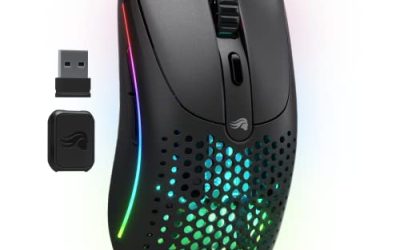
Glorious Model O 2 Wireless
The Glorious Model O 2 Wireless is the flexible pick of the five, because it connects over both 2.4 GHz wireless and Bluetooth. That makes it easy to move between a gaming PC and a laptop without swapping receivers. At 68 grams it is still light enough for Fortnite building, and the ambidextrous shape suits left- and right-handed players. The BAMF 2.0 sensor reaches 26,000 DPI, the six buttons cover the main build binds, and the PTFE feet glide smoothly across a pad during fast swipes.
Specs
- Weight: 68 grams
- Sensor: BAMF 2.0, up to 26,000 DPI
- Connectivity: Hybrid 2.4 GHz wireless and Bluetooth
- Buttons: 6 buttons
- Switches: Rated for 80 million clicks
- Feet: PTFE feet
- Shape: Ambidextrous
- Model number: GLO-MS-OWV2-MB
Best for: Players who switch between a desktop and a laptop and want one mouse for both.
Watch out for: At 68 grams it is the heaviest pick here, so pure speed players may prefer a lighter shell.
ASIN: B0BLF5NH32
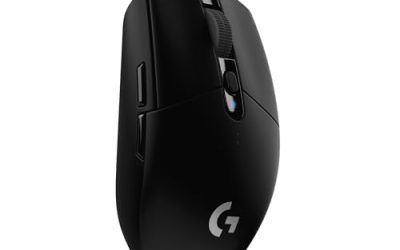
Logitech G PRO X Superlight (Original)
The Logitech G PRO X Superlight is the proven classic behind the Superlight 2, and it still fits Fortnite well. At less than 63 grams its symmetrical shell suits claw and fingertip grips, and the HERO 25K sensor tracks up to 25,600 DPI with consistent, clean movement at normal play sensitivities. LIGHTSPEED wireless keeps the connection steady in fights, and the 70-hour battery covers a full week of evening sessions before it needs a charge. Five programmable buttons hold the main build binds plus an edit key, and the PTFE feet glide smoothly across a pad during fast swipes.
Specs
- Weight: less than 63 grams
- Sensor: HERO 25K, up to 25,600 DPI
- Buttons: 5 programmable buttons
- Battery life: up to 70 hours
- Connectivity: LIGHTSPEED wireless
- Feet: Zero-additive PTFE feet
- Power: Rechargeable lithium polymer battery, included
- Model number: 910-005878
Best for: Players who want a proven ultralight shape for building and aiming without paying for the newest model.
Watch out for: It lacks the 8,000 Hz polling and HERO 2 sensor of the Superlight 2, so players chasing the fastest report rate should pick that model instead.
ASIN: B087LXCTFJ
HyperX Pulsefire Haste 2 Wireless

The HyperX Pulsefire Haste 2 Wireless is the endurance pick for players who hate charging. Its 100-hour battery is the longest in this guide, so it can run for weeks of regular play before it needs a cable. At 61 grams the solid shell still feels light in the hand, and the HyperX 26K sensor tracks up to 26,000 DPI at 650 IPS for steady aim. Dual wireless modes cover 2.4 GHz gaming and Bluetooth use, six programmable buttons hold the main build binds, and the included grip tape helps the mouse stay put during sweaty fights.
Specs
- Weight: 61 grams
- Sensor: HyperX 26K Sensor, up to 26,000 DPI
- Tracking speed: up to 650 IPS, up to 50G acceleration
- Buttons: 6 programmable buttons
- Battery life: up to 100 hours
- Connectivity: 2.4 GHz wireless, Bluetooth 5.0, and wired over USB-C
- Switches: HyperX Switches rated for 100 million clicks
- Model number: 6N0B0AA
Best for: Players who want the longest battery life here and a light mouse for daily Fortnite sessions.
Watch out for: Macros and DPI stages need the NGENUITY software, so set up your binds before your first match.
ASIN: B0BX52C4LN
Which One Fits Your Situation
You Build and Edit All Match
If building is your main skill, pick the Pulsar X2V2 Wireless. Its 53-gram shell lifts and resets faster than any other mouse here, which helps when you place walls and floors in quick succession. The PAW3395 sensor tracks cleanly through fast swipes, and the optical switches stay responsive across long sessions. It is the best fit when light weight matters more than the fastest polling rate.
You Play Long Ranked Sessions
If you queue ranked for hours, pick the Logitech G PRO X Superlight 2. It balances a 60-gram body with a 95-hour battery, so it stays light without dying mid-session. The symmetrical shape suits claw and fingertip grips, and the HERO 2 sensor tracks cleanly through long fights. Charge it over USB-C between sessions and it is ready for the next night.
You Switch Between PC and Laptop
If you play on more than one machine, pick the Glorious Model O 2 Wireless. Its hybrid 2.4 GHz and Bluetooth connections let you move from a desktop to a laptop without carrying a receiver or re-pairing. The ambidextrous shape works for either hand, and the 68-gram body is still light enough for building. It is the most flexible mouse in this guide.
You Want Comfort and Long Battery Life
If your wrist tires before your battery does, pick the HyperX Pulsefire Haste 2 Wireless. Its 100-hour battery is the longest here, and the 61-gram shell keeps long sessions light. Six programmable buttons cover the main build binds, and the included grip tape adds control when your hands get warm. It suits players who value endurance over the very fastest polling rate.
Common Mistakes
- Buying the heaviest mouse on the shelf and expecting fast building, when a light shell makes edits and resets far easier.
- Setting sensitivity too high for your sensor and pad, which turns small hand movements into overshot aim.
- Binding every build piece to the mouse without leaving a comfortable edit key, which slows down box fights.
- Playing ranked over Bluetooth instead of the 2.4 GHz receiver, which adds lag at the worst moment.
- Ignoring grip shape and hand size, then blaming the sensor when the real problem is a shell that does not fit.
Frequently Asked Questions
What weight is best for a Fortnite mouse?
Most Fortnite players do best with a mouse under 70 grams, because lighter mice lift and reset faster during building. All five picks in this guide sit between 53 and 68 grams, which keeps edits quick without making the mouse feel flimsy. If you have large hands, try a slightly heavier ergonomic model rather than the lightest shell available.
Do I need 8,000 Hz polling for Fortnite?
No, but it helps in fast play. A standard 1,000 Hz mouse is fine for casual matches, while 8,000 Hz polling reports movement more often and makes edits and flick shots feel more immediate. The Logitech Superlight 2 offers 8,000 Hz wireless polling for players who want the fastest response.
How many buttons do I need for building?
Five or six programmable buttons cover most Fortnite setups. Four side or top buttons can hold wall, floor, ramp, and cone, with one more for editing. The Superlight 2 and the original Superlight have five buttons, while the Model O 2 Wireless and the Haste 2 Wireless have six, which is enough for the standard build layout.
Is wireless fast enough for competitive Fortnite?
Yes, modern gaming wireless is fast enough for competitive play when you use the 2.4 GHz receiver that comes with the mouse. All five mice here use a dedicated wireless link with low latency, and one of them reaches 8,000 Hz polling. Keep the receiver close to the mouse and charge the battery regularly to avoid drops.
Related guides
More from Amazon
Programs that pair well with the guide above. Offers and eligibility are set by Amazon and may change.
Free shipping on eligible items, Prime Video and more. Eligible new members can start with a free trial.
Start a Prime free trialAd-free music streaming. Eligible new subscribers can start with a free trial.
Try Music Unlimited freeA Prime membership for ages 18-24 with a trial period. Eligibility is set by Amazon.
See Prime for Young AdultsAudiobooks and podcasts to listen to on the go. Eligible new members can start with a free trial.
Try Audible freeAs an Amazon Associate we earn from qualifying purchases.