DPI is the most copied number in gaming and the least understood. Players lift a headline figure from a professional’s setup, type it into their mouse software, and wonder why their aim feels worse than before. The missing half of that setup is the in-game sensitivity multiplier, because the mouse’s DPI alone decides nothing: it only scales how many counts the sensor reports for each inch your hand moves, and the game then multiplies that stream into camera movement. It is also the setting most often blamed for aim problems that live elsewhere entirely.
This guide is for tactical shooter players who keep overshooting targets, hero-shooter and MOBA players who split their week between genres, and anyone who just bought a mouse advertising a five-figure maximum DPI. It works in ranges rather than single magic numbers, shows the eDPI arithmetic that makes settings comparable, and ends with a step test for settling on your own figure. As an Amazon Associate we earn from qualifying purchases.
How to Choose
Start from your game type, not a pro’s settings
Games reward different sensitivity bands because their cameras work differently. A tactical shooter locks the crosshair to the centre of the screen and rewards slow, deliberate placement, so its players commonly run low settings. A MOBA moves a free cursor across a map and rewards fast travel, so its players sit higher. Copying a number across that divide imports the wrong tool for the job. Identify your genre first, take its common band as your starting range, and only then fine-tune. A professional’s settings describe their game, their pad and their arm, none of which are yours.
Think in eDPI and cm/360, not DPI alone
Effective DPI is mouse DPI multiplied by the in-game sensitivity, and it is the only figure that honestly describes a setup. A mouse at 400 DPI with an in-game sensitivity of 2.0 and a mouse at 800 DPI with a sensitivity of 1.0 produce the same eDPI of 800 and feel identical in the hand. The physical twin of eDPI is cm/360: the centimetres of mouse travel that turn your character a full circle. Measure yours once by marking the pad, turning in game and measuring the distance, and every later change becomes a comparison instead of a guess.
Set the layers in the right order
Three layers sit between your hand and the game, and they should be set in a fixed order. First the mouse DPI in its software, chosen inside your genre’s band. Second the operating system: in Windows, the 6/11 pointer notch is the one-to-one setting, and the pointer acceleration option labelled Enhance pointer precision should be off, so one inch of movement always means the same turn. Third the in-game sensitivity, adjusted last to land your target eDPI. Many modern shooters read raw input and bypass the Windows slider entirely, so check whether yours does before troubleshooting the wrong layer.
Adjust in small steps and test three skills
Change one variable at a time, in steps of roughly five to ten percent of eDPI, and play several real matches before judging, because first impressions after a change are unreliable. Test three skills separately. Flick to a target: consistent overshoot means the setting is too high, consistent undershoot means too low. Track a moving target: smoothness here exposes a different problem than flicking does. Then make micro-corrections on small, distant targets. Once a setting feels close on all three, lock it for at least a week, since muscle memory needs consistency more than it needs a theoretically perfect number.
Which One Fits Your Situation
You play tactical shooters and keep overshooting heads
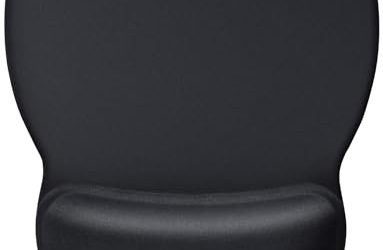
Work in the low band: roughly 400 to 800 DPI with an in-game sensitivity that puts your cm/360 somewhere in the 35 to 55 cm range common in Counter-Strike 2 and Valorant terms. Confirm your mouse pad is physically wide enough for those long swipes before blaming the number, because a low setting on a small pad forces constant lifting and recentring that no sensitivity figure can fix.
You switch between an FPS and a MOBA each week
Keep one mouse DPI for everything and change only each game’s own sensitivity setting. A single shared eDPI cannot serve both: the shooter needs a cm/360 for turning, while the MOBA has no camera turn and needs cursor speed across the screen, from 800 to 1600 DPI with the in-game mouse speed near the middle of its slider. Per-game settings stop each title from corrupting the other’s muscle memory.
You just bought a high-DPI, high-polling mouse
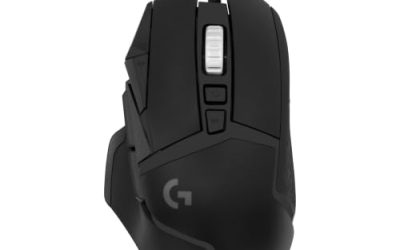
Ignore the maximum DPI on the box; it is a sensor ceiling, not a recommendation. Set a sane DPI inside your genre’s band, leave polling at 1000 Hz, which already reports every millisecond, and only experiment with 4000 or 8000 Hz after the sensitivity itself feels right. Polling changes how often position reports arrive, never how far the cursor travels, so raising it cannot rescue a badly chosen eDPI.
Your aim feels shaky close up but slow at long range
That combination usually means one of the two complaints is a technique problem wearing a settings costume. Run the three-skill test at a mid-band eDPI: if flicks overshoot while tracking stays smooth, the setting is fine and the flick habit needs the work. If tracking judders at every range, step the eDPI down in small increments until the shake leaves, then re-test the flicks before changing anything else.
Common Mistakes
- Copying a professional player’s DPI without copying their in-game sensitivity alongside it. DPI alone says nothing about how a setup behaves, because the game multiplies it before anything reaches the screen. Two players can share a DPI figure and have sensitivities three times apart, and two players with different DPI figures can be running the identical setup. The only numbers that transfer between setups are eDPI and cm/360, so those are the only numbers worth copying, and even they arrive attached to another player’s pad size, grip and years of habit. The fix takes ten seconds: write down the DPI, the in-game sensitivity and the resulting eDPI together, and never quote one of the three without the other two again.
- Maxing out the mouse’s advertised DPI because higher sounds more accurate. DPI is a multiplier on movement, not a measure of precision: modern sensors track accurately across a wide range, and pushing the multiplier to its ceiling simply makes the cursor travel farther per inch, which usually makes small corrections harder to land. Most shooter players compete somewhere between 400 and 1600 DPI. The five-figure maximum exists because the sensor can do it and the box can print it, not because a human hand benefits from it in a firefight. Manufacturers print the maximum because it is the largest number the sensor can claim, and the largest number is the one that sells the box on the shelf.
- Leaving Windows pointer acceleration switched on. The Enhance pointer precision option makes the cursor travel farther when the hand moves faster, so the same physical swipe produces different in-game turns depending on how quickly it was made, which quietly destroys the consistency aim training depends on. Many modern shooters bypass the Windows layer with raw input, which hides the problem in game while the desktop still accelerates, but any title that reads the operating system’s pointer inherits the inconsistency in full. Turn it off, set the slider to the one-to-one notch, and remove the variable. The setting is one checkbox in the Windows mouse panel, and checking it belongs on the same setup list as installing the mouse software itself, because games that read the operating system pointer rather than raw input are common enough that assuming yours bypasses it is a gamble.
- Changing sensitivity every few matches in search of the setting that fixes a bad day. Every change resets the calibration your muscles were building, so a player who adjusts weekly never actually learns any sensitivity at all. Aim improves through thousands of repetitions at one figure, not through finding a figure that needs no repetitions. Pick a setting inside your genre’s range, change it only in small deliberate steps with a test behind each one, and then hold it for at least a week of real matches before judging it again. Keep a small note of each deliberate change and the date you made it, so a bad week of results can be told apart from a bad setting.
- Judging a new setting in the practice range and locking it in before a real match. A range offers stationary targets, no return fire and no pressure, and a sensitivity that feels perfect there can fall apart the first time movement, recoil control and an opponent’s strafing arrive together. Use the range to measure cm/360 and run the flick, tracking and micro-correction tests, then take the candidate setting into several genuine matches. The verdict that counts is the one your aim delivers while somebody is shooting back at you. Three or four ordinary matches across different maps will tell you more than an afternoon of shooting stationary targets in an empty range ever will.
Frequently Asked Questions
Is higher DPI better for gaming?
No. DPI only scales how far the cursor or crosshair travels for each inch the mouse moves. Accuracy comes from a sensitivity you can control, and most shooter players use somewhere between 400 and 1600 DPI, paired with an in-game sensitivity that gives them a comfortable, repeatable cm/360 for their game. The winning setting is the one your hand can repeat without thinking about it.
What is eDPI and why do players quote it?
eDPI is mouse DPI multiplied by the in-game sensitivity. It is the true measure of how sensitive a complete setup is, which makes it the only sensitivity number that can be compared between two players, two mice or two games, and the only one worth copying from somebody else’s configuration.
Does polling rate change my sensitivity?
No. Polling rate, such as 1000 Hz against 8000 Hz, changes how often the mouse reports its position to the PC, which affects smoothness and can slightly affect latency and CPU use. Your eDPI and your cm/360 stay exactly the same, so set sensitivity first and treat polling as a finishing adjustment.
Should I use the same DPI for every game?
You can keep one mouse DPI and adjust each game’s own sensitivity slider, which is what most players do. Matching the same cm/360 across two shooters is possible with converter tools, but cursor-based games such as MOBAs and strategy titles have no camera turn to convert, so those need a feel-based setting of their own.
Related guides
More from Amazon
Programs that pair well with the guide above. Offers and eligibility are set by Amazon and may change.
Free shipping on eligible items, Prime Video and more. Eligible new members can start with a free trial.
Start a Prime free trialAd-free music streaming. Eligible new subscribers can start with a free trial.
Try Music Unlimited freeA Prime membership for ages 18-24 with a trial period. Eligibility is set by Amazon.
See Prime for Young AdultsAudiobooks and podcasts to listen to on the go. Eligible new members can start with a free trial.
Try Audible freeAs an Amazon Associate we earn from qualifying purchases.