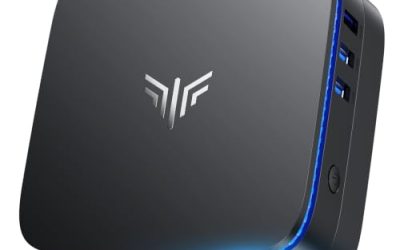
Game installs keep growing, and a laptop with a 512GB internal drive can lose a quarter of its space to a single title. A portable SSD is the quick fix: it holds a library of games, loads them far faster than a spinning hard drive, and travels between a desktop, a handheld PC, and a console. The decision behind this search is how much speed and capacity a gaming library really needs, and whether a rugged body, a high-speed interface, or the lowest cost per gigabyte deserves the extra spend.
This guide is for PC and console players in 2026 who want an external drive for installs, game saves, or capture footage. It compares six drives drawn from the listing titles, using only the facts stated there: capacity, interface name, advertised read and write speeds, build notes such as water resistance, and the devices named for compatibility. Larger siblings of some models, such as other capacities of the T7 and T9, share the same interface, so the comparisons here carry over. Real-world speed depends on the host port and the file mix, so every figure here is a manufacturer maximum, and details such as warranty or thermal behavior should be confirmed on the listing.
Our Top Picks
Top 3 picks at a glance
Quick Picks
As an Amazon Associate we earn from qualifying purchases at no extra cost to you.


| Product | Best for | Key spec from the title |
|---|---|---|
| Samsung T7 Portable SSD 1TB | Reliable everyday game storage | USB 3.2 Gen 2, up to 1,050MB/s |
| Samsung T9 Portable SSD 2TB | Fast, high-capacity libraries | USB 3.2 Gen 2×2, up to 2,000MB/s |
| KingSpec Z5 1TB External SSD | Fast drive with RGB styling | 2100MB/s, USB 3.2 Gen2x2, zinc alloy case |
| Samsung T7 Shield 1TB | Rugged, travel-friendly storage | USB 3.2 Gen 2, up to 1,050MB/s, IP65 water resistant |
| Lexar ES3 512GB Portable SSD | Small capacity, wide device support | USB 3.2 Gen 2 up to 1050MB/s, iPhone, Mac, PS5, Xbox |
| Samsung Portable SSD P7 1TB | Highest listed speeds | Read and write up to 4,000/3,700 MB/s |
How to Choose
Interface names and the speeds behind them
The label USB 3.2 Gen 2 corresponds to a 10Gbps link, which supports drives rated up to about 1,050MB/s, while Gen 2×2 runs at 20Gbps and supports drives around 2,000MB/s. Reaching those speeds requires a host port that supports the same standard. A drive on an older port works but runs slower. Speeds in the 4,000MB/s range, as listed for one model, need a fast Thunderbolt or USB4 style port, so check the computer’s ports before paying for headroom. A blue or labeled SuperSpeed port is a hint, but the computer’s spec sheet is the reliable answer.
Capacity for a game library
Current AAA games often take 100GB or more, so a 512GB drive holds only a handful of big titles. A 1TB drive is the sensible middle for most players, and 2TB suits large libraries or video capture. Buying one larger drive is usually better value than two small ones, and it leaves room as installs grow. Keep roughly a tenth of any SSD free, because nearly full drives slow down during writes. Remember that the operating system or console may reserve some of the listed capacity for formatting.
Console and handheld compatibility
Platform rules vary: some consoles let an external SSD store and launch certain game generations, while others only use it for storage and transfers. Do not assume a drive that works on PC will launch every console game, and read the platform’s own documentation. Titles that name PS5, Xbox, Mac, or iPhone are describing connection compatibility. Formatting may be needed when moving the drive between systems, which can erase data, so back up first.
Build, heat, and where budget models cut corners
Rugged shells with water resistance, such as an IP65 listing, help in a backpack but add bulk. Metal bodies spread heat, which matters during long transfers because some drives slow down when hot. Budget SSDs tend to cut corners on sustained write speed, cable quality, and warranty coverage, and they may advertise peak speeds that fade after a few gigabytes. Ignore RGB lighting as a quality signal, and look instead at the interface, the cable included, and the warranty terms.
The 6 Best Options
Samsung T7 Portable SSD 1TB (Titan Gray)
The balanced everyday pick. The title lists a 1TB capacity, USB 3.2 Gen 2 interface, speeds up to 1,050MB/s, and marketing for gaming, students, and professionals. It suits a player who wants a dependable drive to hold a rotating selection of installs on a laptop or handheld PC, and who values a simple, middle-of-the-road spec sheet more than the highest possible speed. Handheld PC owners with a single USB-C port will find a pocket-sized drive a natural fit for swapping libraries.
- A 1,050MB/s maximum is plenty for loading most games from an external drive.
- A simple spec sheet with one interface name and one speed figure makes comparison easy.
- Trade-off: Gen 2 speeds sit well below the newer Gen 2×2 drives.
Skip it if the goal is the fastest possible transfers, a very large library, or capture workflows that write large files for long stretches.
Samsung T9 Portable SSD 2TB
The faster and larger Samsung. The title lists 2TB, USB 3.2 Gen 2×2, speeds up to 2,000MB/s, and positioning for gaming, students, and professionals. It suits owners of a computer with a matching port who want fast game loading plus enough room for a large library or capture files, and who plan to keep the drive for several years as game sizes keep growing. A two-terabyte model also lets a player keep a favorite shooter, an open-world title, and a few indie games installed at once.
- Gen 2×2 and a 2,000MB/s maximum offer a clear jump over Gen 2 drives.
- 2TB suits big libraries without juggling multiple drives.
- Trade-off: the full speed requires a host port that supports Gen 2×2.
Skip it if the computer only has older ports that will limit the drive.
KingSpec Z5 1TB External SSD
A faster-on-paper alternative with a flashy body. The title lists 1TB, 2100MB/s, RGB lighting, a zinc alloy case, and a USB 3.2 Gen2x2 interface. It suits players who want high speeds and a visible desk accessory, and who are comfortable choosing a less familiar brand. The RGB lighting is cosmetic, but the zinc alloy shell and the Gen2x2 interface are the more practical details to weigh, especially for someone who moves large game folders between a desktop and a laptop.
- A 2100MB/s maximum is the highest in the Gen 2×2 group here.
- A zinc alloy case suggests metal construction for heat spreading.
- Trade-off: a less familiar brand means warranty and support terms deserve a close read.
Skip it if brand reputation matters most or the lighting is unwelcome.
Samsung T7 Shield Portable SSD 1TB
The rugged choice. The title lists 1TB, USB 3.2 Gen 2, up to 1,050MB/s, a rugged body, and IP65 water resistance. It suits players who carry the drive in a bag, on trips, or to events, where drops and spills are more likely than at a desk. A student who commutes with a laptop, or a traveler who edits gameplay clips on the road, gets protection that a bare drive does not offer, though the IP65 mention is not a license to submerge it.
- IP65 water resistance and a rugged shell are stated in the title.
- Same Gen 2 speed class as the standard T7.
- Trade-off: the protective shell adds size and weight.
Skip it if the drive never leaves the desk, because the added bulk and ruggedness would then be paying for protection that will not be used.
Lexar ES3 512GB Portable SSD
A small-capacity, wide-compatibility drive. The title lists 512GB, USB 3.2 Gen 2 with up to 1050MB/s, and compatibility with iPhone 17 series, Mac, PS5, Xbox, laptops, and PCs. It suits players who want a modest drive for a handful of games or for moving files between devices, such as a student with a laptop, a Mac, and a console who needs one drive that connects to all of them. Smaller capacity also keeps the cost in the budget tier for anyone testing the idea of external game storage.
- The device list is broad, covering phones, consoles, and computers.
- The 1050MB/s maximum matches the Gen 2 group.
- Trade-off: 512GB fills up quickly with modern games.
Skip it if a large library is planned, since 512GB holds only a few big releases before space runs out.
Samsung Portable SSD P7 1TB
The speed leader. The title lists 1TB, read and write speeds up to 4,000 and 3,700MB/s, and positioning for creative professionals and AI content producers. It suits players or creators with a port fast enough to use it, such as Thunderbolt or USB4, and anyone who edits gameplay footage straight from the external drive. A buyer on an ordinary USB port would see little gain over cheaper options, so matching the port comes first.
- The highest listed speeds in this guide.
- Targeted at heavy creative workflows as well as gaming.
- Trade-off: a fast port is required, and cost sits in the premium tier.
Skip it if the computer lacks a port that can feed it, or if the goal is simply storing a game library, where the cheaper drives are enough.
Which One Fits Your Situation
Laptop with a nearly full internal drive
The Samsung T7 1TB provides dependable extra space at a moderate tier, and a drive that small is easy to leave plugged in beside the laptop at a desk.
Handheld PC and big installs
The Samsung T9 2TB offers faster loads and plenty of capacity, if the device has a compatible port. Check the handheld’s USB specification first, since many handhelds have a single port that caps the speed.
Traveling player
The Samsung T7 Shield suits a backpack, thanks to its rugged build and IP65 listing. It is also a reasonable choice for a shared household drive that gets passed between rooms.
Console owner moving files
The Lexar ES3 names PS5 and Xbox, though platform rules still decide what the console can launch. It works well as a transfer drive for moving screenshots, clips, and save backups between devices.
Common Mistakes
- Paying for 2,000MB/s speeds and plugging into a slow port.
- Choosing the smallest capacity and running out of space within weeks, then paying twice when a second drive becomes necessary.
- Assuming a console can launch every game from an external drive, when the platform may allow external storage only for certain game generations or for archiving.
- Reformatting a drive without backing up its contents.
- Judging quality by RGB lighting or peak speed alone, without reading the warranty and sustained-speed details on the listing.
Related guides
- What Is The Best Budget Most Responsive Gaming Mouse Wired
- Low Latency Gaming Headphones Usb-C 2.4 Ghz Wireless
- Mechanical Gaming Keyboards Competitive Pc Gaming
Frequently Asked Questions
Is a portable SSD fast enough for gaming?
Yes, for most games. Loading is much quicker than a hard drive, though it will not match an internal NVMe drive.
How much capacity is enough?
One terabyte suits many players, while two terabytes fits large libraries or capture footage. A 512GB drive works as a secondary option for a few current favorites.
Is a special cable needed?
The included cable matches the drive. Using the wrong cable or port can limit speed.
Will it work on a console?
Many drives connect, but consoles limit what can launch from external storage. Check the platform’s documentation.
Related guides
More from Amazon
Programs that pair well with the guide above. Offers and eligibility are set by Amazon and may change.
Free shipping on eligible items, Prime Video and more. Eligible new members can start with a free trial.
Start a Prime free trialAd-free music streaming. Eligible new subscribers can start with a free trial.
Try Music Unlimited freeA Prime membership for ages 18-24 with a trial period. Eligibility is set by Amazon.
See Prime for Young AdultsAudiobooks and podcasts to listen to on the go. Eligible new members can start with a free trial.
Try Audible freeAs an Amazon Associate we earn from qualifying purchases.