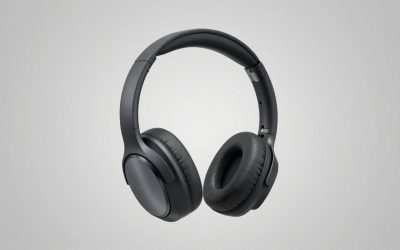
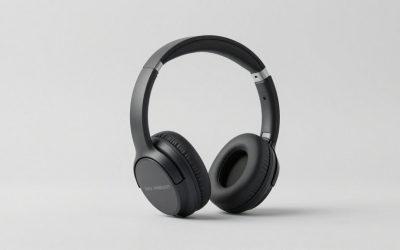
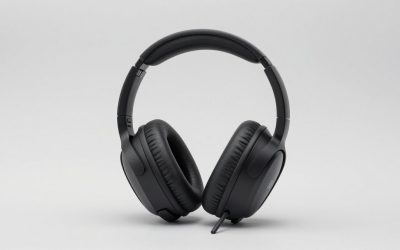
This HyperX Cloud Stinger Core Wireless review gives the verdict up front: the HyperX Cloud Stinger Core Wireless 7.1 gaming headset is a light, no-frills 2.4 GHz wireless headset for PC and PlayStation that makes sense if you want cable-free play on a tight budget, and not if you want deep bass, Bluetooth or a long battery.
Short answer: Buy it for lightweight wireless gaming with a swivel-to-mute mic and a rated battery of about 17 hours. The 7.1 surround is virtual and works on PC through software. Skip it for Xbox (a separate CloudX version exists), for music, or for all-day wireless use.
Our Top Picks
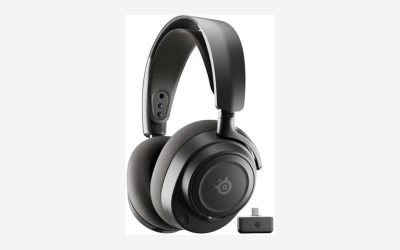
 Razer BlackShark V3 X HyperSpeed Wireless Gaming Headset6.9 x 3.7 x 7.9 inches1.7 poundsCheck on Amazon
Top 3 picks at a glance
Verdict at a glance
- Best for: budget-minded PC and PlayStation players who want a wireless headset that is easy to use.
- Skip if: you need Bluetooth, Xbox support from this exact model, strong bass or more than a long evening of battery.
- Drivers: 40 mm dynamic drivers in a closed-back, over-ear design.
- Battery: HyperX rates it at about 17 hours.
- Wireless: 2.4 GHz USB dongle with a stated range of up to 20 meters.
- Surround: 7.1 is virtual and tied to the PC software.
HyperX Cloud Stinger Core Wireless 7.1 gaming headset: key specs
You may see this headset sold as the HyperX Cloud Stinger Core Wireless 7.1 gaming headset or as the headset HyperX Cloud Stinger Core Wireless 7.1. These are naming variants of the same product line. The numbers below come from HyperX and retail spec pages; where sources disagree, the table says so.
| Spec | Published detail | Note |
|---|---|---|
| Drivers | 40 mm dynamic, neodymium magnets | Closed-back, over-ear |
| Impedance | 16 ohms | Easy to drive from a dongle |
| Frequency response | 20 Hz to 20 kHz (some pages list 10 Hz to 21 kHz) | Check the maker page for the exact figure |
| Connection | 2.4 GHz wireless USB dongle | Up to 20 m stated range |
| Battery | About 17 hours | Rated at moderate volume |
| Weight | Around 244 g on the HyperX UK page | Other sites list different numbers, some likely for the wired model |
| Microphone | Swivel-to-mute, noise-canceling | Non-detachable |
| Surround | Virtual 7.1 on PC | Needs HyperX software |
| Platforms | PC, PS4, PS5 | Xbox has its own CloudX model |
Design, comfort and build
The Stinger Core family has always aimed at being light. The headband uses steel sliders and a padded top, the ear cups swivel, and the earpads use memory foam with leatherette covering. That combination is comfortable for most head sizes for a few hours. Leatherette can run warm, so players in hot rooms may want to take breaks, and glasses wearers should check that the pad seal does not press on the frames.
The cups are closed-back, which helps keep game sound in and room noise out to a reasonable degree. They are not noise-cancelling in the active sense, so a loud fan or a family in the room will still be audible at lower volumes.
Controls are simple: a power button, a volume wheel and a mic mute you get by swiveling the boom up. The simplicity is a plus. There is no app required for basic use, and no menu to learn. The trade-off is that you have no on-headset way to switch between audio presets or control a mixer.
Sound quality for games, movies and music
Sound is tuned for games. Expect a lively, slightly forward balance that makes footsteps and gunfire easy to place, with moderate bass. The 40 mm drivers are not built to impress audiophiles, and music listeners will find the sound a bit thin and bright compared with a dedicated pair of headphones.
What does virtual 7.1 surround mean?
The 7.1 label does not mean seven physical speakers in each cup. It describes a software process that simulates a surround layout through two drivers. On PC, HyperX’s software enables it. On PlayStation, the headset works as a stereo device, which is why the console experience relies on the game’s own audio mix. If you buy it for surround, treat it as a spatial effect you can switch on and off, not as a different hardware design.
Games and genres
- Shooters: clear mids help with footsteps and callouts; the simulated surround can help with direction, though some players prefer plain stereo for accuracy.
- Story games and movies: adequate, with moderate bass impact.
- Music: acceptable for casual listening, not a strong point.
Microphone
The mic is a basic boom with noise cancellation. It is good enough for party chat and team calls, and the swivel-to-mute function is intuitive. It will not match a standalone USB microphone for streaming, and reviewers describe the quality as clear for voice but not rich. If you record content or take frequent calls, plan on a separate mic.
Wireless performance and battery
The 2.4 GHz dongle gives a lag-free connection for games within the same room and a decent range through one wall. HyperX states up to 20 meters in open space; real-world distance is shorter through walls and furniture.
Battery is the headset’s most important limit. HyperX rates it at about 17 hours. Reviewers who took their own measurements found numbers that range from roughly 12 to 17 hours depending on volume and mixed use, and we have not run the headset ourselves, so we cannot add a figure of our own. That is enough for a long gaming day or a few evenings, but daily heavy users will charge every other day.
- Charge over USB before the first long session.
- Keep volume moderate; it extends run time and protects your ears.
- Switch the headset off when you stand up, because there is no auto-sleep that you control.
Platform compatibility
| Platform | Works? | Detail |
|---|---|---|
| PC (Windows) | Yes | USB dongle, virtual 7.1 with software |
| PlayStation 4 and 5 | Yes | USB dongle, stereo audio |
| Xbox | Not this model | Look for the CloudX Stinger Core Wireless, which is the licensed Xbox version |
| Nintendo Switch | Depends | Only in docked mode through a USB port; check the maker page |
| Phones and tablets | No | No Bluetooth |
HyperX Cloud Stinger Core Wireless 7.1
As an Amazon Associate we earn from qualifying purchases at no extra cost to you.

The PC and PlayStation version of the headset is listed as a lightweight wireless gaming headset with steel sliders, memory foam earpads and virtual 7.1 surround. It is the model this review covers, and it suits players who want an easy, cable-free headset. Skip it if you need Xbox support or Bluetooth.
HyperX Cloud Mix: how it differs
Some shoppers compare this headset with the HyperX Cloud Mix wired gaming headset with Bluetooth. They are different ideas. The Cloud Mix is a wired headset that adds Bluetooth, a detachable mic and a more premium build, so you can use it for games and for phone calls or music on the go. The Stinger Core Wireless is lighter, cheaper and wireless only through a dongle. Choose the Mix if you want one headset for desk and travel, and choose the Stinger Core Wireless if you only want simple wireless gaming.
HyperX Cloud MIX Wired Gaming Headset

A wired gaming headset with Bluetooth for phone use, a detachable microphone and HyperX’s signature comfort. It suits players who want a headset that moves between a desk and a phone. It sits at a higher tier than the Stinger Core Wireless and carries a different feature set, so compare the specs on the maker page.
Setup: getting the best from the headset
Setup is short, which is part of the appeal. A few small steps prevent most of the complaints people raise later.
- Plug the USB dongle into a port near the front of the PC or console, not behind a hub, to keep the signal clear.
- Switch on the headset and wait for the dongle light to show a connection.
- On PC, set the headset as both the default playback and the default communication device in the sound settings.
- Install the HyperX software if you want to enable the virtual 7.1 effect, and then compare it against plain stereo in your favorite game before deciding which to keep.
- Set the volume wheel to a moderate level and adjust the in-game volume to match, so the battery lasts longer.
Wireless Stinger Core versus related HyperX models
HyperX uses the Stinger name across several headsets, and the product names are easy to mix up. This table shows the practical differences so you can avoid ordering the wrong one.
| Model family | Connection | Platform focus | Main difference |
|---|---|---|---|
| Cloud Stinger Core Wireless (this review) | 2.4 GHz dongle | PC, PlayStation | Wireless, virtual 7.1 on PC |
| CloudX Stinger Core Wireless | Xbox wireless | Xbox Series X|S, Xbox One | Licensed Xbox version of the same idea |
| Cloud Stinger 2 and 2 Core | Wired | PC, console via 3.5 mm | Newer wired design, swivel-to-mute mic |
| Cloud Stinger 3 Wireless | Wireless | PlayStation and other variants | Newer wireless generation, check the maker page for specs |
| Cloud Mix | Wired plus Bluetooth | PC, console, phone | Detachable mic, premium build |
The key lesson: if the product name does not say Xbox or CloudX, do not assume it works with an Xbox console. If you own both a PC and a PlayStation, this version is the right one.
Troubleshooting common problems
No sound or the headset is not found
Switch the headset off and on, unplug the dongle and reinsert it, then check the playback device in the operating system. On a console, confirm the dongle sits in a port that supports audio output and check the console’s audio settings so that output goes to the USB headset.
Crackling or dropouts
Move the dongle closer using a short USB extension, away from the back of the case, and away from other wireless devices. A weak battery also causes stutter, so charge the headset fully before blaming the connection.
Voice sounds quiet to teammates
Make sure the boom is lowered all the way, since swiveling it up mutes the mic. Position it about two fingers from the corner of your mouth. On PC, check the mic level in the sound settings and the chat app.
Ear pads feel hot
Leatherette traps heat. Take short breaks, or consider a fabric or velour replacement pad if you play for hours in a warm room. Check that any replacement lists compatibility with the Stinger Core line.
Who it is for: real-world scenarios
A specification table cannot tell you whether a headset fits your day. These examples show how the Stinger Core Wireless behaves in common situations.
A student on a shared desk
The cable-free design means no tangle across the desk, and the closed-back cups keep game audio from disturbing a roommate at moderate volume. The battery rating is enough for an evening, with a recharge before the next day.
A console player in a living room
The dongle goes into the console, and the range allows you to move to a couch several meters away. Stereo audio on the console is fine for most games, and the mic handles party chat.
A PC player who streams or records
The built-in mic is fine for voice chat but not a streaming microphone. If you record content, add a dedicated USB mic and use the headset only for listening.
A traveler
The lack of Bluetooth makes it less suitable. A wired-plus-Bluetooth headset such as the Cloud Mix, or a general-purpose pair of headphones, would suit travel better.
Care and long-term ownership
Closed-back wireless headsets with memory foam pads usually wear out in the pads first. Wipe the pads with a slightly damp cloth, let them dry and keep the headset off hot surfaces. Charge the battery regularly rather than letting it sit empty for weeks, and unplug the dongle when you travel so it does not bend. If the pads flatten or peel, compatible replacements are widely sold, and replacing them is a cheaper fix than replacing the headset.
Who should buy and who should skip
Buy it if
- You want wireless gaming on PC or PlayStation without spending much.
- You value light weight and simple controls.
- You play a few hours at a time.
Skip it if
- You play on Xbox, since you should use the CloudX version.
- You want Bluetooth, an app-based equalizer or active noise cancellation.
- You often play more than 12 hours between charges.
Alternatives to consider
If the Stinger Core Wireless is almost right but not quite, these are the nearest options by need. HyperX also sells newer budget wireless models such as the Cloud Jet and the Cloud Stinger 3 Wireless, which are worth checking on the maker page if you want a more recent design.
Razer BlackShark V3 X HyperSpeed

A wireless headset listed with a 70-hour battery, a HyperClear microphone and 7.1 surround support. It suits players who want far more battery life and are happy to move up a price tier. Check platform support on the maker page before buying.
Razer BlackShark V3

A PlayStation-focused wireless headset with 50 mm drivers, a super wideband mic and both 2.4 GHz and Bluetooth connectivity per the listing. It is aimed at players who want a more premium sound and microphone than the Stinger Core can offer.
How we chose what to compare
This review is research-based: published specifications from HyperX, retailer spec pages and editorial reviews. We did not use the headset ourselves, so we flag differences between sources, for example in weight and battery. Alternatives were chosen to cover three needs: a wired and Bluetooth alternative, a newer budget wireless family and a longer-battery option.
Buying guide: wireless gaming headsets
- Battery: under 20 hours means charging every few days; 40 hours or more makes charging a weekly chore.
- Connection: 2.4 GHz dongles are best for games; Bluetooth is for phones and music.
- Weight: under 280 g is comfortable for long sessions; heavier models can tire the neck.
- Microphone: detachable mics are easier to replace and store; fixed swivel mics are simpler.
- Platform: confirm console support in the product name. Xbox needs licensed models.
- Surround: treat virtual 7.1 as an optional effect.
FAQ
Is the HyperX Cloud Stinger Core Wireless 7.1 good?
It is good for light, budget wireless gaming on PC and PlayStation. It is not meant for long battery life, strong bass or Xbox.
Does the Stinger Core Wireless work on Xbox?
This model does not. HyperX sells a separate CloudX Stinger Core Wireless that is licensed for Xbox Series X|S and Xbox One.
Is the 7.1 surround real?
It is virtual surround created in software through two drivers. It works on PC with the HyperX software and can be turned off.
How long does the battery last?
HyperX rates it at about 17 hours. Reviewers report results from roughly 12 to 17 hours depending on volume.
Does it have Bluetooth?
No. It connects through the included 2.4 GHz USB dongle only. For Bluetooth, look at models such as the HyperX Cloud Mix.
Can I use it with a PS5?
Yes, through the USB dongle. Audio is stereo on console, and the 7.1 effect is a PC software feature.
Is the microphone removable?
No. It is a fixed boom with a swivel-to-mute function.
Can I use it while charging?
HyperX describes it as a wireless headset charged over USB. Whether audio keeps playing during charging is not clearly stated on every spec page, so check the maker page or manual if that matters to you.
Is it comfortable with glasses?
The memory foam pads are soft, and many glasses wearers get on fine with them for a few hours. Pressure on the frames varies by head and frame shape, so a short trial with a return window is the safest check.
How is it different from the HyperX Cloud Mix?
The Cloud Mix is wired with added Bluetooth and a detachable mic. The Stinger Core Wireless is dongle-only wireless and lighter, with a fixed mic.
Final checklist before you order
- Confirm your platform: PC or PlayStation for this model, CloudX for Xbox.
- Decide if a 17-hour rated battery fits how long you play between charges.
- Check that you have a free USB port close to where you sit.
- Decide whether you need Bluetooth. If yes, pick a different model.
- Read the current return policy of the store you buy from, since comfort is personal.
Which one should you buy?
Pick the Stinger Core Wireless if you want a light, simple cable-free headset for PC or PlayStation. Pick the Cloud Mix if you also want Bluetooth and a more premium build. Pick a Razer BlackShark model if battery life and microphone quality matter more than cost.
Sources
- HyperX product and support pages
- TweakTown headset review
- B&H Photo specification listing
- Micro Center product page
Last updated: November 2026
Related guides
More from Amazon
Programs that pair well with the guide above. Offers and eligibility are set by Amazon and may change.
Free shipping on eligible items, Prime Video and more. Eligible new members can start with a free trial.
Start a Prime free trialAd-free music streaming. Eligible new subscribers can start with a free trial.
Try Music Unlimited freeA Prime membership for ages 18-24 with a trial period. Eligibility is set by Amazon.
See Prime for Young AdultsAudiobooks and podcasts to listen to on the go. Eligible new members can start with a free trial.
Try Audible freeAs an Amazon Associate we earn from qualifying purchases.