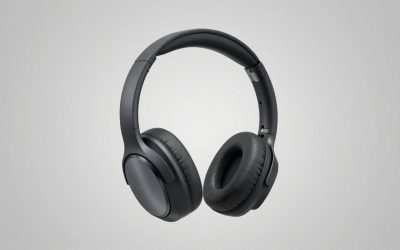
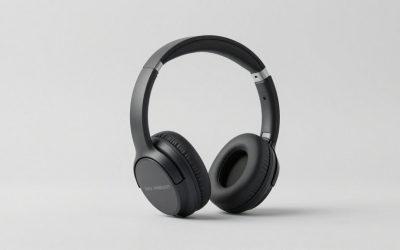
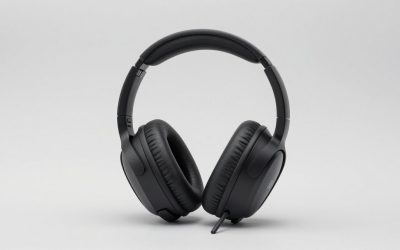
The HyperX Cloud II 7.1 gaming headset review verdict is simple: it is a closed-back, over-ear headset with 53 mm drivers, a detachable microphone and a USB control box that adds virtual 7.1 surround, and it is still one of the more comfortable wired picks for players who want a classic gaming headset. The surround effect is virtual, not true multi-driver 7.1, and it only works through the USB box on supported systems.
Our Top Picks
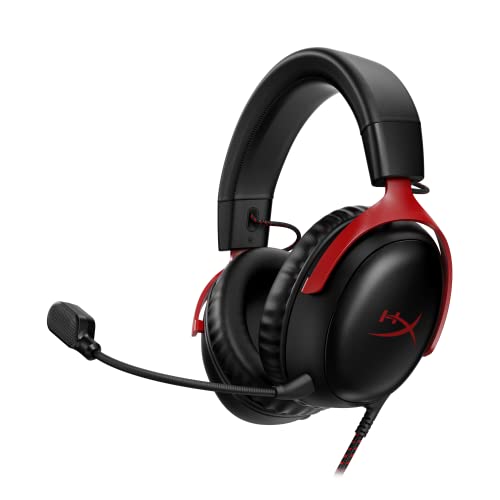 HyperX Cloud III Wired Gaming Headset for PCRegular3.41 x 6.1 x 7.48 inches0.7 poundsCheck on Amazon
 Razer BlackShark V2 X Gaming Headset: 7.1 Surround3.5 mm7.6 x 6.76 x 3.86 inches0.5 poundsCheck on Amazon

Top 3 picks at a glance
Quick Verdict on the HyperX Cloud II
The Cloud II earns its reputation on comfort, a sturdy aluminum frame and a clear detachable mic. It is best for PC and PS4 players who will use the USB sound card. It is less compelling if you want wireless, USB-C or the newer Cloud III design.
- Best for: long sessions, PC players, and anyone who wants a metal-framed wired headset with a removable mic.
- Skip if: you want wireless, a modern USB-C connection, or true surround drivers.
- Standout: memory foam ear cushions and a headband built to last.
- Watch out: the 7.1 mode is virtual and depends on the USB audio control box.
HyperX Cloud II Specs at a Glance
| Spec | HyperX Cloud II (wired) |
|---|---|
| Type | Closed-back, over-ear |
| Drivers | 53 mm dynamic, neodymium magnets |
| Frequency response | 10 Hz to 23 kHz on the maker page (some retailers list 15 Hz to 25 kHz) |
| Sensitivity | 98 dBSPL/mW at 1 kHz |
| Microphone | Detachable electret condenser, unidirectional, noise-cancelling |
| Connection | 3.5 mm, plus USB audio control box for virtual 7.1 |
| USB sound card | USB 2.0, 16-bit |
| Ear cushions | Memory foam with leatherette and a velour set in the box |
| Frame | Aluminum |
| Wireless | No |
| Weight | Not listed here, check the maker |
Frequency response differs between the maker page and some retailers, so treat it as a rough range rather than a precise comparison number.
Is HyperX Cloud II 7.1 Surround Sound Real?
It is virtual. The HyperX Cloud II 7.1 surround sound effect is created by software in the USB audio control box and is sent to the headset as a two-channel stereo signal. The headset itself has two drivers, one per ear.
HyperX Cloud 2 7.1 Surround Sound: How It Works
The USB control box processes game audio into a simulated wider soundstage. It gives you a toggle for the effect, plus separate headphone and mic volume dials and a mic mute. Turn it on and sound placement feels wider. Turn it off and you hear plain stereo.
Does 7.1 Help in Games?
It can help with positional cues in shooters and open-world games, but it is a matter of taste. Some players like the extra space. Others prefer the natural feel of stereo for competitive play. Because the box has a toggle, you can switch it on and off for different games and decide for yourself.
Where Does Virtual 7.1 Work?
Sources describe the USB sound card as working on PC, Mac and PS4. On a console without USB audio support, the headset still works over 3.5 mm as a plain stereo headset but you lose the 7.1 effect. If surround matters to you, check your platform first.
HyperX Cloud II Mic: Quality and Features
The HyperX Cloud II mic is a detachable electret condenser with a unidirectional pickup pattern and noise cancelling. That design favors your voice and rejects some room noise. It plugs into the left ear cup and removes cleanly when you are not in a call.
- Detachable: store it in a drawer or leave it off for music.
- Noise-cancelling: helps with keyboard clatter and fan noise, though it will not erase loud rooms.
- Mute: available on the USB control box.
- No mic monitoring: one source notes there is no built-in sidetone, so you do not hear yourself in the headset.
For streaming or recording, the mic is fine for voice chat and casual content. If you want broadcast quality, pair a separate USB microphone with the headset for listening only.
Comfort, Fit and Build
Comfort is the Cloud II’s main selling point. The ear cups are padded with memory foam, and the box includes a second set of velour cushions that run cooler in warm rooms. The aluminum frame gives the headband a solid, durable feel.
A closed-back design isolates you from the room, which helps with focus but can feel warm over long sessions. Swap to the velour pads if heat is a concern. If you wear glasses, closed-back foam cups usually seal reasonably well, but fit is personal.
One review reports a non-detachable headset cable, which means a cable failure could end the headset’s life. Treat that as a reason to manage the cord carefully and check the current product page for your exact version.
Sound Performance by Use
| Use | What to expect |
|---|---|
| FPS and competitive | Clear footsteps and gunfire. Try the 7.1 toggle on and off to see which gives you better positioning. |
| Open-world and story games | Warm, full sound that suits cinematic games. |
| Music | Enjoyable for casual listening, with a gaming-tuned balance rather than a neutral one. |
| Voice chat | Clear pickup from the detachable mic. |
Long-Term Ownership: What Wears Out First
Wired gaming headsets rarely fail all at once. The usual order of wear on a headset like the Cloud II is predictable, and knowing it helps you decide whether the design suits you.
- Ear cushions. Leatherette and foam compress and flake over time. HyperX supplies a second velour set in the box, and replacement cushions are widely sold, so this is the easiest wear item to fix.
- Cable and strain relief. The cable takes the most daily stress, especially if you move your chair. Route it so it does not pull on the headset and avoid sharp bends near the plugs.
- Mic connector. Because the mic is detachable, the socket sees repeated plugging. Insert it straight and avoid twisting.
- Headband. The aluminum frame is the sturdy part. Most owners report that the padding wears before the frame does, though we cannot give a lifespan figure.
Taking care of these four points matters more than any setting. A wired headset with simple connections tends to outlast a battery-powered one, which is one reason the Cloud II design stays in use years after release.
How the Cloud II Fits Different Setups
On a Gaming PC
This is where the headset makes the most sense. The USB box gives you the virtual 7.1 toggle, volume dials and mic mute, and the sound card avoids low-quality onboard audio on some motherboards.
On a Laptop
The USB box is a bonus because it bypasses a weak laptop headphone jack. If you move around, the box is one more thing to carry, so consider using the 3.5 mm plug for travel.
On a PlayStation
PS4 is listed as supported for the USB sound card. For other consoles, plug into the controller and expect stereo, with mic and chat behavior depending on the platform.
On Xbox, Switch and Phones
Use the 3.5 mm plug. You get stereo sound and the detachable mic where the device accepts a combined headset connection, but not the USB virtual surround. A phone without a headphone jack needs an adapter that supports both audio and mic.
HyperX Cloud II Colors: Red, White and Pink
HyperX Cloud II White and Pink Versions
Shoppers often search for the HyperX Cloud 2 pink and white or white pink versions. The listing in our store feed shows the Red version. We could not confirm the current color lineup, so check the maker page or a retailer for a white or pink variant.
HyperX Cloud II White: Is It the Same Headset?
Listings for different colors describe the same Cloud II design. Confirm the model name and that it is the wired Cloud II, since the Cloud II Wireless is a separate product with different features.
Where to Buy the HyperX Cloud II
Major online retailers carry it. Look at the exact title: some listings say PC, PS4 and Xbox One, and a newer version is titled for Xbox, PS, Nintendo and mobile. Read compatibility before ordering.
HyperX Cloud II Models in Our Store
HyperX Cloud II Gaming Headset (Red, with USB Sound Card)
As an Amazon Associate we earn from qualifying purchases at no extra cost to you.

This listing is the classic Cloud II with 7.1 surround sound, memory foam ear pads and a durable aluminum frame. It is described as a multi-platform headset that works with PC, PS4, PS4 Pro, Xbox One and Xbox One S. It is the one to pick if you want the USB audio control box and the virtual surround toggle.
HyperX Cloud II Wired Gaming Headset for Xbox, PS, Nintendo and Mobile

This Cloud II version is listed as wired, with 7.1 surround sound, a detachable mic and memory foam. It is titled for Xbox, PlayStation, Nintendo and mobile use. It suits players who plug into controllers and phones, though the exact surround behavior depends on the connection, so read the product page.
Cloud II Alternatives
HyperX Cloud Alpha
The Cloud Alpha uses dual chamber drivers and an aluminum frame, with a detachable microphone and wide compatibility across PC, PS4, PS5, Xbox and Switch. It is a good choice if you want the HyperX comfort in a plug-in 3.5 mm headset without the USB box.
HyperX Cloud III Wired

The Cloud III Wired offers USB-C, USB-A and 3.5 mm connectivity, memory foam, a durable frame and a 10 mm mic. It is the modern step up if you want the same family with more connection options and the newer design.
Razer BlackShark V2 X

The Razer BlackShark V2 X lists 50 mm drivers, memory foam cushions, a 3.5 mm jack and 7.1 surround sound for PC, PS4, PS5 and Switch. It is a lightweight alternative from another brand if you want to compare.
How to Set Up the Cloud II and the USB Control Box
Setup is quick, but the order matters if you want the surround mode and the mic to behave.
- Attach the mic. Push the detachable mic into the left ear cup until it seats, then bend the boom so it sits near the corner of your mouth, not directly in front of it. That reduces breath noise.
- Connect the cable. For the full feature set on PC, Mac or PS4, plug the headset into the USB audio control box and the box into a USB port. For a simple setup, use the 3.5 mm plug directly.
- Pick the device. On a PC, open your sound settings and choose the HyperX USB device as both playback and recording, so game audio and voice both go through the box.
- Set volume. Use the dials on the box for headphone and mic level. Start low, because the headset is easy to drive.
- Try the 7.1 toggle. Play a familiar map or scene with the effect on, then off. Keep it on only if it helps you place sounds.
- Check chat levels. Make a short recording in your voice app and adjust the mic dial so your voice peaks comfortably without clipping.
HyperX Cloud II vs Cloud Alpha vs Cloud III
Many people ask whether to buy the Cloud II or a newer HyperX model. This table compares them on features listed on the product pages in our store feed. Where a spec is not listed here, it says so.
| Feature | Cloud II | Cloud Alpha | Cloud III Wired |
|---|---|---|---|
| Connection | 3.5 mm plus USB control box | 3.5 mm | USB-C, USB-A and 3.5 mm |
| Surround | Virtual 7.1 via USB box | Not listed on the product title | Not listed on the product title |
| Mic | Detachable, noise-cancelling | Detachable | 10 mm mic, listed as ultra-clear |
| Drivers | 53 mm | Dual chamber design | Check the maker |
| Frame | Aluminum | Aluminum | Durable frame |
| Best for | PC and PS4 players who want the USB box | Plug-and-play on many platforms | Players who want modern connections |
The simple rule is this. Choose the Cloud II for the USB box and the proven design. Choose the Alpha if you want a simple analog headset that works on many platforms. Choose the Cloud III if you want USB-C and the newest look.
Common Questions About Living With a Cloud II
How do I keep the ear cushions fresh?
Wipe the leatherette with a slightly damp cloth and let it dry. Swap to the velour cushions in warm weather, since fabric breathes better than leatherette.
What if the mic is quiet?
Check that the mic is fully seated, the boom is near your mouth, and the mic dial on the USB box is not turned down. Also confirm the mic is not muted on the box.
Why does surround sound seem too echoey?
Virtual surround adds spatial processing, and in some games it can sound hollow. Turn the toggle off for competitive play or for music, where stereo often sounds cleaner.
Should I use the box or the 3.5 mm plug?
Use the box on PC, Mac and PS4 when you want the 7.1 toggle and volume dials. Use 3.5 mm when you want the simplest connection or when you are on a platform that does not use the box.
Who Should Buy the Cloud II and Who Should Skip It
Buy it if you play on PC or PS4, you want a long-wearing headset with a metal frame, and you like the idea of a USB box with real dials. It is also a sensible pick if you want a detachable mic that you can leave at home when you use the headset for music.
Skip it if you need wireless, you play mostly on a phone or Switch where the USB box is not useful, or you want the latest connection standard. A Cloud III or a wireless HyperX model fits those cases better.
Pros and Cons
Pros
- Memory foam cushions and a spare velour set for comfort.
- Durable aluminum frame.
- Detachable noise-cancelling mic.
- USB control box with a virtual 7.1 toggle and volume dials.
- Works over 3.5 mm on many devices.
Cons
- Virtual 7.1 only works through the USB box and on supported systems.
- No wireless version in the wired model.
- Reports of a non-detachable headset cable.
Buying Guide: What to Check Before You Buy
- Platform: USB virtual surround is described for PC, Mac and PS4. Other platforms use plain stereo over 3.5 mm.
- Version: make sure you are buying the wired Cloud II and not the Cloud II Wireless.
- Color: confirm your preferred color is in stock and still the same hardware.
- Newer options: the Cloud III adds USB-C and a refreshed design.
- Budget: the Cloud II sits in the mid-range tier, with lower-cost wired headsets available if you do not need the USB box.
Frequently Asked Questions
Is the HyperX Cloud II true 7.1 surround?
No. It uses virtual 7.1 processing in the USB box and sends stereo to the two drivers. It widens the sound but is not a multi-driver surround headset.
Does the HyperX Cloud II have a removable mic?
Yes. The mic is a detachable electret condenser with noise cancelling, and it plugs into the left ear cup.
Does the HyperX Cloud II work without the USB sound card?
Yes. It works over 3.5 mm as a stereo headset. You lose the virtual 7.1 effect and the box controls.
Does the HyperX Cloud II work on PS5, Xbox and Switch?
Over 3.5 mm, it can work as a stereo headset on many controllers. Virtual 7.1 through USB is described for PC, Mac and PS4. Check the listing for your platform.
What colors does the HyperX Cloud II come in?
Our store feed shows Red. White and pink versions are commonly searched, but we could not confirm them here, so check the maker or a retailer.
Can I use the HyperX Cloud II for streaming?
Yes for casual streaming and voice chat. The detachable mic is clear enough for talking, but a dedicated USB or XLR microphone will sound fuller for serious content.
Does the HyperX Cloud II have in-line controls?
The USB audio control box provides volume dials, mic mute and the surround toggle. When you use the 3.5 mm plug alone, you rely on your device for volume control.
Is the HyperX Cloud II still worth buying?
Yes for comfort and value if you want a wired headset with a USB box. If you want USB-C or a newer design, consider the Cloud III.
Our Recommendation
Buy the HyperX Cloud II if you want a comfortable, sturdy, wired headset with a detachable mic and an optional virtual 7.1 mode on PC or PS4. If you play mostly on Xbox, Switch or a phone, the plain 3.5 mm headset or the CloudX may suit you better. If you want the newest design, step up to the Cloud III.
How We Researched This Review
This review is research-based. We did not use these headsets ourselves. We compared the maker page, retailer spec sheets and published reviews, and we flagged figures that conflict between sources.
Sources
- HyperX Cloud II product page
- HyperX Cloud II user manual (manuals.plus)
- Morrowshore HyperX Cloud 2 review
- Vivid Repairs HyperX Cloud II review
- Studio Supplies HyperX Cloud II editorial review
Last updated: November 2026
Related guides
More from Amazon
Programs that pair well with the guide above. Offers and eligibility are set by Amazon and may change.
Free shipping on eligible items, Prime Video and more. Eligible new members can start with a free trial.
Start a Prime free trialAd-free music streaming. Eligible new subscribers can start with a free trial.
Try Music Unlimited freeA Prime membership for ages 18-24 with a trial period. Eligibility is set by Amazon.
See Prime for Young AdultsAudiobooks and podcasts to listen to on the go. Eligible new members can start with a free trial.
Try Audible freeAs an Amazon Associate we earn from qualifying purchases.