
Foot pedals for PC gaming occupy a strange niche. They promise to free up a hand, add a layer of immersion, or simply give you one more input without moving your fingers off WASD.
The iKKEGOL line stands out because it treats these peripherals as HID devices. They need no drivers: iKKEGOL’s free setup utility stores each key assignment on the pedal itself, after which it acts like a standard keyboard key in Steam Input, OBS, flight sims, or a simple AutoHotkey script. Across the eight models compared in this roundup, the real differences come down to switch type, pedal count, cable length, and build rigidity. This article breaks down which model fits which use case, and which ones you should skip entirely.
As an Amazon Associate we earn from qualifying purchases at no extra cost to you.


![[Upgraded] iKKEGOL USB Foot Pedal Switch Video Game PC Hands Free Footswitch One Key Control Program Computer Mouse Keyboard HID with 2M Cable](https://m.media-amazon.com/images/I/41YLIfFMV-L._SL160_.jpg)



![[Upgraded] iKKEGOL USB Triple Foot Pedal Optical Switch Control 3 Key Three Button Program Computer Keyboard Mouse Game Action HID](https://m.media-amazon.com/images/I/41HQxsvFW7L._SL160_.jpg)

Our Top Picks
 iKKEGOL Upgraded USB Triple Foot Pedal Switch Control14.5"x 5.6"1.7"14.5 x 5.6 x 1.7 inches0.9 poundsCheck on Amazon
 iKKEGOL Upgraded USB Triple Foot Pedal Mechanical SwitchTriple Pedal14.5 x 5.6 x 1.7 inches1 poundsCheck on Amazon


Top 3 picks at a glance
Quick Picks
| Product | Best For | Price tier |
|---|---|---|
| iKKEGOL Triple Pedal (Standard) | Versatile multi-action binding | Budget |
| iKKEGOL Triple Pedal (Mechanical) | Transcription and page-turning | Budget |
| iKKEGOL Single Pedal (Compact) | Minimalist single-action needs | Budget |
| iKKEGOL Double Pedal | Flight sim throttle and brake | Budget |
| iKKEGOL Single Pedal | Push-to-talk or mute | Budget |
| iKKEGOL Triple Pedal (Upgraded) | Gaming with hands-free hotkeys | Budget |
| iKKEGOL Triple Pedal (Optical) | Speed-focused gamers wanting optical actuation | Budget |
| iKKEGOL Double Pedal (Black) | Two-key binding on a budget | Budget |
How We Compared
We evaluated each pedal on four criteria. Switch actuation consistency matters most: a pedal that misfires during a clutch moment is worthless regardless of price. Base stability came next, because a unit that creeps forward on a carpeted floor forces you to compensate with foot placement every time. Third, cable quality and length determine whether the pedal stays in position or gets tugged out of alignment when you shift in your chair. Finally, we considered whether the HID mapping approach genuinely simplifies setup compared to driver-based alternatives.
The 8 Best PC Gaming Foot Pedals in 2026
iKKEGOL Triple Pedal (Standard)
This is the do-everything option for gamers who want three distinct foot actions without breaking the bank. The triple layout works well for sprint, crouch, and reload in FPS titles, or for assigning push-to-talk, mute, and channel switch in a streaming setup.
- Pro: Three independent keys mapped as HID inputs, so no driver conflicts with your existing keyboard software.
- Pro: Rubber base feet keep the unit anchored even on smooth flooring.
- Con: The plastic housing is lighter than metal-bodied pedals and may flex under heavy-footed presses.
Skip this one if you only need a single action and want the lowest possible footprint on your floor.
iKKEGOL Triple Pedal (Mechanical)
The mechanical switch variant targets transcriptionists and musicians first, gamers second. The clickier actuation gives tactile confirmation that a press registered, which reduces the double-press anxiety that plagues membrane-style pedals during long work sessions.
- Pro: Mechanical switches deliver a crisp, consistent actuation point across all three pedals.
- Pro: Well-suited to non-gaming workflows like audio editing and page turning.
- Con: The audible click may annoy you in a shared space or during late-night recording sessions.
Skip if you value silence over tactile feedback or plan to use it only for quick in-game actions.
iKKEGOL Single Pedal (Compact)
As a budget single pedal with a 2-meter cable, this is the entry point for anyone testing whether a foot pedal solves their workflow problem. One key, one action, zero setup complexity. The long cable means you can route it cleanly under a desk without extension adapters.
- Pro: Its budget price makes it a low-risk experiment.
- Pro: 2-meter cable provides generous routing flexibility for desk-height mismatches.
- Con: Single key limits you to one binding unless you run multiple units simultaneously.
Skip if you need more than one assignable action and do not want to juggle two separate pedals.
iKKEGOL Double Pedal
Two pedals, plug-and-play, no software. This configuration maps naturally to flight sim setups where you need rudder or throttle control without a dedicated yoke. Multimedia shortcuts also benefit from the split layout.
- Pro: Driver-free HID design works on Windows, macOS and Linux once the keys are programmed.
- Pro: Compact enough to sit beside a mouse pad without crowding your desk edge.
- Con: The base has limited mass, so aggressive foot taps can shift it on hard floors.
Skip if you need three or more distinct actions and would prefer a single unified unit over chaining pedals.
iKKEGOL Single Pedal
Another single-key option that offers a slightly different physical footprint than the compact variant. It works best as a dedicated push-to-talk or voice-chat mute switch where you want one reliable action and nothing else competing for attention.
- Pro: Simplest possible assignment workflow with HID-based mapping.
- Pro: Comfortable pedal travel for users with larger feet who find compact pedals cramped.
- Con: Offers no functional advantage over the compact single pedal beyond its different pedal shape.
Skip if the compact single pedal already meets your needs.
iKKEGOL Triple Pedal (Upgraded)
Marketed as an upgraded triple footswitch, this unit positions itself squarely at gamers and transcribers who want hands-free hotkey access. The three-pedal layout mirrors the standard triple model and sits in the same budget tier as the other triple models.
- Pro: Strong value among the triple-pedal options.
- Pro: Once programmed, its keys work in Steam, AutoHotkey, OBS and any other software that accepts keyboard input.
- Con: The “upgraded” label is vague; on paper it is very similar to the standard triple model.
Skip if the mechanical or optical variant’s specific switch feel is what you actually need rather than the price point.
iKKEGOL Triple Pedal (Optical)
Optical switches promise faster actuation because they trigger on light interruption rather than physical contact. For gamers who care about input latency measured in single-digit milliseconds, this is the most interesting model in the lineup.
- Pro: Optical actuation reduces debounce issues that plague mechanical and membrane switches over time.
- Pro: Quieter than the mechanical variant while still offering a defined actuation point.
- Con: The practical latency gain over the other triple models is negligible for most gaming scenarios.
Skip if you play turn-based or strategy titles where sub-frame input differences do not affect outcomes.
iKKEGOL Double Pedal (Black)
The black-finish double pedal is functionally identical to the standard double model but appeals to users who care about aesthetic consistency with a dark-themed desk setup. It sits in the same budget tier as most multi-key options in this group.
- Pro: Clean black housing blends with modern peripherals without looking like a budget accessory.
- Pro: Two-key layout is sufficient for the most common gaming foot bindings (sprint plus crouch, or PTT plus mute).
- Con: No cable-length advantage over cheaper single-pedal options, making it feel like a style tax.
Skip if you already own the standard double pedal or if color does not matter to your setup.
Beyond iKKEGOL: More Foot Pedals Worth Considering
The eight models above cover the iKKEGOL range in depth, but PC foot pedals extend well beyond one brand. Streamers often want deep software integration, transcriptionists need pedals built for playback control, and sim racers need analog throttle and brake pedals rather than on-off switches. These five alternatives cover those use cases.
Elgato Stream Deck Pedal

The Stream Deck Pedal is the premium choice for streamers and creators who already use, or plan to use, Elgato’s Stream Deck software. It offers three large foot pedals in a heavy-duty chassis that weighs a little over two pounds, with anti-skid feet that keep it planted on hard floors. Instead of mapping a single keystroke to each pedal, it plugs into the Stream Deck app, so each pedal can trigger one action or a multi-step sequence: switch OBS scenes, toggle a microphone, start a replay buffer, mute Discord or fire a soundboard clip.
Smart profiles load different pedal mappings automatically depending on which application is active, so the same pedal can scroll a script in a teleprompter app and trigger push-to-talk in a game. Interchangeable springs are included in soft, medium and hard tensions, along with stoppers that can lock the middle pedal and turn it into a footrest. The pedal connects with a detachable USB-C cable.
Who it is for: streamers and video creators who want foot control of scenes, audio and macros without taking their hands off the keyboard and mouse.
Strengths: deep integration with OBS, Twitch and hundreds of Stream Deck plugins, adjustable spring tension per pedal, a solid, heavy base and a detachable cable.
Drawbacks: it costs considerably more than the iKKEGOL triple pedals, requires the Stream Deck software to run its functions, and is overkill if all you need is a single key binding in one game.
How it compares: versus the iKKEGOL Triple Pedal (Standard), the Elgato offers far more powerful software actions and adjustable feel, while the iKKEGOL wins on price and on working as a plain keyboard device once configured. It sits firmly in the premium tier.
PCsensor USB 3-Key Foot Pedal (Photoelectric)

PCsensor is iKKEGOL’s most direct competitor, and its FS2020 triple pedal is the obvious alternative for anyone shopping the triple-pedal tier. This version uses silent photoelectric switches, which register presses optically rather than through a clicking contact, making it a good fit for shared rooms and voice chat where mechanical clicks would be picked up by a microphone.
Each of the three pedals is programmed with PCsensor’s ElfKey software. Options include single keys, key combinations and shortcuts, mouse clicks, mouse movement and scrolling, multimedia controls and text strings of up to 38 characters. Settings save to the pedal itself, so once configured it works as a standard HID device on Windows, macOS, Linux and Android without the software installed. The ABS housing is about 37.5 centimeters wide, rated to bear around 220 pounds, and ships with a 2-meter USB cable.
Who it is for: gamers and office users who want three quiet, programmable pedals at a budget-to-mid-range cost.
Strengths: silent switches, flexible mapping including mouse actions and text macros, onboard memory, and a wide, stable footprint.
Drawbacks: programming requires the ElfKey utility, the plastic housing is lighter than metal-bodied pedals, and the wide frame needs more under-desk space than compact single pedals.
How it compares: it matches the iKKEGOL Triple Pedal (Optical) closely on concept and price. Choose the PCsensor if text strings and mouse movement macros matter to you; choose the iKKEGOL if you already own other iKKEGOL units and want one configuration tool.
Infinity IN-USB-2 USB Foot Pedal

The Infinity pedal from VEC is a long-standing standard in transcription and dictation work. It has three pedals laid out for playback control: rewind on the left, play and pause in the center and fast-forward on the right. The center pedal is wide and angled so the foot can pivot between the outer pedals without lifting, and the low-profile, flared base accommodates different foot sizes.
Unlike the gaming pedals above, it is designed to work with transcription software rather than as a keyboard. Programs such as Express Scribe Pro and InqScribe recognize it directly and map its pedals to playback controls. Note that the free version of Express Scribe does not support it, and some media players cannot use it at all. Its internal switches are designed for light, easy-touch presses during long transcription sessions. VEC has since released the IN-USB-3 with upgraded springs, so either version may be listed.
Who it is for: transcriptionists, captioners, podcast editors and anyone who spends hours scrubbing through audio or video.
Strengths: proven ergonomic layout for playback, wide software support in the transcription world and light pedal action for long sessions.
Drawbacks: limited usefulness for gaming, since it does not act as a standard programmable keyboard out of the box, and it costs more than the iKKEGOL triple pedals for a narrower job.
How it compares: the iKKEGOL Triple Pedal (Mechanical) markets itself for transcription too, but it relies on keyboard shortcuts. The Infinity integrates natively with dedicated transcription software, which is more reliable for professional work. It sits in the mid-range tier.
Logitech G RS Sim Racing Pedals
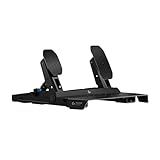
For many PC gamers, “foot pedals” means racing pedals. The Logitech G RS Pedals are a modern mid-to-premium set built around a 75 kg load cell brake, which measures how hard you press rather than how far the pedal travels. That mirrors how a real car brake works and makes trail braking far more consistent than with the spring-based pedals bundled with entry-level wheels. The accelerator uses a Hall effect sensor for smooth, wear-free output.
The steel frame and metal pedal arms allow pedal positions to be moved, and the brake feel can be tuned with included dampers and spacers. Anti-slip feet, carpet grips and wall braces keep the set in place when it is not bolted to a rig. On PC, the pedals connect directly by USB and can be paired with other brands’ wheels; on Xbox and PlayStation they work through a compatible Logitech wheel base such as the RS50 or PRO. A clutch pedal is available separately.
Who it is for: sim racers upgrading from basic bundled pedals who want load cell braking without moving to a full direct-drive ecosystem.
Strengths: load cell brake, Hall effect throttle, adjustable brake feel, solid metal construction and standalone USB support on PC.
Drawbacks: no clutch in the box, a learning curve for pressure-based braking, and a footprint that works best on a cockpit or with a wall brace.
How it compares: these are analog pedals, not programmable switches, so they complement rather than replace the iKKEGOL units. Racers who also stream can keep a single iKKEGOL pedal beside the rig for push-to-talk. Premium tier.
PXN PD HM Brake and Throttle Sim Racing Pedals

The PXN PD HM is a budget-friendly route into metal sim racing pedals for PC. Both the brake and throttle use non-contact Hall effect magnetic sensors, which avoid the drift and wear that affect potentiometer-based pedals over time. The frame is built from carbon steel and aluminum, and pedal angle, height and spacing can all be adjusted through multiple mounting holes on the footboard.
Out of the box, the brake offers up to around 10 kg of resistance; an included spring damper raises that to about 20 kg for a firmer feel. The pedals connect directly to a PC by USB, so they work alongside most PC wheels, and they also connect to PXN wheel bases. A companion app adjusts pedal curves, and a clutch pedal can be added later.
Who it is for: PC racers on a budget, or players with a gamepad or entry-level wheel who want proper standalone pedals.
Strengths: Hall effect sensors on both pedals, all-metal build, wide adjustability and standalone USB operation.
Drawbacks: spring-based braking rather than a load cell, PC-only use, and a clutch that costs extra.
How it compares: it is the budget alternative to the Logitech G RS Pedals, trading load cell precision for a lower price tier. Against the iKKEGOL Double Pedal, which some players bind to throttle and brake keys, the PXN delivers true analog input, so pressing halfway gives half throttle instead of all or nothing.
Thrustmaster TFRP T.Flight Rudder Pedals

Flight and space sim players are the other big audience for PC foot pedals, and the Thrustmaster TFRP is one of the most common entry points into proper rudder control. Instead of binding yaw to keyboard keys or a twist stick, the TFRP gives you three analog axes: a self-centering rudder axis for yaw, plus independent left and right toe brakes for steering and stopping on the ground.
The rudder motion runs on Thrustmaster’s S.M.A.R.T. system, which uses four aluminum slide rails for smooth travel and consistent centering. The 25-centimeter pedals suit large shoe sizes, and each pedal tilts on a central pivot through a 15-degree range for the differential brakes. That incline is deliberate: it reduces accidental braking while you push the rudder. The heel rests are removable, so you can fly with your whole foot on the pedal or with your heel on the floor.
Connection is flexible. On PC, the included RJ12-to-USB adapter lets the pedals work as a standalone device with any joystick, and on a Thrustmaster stick such as the T.16000M or T.Flight HOTAS, they can plug directly into the stick’s RJ12 port. Thrustmaster lists compatibility with PC, PS5, PS4, Xbox Series X|S and Xbox One, with console support depending on a compatible Thrustmaster flight stick. On PC, the T.A.R.G.E.T. software can program the axes and load community profiles.
Who it is for: Microsoft Flight Simulator, DCS, IL-2 and Star Citizen players who want analog yaw and differential braking without moving to premium metal pedals.
Strengths: three analog axes, smooth rail-based rudder travel, large pedals with removable heel rests, and both USB and RJ12 connectivity.
Drawbacks: the mostly plastic build is lighter than premium rudder pedals and can slide on hard floors without a mat. The fixed self-centering force cannot be adjusted, and it is useless for non-flight games.
How it compares: the iKKEGOL Double Pedal is sometimes bound to rudder left and right keys, but that gives only full deflection or nothing. The TFRP provides true proportional control at a mid-range price, which makes it the natural next step for flight sim fans.
Buying Guide
Switch Type Determines Feel and Longevity
Membrane switches are the cheapest but develop inconsistent actuation points after months of heavy use. Mechanical switches give crisp tactile feedback and last longer but produce audible clicks. Optical switches occupy the middle ground: defined actuation with less wear than contact-based designs. If you will press the pedal hundreds of times per session, switch type is the most consequential spec after pedal count.
Base Stability and Weight Matter More Than You Expect
A pedal that slides during a press is a pedal you will stop using. Look for rubber feet, sufficient base mass, and a low center of gravity. If your floor is hardwood or tile, add a small non-slip mat under the unit regardless of what the pedal itself offers. Carpet provides natural grip but can muffle actuation on lighter models.
Cable Routing and HID Compatibility Define Your Setup Experience
Longer cables give placement freedom but introduce slack management. Most iKKEGOL units use standard USB-A connectors, so a quality extension or hub solves routing problems cheaply. Because these pedals register as generic HID keyboards, you can assign them in Steam, Discord, OBS, or any software that accepts keyboard inputs. No proprietary driver means no background resource usage and no conflicts with your mouse or keyboard software.
Digital Switch Pedals vs. Analog Racing Pedals
Two very different products share the “foot pedal” label. Digital switch pedals, like the iKKEGOL, PCsensor and Elgato units, act like keyboard keys: each press is on or off. They are ideal for push-to-talk, crouch, scene switching and macros. Analog pedals, like the Logitech G RS and PXN PD HM, report how far or how hard you press, which is essential for throttle, brake and clutch in racing games and rudder control in flight sims. Decide which type your games need before comparing models.
Software Approach: Onboard Memory vs. Always-On Apps
Programmable pedals handle configuration in one of three ways. Some, like the PCsensor and iKKEGOL models, use a setup utility once and store the mapping on the pedal, so it works on any computer afterward. Others, like the Elgato Stream Deck Pedal, rely on companion software running in the background, which unlocks multi-step actions and app-aware profiles. Transcription pedals such as the Infinity are read directly by transcription programs. If you switch between computers or use locked-down work PCs, onboard memory is the safer choice.
Comparison Table: Additional Foot Pedals
| Product | Type | Pedals | Best for | Configuration | Price tier |
|---|---|---|---|---|---|
| Elgato Stream Deck Pedal | Digital macro pedal | 3 | Streaming and content creation | Stream Deck software, app-aware profiles | Premium |
| PCsensor 3-Key Photoelectric | Digital programmable switch | 3 | Quiet gaming and office macros | ElfKey utility, onboard memory | Budget to mid-range |
| Infinity IN-USB-2 | Transcription pedal | 3 | Transcription and audio editing | Native support in transcription software | Mid-range |
| Logitech G RS Pedals | Analog racing pedals | 2 (clutch optional) | Sim racing upgrades | USB on PC, G HUB tuning | Premium |
| PXN PD HM | Analog racing pedals | 2 (clutch optional) | Budget PC sim racing | USB on PC, companion app | Mid-range |
| Thrustmaster TFRP Rudder Pedals | Analog rudder pedals | 2 (rudder plus toe brakes) | Flight and space sims | USB adapter or RJ12 to Thrustmaster sticks, T.A.R.G.E.T. | Mid-range |
Pedal Count, Size and Under-Desk Space
Measure the space under your desk before buying. Single pedals fit almost anywhere, triple switch pedals typically need 35 to 40 centimeters of width, and racing or rudder pedals need a deep, clear floor area plus room for your legs to extend. If your desk has a crossbar or footrest, check that the pedal will not collide with it. For shared desks, a compact single pedal that slides out of the way is easier to live with than a wide triple unit.
How to Set Up a Gaming Foot Pedal
- Decide on one job per pedal. Start with actions you perform constantly but that interrupt your hand position, such as push-to-talk, crouch, lean or a melee key. Avoid assigning critical aiming actions until you are comfortable.
- Program before you play. Use the pedal’s utility to assign keys that your game does not already use, for example F13 to F24 or an unused letter, then bind that key in the game’s control menu. This prevents conflicts with keyboard shortcuts.
- Position the pedal where your foot rests. Place it slightly forward of your natural foot position so you press with the ball of the foot rather than stretching your leg. On a swivel chair, a small foot mat or desk footrest keeps the pedal from drifting.
- Secure the base. On hard floors, use a non-slip mat under the pedal. Racing pedals should be wall-braced or mounted to a rig to stop them sliding under heavy braking.
- Route the cable away from chair wheels. Run the USB cable along the desk leg and secure it with clips so chair casters do not roll over it.
- Practice in low-stakes matches. Muscle memory for foot input takes a few sessions to develop. Use casual matches or offline modes before relying on pedals in ranked games.
- Adjust tension if available. Pedals with interchangeable springs, such as the Elgato, can be set firmer to prevent accidental presses or softer to reduce leg fatigue.
Popular Foot Pedal Bindings by Game Genre
- FPS and battle royale: push-to-talk, crouch or prone, lean left and right, and melee.
- MMOs: mount or dismount, auto-run toggle, push-to-talk and frequently used consumables.
- Flight and space sims: landing gear, view reset, boost or afterburner; analog rudder pedals for yaw.
- Racing: analog throttle, brake and clutch; a digital pedal for push-to-talk or replay markers.
- Streaming: scene switching, microphone mute, clip capture and starting or stopping recording.
Who Benefits Most From a Foot Pedal?
Foot pedals solve specific problems, and knowing whether you fall into one of these groups helps decide how much to spend:
- Competitive gamers who want an extra input without moving fingers off movement keys. A single or triple switch pedal for push-to-talk, crouch or lean is the usual starting point.
- Streamers and creators who juggle scenes, microphones and clips during live broadcasts. A macro pedal like the Elgato Stream Deck Pedal integrates with streaming software.
- Sim racers and flight sim players who need analog control. Dedicated racing pedals or rudder pedals provide proportional input that no switch pedal can match.
- Transcriptionists, editors and musicians who need playback control or page turning while both hands are busy. Transcription pedals and quiet switch pedals suit these workflows.
- Players with limited hand mobility, for whom moving frequent actions to the feet can make games and computers more accessible. Programmable pedals that work without background software are easiest to set up on any device.
Durability and Long-Term Use
Foot pedals take more force than finger keys, so build quality matters over years of use. Metal or heavily reinforced bases resist cracking when pressed hard, while lightweight plastic housings are fine for occasional presses but may flex under heavy feet. Optical and Hall effect sensors avoid the physical contacts that wear out in mechanical switches and potentiometers, which is why they appear on better racing pedals and many newer switch pedals. Detachable cables are another long-term advantage: a damaged cable on a detachable design is a quick swap rather than a dead pedal.
Our Verdict
The iKKEGOL Triple Pedal (Standard) is our top pick for most gamers. Three keys in the budget tier, HID output that works everywhere once programmed, and a stable base make it the best balance of capability and cost. The budget pick is the compact single pedal: for push-to-talk or one dedicated action, it is the simplest and most affordable option here. However, if you specifically need tactile confirmation for transcription or music work and can tolerate the click, the Mechanical triple pedal earns its place over the standard model in the same budget tier.
FAQ
Do I need to install software for these pedals?
No drivers are needed. All eight iKKEGOL models are recognized as HID devices by Windows, macOS, and Linux. To change which key a pedal sends, you run iKKEGOL’s free setup utility once; the mapping is stored on the pedal, so afterward it works with a game’s native binding menu, Steam Input, or a utility like AutoHotkey without that utility installed.
Can I use multiple iKKEGOL pedals at the same time?
Yes. Each unit registers as a separate keyboard device, so you can plug in a single pedal for push-to-talk and a triple pedal for sprint, crouch, and reload without conflicts. Your operating system and game software will see them as independent key sources.
Are these pedals suitable for competitive FPS play?
They can be, depending on the game and your tolerance for foot-based input. Any latency difference between the optical and other models is too small for most players to notice. The real question is whether binding a critical action to your foot interferes with your movement comfort over a full session.
What happens if the pedal actuates unintentionally?
This is a common concern with foot peripherals, especially during chair adjustments or leg crossing. The higher-pedestal models in this lineup require deliberate downward force, reducing false triggers. If you are sensitive to accidental presses, position the pedal so your resting foot position does not contact the actuator, or use the compact single pedal as a low-profile solution that is harder to hit by mistake.
Can a foot pedal replace a racing pedal set?
Not for serious racing. Digital switch pedals send only on or off signals, so a throttle bound to one is either full or zero. Racing games need analog input that measures pedal travel or pressure. For racing, choose a dedicated set such as the PXN PD HM or Logitech G RS Pedals, and keep a digital pedal for push-to-talk or other functions.
Do foot pedals work with consoles?
Most programmable USB foot pedals are designed for computers. Consoles generally do not accept generic keyboard-style pedals for gameplay controls. Racing pedals like the Logitech G RS work on Xbox and PlayStation only when connected through a compatible Logitech wheel base.
Is the Elgato Stream Deck Pedal worth it over a cheaper pedal?
It is worth it if you use the Stream Deck software ecosystem for streaming or content production. Multi-action sequences, app-aware profiles and plugins for OBS and other tools go far beyond a simple key binding. If you only need push-to-talk or a single in-game action, a budget pedal does the job.
Can I use a transcription pedal for gaming?
Generally not well. Dedicated transcription pedals like the Infinity IN-USB-2 are designed to be read by transcription software rather than to act as keyboard keys, so games will not recognize them without third-party remapping tools. Gaming-oriented programmable pedals are a better fit.
Are foot pedals allowed in competitive games?
A pedal that sends one key per press is generally treated like any other keyboard input. Macros that perform multiple actions from one press can break rules in some competitive games and tournaments, so check the game’s terms and event rules before using multi-step bindings.









