Hewlett Packard sells laptops across nearly every shelf, and that is exactly why searching for the best HP laptop can feel messy. The same brand name sits on a 14-inch machine with 4 GB of memory and on a 17-inch notebook with 16 GB and a full-size numeric keypad. Choosing well means ignoring the badge and reading the listing like a spec sheet: processor family, memory, drive and screen size.
This guide groups seven HP models into three clear tiers. There are two compact 14-inch Intel N150 models, a 15.6-inch Core i7 with the strongest memory and drive pairing, and four 17.3-inch notebooks built for roomy screens and spreadsheets. It is written for anyone shopping HP specifically in 2026, whether for a student, a home office or a small business. Verdicts rely only on what each title states, so open the listing for ports, weight and battery details the titles skip.
Our Top Picks
Top 3 picks at a glance
Quick Picks
As an Amazon Associate we earn from qualifying purchases at no extra cost to you.




| Product | Best for | Key spec from the title |
|---|---|---|
| HP 17 Business Laptop (Ryzen 5) | Big-screen office work | Ryzen 5, 16 GB RAM, 512 GB SSD, numpad |
| HP OmniBook 3 17.3 (Core Ultra 5) | Modern Intel platform | Core Ultra 5 225U, 8 GB, 512 GB SSD |
| HP 14 inch (N150, UFS) | Basic portable use | N150, 4 GB, 128 GB UFS, Microsoft 365 |
| HP 14 Ultra-Light (SD card) | Students on a budget | N150, 128 GB plus 128 GB SD card |
| HP 15.6 Core i7 | Fast mainstream performance | Core i7-1255U, 16 GB, 1 TB PCIe SSD |
| HP 17.3 Business (Core 5-120U) | Large capacity on paper | 10-core Core 5-120U, 12 GB, 768 GB total |
| HP OmniBook 3 17.3 (Ryzen 3) | Entry-level big screen | Ryzen 3, 8 GB, 512 GB SSD, Radeon 610M |
How to Choose
Pick the size before the processor
A 14-inch HP is the commuter, a 15.6-inch is the all-rounder and a 17.3-inch is a desk-first machine. The larger models add a numeric keypad and more screen space, but they weigh more and are less pleasant on a train tray. Decide where the laptop lives most of the time and let that choose the size.
Read the memory and drive lines carefully
Aim for at least 8 GB of RAM; 16 GB is better if you run many apps. For storage, favor a real SSD. Be wary of totals that combine an SSD with an SD card, such as the 768 GB figure on one listing: the card is removable and generally slower, so only the SSD number reflects the internal drive.
Processor families at a glance
The Intel N150 is an efficient entry chip. Ryzen 3 and Ryzen 5 sit above it for multitasking, while Core Ultra 5, Core 5 and Core i7 aim at a more responsive experience. The i7-1255U in this group is an older-generation part, so a newer entry-level chip is not always slower in day-to-day use. Compare the memory first, then the drive, then the processor name. A Core i7 with 16 GB will usually feel steadier than a newer-named chip starved at 8 GB, though the spec sheet alone cannot prove it.
OmniBook versus plain HP names
OmniBook is HP’s current consumer naming and the titles list its exact model codes. Generic HP titles often come from resellers that bundle Office subscriptions or storage cards. Neither is automatically better, but a clear model name makes warranty and driver support easier to look up.
The 7 Best Options
HP 17 Inch Business Laptop (Ryzen 5)
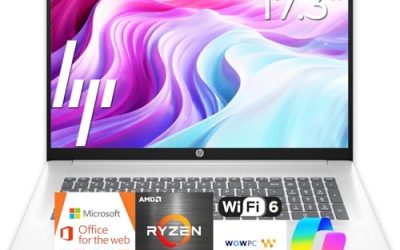
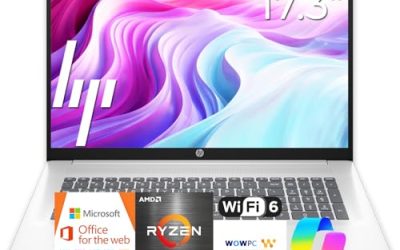
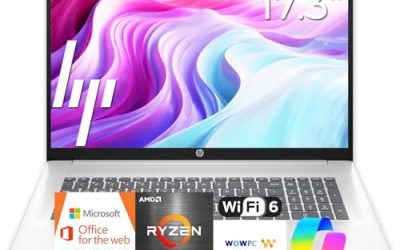
This HP lists an AMD Ryzen 5 CPU described as the latest with 16 GB of RAM, a 512 GB SSD, a 17.3-inch FHD display, a numeric keypad and a long-battery claim. It is for people who work in spreadsheets and documents and want a big screen with room to spare.
- Strength: 16 GB of RAM and a 512 GB SSD form a strong base.
- Strength: a 17.3-inch FHD panel with a numeric keypad suits data entry.
- Trade-off: a 17-inch body is less convenient to carry daily.
Skip it if you commute by bus or train with the laptop every day. A 17-inch chassis also needs a bigger bag, so factor in carrying gear if the laptop will leave your desk often.
HP OmniBook 3 17.3 Inch (Core Ultra 5 225U)
The OmniBook 3 lists an Intel Core Ultra 5 225U, 8 GB of RAM, a 512 GB SSD, Intel graphics, Windows 11 Home and a Glacier Silver finish. It is the pick for buyers who prefer a clearly named current Intel platform in a large-screen format.
- Strength: a newer Core Ultra processor on a named OmniBook model.
- Strength: a 512 GB SSD gives space for apps and files.
- Trade-off: only 8 GB of memory, which is lower than the Ryzen 5 model above.
Skip it if you need more memory out of the box or want a small, easy-to-carry design. Buyers who keep dozens of tabs open may prefer the Ryzen 5 model, which lists double the RAM.
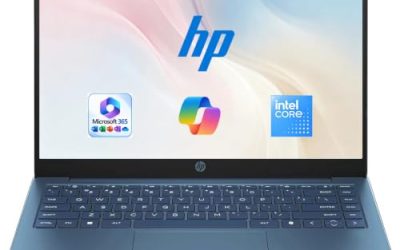
HP 14 Inch Laptop (Intel N150, 128 GB UFS)
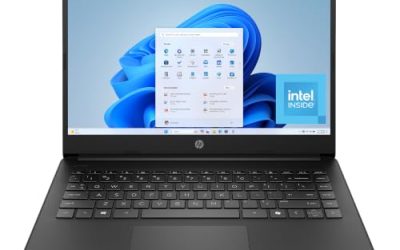
This compact HP lists an HD display, Intel N150, 4 GB of RAM, 128 GB of UFS storage and Intel graphics on Windows 11 Home, with a one-year Microsoft 365 Personal subscription. It targets light school and household duties.
- Strength: a 14-inch size keeps it portable.
- Strength: Microsoft 365 is included in the listing.
- Trade-off: an HD display and UFS storage are modest on paper.
Skip it if you want a full HD panel or expect to keep many programs open. It is best treated as a secondary or first-laptop machine rather than a long-term workhorse for demanding users.
HP 14 Ultra-Light Laptop (SD Card Included)
This HP lists an Intel N150, 4 GB of RAM, 128 GB of internal storage plus a 128 GB SD card, a one-year Office 365 subscription and fast charging, aimed at students and home users. The SD card adds storage for files and media at low cost.
- Strength: the extra 128 GB card helps with photos and documents.
- Strength: an ultra-light 14-inch design with fast charge.
- Trade-off: the card is slower, removable storage and not a drive replacement.
Skip it if you need fast internal storage for large projects. Think of the card as a place for photos, school files and backups, which are the jobs removable storage handles well, and keep the apps you use daily on the internal drive.
HP 15.6 Inch Laptop (Core i7-1255U)
This HP lists an Intel Core i7-1255U up to 4.7 GHz, 16 GB of RAM, a 1 TB PCIe SSD, a webcam and an FHD display, with a long-battery claim. It is the strongest all-around specification in this group for general productivity.
- Strength: 16 GB of RAM with a 1 TB PCIe SSD is a generous pairing.
- Strength: a Core i7 processor leaves headroom for multitasking.
- Trade-off: the 1255U is an older generation compared with newer Core Ultra parts.
Skip it if you prefer a newer-generation processor name or a 17-inch screen. The title also does not mention a numeric keypad, so check the listing if you handle lots of number entry.
HP 17.3 Inch Business Laptop (Core 5-120U)
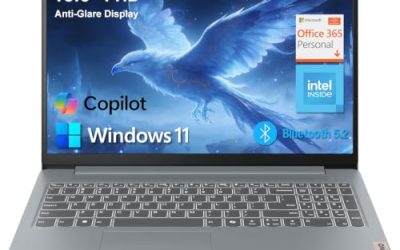
This HP lists a 10-core Intel Core 5-120U, 12 GB of RAM and 768 GB of storage, made up of a 256 GB SSD and a 512 GB SD card, plus an AI Copilot label on Windows 11. It aims at buyers who want large capacity and a big screen.
- Strength: 12 GB of RAM is more than the typical entry model.
- Strength: a 17.3-inch screen offers a lot of working space.
- Trade-off: only the 256 GB portion is an SSD; the rest is SD card storage.
Skip it if you need a large internal SSD or a confirmed operating system edition, since the title is cut off. Keep in mind that the 768 GB total looks bigger than the internal storage really is.
HP OmniBook 3 17.3 Inch (Ryzen 3)
This OmniBook lists an AMD Ryzen 3, 8 GB of RAM, a 512 GB SSD, AMD Radeon 610M graphics and Windows 11 Home in Mica Silver with an FHD display. It is the entry price class in a 17.3-inch OmniBook chassis.
- Strength: a named OmniBook model with 8 GB and a 512 GB SSD.
- Strength: integrated Radeon graphics handle everyday visuals.
- Trade-off: Ryzen 3 is the lowest processor tier among the larger models.
Skip it if you need a portable device or higher processing power. Compared with the Core Ultra OmniBook, the processor tier is lower, so it fits best as a family or reading machine.
Which One Fits Your Situation
You work in spreadsheets all day
The HP 17 Inch Business Laptop with Ryzen 5, 16 GB and a numeric keypad is the clearest match, with plenty of memory for large files and a wide screen for side-by-side sheets.
You want maximum speed for general use
The HP 15.6 Inch Core i7 combines 16 GB of RAM with a 1 TB PCIe SSD and is the strongest overall configuration listed. It also keeps a more manageable footprint than the 17.3-inch models.
You need an inexpensive laptop for school
The HP 14 Ultra-Light with the extra SD card is the basic student pick, while the HP 14 Inch N150 with UFS storage works for lighter needs.
You want a big screen at a gentler tier
The HP OmniBook 3 17.3 with Ryzen 3 offers a large display and a 512 GB SSD, while the Core Ultra 5 version adds a newer Intel platform.
Common Mistakes
- Counting an SD card as if it were internal SSD space.
- Assuming a newer processor name always beats an older Core i7 with more RAM.
- Buying a 17-inch laptop for daily commuting.
- Skipping the listing details when a title is truncated.
- Letting a bundled Office subscription decide the purchase instead of RAM, drive and screen.
Related guides
- What Is The Best Budget Most Responsive Gaming Mouse Wired
- Low Latency Gaming Headphones Usb-C 2.4 Ghz Wireless
- Low Latency Gaming Headphones Usb-C Dongle 2.4 Ghz
Frequently Asked Questions
What is the difference between HP OmniBook and other HP laptops?
OmniBook is HP’s current consumer line. Other HP titles may use older naming or reseller-specific descriptions, so check the model code and specs rather than the family name alone.
Is a Core i7-1255U still worth buying?
It remains capable for office work, browsing and media when paired with 16 GB of RAM. Newer chips may be more efficient, so weigh generation against the memory and storage you get.
Does a 17-inch HP laptop have a numeric keypad?
The Ryzen 5 model lists one in its title. Others may include it too, but confirm in the listing photos or specs, because a keyboard layout is not something a short title can fully describe.
How much RAM should I get in an HP laptop?
Eight gigabytes covers basic tasks, and 16 GB is a safer choice for multitasking or keeping the laptop several years. In this group, the Ryzen 5 and Core i7 models both list 16 GB, while the budget 14-inch models stop at 4 GB.