Business buyers rarely ask for the fastest laptop; they ask for the one that will not embarrass them in a meeting, will not stall during month-end spreadsheets, and can be replaced or supported without drama. Choosing the best HP laptop for business means sorting through a catalog that mixes true business-line models, such as the 255 G10 series, with consumer-style machines wearing a “business” label. The difference shows up in the operating system edition, the memory and storage, the webcam shutter, and how many years of use you can expect.
This guide covers six HP listings, from a 14-inch entry model up to a 17.3-inch workstation-style machine with 32GB of RAM. We judge each only from the specs stated in its title: processor, memory, drive, screen size, and software edition. For a small company equipping staff in 2026, the key questions are whether Windows 11 Pro is included, whether 16GB of RAM is the baseline, and how much screen you want to carry. The sections below turn those questions into checkable thresholds.
Our Top Picks
Top 3 picks at a glance
Quick Picks
As an Amazon Associate we earn from qualifying purchases at no extra cost to you.


| Product | Best for | Key spec taken from the product title |
|---|---|---|
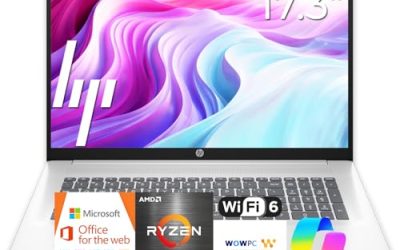
| HP 17-inch Business Laptop (Ryzen 5) | Desk-based office staff | 17.3″ FHD, 16GB RAM, 512GB SSD, numeric keypad |
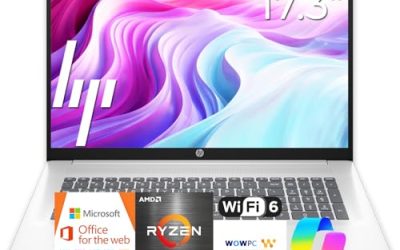
| HP 17.3″ Business Laptop (Ryzen 5 7430U) | Large-screen daily work | Ryzen 5 7430U, Wi-Fi 6, 16GB RAM, 512GB PCIe |
| HP 255 G10 (AMD quad-core) | Standard Windows 11 Pro fleet | 15.6″ Full HD, 16GB RAM, 512GB SSD, webcam shutter |
| HP 15.6″ FHD (Core i5-1135G7) | Intel-based office setups | 11th Gen Core i5, 16GB RAM, 512GB SSD, Windows 11 Pro |
| HP 255 G10 (Ryzen 7 7730U) | Power users and heavy files | Ryzen 7 7730U, 32GB RAM, 1TB PCIe SSD, Windows 11 Pro |
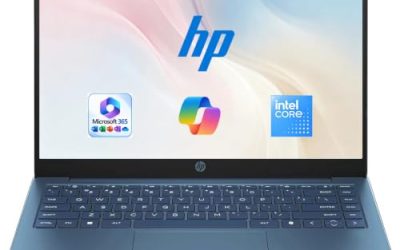
| HP 14″ Business Laptop (N150) | Light tasks and spare units | Intel N150 quad-core, 4GB RAM, 128GB UFS, 14″, Office 365 |
How to Choose
Windows edition and manageability
Windows 11 Pro is the edition to look for if your company uses device management, domain join, or disk encryption controls. Home edition handles personal tasks but lacks some of those business features. Several listings here state Pro; others list Home or do not say. If your IT policy requires Pro, treat that as a pass-fail test before you compare anything else, and confirm what the listing says about any bundled software, since a one-year subscription is a trial rather than a permanent license.
Memory and storage for real office loads
For business use, 16GB of RAM is the working baseline: it handles a browser full of tabs, a CRM, a video call, and a spreadsheet at once. A 32GB configuration suits finance teams with very large workbooks or anyone running several heavy applications. At 4GB, even basic multitasking becomes frustrating. Storage should be 512GB or more if employees keep files locally; a 128GB drive suits a thin client role where everything lives in the cloud.
Also consider upgrade paths. Some business laptops let you add memory or swap the drive later, while thin designs solder both. If the listing does not say, assume you will keep the configuration you buy, and spend a little more up front rather than counting on an upgrade.
Processor families and screen size
The listings mix AMD Ryzen 5 and Ryzen 7 chips with an older 11th generation Intel Core i5 and a low-power Intel N150. Ryzen 5 and 7 U-series parts are sensible for office work, the Core i5 still copes with daily tasks, and the N150 is aimed at light use. Screen size is a lifestyle choice: 14 inches carries easily, 15.6 inches adds a keyboard number pad, and 17.3 inches creates a desk workspace that can replace a second monitor. FHD should be your resolution floor.
Webcam, ports, and where budget models cut corners
Remote meetings make the webcam part of the tool kit, and a physical shutter is welcome in shared spaces. Look for HDMI for presentations and Wi-Fi 6 for stable calls. Budget models usually cut storage, memory, and brightness, and their titles often add bundled earphones or cloud storage to distract from it. Compare the processor and memory lines first, then judge extras. Always check the warranty and who handles support for your region.
Battery life is another gap. Titles for this group mention “long battery” in places but give no capacity, so compare the figures in the full specification instead of the slogan, and plan on keeping a charger at the desk for any 17-inch model.
The 6 Best Options
HP 17-inch Business Laptop (Ryzen 5)
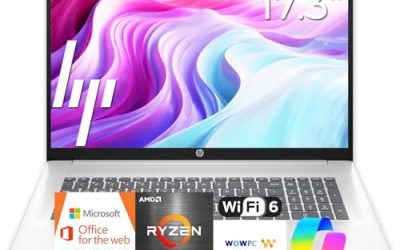
The listing combines a Ryzen 5 processor, 16GB of RAM, a 512GB SSD, and a 17.3-inch FHD display with a numeric keypad. It suits staff who sit at a desk all day and want enough screen to avoid a second monitor.
- Strength: the 16GB and 512GB pairing fits mainstream business loads.
- Strength: a large FHD screen and number pad suit data work.
- Trade-off: a 17-inch body is less portable for traveling sales staff.
Skip it if your team moves between sites daily or needs a title that confirms Windows 11 Pro.
It also works well as a shared reception or back-office machine, where nobody carries it and the big display makes shared documents easy to read from a distance.
HP 17.3″ Business Laptop (Ryzen 5 7430U)
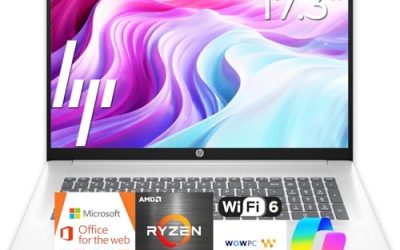
This one names its processor precisely: a Ryzen 5 7430U, with a 17.3-inch FHD display, Wi-Fi 6, 16GB of RAM, and a 512GB PCIe drive. It is a close cousin of the previous model but gives a specific chip to research.
- Strength: a named current-generation Ryzen U-series chip is easy to look up.
- Strength: Wi-Fi 6 helps in busy offices and video calls.
- Trade-off: the title leans on marketing comparisons rather than software or ports.
Skip it if you want a business-line model such as the 255 G10 with a stated Pro edition.
Buyers comparing it with the other 17-inch listing should read the full specification for ports and software, because those are the lines that separate otherwise similar configurations.
HP 255 G10 (AMD quad-core)
The 255 G10 line is HP’s more traditional business range. This listing states an AMD quad-core CPU, 16GB of RAM, a 512GB SSD, Windows 11 Pro, a 15.6-inch Full HD display, a webcam with shutter, and a numeric keypad.
- Strength: Windows 11 Pro is stated, which matters for managed fleets.
- Strength: a webcam shutter adds privacy in shared or open offices.
- Trade-off: the processor model is not named in the title, so confirm the exact chip before buying in bulk.
Skip it if you need a high-end processor for large datasets.
It is the model to shortlist for a team that needs identical, supportable machines, since the 255 G10 name makes replacement units simple to find later.
HP 15.6″ FHD (Core i5-1135G7)
This model runs an 11th generation Intel Core i5-1135G7 with Iris Xe graphics, 16GB of RAM, a 512GB SSD, Windows 11 Pro, a 15.6-inch FHD display, and a numeric pad. It suits shops standardized on Intel.
- Strength: Windows 11 Pro, 16GB, and 512GB tick the business boxes.
- Strength: Iris Xe graphics handle presentations and light visuals.
- Trade-off: the processor generation is older than the Ryzen options, so long-term support timelines deserve a check.
Skip it if you want the newest platform available.
For companies with existing Intel-based images and drivers, staying on the same family can shorten deployment time and avoid compatibility surprises.
HP 255 G10 (Ryzen 7 7730U)
The top-spec 255 G10 lists a Ryzen 7 7730U, a generous 32GB of RAM, a 1TB PCIe SSD, a numeric keypad, a webcam, Wi-Fi 6, HDMI, and Windows 11 Pro on a 15.6-inch FHD screen.
- Strength: 32GB and 1TB leave room for heavy workbooks and large local archives.
- Strength: the full port and software list is business-ready.
- Trade-off: it asks more of the budget than the 16GB models.
Skip it if your staff only handle email and documents.
Think of it as a long-term workstation for the one or two roles that truly need the memory, rather than a default for the whole office.
HP 14″ Business Laptop (N150)
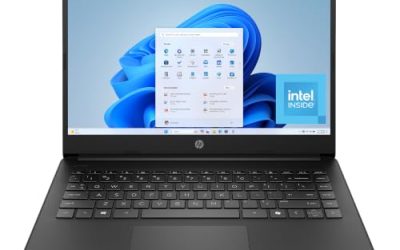
The entry model lists an Intel N150 quad-core processor, 4GB of RAM, 128GB of UFS storage, a 14-inch display, Windows 11 Home, and a one-year Office 365 subscription, with earphones included.
- Strength: a compact 14-inch body and bundled Office subscription for basic tasks.
- Strength: it fits spare or loaner roles at the lowest cost.
- Trade-off: 4GB of RAM and 128GB of storage limit it to light work.
Skip it if the laptop is someone’s primary daily machine.
Used as a loaner for visitors, interns, or event days, it gives a Windows machine with Office included without tying up a main device.
Which One Fits Your Situation
You are equipping a small office with managed devices
Standardize on the HP 255 G10 with AMD quad-core, 16GB, and Windows 11 Pro. It combines the right edition with a webcam shutter.
Your finance or analytics staff handle heavy files
Choose the HP 255 G10 with Ryzen 7 7730U. The 32GB of RAM and 1TB drive are the clearest spec lead of the group.
You prefer a large screen and a quiet desk setup
The HP 17-inch Business Laptop or the Ryzen 5 7430U variant gives a roomy FHD workspace. Pick the 7430U version if you want a named chip and Wi-Fi 6.
You need inexpensive loaners or a backup device
The HP 14″ N150 covers email, web apps, and documents. Pair it with a clear expectation that it is not a power machine.
If your staff travel, weigh the 14-inch N150 against the 15.6-inch 255 G10 before ordering a batch. If portability wins, the HP 14″ is the lightest class here, but accept its modest memory; if you need power on the road, the 255 G10 with 16GB is the sturdier compromise.
Common Mistakes
- Assuming every laptop with “business” in its title includes Windows 11 Pro.
- Buying 4GB of RAM for staff who run a browser, chat, and calls together.
- Counting a bundled subscription or earphones as a reason to buy.
- Ignoring processor generation, then discovering support timelines are shorter than expected.
- Standardizing on a model without checking warranty and service coverage.
Related guides
- What Is The Best Budget Most Responsive Gaming Mouse Wired
- Low Latency Gaming Headphones Usb-C 2.4 Ghz Wireless
- Low Latency Gaming Headphones Usb-C Dongle 2.4 Ghz
Frequently Asked Questions
Is the HP 255 G10 a good business laptop?
It belongs to a business-oriented range, and the listings here pair it with Windows 11 Pro and a webcam shutter. Confirm the processor and memory in the configuration you choose, because the same model number is sold with different specifications and the title is the only quick way to tell them apart.
How much RAM should a business laptop have?
Sixteen gigabytes is the practical baseline. Thirty-two suits heavy spreadsheet or multi-application work.
Do I need Windows 11 Pro?
Yes, if you rely on domain join, advanced encryption, or centralized management. Home is fine for personal use.
Are student-targeted HP laptops suitable for business?
Some are, but check memory, storage, and the Windows edition first. A student label often means entry-level specs.