Choosing a laptop for business and personal use means accepting that one machine will play two roles. On Monday it runs a video call, a spreadsheet and a company VPN; on Saturday it streams a movie, sorts family photos and handles online banking. The hardware that serves both well is rarely the cheapest or the flashiest. It is a laptop with enough memory to keep work apps responsive, a keyboard you will not hate after a long day, and a screen that works in an office and on a couch.
The eight laptops below lean toward that middle ground, from 14-inch ultraportables to a 16-inch touchscreen with 32 GB of RAM. Several come with the operating system edition spelled out, and that matters more than it sounds: Windows 11 Pro supports business tools that Home does not, and S mode restricts which apps you can install. This guide, written for buyers in 2026, judges each model only by its title. Where a detail is missing, it points you to the listing rather than guessing.
Our Top Picks
Top 3 picks at a glance
Quick Picks
As an Amazon Associate we earn from qualifying purchases at no extra cost to you.






| Product | Best for | Key spec from the title |
|---|---|---|
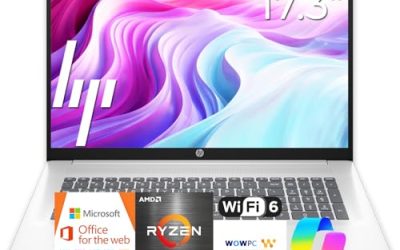
| HP 17 Business Laptop (Ryzen 5) | Spreadsheet-heavy desk work | 16 GB RAM, 512 GB SSD, 17.3 inch FHD, numpad |
| Lenovo Business 15.6 FHD | Light office duty | 8 GB DDR5, 128 GB, USB-C, Wi-Fi 6 |
| HP 17 Inch Ryzen 5 7430U | Business and student mix | Ryzen 5 7430U, Copilot PC |
| Dell 16 Touchscreen (Core 7 150U) | Power users | 32 GB DDR5, 1 TB SSD, 16:10 FHD+ |
| Dell 15.6 Touch (Ultra 7 255U) | Performance in a standard size | 12-core, 16 GB DDR5, 1 TB SSD |
| HP 15.6 Touch (Ryzen 7 7730U) | Pro-edition work | 16 GB, 512 GB, Windows 11 Pro, numpad |
| HP 15.6 (Intel N200) | Basic tasks only | 4 GB, 128 GB SSD, Windows 11 Home S Mode |
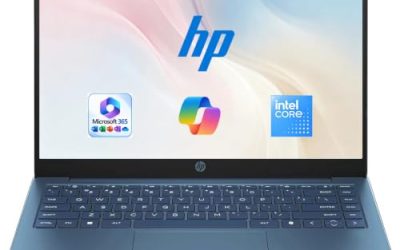
| HP 14 Ultra-Portable | Travel and note taking | 4-core, 4 GB, 128 GB UFS plus 500 GB external |
How to Choose
Operating system edition
If your workplace requires features such as domain join, drive encryption management or remote desktop hosting, look for Windows 11 Pro, which the HP Ryzen 7 listing names. Home edition is fine for personal use and many small businesses. S mode, shown on the HP N200 listing, only installs apps from the store unless you switch out of it, which can block specialized business software.
Memory is the real productivity spec
Plan on 16 GB for a laptop that handles work apps, a browser with many tabs and personal media together. Eight gigabytes is workable, and 4 GB is for very light use. The Dell 16 with 32 GB is overkill for most, but it suits analysts and anyone who runs virtual machines.
Keyboard, screen and ports
A numeric keypad and backlit keys help with long sessions, and several models here list both. Check for USB-C and a full-size HDMI if you present or use an external monitor. A 16:10 FHD+ panel, like the one on the Dell 16, shows more rows of a document than a standard 16:9 screen.
Storage is not all equal
Count internal SSD space separately from external drives or SD cards. The HP 14 lists 628 GB, but that includes a 500 GB external unit and only 128 GB of UFS inside. If business files need to stay secure, prefer internal SSD capacity.
The 8 Best Options
HP 17 Inch Business Laptop (Ryzen 5)
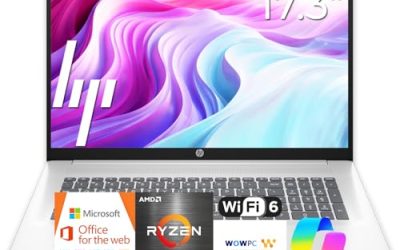
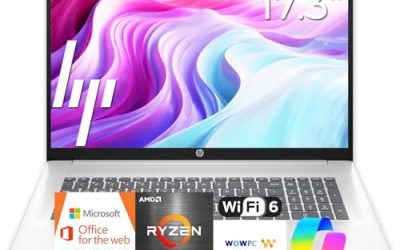
This HP lists an AMD Ryzen 5, 16 GB of RAM, a 512 GB SSD, a 17.3-inch FHD display, a numeric keypad and a long-battery claim. It fits professionals who stay mostly at a desk and want screen space for two documents side by side.
- Strength: 16 GB of memory with a 512 GB SSD covers mixed use.
- Strength: the large display and numeric keypad speed up data work.
- Trade-off: a 17-inch body is bulky for frequent travel.
Skip it if the laptop will go in a small bag every day, or if you need a named operating system edition confirmed in the title. Plan to read the listing for the Windows edition before relying on it for managed work tools.
Lenovo Business 15.6 Inch FHD Laptop
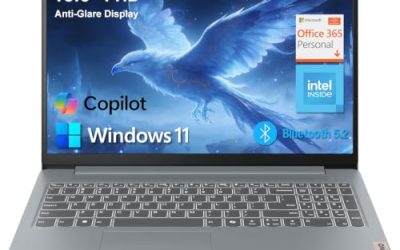
Lenovo lists an Intel processor, 8 GB of DDR5, 128 GB of storage, Office 365, Copilot AI, Wi-Fi 6, USB-C and an anti-glare screen. It is a modest option for office basics such as email, documents and meetings.
- Strength: DDR5 memory and USB-C are named in the title.
- Strength: an anti-glare FHD screen suits office lighting.
- Trade-off: only 128 GB of storage and an unnamed processor model.
Skip it if you handle large files or need confirmed performance numbers before buying. It works best for email, documents and meetings, where a modest drive is enough and cloud storage handles the rest.
HP 17 Inch Laptop (Ryzen 5 7430U)
This HP is aimed at both business and student use, listing an AMD Ryzen 5 7430U and a Copilot PC label. The title is cut off, so the memory, storage and display details are not visible. That makes it a candidate you must verify on the product page.
- Strength: a named Ryzen 5 7430U processor.
- Strength: a 17-inch format with business and student positioning.
- Trade-off: key specs are missing from the visible title.
Skip it if you want to compare memory and storage directly from the title. If you like the processor name, open the full listing first and confirm the RAM and drive size meet the 16 GB and 512 GB comfort level described above.
Dell 16 Touchscreen Laptop (Core 7 150U)
Dell lists a Core 7 150U, 32 GB of DDR5, a 1 TB SSD, a 16:10 FHD+ 300-nit IPS touchscreen and a full-size backlit keyboard with a number pad. It targets professionals who want one powerful laptop for demanding work and personal projects.
- Strength: 32 GB of memory and a 1 TB SSD leave room for years of growth.
- Strength: a taller 16:10 screen with touch support helps document work.
- Trade-off: it sits at the premium tier and a 16-inch size reduces portability.
Skip it if your tasks are basic or you want a light travel laptop. A 16-inch chassis with this much memory is built for people who keep a long list of apps open, not for casual email checks.
Dell 15.6 Inch Touchscreen Business Laptop (Ultra 7 255U)
This Dell lists an Intel 12-core Ultra 7 255U up to 5.2 GHz, 16 GB of DDR5, a 1 TB SSD and a backlit keyboard on Windows 11. It is a strong match for people who want performance in a standard 15.6-inch body.
- Strength: a fast Ultra 7 processor with a 1 TB SSD.
- Strength: a touchscreen and backlit keyboard for flexible use.
- Trade-off: the operating system edition is cut off in the title.
Skip it if you only run light tasks and want to save money. Because the title is cut off before the Windows edition, check whether it is Home or Pro if your employer sets rules for company devices.
HP 15.6 Inch Touchscreen Laptop (Ryzen 7 7730U)
This HP lists a Ryzen 7 7730U, 16 GB of RAM, a 512 GB SSD, an FHD IPS touchscreen, AMD Radeon graphics, Windows 11 Pro, Wi-Fi 6, a Copilot key and a numeric keypad. It is the best mix of professional features and daily usability here.
- Strength: Windows 11 Pro supports business management tools.
- Strength: 16 GB of RAM with a touchscreen and numpad.
- Trade-off: the Ryzen 7 7730U is an older generation of chip.
Skip it if you want the newest processor generation or a thin body. Even so, the combination of Pro edition, 16 GB and a touchscreen covers more business needs than any other HP in the group.
HP 15.6 Inch Laptop (Intel N200)
This HP lists a 4-core Intel N200, 4 GB of RAM and a 128 GB SSD on Windows 11 Home in S mode, with a long-battery claim. It is a basic option for browsing, documents and web apps.
- Strength: a low-cost way to get a 15.6-inch laptop.
- Strength: Windows in S mode adds simple app security.
- Trade-off: S mode and 4 GB of RAM limit business software.
Skip it if your employer requires desktop applications beyond the Microsoft Store. For a personal laptop that also handles occasional web-based work, though, the simple setup can be an advantage.
HP 14 Inch Ultra-Portable Laptop
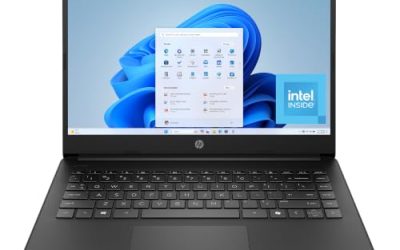
This HP lists a 4-core Intel CPU, 4 GB of RAM, MS Office, Copilot AI and 628 GB of total storage, made of a 128 GB UFS drive plus a 500 GB external unit. It is for students and travelers who value size over speed.
- Strength: a portable 14-inch body with Office listed.
- Strength: an external drive adds backup space.
- Trade-off: 4 GB of RAM limits multitasking.
Skip it if you need serious multitasking performance. The external 500 GB drive is useful for backups, but it is a separate unit to carry, so factor that into travel plans.
Which One Fits Your Situation
You manage spreadsheets and documents daily
The HP 17 Inch Business Laptop with Ryzen 5 offers a big screen and a numeric keypad, with 16 GB of memory behind it. It is the desk-bound answer for people who split their day between work files and family paperwork.
Your employer uses managed Windows tools
The HP 15.6 Inch Touchscreen with Ryzen 7 and Windows 11 Pro is the clearest fit, because the edition is stated in the title.
You want maximum power for work and personal projects
The Dell 16 Touchscreen with 32 GB and 1 TB, or the Dell 15.6 with Ultra 7, gives the strongest hardware in the group.
You need a basic travel laptop
The HP 14 Inch Ultra-Portable is the simple option, with the Lenovo Business 15.6 as a roomier step up. Both suit short trips and light work, but neither is meant for heavy projects.
Common Mistakes
- Ignoring S mode and finding out later that required software will not install.
- Buying 4 GB of RAM for a laptop that will run work apps and personal tabs together.
- Counting external drives and SD cards as internal storage.
- Skipping the edition check when your employer needs Windows Pro features.
- Choosing a processor name without checking memory and drive size.
Related guides
- What Is The Best Budget Most Responsive Gaming Mouse Wired
- Low Latency Gaming Headphones Usb-C 2.4 Ghz Wireless
- Low Latency Gaming Headphones Usb-C Dongle 2.4 Ghz
Frequently Asked Questions
Do I need Windows 11 Pro for business use?
Not always. Pro adds tools such as domain join and drive encryption management that some employers require. If you only use cloud services and standard apps, Home may be enough.
What is S mode?
S mode limits installs to Microsoft Store apps for added security. You can switch out of it, but that step is one-way, so confirm your business apps first.
Is a touchscreen useful on a work laptop?
It helps with notes, presentations and quick navigation. It is not required, and it can add some weight and cost.
How much storage should a dual-use laptop have?
Aim for at least 256 GB, with 512 GB or 1 TB being more comfortable for work files, personal photos and media together.