The phrase “best Windows laptop” hides a wide spread of needs, because the same operating system runs on an 11-inch convertible for a child’s homework and on a premium touchscreen machine built around a new generation of Arm processors. Before comparing models, decide what the laptop must do every day: browse and write, handle office files, run a few creative apps, or travel light. That one answer removes most of the noise in the listings.
This guide is for shoppers who want a dependable Windows machine in 2026 and would rather read specs than marketing. The seven picks below span entry-level, mid-range, and premium tiers, and each is judged only on what its listed title states. Where a title is cut off or vague, the write-up says to confirm the detail in the listing instead of guessing. An Apple model in the original source list was left out because it does not run Windows.
Our Top Picks
Top 3 picks at a glance
Quick Picks
As an Amazon Associate we earn from qualifying purchases at no extra cost to you.





| Product | Best for | Key spec from the title |
|---|---|---|
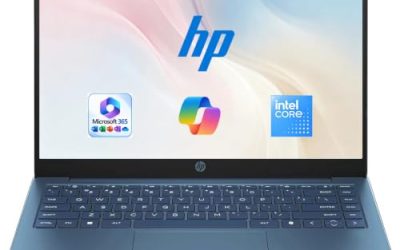
| HP 14-inch (Intel N150) | Simple home use with Office included | 4 GB RAM, 128 GB UFS, 1-year Microsoft 365 |
| 15.6-inch Core i5-7Y57 | Upgradeable budget machine | 15.6-inch FHD IPS, upgradeable RAM and SSD |
| Dell 15.6-inch (Core 3 100U) | Best all-round mainstream pick | 8 GB RAM, 512 GB SSD, Wi-Fi 6 |
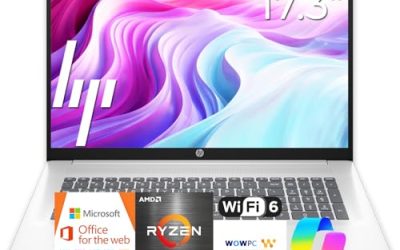
| HP Everyday Laptop | Light work with cloud storage | 128GB storage, WiFi 6, Copilot AI |
| Microsoft Surface Laptop | Premium touchscreen and speed | 13.8-inch, Snapdragon X2 Elite, 16GB RAM, 1TB SSD |
| 15.6-inch Celeron N4020 | Cheap large screen | N4020, 4GB RAM, 128GB eMMC, 45W fast charging |
| Dell 11-inch convertible | Compact touchscreen for kids and travel | 11-inch IPS touchscreen, 8GB RAM, 128GB SSD |
How to Choose
Match the processor tier to your workload
Intel N-series, Celeron, and Pentium chips handle web pages, video calls, and documents, but they slow down with many tabs and heavy spreadsheets. A Core-class processor, such as the Core 3 or the Core i5 named in some titles, gives more headroom for multitasking. Premium models, including the Snapdragon X2 Elite machine here, aim at speed and efficiency together. If your work lives in a browser, an entry-level chip is enough. If you juggle several apps, step up a tier. A student who writes papers, joins video lectures, and streams music at the same time should aim for the middle of the range rather than the bottom.
RAM and storage thresholds
For Windows 11, 8GB of RAM is the practical minimum for smooth multitasking, and 16GB suits creative work or years of use. Storage matters just as much: a 128GB drive leaves little space after updates, while 256GB to 512GB gives room for photos and projects. Pay attention to the type of storage too. SSD and UFS drives are quick, while eMMC is slower and common on the cheapest models.
Display, ports, and wireless
Look for a Full HD (1920 by 1080) panel with IPS technology for better viewing angles; an HD panel at lower resolution looks soft on a 15.6-inch screen. Brightness is measured in nits, and about 250 to 300 nits is fine indoors. A USB-C port that handles charging and display simplifies travel, and Wi-Fi 6 improves speed on modern routers. Touchscreens add convenience but can reduce battery life. Also check the webcam and microphone details if you attend many video calls, since budget models often settle for basic cameras.
Windows on Arm versus traditional chips
The Surface Laptop here uses a Snapdragon processor, which is Arm-based rather than Intel or AMD. Most mainstream apps run well, but older specialized software, some drivers, and certain peripherals may not. Check that your must-have programs support Windows on Arm before buying. Ignore bundled promotions such as cloud storage or a one-year office subscription when ranking hardware, since they are add-ons, not performance.
The 7 Best Options
HP 14-Inch Laptop (Intel N150)
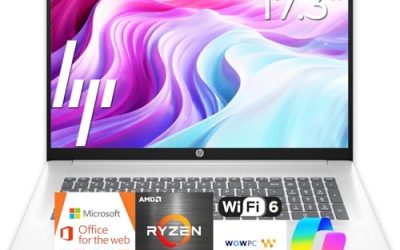
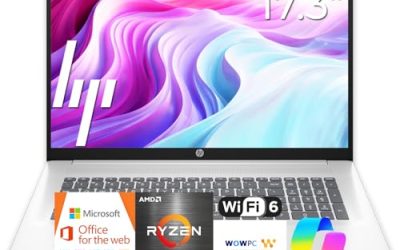
A good fit for a household that needs a simple, light computer for browsing, video calls, and homework. The title lists a 14-inch HD display, an Intel N150 processor, 4 GB of RAM, 128 GB of UFS storage, Windows 11 Home, and a one-year Microsoft 365 subscription.
- Strength: the included Microsoft 365 period covers office documents from day one.
- Strength: UFS storage is faster than the eMMC used on many budget models.
- Trade-off: 4 GB of RAM leaves little room for many open tabs.
Skip it if you plan to edit photos or keep dozens of browser tabs open all day. It is a better match for a shared family computer than for a single heavy user, and the 14-inch size keeps it easy to move between rooms.
15.6-Inch Laptop with Core i5-7Y57
This unbranded 15.6-inch laptop appeals to tinkerers who like to upgrade. The title advertises a Core i5-7Y57, 4GB of So-Dimm RAM, a 128GB SSD, a 15.6-inch Full HD IPS display, a 2MP webcam, a cooling fan, and Type-C connectivity.
- Strength: removable So-Dimm memory and an SSD allow upgrades later.
- Strength: the Full HD IPS display is sharper than the HD panels on rival budget models.
- Trade-off: the 4GB starting RAM and the Y-series chip mean modest performance until you add memory.
Skip it if you want a recognizable brand or warranty support from a major maker. Because the maker is not named in the title, read the seller details and the return terms closely before you commit.
Dell 15.6-Inch Laptop (Core 3 100U)
This is the sensible all-rounder for students and office users. The title lists a Full HD anti-glare IPS display at 250 nits, an Intel Core 3 100U, 8 GB of DDR4 RAM, a 512GB SSD, Wi-Fi 6, and Windows 11 Home.
- Strength: 8 GB of RAM and a 512GB SSD hit the practical sweet spot for daily work.
- Strength: the anti-glare IPS screen is comfortable in bright rooms.
- Trade-off: the Intel UHD graphics are not meant for gaming or heavy video editing.
Skip it if you want a touchscreen or a thin travel body. A 15.6-inch frame with a full-size layout is built for a desk, a dorm, or a kitchen table rather than a daily commute with a small bag.
HP Everyday Laptop
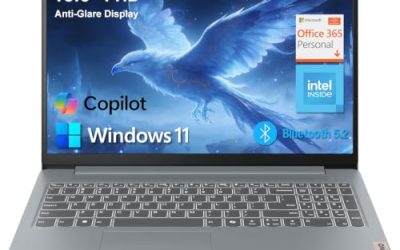
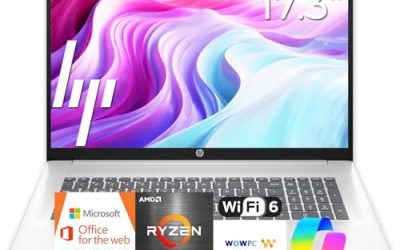
A shopper who wants a name-brand machine with a long-lasting charge and cloud space will like this HP. The title lists an Intel CPU, 128GB of storage, Copilot AI features, Office 365, 1TB of cloud storage, Windows 11, fast charge, and Wi-Fi 6.
- Strength: fast charge and a battery focus suit people who work away from outlets.
- Strength: Wi-Fi 6 keeps connections steady on newer routers.
- Trade-off: the exact processor and RAM are cut off in the title, so check the listing.
Skip it if you need a clearly stated RAM amount before buying. Buyers should also treat the cloud storage and office bundle as extras with their own terms, not as part of the hardware value.
Microsoft Surface Laptop
This is the premium choice for people who want a polished, thin touchscreen machine. The title lists a 13.8-inch display, a Snapdragon X2 Elite processor, a touchscreen, 16GB of RAM, and a 1TB SSD.
- Strength: 16GB of RAM and a 1TB SSD are far above the entry-level tier.
- Strength: the touchscreen and 13.8-inch size suit note-taking and travel.
- Trade-off: Arm-based Windows may not run every legacy program or driver.
Skip it if you rely on specialized older software or need a low price. Within this guide it sits alone in the premium tier, so it makes sense only when you will use the touchscreen, the memory, and the storage rather than just admire the spec sheet.
15.6-Inch Laptop with Celeron N4020
This one targets buyers who want the biggest screen for the smallest outlay. The title lists a 15.6-inch Full HD display, an N4020 processor, 4GB of LPDDR4 RAM, 128GB of eMMC storage, a 180-degree lay-flat hinge, a 38Wh battery, and 45W fast charging.
- Strength: the lay-flat hinge helps when sharing a screen across a table.
- Strength: 45W fast charging reduces wait time between uses.
- Trade-off: the N4020 and eMMC storage are slow for multitasking.
Skip it if you want responsiveness with many apps open. For a basic writing and streaming machine it can do the job, but it leaves no headroom if your needs grow over the next few years.
Dell 11-Inch Convertible Laptop
A compact option for children, travel, and couch use. The title lists an 11-inch IPS touchscreen convertible, an Intel Pentium processor up to 3.3GHz, 8GB of RAM, a 128GB SSD, and a sixth-generation Wi-Fi standard.
- Strength: the convertible design lets you fold it into tablet mode.
- Strength: 8GB of RAM is generous for this size and class.
- Trade-off: an 11-inch screen is cramped for long document sessions.
Skip it if you want a full-size keyboard and a large display. Parents shopping for a young student will find the size attractive, while adults who type for hours may find the small keys tiring.
Which One Fits Your Situation
You want one laptop for work and home
The Dell 15.6-inch with the Core 3 100U is the safest bet, thanks to 8 GB of RAM and a 512GB SSD. It covers documents, video calls, and streaming without fuss.
You want the most polished experience
Choose the Microsoft Surface Laptop for its touchscreen, 16GB of RAM, and 1TB of storage. Confirm app compatibility with Windows on Arm first.
You have a very tight budget and need a bigger screen
The 15.6-inch Celeron N4020 or the HP 14-inch with Microsoft 365 handle basic tasks. The HP is the better option if you value included office software and faster storage.
You need something small for a student or traveler
The Dell 11-inch convertible fits in a small bag and works as a tablet. Pair it with an external mouse for longer sessions.
Common Mistakes
- Choosing by display size alone and ignoring 4GB of RAM, which limits multitasking.
- Treating a bundled office subscription or cloud storage as proof of a faster machine.
- Overlooking eMMC storage, which loads apps more slowly than an SSD.
- Buying a Windows on Arm laptop without checking that required software is supported.
- Assuming every title tells the full story; truncated titles hide RAM and processor details.
Related guides
- What Is The Best Budget Most Responsive Gaming Mouse Wired
- Low Latency Gaming Headphones Usb-C 2.4 Ghz Wireless
- Low Latency Gaming Headphones Usb-C Dongle 2.4 Ghz
Frequently Asked Questions
How much RAM should a Windows laptop have?
Eight gigabytes is the practical minimum for smooth daily use, and 16GB is better for creative work or long-term ownership. Machines with 4GB are usable for light tasks only.
Is a touchscreen worth it?
It helps for note-taking, tablet mode, and quick navigation, as on the Surface and the Dell convertible. It is not required for typical office work.
Are Snapdragon laptops safe to buy for Windows?
They run Windows 11 and most mainstream apps, with strong efficiency. The caveat is older specialized software, so check compatibility first.
Why is the Apple laptop not in this list?
The Apple model in the source list runs macOS rather than Windows, so it does not match what this guide covers.