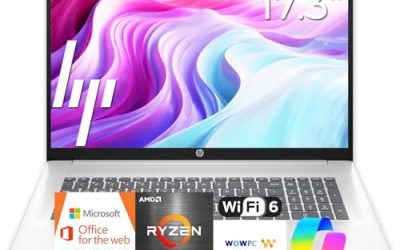
An everyday laptop is the machine that gets opened before breakfast and closed after the last streaming episode: email, a few dozen browser tabs, a video call, a spreadsheet, a photo upload and the occasional form that only works on a desktop browser. It does not need a graphics card or a workstation chip. It needs to wake instantly, charge quickly, carry easily and not feel cramped after a year of updates.
The eight models here lean heavily on the same formula: a low-power processor, a small local drive paired with cloud storage, and Windows 11 with an Office subscription. One Apple model and one Dell with a larger drive break the pattern. Because several HP titles look alike, this guide separates them by the details actually printed in each listing, such as memory type and processor family, and flags anything the title leaves out. Shoppers upgrading in 2026 will find the memory and storage figures matter more than the marketing words.
Our Top Picks
Top 3 picks at a glance
Quick Picks
As an Amazon Associate we earn from qualifying purchases at no extra cost to you.




| Product | Best for | Key spec from the title |
|---|---|---|
| HP 14 Inch Everyday (N150) | Compact daily carry | Intel N150, 128 GB SSD, 1 TB cloud |
| HP Everyday (Intel, Copilot AI) | Fast-charging home use | 128 GB storage, Wi-Fi 6, fast charge |
| HP Everyday Slim (AMD) | AMD-curious buyers | AMD processor, 4 GB DDR5, 128 GB SSD |
| Dell 15.6 (Core 3 100U) | Heavier multitasking | 8 GB DDR5, 512 GB SSD, 300 nits |
| HP Everyday (8 GB Intel) | Memory headroom on a budget | 8 GB RAM, 128 GB SSD, 1 TB cloud |
| Apple MacBook Neo | Apple users, long-term value | A18 Pro chip, 8 GB, 256 GB SSD |
| HP Everyday Slim (N150, color) | Style-conscious buyers | Intel N150, 128 GB SSD, 1 TB cloud |
| HP Everyday Slim (N150, DDR5) | Portable light work | 4 GB DDR5, 128 GB SSD, Microsoft 365 |
How to Choose
Do the memory math honestly
Browsers are the biggest memory consumers in daily life. With 4 GB of RAM you can browse, but tab switching will lag once video, chat and documents are open together. Eight gigabytes is the practical sweet spot for an everyday machine, and it is the difference between a laptop that ages gracefully and one you replace early. Check whether the memory is DDR5, which is newer and faster than older types.
Local storage versus cloud storage
A 128 GB drive is fine if your files live online, but Windows updates and apps will eat a large share of it. Cloud storage bundled for a year is a convenience, not a permanent extension. If you shoot photos or keep downloads, look for 256 GB or 512 GB.
Size, screen and battery
A 14-inch body is easier to carry, while a 15.6-inch laptop gives a roomier keyboard and screen. Look for a full HD IPS or anti-glare panel; the Dell here lists 300 nits, which helps in bright rooms. Battery claims such as long battery life in a title are marketing, so rely on the listed fast-charge feature or a stated watt-hour rating if there is one.
Ignore the buzzwords
Copilot AI branding, Office bundles and cloud allowances sound valuable but do not change how fast the laptop feels. Prioritize processor family, RAM, drive size and screen. For an Apple model, remember that Windows software will not run natively, so check that your key apps have macOS versions.
The 8 Best Options
HP 14 Inch Everyday Laptop (Intel N150)
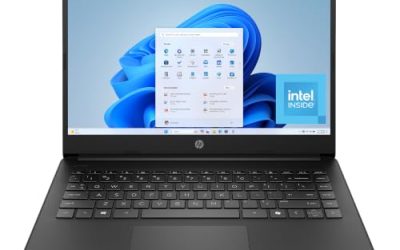
This 14-inch HP combines an Intel N150, a 128 GB SSD, 1 TB of cloud storage and Microsoft 365 on Windows 11 with Copilot AI. It targets someone who carries a laptop between rooms or on a commute and wants a simple, light daily companion for email, documents and video.
- Strength: a 14-inch size is easy to slip into a bag.
- Strength: an SSD (not slower flash) is named in the title.
- Trade-off: the title does not state the memory amount, so confirm it on the listing.
Skip it if you need to be certain of 8 GB of RAM before buying, or if you want a large screen for side-by-side work. It makes the most sense as a carry-everywhere machine for lighter routines.
HP Everyday Laptop (Intel, Copilot AI)
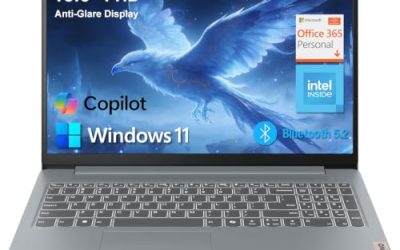
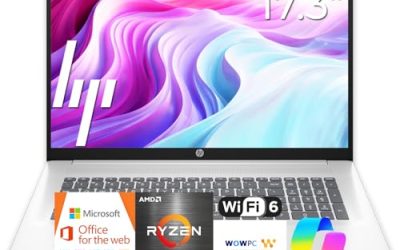
This HP lists an Intel CPU, 128 GB of storage, 1 TB of cloud space, Copilot AI, Office 365, Windows 11, fast charging, Wi-Fi 6 and a long-battery claim. It reads as a general home laptop, suited to families who share one machine for homework and bills.
- Strength: Wi-Fi 6 and fast charging help with day-to-day convenience.
- Strength: the Office bundle covers basic documents.
- Trade-off: the exact processor and memory are not printed in the title.
Skip it if you want a confirmed spec sheet before ordering, or need more than 128 GB locally. Because the title leaves out the processor model and memory, treat the product page as the real source of truth before you decide.
HP New Everyday Slim Laptop (AMD)
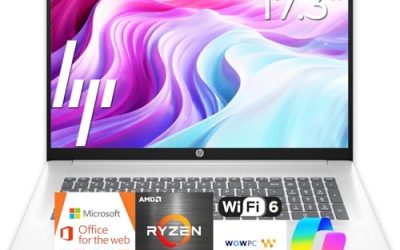
This slim HP lists an AMD high-performance processor, 4 GB of DDR5 RAM, a 128 GB SSD and 1 TB of cloud storage on Windows 11. It is the HP in this group for shoppers who want an AMD chip instead of Intel and a newer memory type.
- Strength: DDR5 memory is a newer standard.
- Strength: the slim design is listed with a long-battery claim.
- Trade-off: 4 GB is a limited amount for heavy tab users.
Skip it if you multitask heavily or keep many apps open at once. Shoppers who like the AMD angle but want more memory should compare it against the Dell, which lists double the RAM and a much larger drive.
Dell 15.6 Laptop (Core 3 100U)
Dell pairs an Intel Core 3 100U with 8 GB of DDR5, a 512 GB SSD and a 300-nit anti-glare WVA FHD display, along with Wi-Fi 6 and Bluetooth. It is the strongest spec sheet here for people who treat their laptop as the main family computer.
- Strength: 512 GB of storage and 8 GB of DDR5 give lasting headroom.
- Strength: a 300-nit anti-glare screen is easier to read in bright rooms.
- Trade-off: a 15.6-inch body is bulkier to carry than the 14-inch models.
Skip it if you want the lightest possible laptop for daily commuting. If the laptop mostly stays on a desk, though, the larger screen and bigger keyboard are an easy trade.
HP Everyday Laptop (8 GB, Intel Processor)
This HP stands out within the Everyday family by naming 8 GB of RAM alongside a 128 GB SSD, 1 TB of cloud storage, Microsoft Office 365, Windows 11 and fast charging. It is for buyers who want HP styling at a modest tier without being stuck at 4 GB.
- Strength: 8 GB of RAM at a modest tier.
- Strength: fast charging is listed alongside a long-battery claim.
- Trade-off: only 128 GB of local storage.
Skip it if you store lots of photos or videos locally. Its main edge over its siblings is memory, so buyers who need storage rather than RAM should look at the Dell or the MacBook instead.
Apple MacBook Neo 13-Inch
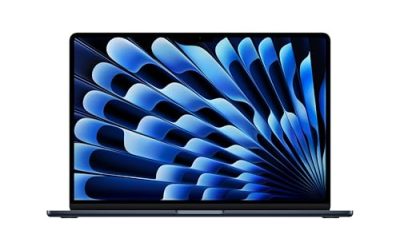
Apple lists the MacBook Neo with an A18 Pro chip, a 13-inch Liquid Retina display, 8 GB of unified memory and a 256 GB SSD, with Apple Intelligence features. It suits people already in the Apple ecosystem who want a quiet, portable everyday machine.
- Strength: a larger 256 GB SSD than most listed HP models.
- Strength: a Liquid Retina display in a 13-inch body.
- Trade-off: it runs macOS, so Windows-only software will not work.
Skip it if you depend on Windows apps or want an Office bundle included in the listing. Also note that the title lists only 8 GB of unified memory, so heavy multitaskers should weigh that against the 256 GB drive.
HP Everyday Slim Laptop (N150, Stunning Color)
This HP emphasizes color and portability, with an Intel N150, a 128 GB SSD, 1 TB of cloud storage and a Microsoft Office 365 bundle. It is for buyers who want a lightweight, good-looking laptop for browsing and schoolwork.
- Strength: the Intel N150 suits low-power daily tasks.
- Strength: the color finish is a differentiator in the group.
- Trade-off: RAM is not named in the title.
Skip it if memory capacity is your top priority and you cannot verify it. Color and finish are real preferences, but they should come after RAM and storage in your decision.
HP Everyday Slim Laptop (N150, 4 GB DDR5)
This slim HP lists an Intel N150, 4 GB of DDR5, a 128 GB SSD, 1 TB of cloud storage, Windows 11 and Microsoft 365, with a portable design. It is a basic everyday option for light work and streaming.
- Strength: DDR5 memory and an SSD at the entry level.
- Strength: a portable build that suits travel.
- Trade-off: 4 GB of RAM is a tight fit for long browser sessions.
Skip it if you plan to run many tabs, apps or video calls together. Pick it when price discipline matters more than speed and the laptop will mostly serve one person with simple needs.
Which One Fits Your Situation
You want one laptop for the whole household
The Dell 15.6 Core 3 100U is the safest choice, with 8 GB of DDR5, a 512 GB SSD and a brighter screen for shared use. Several people can store files on it without running out of room in the first year.
You carry it daily
The HP 14 Inch Everyday (N150) keeps the footprint small, and the HP Everyday Slim models add a lighter, portable feel. Sling it in a tote with the charger and you are set for a café session or a library shift.
You live in the Apple ecosystem
The Apple MacBook Neo is the logical match if your phone, tablet and files already sit in Apple services. Shared messages, photos and documents carry over without extra setup.
You need more memory without moving up a tier
The HP Everyday (8 GB, Intel) is the pick when you want 8 GB at a modest tier and can live with 128 GB of storage.
Common Mistakes
- Choosing 4 GB of RAM for a laptop that will run video calls and many tabs.
- Treating one year of cloud storage as a permanent drive upgrade.
- Assuming near-identical HP titles share identical specs.
- Buying an Apple laptop without confirming your must-have software runs on macOS.
- Paying attention to Copilot and AI labels instead of RAM, drive and screen.
Related guides
- What Is The Best Budget Most Responsive Gaming Mouse Wired
- Low Latency Gaming Headphones Usb-C 2.4 Ghz Wireless
- Low Latency Gaming Headphones Usb-C Dongle 2.4 Ghz
Frequently Asked Questions
Is an Intel N150 laptop fast enough for daily use?
For browsing, documents, streaming and video calls, yes. It is not designed for heavy photo editing or gaming, and pairing it with 8 GB of RAM improves the experience.
How much storage do I need?
If you keep files online, 128 GB works but fills up over time. Choose 256 GB or more if you save photos, downloads or large documents on the laptop.
Why do several HP listings look nearly identical?
Sellers often publish variants with small differences in memory, color or bundled software. Compare the full listing details before choosing.
Is the MacBook a good everyday laptop?
It can be, especially for people who use Apple services. Just confirm your software, printers and work tools support macOS first.