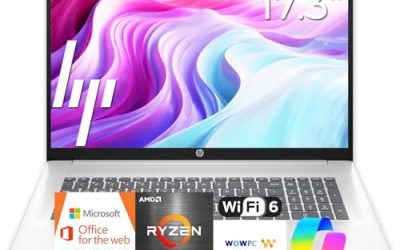
If your current laptop makes you squint, scroll sideways, or tile windows into postage stamps, the cure is not a monitor you have to plug in; it is a bigger laptop. Searching for the best large screen laptop usually means one thing: you want a display that reads like a small desktop monitor while keeping a keyboard, a battery, and a webcam in one box. The catch is that “large” covers a wide range, from 17.3-inch mainstream models to unusual 18.5-inch machines from smaller brands.
This guide is written for people who treat the laptop as a workstation that sometimes changes rooms: accountants, remote workers, hobbyist photo editors, and retirees who simply want bigger text. We narrowed the field to six large-display listings and judge each only by what its title states, so you will see phrases like “the listing shows” instead of lab claims. We also explain what to verify in 2026 before you commit, because the title of a laptop listing leaves out several facts that decide whether you will be happy.
Our Top Picks
Top 3 picks at a glance
Quick Picks
As an Amazon Associate we earn from qualifying purchases at no extra cost to you.


| Product | Best for | Key spec taken from the product title |
|---|---|---|
| HP 17.3″ Touchscreen (Core Ultra 7) | Touch plus security features | Intel Core Ultra 7, 16GB RAM, 512GB SSD plus 512GB external, fingerprint reader |
| 18.5 Inch Laptop (Core i9) | Display-focused creative work | Core i9 up to 4.8 GHz, 100% sRGB FHD display, backlit keyboard, numeric pad |
| HP 17-inch Business Laptop | Steady office productivity | Ryzen 5, 16GB RAM, 512GB SSD, 17.3″ FHD, numeric keypad |
| EKY 18.5 Inch Laptop | Large storage with wired ports | 16GB RAM, 1TB SSD, 6316mAh battery, RJ45, HDMI |
| HP 17.3 inch Laptop (Ryzen 5 7520U) | Simple home use | Ryzen 5 7520U, 16 GB RAM, 512 GB SSD, HD+ display |
| HP OmniBook 3 17 (Core Ultra 5) | Light Intel-based everyday tasks | Core Ultra 5 225U, 8 GB RAM, 512 GB SSD, FHD display |
How to Choose
Decide how portable it must be
Big panels mean big bodies. A 17.3-inch laptop still slips into many backpacks, but an 18.5-inch model is closer to a portable all-in-one. Ask where the laptop will actually spend its time. If it lives on one desk, size is a pure benefit. If it ships back and forth to an office, weigh the extra bulk seriously, and look up the weight in the listing details because titles seldom include it.
Check the panel, not just the diagonal
Diagonal size is only the start. Look for FHD resolution at minimum; HD+ looks soft at these sizes. For photo or design work, a listing that mentions 100% sRGB is a useful signal about color coverage, though it still says nothing about brightness or calibration. Touchscreens are convenient for annotating and scrolling but can increase glare, so consider an anti-glare finish if you work near windows.
Brightness is rarely stated in titles. If you work near a window or outdoors, look for a nits figure in the full specification and prefer a matte finish over a glossy one.
Match processor class to your workload
Spreadsheets, video calls, and web apps run fine on mid-range chips such as a Ryzen 5. Heavier tasks like large photo batches or light video editing benefit from higher-tier processors, such as Core Ultra 7 or Core i9 labels. Remember that “up to” clock speeds describe a peak, and thin laptops can throttle under sustained load. RAM at 16GB is the sweet spot; 8GB is workable only for light use.
Storage deserves a second look as well. A 512GB internal drive is plenty for documents and a modest photo library, but video projects fill it quickly, which is where a 1TB SSD earns its place.
Security, ports, and what budget models skip
Business buyers should look for a fingerprint reader, a camera shutter, and Windows 11 Pro rather than Home if they need device management features. Port-wise, HDMI, USB-A, and an Ethernet jack are common on large chassis, but not guaranteed. Budget machines usually cut battery capacity, speakers, and brand support. Always read warranty terms, particularly for lesser-known makers.
One more point: large laptops often include a full keyboard with a number pad, which shifts the touchpad off center. If you type a lot, that layout takes a few days to get used to, so factor it in before a return window closes.
The 6 Best Options
HP 17.3″ Touchscreen (Core Ultra 7)
This HP stands out for its feature list: a 17.3-inch touchscreen, Intel Core Ultra 7, 16GB of RAM, and 1TB of storage split into a 512GB SSD plus a 512GB external docking set. It also lists Windows 11 Pro and a fingerprint reader.
- Strength: touch input and a fingerprint reader suit shared or business use.
- Strength: a Core Ultra 7 chip sits at the higher end of this group.
- Trade-off: half the storage is external, so the internal drive is only 512GB.
Skip it if you want all storage inside the chassis or dislike glossy touch panels.
Because the title mentions a docking set, confirm exactly what ships in the box and whether the external drive is a separate accessory, since that detail changes how portable the package really is.
18.5 Inch Laptop (Core i9)
The most display-centric listing here pairs an 18.5-inch FHD panel claiming 100% sRGB with a Core i9 chip rated up to 4.8 GHz, 16GB of RAM, and a 512GB SSD. It adds Wi-Fi 6, a backlit keyboard, and a numeric pad with fingerprint reader.
- Strength: the sRGB claim and large canvas suit image-focused work.
- Strength: a backlit keyboard and numeric pad help in dim rooms and data entry.
- Trade-off: the brand is not named in the title, so check seller details and warranty.
Skip it if you need a recognizable support network or travel often.
It is a sensible fit for someone who wants a bright, wide canvas for photos and spreadsheets and is comfortable researching the seller before purchase. Read the full listing for the real brand, warranty length, and return window.
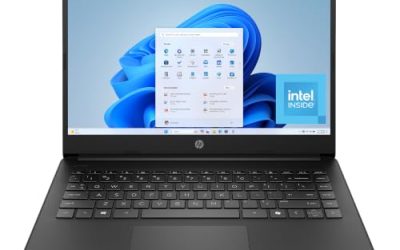
HP 17-inch Business Laptop
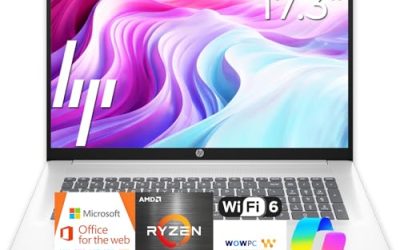
A grounded choice with a Ryzen 5 chip, 16GB of RAM, a 512GB SSD, and a 17.3-inch FHD display. The numeric keypad and business positioning make it a quiet workhorse.
- Strength: the specs balance cost and capability for office work.
- Strength: FHD at 17.3 inches keeps text sharp.
- Trade-off: the title does not describe ports or battery capacity.
Skip it if you want touch input or more than 512GB of internal storage.
Think of it as the middle road: nothing in the title is flashy, which is often a good sign for buyers who want a predictable work laptop rather than a headline feature.
EKY 18.5 Inch Laptop
With 16GB of RAM, a 1TB SSD, a 6316mAh battery, a privacy shutter camera, TF card support, RJ45, and HDMI, the EKY is built around connectivity and storage at a large size.
- Strength: 1TB of internal storage is generous.
- Strength: Ethernet and HDMI help with fixed desk setups.
- Trade-off: the title lists a clock speed but no processor family name.
Skip it if you want to compare chips by name before buying.
It suits people who store large media libraries locally, use wired networks, and rarely move the machine, treating it as a compact desktop alternative.
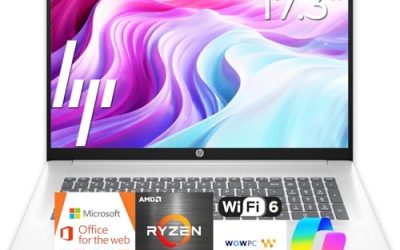
HP 17.3 inch Laptop (Ryzen 5 7520U)
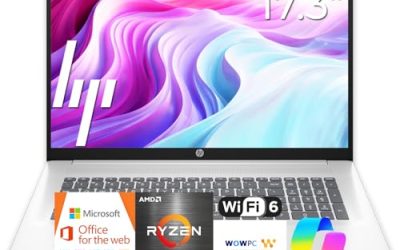
A 17.3-inch HP with a Ryzen 5 7520U, 16 GB of RAM, a 512 GB SSD, and an HD+ display. The model number 17-cp2199nr lets you pin down the configuration.
- Strength: 16 GB of RAM at a mainstream brand.
- Strength: Radeon graphics and Windows 11 Home cover everyday use.
- Trade-off: HD+ resolution is less sharp than FHD at this size.
Skip it if you read small text for hours.
It is an easy way into the 17-inch class for a household computer, where a recognizable brand and 16 GB of memory count for more than sharper pixels.
HP OmniBook 3 17 (Core Ultra 5)
The OmniBook 3 pairs a 17.3-inch FHD screen with a Core Ultra 5 225U, 8 GB of RAM, a 512 GB SSD, and Intel Graphics.
- Strength: FHD resolution and a modern Intel chip.
- Strength: straightforward Windows 11 Home setup.
- Trade-off: only 8 GB of RAM, which limits heavy multitasking.
Skip it if you keep many programs open at once.
It is better suited to browsing, documents, and streaming than to anything that holds many large files open at once. Treat the Intel Core Ultra label as a sign of a current platform rather than a performance promise.
Which One Fits Your Situation
You share a laptop with family or coworkers
The HP 17.3″ Touchscreen with Core Ultra 7 makes sense here, thanks to touch input and a fingerprint reader that helps keep accounts separate.
You edit photos and want a wide canvas
Look at the 18.5 Inch Core i9 model. Its stated sRGB coverage and large FHD display give images room, though a calibrated external monitor remains the professional standard.
If color accuracy is a job requirement rather than a preference, plan on a calibration tool, because a stated coverage figure only describes what the panel can display, not how accurately it does so out of the box.
You need dependable office hardware
The HP 17-inch Business Laptop is the safest pick, with 16GB of RAM and FHD on a recognized brand.
It also leaves you room to add a monitor later, since a laptop in this class generally handles an extra display through its video output.
You want to spend as little as possible
The HP OmniBook 3 17 with Core Ultra 5 covers basics on an FHD panel, and the HP Ryzen 5 7520U model is an alternative if you prefer 16 GB of RAM over a sharper screen.
Whichever you pick, set a realistic expectation: these are everyday machines, and their value lies in screen space and memory, not in speed records.
Common Mistakes
- Assuming a bigger diagonal automatically means a better picture.
- Overlooking that some “1TB” listings include external storage rather than one internal drive.
- Choosing the highest clock speed in the title while ignoring the chip family.
- Forgetting that touchscreens can reflect room lights more than matte panels.
- Skipping seller and warranty checks on listings without a recognized brand name.
Related guides
- What Is The Best Budget Most Responsive Gaming Mouse Wired
- Low Latency Gaming Headphones Usb-C 2.4 Ghz Wireless
- Low Latency Gaming Headphones Usb-C Dongle 2.4 Ghz
Frequently Asked Questions
Is 17.3 inches big enough?
For most people, yes. It offers a roomy workspace and still fits many bags. Go larger only if the laptop will stay on a desk.
Do I need Windows 11 Pro?
Only if you rely on features like device management or advanced encryption tools. Home edition covers typical personal use.
Is a Core i9 label always faster?
Not automatically. Cooling, power limits, and generation all matter, so the label alone does not guarantee better results in a thin chassis.
Should I buy a monitor instead?
If you only work at one desk, a laptop plus an external monitor can beat any large laptop. A big-screen laptop wins when you want a single device that handles everything.