The 15-inch laptop is the default size for a reason. It is big enough for a full keyboard, usually with a number pad, and a screen that fits two documents side by side, yet small enough to live in a regular backpack. People searching for the best 15 laptop are rarely hunting for extremes. They want a machine that does homework, spreadsheets, streaming, and video calls without drama, and they want the specs to hold up past the first year. The real decision is which compromises you accept: price, panel quality, memory, or brand.
This guide sorts six 15-inch-class listings, from an Apple 15.3-inch model to several Windows machines with 15.6-inch screens. Because the field mixes operating systems and spec tiers, we focus on what you can verify in each title: screen type, refresh rate, memory generation, storage, and wireless standard. The notes below explain the thresholds worth caring about in 2026, where the cheaper models skimp, and how to match a listing to your daily routine rather than to a marketing phrase.
Top 3 picks at a glance
Quick Picks
As an Amazon Associate we earn from qualifying purchases at no extra cost to you.




| Product | Best for | Key spec taken from the product title |
|---|---|---|
| Apple MacBook Air 15-inch (M5) | Premium all-round use | 15.3-inch Liquid Retina, 16GB unified memory, 512GB SSD |
| ASUS Vivobook Go 15 | Students and rough handling | 15.6″ FHD, Ryzen 5, 8GB RAM, 512GB SSD, Wi-Fi 6E, military grade |
| Dell 15.6 Laptop (Core 3, DDR4) | Matte-screen office work | Core 3 100U, 8 GB RAM, 250 nits anti-glare, 512GB SSD |
| Dell 15.6 Laptop (Ryzen 5 7520U) | Smoother scrolling and general use | FHD 120Hz IPS, LPDDR5, 512GB SSD, Radeon 610M |
| Dell 15.6 Laptop (Core 3, DDR5) | Brighter screen for shared spaces | Core 3 100U, 8GB DDR5, 300 nits anti-glare, 512GB SSD |
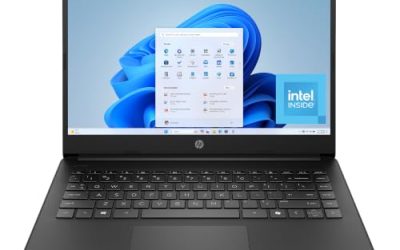
| HP Portable 15″ HD Laptop | Very basic browsing | HD IPS, Intel Pentium, 4GB DDR4, 128GB SSD, HDMI |
How to Choose
Screen: resolution, refresh rate, and brightness
Start with the panel, since it is what you stare at. FHD (1920 x 1080) is the baseline worth paying for; a plain HD label is noticeably softer on a 15.6-inch screen. A 120Hz panel makes scrolling and cursor movement feel smoother than the usual 60Hz, which helps even in documents. Brightness is stated in nits, and about 250 is enough indoors, while 300 or higher copes better with windows. Anti-glare coatings reduce reflections, which matters in classrooms and offices.
Panel type is the other half of the story. IPS and WVA panels keep colors and contrast steady when you tilt the lid or share the screen with someone beside you, while cheaper twisted-nematic designs wash out at angles. If a listing names the panel type, that is a good sign; if it hides it, read the full specification before buying.
Memory type and capacity
Eight gigabytes is the current floor for a comfortable Windows experience, and 4GB leaves you fighting the system as soon as a few tabs open. DDR5 and LPDDR5 are faster than DDR4 on paper, but capacity matters more for everyday feel. Apple’s unified memory is shared between processor and graphics, and 16GB there goes a long way. If you can afford it, choose 16GB, since memory in thin laptops is often soldered and cannot be added later.
Storage and wireless
Choose 512GB if you store photos, downloads, and documents locally. A 128GB drive works only with disciplined cloud use, because Windows updates and apps take a large share before your files arrive. For wireless, Wi-Fi 6 or 6E handles busy networks better than Wi-Fi 5, though Wi-Fi 5 is still fine on a modest home connection. Confirm Bluetooth support for headphones and mice.
Battery life deserves a line of its own. Few of these titles quote a capacity or hours, so rely on the spec sheet rather than a vague “long battery” phrase, and assume that a 120Hz panel or a bright screen draws more power than a basic one.
Build, keyboard, and where budget models cut corners
At the low end, manufacturers trim storage, memory, brightness, and chassis rigidity. A listing that mentions a military-grade standard or an ergonomic keyboard shows some effort on durability and comfort, but it is not a guarantee. A 15-inch body also means a heavier bag, so check the weight in the spec sheet. Ports vary: HDMI is common, USB-C is not universal, and some thin designs drop the card reader.
Finally, look at the return window. A keyboard or screen that seems fine in a photo can feel wrong after a week, and a generous return policy is cheap insurance.
The 6 Best Options
Apple MacBook Air 15-inch (M5)
The premium entry lists a 15.3-inch Liquid Retina display, an M5 chip built for AI tasks, 16GB of unified memory, a 512GB SSD, and a 12MP Center Stage camera. The same model is listed in more than one variant, so confirm the finish before ordering.
- Strength: 16GB and 512GB at the base are higher than most Windows 15-inch peers.
- Strength: a 12MP Center Stage camera improves video calls.
- Trade-off: it costs more than the Windows options and runs macOS only.
Skip it if you depend on Windows-only software or need the lowest spend.
It suits buyers who keep a laptop for many years and prefer paying once for headroom rather than upgrading mid-way. The larger 15.3-inch canvas also makes split-screen work noticeably easier than on the 13-inch Air.
ASUS Vivobook Go 15
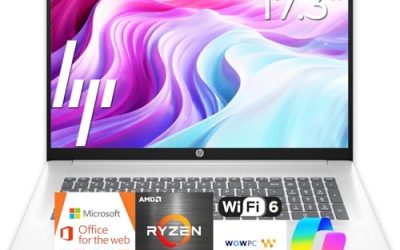
This ASUS lists a 15.6-inch FHD 60Hz screen, an AMD Ryzen 5 processor, Radeon graphics, 8GB of RAM, a 512GB SSD, military-grade durability, an ErgoSense keyboard, and Wi-Fi 6E. It targets students and anyone who carries a laptop daily.
- Strength: a durability claim and ergonomic keyboard suit backpack life.
- Strength: Wi-Fi 6E is the newest wireless standard in this group.
- Trade-off: 8GB of RAM is the entry tier, and the title does not state a specific Ryzen model.
Skip it if you need 16GB of memory or a 120Hz display.
As a daily carry, it balances screen size and weight for lecture halls and libraries, and the keyboard design is the listing’s main comfort selling point.
Dell 15.6 Laptop (Core 3, DDR4)
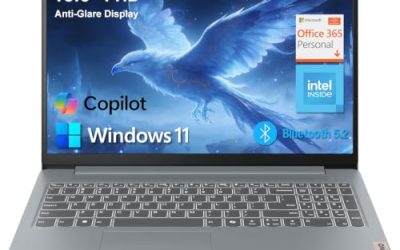
A plain office configuration: Intel Core 3 100U, 8 GB of RAM, Windows 11 Home, and a 15.6-inch FHD anti-glare IPS panel at 250 nits, with DDR4 memory, a 512GB SSD, and Wi-Fi 6.
- Strength: a matte IPS display fits office and classroom lighting.
- Strength: 512GB of storage and Wi-Fi 6 are solid at the entry level.
- Trade-off: DDR4 memory and a modest chip limit longevity for heavy use.
Skip it if you want a faster panel or newer memory.
It is the kind of laptop an office buys in volume: unexciting, predictable, and easy to support. Read the full listing for port details, since the title does not mention USB-C.
Dell 15.6 Laptop (Ryzen 5 7520U)
The only listing in this group with a 120Hz screen: a 15.6-inch FHD IPS panel, AMD Ryzen 5 7520U with Radeon 610M graphics, LPDDR5 memory, a 512GB SSD, and Windows 11 Home in Carbon Black.
- Strength: 120Hz makes scrolling and window movement look smoother.
- Strength: LPDDR5 memory and a Ryzen 5 chip suit everyday multitasking.
- Trade-off: Wi-Fi 5 is an older wireless standard than the Wi-Fi 6 on its siblings.
Skip it if you rely on a congested network that benefits from Wi-Fi 6.
The extra panel smoothness is the reason to pick it over the Core 3 versions, and its Ryzen processor places it a step above them on paper for general multitasking.
Dell 15.6 Laptop (Core 3, DDR5)
Closely related to the DDR4 Dell but with an upgrade: a 300 nits anti-glare WVA panel, DDR5 memory, 8GB of RAM, Core 3 100U processor, Intel UHD Graphics, a 512GB SSD, Wi-Fi 6, and Bluetooth.
- Strength: 300 nits is brighter than the 250 nits sibling.
- Strength: DDR5 memory offers a newer platform.
- Trade-off: it still has only 8GB of RAM and basic integrated graphics.
Skip it if you want a high refresh rate screen.
It makes the most sense in shared spaces such as a kitchen counter or a classroom, where brighter output and a matte coating fight off reflections.
HP Portable 15″ HD Laptop
The most basic listing: a 15-inch HD micro-edge IPS screen, Intel Pentium processor up to 3.68GHz, 4GB of DDR4, a 128GB SSD, HDMI, a webcam, and Wi-Fi 6.
- Strength: it covers basics like browsing and video playback at a low tier.
- Strength: HDMI and Wi-Fi 6 add useful connectivity.
- Trade-off: 4GB of RAM and 128GB of storage are tight for modern Windows.
Skip it if you plan to multitask or keep many files locally.
Treat it as a secondary machine for a spare room, a child’s early schoolwork, or light travel, where cost matters more than performance and expectations stay modest.
Which One Fits Your Situation
You want one laptop to last several years
Choose the Apple MacBook Air 15-inch. Its 16GB of unified memory and 512GB of storage give the longest runway of the six, and a larger screen means fewer reasons to buy an external monitor later.
You are a student on a tight schedule
The ASUS Vivobook Go 15 combines a durability claim, an ergonomic keyboard, and Wi-Fi 6E for crowded campus networks.
You split time between a desk and a bright room
The Dell 15.6 Core 3 with DDR5 and 300 nits is the brighter of the two Core 3 models, while the Ryzen 5 7520U version gives you smoother scrolling.
You only need web browsing and video for a relative
The HP Portable 15″ handles basic tasks, but treat it as an entry device rather than a long-term investment. If the budget stretches a little, either Dell with 512GB of storage gives far more breathing room for the same kind of simple use.
Common Mistakes
- Choosing 4GB of RAM to save a little and regretting it within months.
- Treating HD and FHD labels as the same when the sharpness difference is clear.
- Ignoring nits, then discovering the screen washes out near a window.
- Assuming DDR5 automatically beats a configuration with more memory capacity.
- Paying for a premium brand when Windows-only software is required.
Related guides
- What Is The Best Budget Most Responsive Gaming Mouse Wired
- Low Latency Gaming Headphones Usb-C 2.4 Ghz Wireless
- Low Latency Gaming Headphones Usb-C Dongle 2.4 Ghz
Frequently Asked Questions
Is 15.6 inches the same as a 15-inch laptop?
In practice, yes. Most 15-inch Windows laptops use a 15.6-inch panel, while Apple’s version measures 15.3 inches.
Is a 120Hz screen worth it?
It is a comfort feature rather than a necessity. You will notice smoother scrolling, but it will not change what the laptop can compute.
How much storage is enough?
512GB suits most users who keep files locally. Use 128GB only if you rely on cloud storage.
Why are some listings repeated?
Retailers often list the same model in several colors or configurations under different codes. Compare the full spec block before treating them as different laptops, and pay particular attention to memory, storage, and screen brightness, since those are the lines that change between near-identical listings.