Shopping for a top rated business laptop usually means one thing in practice: you want a machine that will not become a problem. It has to open a pile of browser tabs, run video calls, handle spreadsheets and accounting software, and still be fine in the third year of daily use. The phrase hides a lot of real decisions, though. Do you need a Windows 11 Pro license for domain join and disk encryption, or is the Home edition enough? Do you want a webcam shutter for privacy? Is a numeric keypad worth a larger body? This guide works through those questions using only what the listings state.
It is written for office managers, consultants, accountants, and employees buying their own work machine, plus anyone replacing a fleet of one or two laptops. Rather than leaning on popularity numbers, the picks below are judged on the specs in each product title: processor family, memory, storage, screen size, ports, and operating system edition. Six laptops are covered, running from an older Core i5 touchscreen model to a newer Core Ultra design and a large-screen Ryzen option, and each one is matched to a specific kind of working day in 2026. If a laptop here does not fit, the checklist in the next sections will help you vet any other candidate the same way.
One note on the phrase itself: a high customer score is a blunt instrument for business buying. A laptop can please a casual home user and still lack the license edition, ports, or memory a workplace needs. That is why the selection criteria below start with the operating system and the hardware that supports daily office habits rather than with any popularity signal.
Our Top Picks
Top 3 picks at a glance
Quick Picks
As an Amazon Associate we earn from qualifying purchases at no extra cost to you.





| Product | Best for | Key spec from the title |
|---|---|---|
| Lenovo V15 Gen 4 | Wired office desks and docks | Core i5-13420H, RJ45, HDMI, Windows 11 Pro |
| HP 17-inch Ryzen 5 7430U | Spreadsheet-heavy work on a big screen | 17.3-inch FHD, 16GB RAM, 512GB PCIe |
| Dell Inspiron 15 3530 | Touch input and lots of local files | Core i7-1355U, 16GB RAM, 1TB SSD, touchscreen |
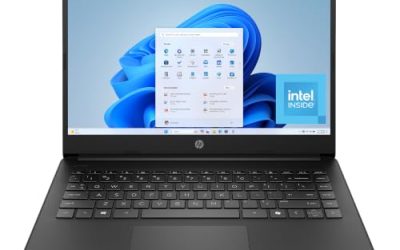
| HP 255 G10 | Privacy-minded desk work | 16GB RAM, 512GB SSD, webcam with shutter, W11 Pro |
| Dell 15.6 Core Ultra 5 | Newer-generation, bright-office use | Core Ultra 5 225U, DDR5, 300-nit anti-glare screen |
| Dell Inspiron 15.6 Touch (i5) | Mixed business and student use | Core i5-1155G7, 16GB RAM, 1TB SSD, Windows 11 Pro |
How to Choose
Operating system edition and management features
Windows 11 Pro is the line that matters for business. It adds BitLocker drive encryption, domain or Entra ID join, and Remote Desktop hosting, none of which Home includes. Several models here ship with Pro in the title; the Core Ultra 5 Dell lists Windows 11 Home, which is fine for a sole proprietor but awkward if an IT provider needs to manage the device. If you are unsure, the Pro license is the safer line to pay for.
Memory and storage thresholds
Treat 16GB of RAM as the working minimum for a business laptop kept for several years: a browser with a dozen tabs, a video call, and an office suite will crowd 8GB quickly. For storage, 512GB is comfortable for a user who keeps documents in cloud folders, while 1TB suits people who store project archives, scanned records, or large mailbox files locally. Be wary of 128GB or 256GB configurations unless the machine is a thin client for browser-only work.
Screen size, ports, and input
A 15.6-inch full HD panel is the mainstream choice, a 17.3-inch screen helps with side-by-side spreadsheets but adds bulk, and a 14-inch body suits people who travel. Look for HDMI for presentations, a wired Ethernet port if your office network is picky about Wi-Fi, and Wi-Fi 6 for conference rooms. A numeric keypad matters if data entry is part of the job. Anti-glare coatings and a stated brightness figure, such as 300 nits, help in windowed offices.
Where budget models cut corners
Lower-priced business laptops tend to economize on screen quality, keyboard backlighting, and chassis stiffness, and they rarely include fingerprint readers. Marketing words like Powerful or Latest tell you nothing; processor model numbers and memory type do. Ignore phrases that compare chips to other chips, and read the actual model name instead. Also treat touchscreens as a convenience, not a business necessity, since they add weight and draw more power.
A practical way to compare candidates is to write down three non-negotiables before browsing: the edition of Windows you need, the minimum memory, and the ports your desk setup uses. Any laptop that misses one of the three drops out immediately, which usually leaves two or three real contenders. From there, let screen size and carry weight break the tie, because those are the traits you notice every single day.
The 6 Best Options
Lenovo V15 Gen 4
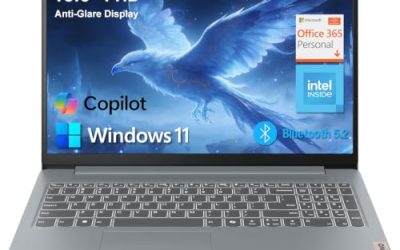
The V15 Gen 4 is the connectivity-first pick. Its title lists an Intel Core i5-13420H, a 15.6-inch FHD display, HDMI, an RJ45 Ethernet jack, a webcam, a numeric keypad, and Windows 11 Pro. That combination suits a desk-based worker who plugs into a wired network and a second monitor all day, such as a bookkeeper or claims processor.
- Strength: a wired network port and HDMI are both listed, which removes the need for adapters at a desk.
- Strength: Windows 11 Pro is included, so encryption and domain features are available.
- Trade-off: the title does not state RAM or storage, so confirm the configuration before buying.
Skip it if you want a premium, thin travel machine; this is a workstation-style 15.6-inch design.
HP 17-inch Ryzen 5 7430U
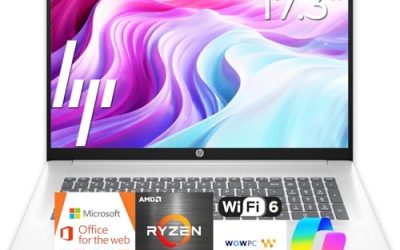
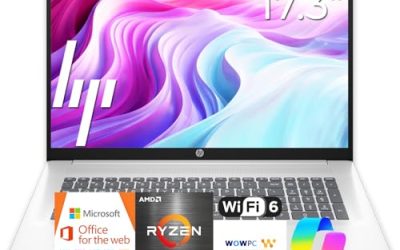
This HP pairs an AMD Ryzen 5 7430U with a 17.3-inch FHD display, Wi-Fi 6, 16GB of RAM, and a 512GB PCIe SSD. The large screen is the main appeal for people who live in spreadsheets, CRM dashboards, or document comparison, where extra horizontal space reduces window juggling.
- Strength: 16GB of RAM and a PCIe SSD are a sensible base for multitasking.
- Strength: the 17.3-inch panel gives more room for side-by-side work.
- Trade-off: a 17-inch body is less convenient to carry between client sites.
Skip it if you commute with a laptop daily or work from cramped spaces such as trains and small shared desks.
Dell Inspiron 15 3530
The Inspiron 15 3530 carries a 15.6-inch FHD touchscreen, an Intel Core i7-1355U, 16GB of RAM, and a 1TB SSD, plus a webcam, HDMI, and Wi-Fi 6. It targets the user who stores a lot locally, such as a real estate agent with years of listing photos and signed PDFs, and who occasionally prefers tapping to trackpad use.
- Strength: the largest storage in this group at 1TB, alongside 16GB of RAM.
- Strength: Core i7 with a touchscreen gives flexibility for presentations.
- Trade-off: the Inspiron line is positioned around home and general use, so check the operating system edition on the listing for management needs.
Skip it if you require Pro-only features out of the box or want the lightest possible chassis.
HP 255 G10
The HP 255 G10 is the privacy-minded workhorse. It lists an AMD quad-core processor, 16GB of RAM, a 512GB SSD, Windows 11 Pro, a 15.6-inch Full HD display, a numeric keypad, and a webcam with a shutter. The shutter is a practical detail for anyone taking confidential calls or working near client information.
- Strength: a physical webcam shutter and Windows 11 Pro are both in the title.
- Strength: a balanced 16GB and 512GB configuration without extra frills.
- Trade-off: the processor is described only as an AMD quad-core chip, so verify the exact model before comparing it with newer designs.
Skip it if you want a touchscreen or a thin, travel-oriented body.
Dell 15.6 Core Ultra 5
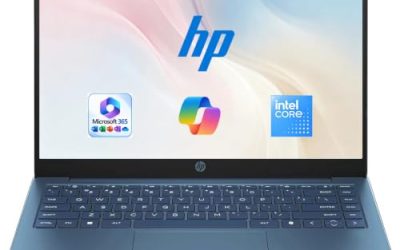
This Dell is the newest platform in the group, built around an Intel Core Ultra 5 225U with 16GB of DDR5 memory and a 512GB SSD. The title also lists an anti-glare 300-nit WVA display, Intel graphics, and a backlit keyboard, which makes it a good fit for brighter offices and evening typing sessions.
- Strength: a current-generation processor with DDR5 memory.
- Strength: a backlit keyboard and a stated 300-nit anti-glare screen suit varied lighting.
- Trade-off: it ships with Windows 11 Home, so managed or encrypted deployments may need an upgrade.
Skip it if your employer requires domain join, or if you need discrete graphics for design work.
Dell Inspiron 15.6 Touch (i5)
This Inspiron is described as a business and student laptop, with an Intel Core i5-1155G7, 16GB of RAM, a 1TB SSD, a full HD touchscreen, and Windows 11 Pro. That mix of Pro licensing and large storage makes it a flexible choice for someone who splits time between work files and personal projects.
- Strength: Windows 11 Pro with 16GB of RAM and 1TB of storage.
- Strength: touch input helps when reviewing documents or annotating presentations.
- Trade-off: the Core i5-1155G7 is an older-generation chip than the other Dell models listed here.
Skip it if you want the newest processor platform for long-term resale or heavy multitasking.
Which One Fits Your Situation
You work at a fixed desk with a dock or wired network
The Lenovo V15 Gen 4 is the natural match, because it lists both HDMI and Ethernet. Pair it with an external monitor and you have a stable, low-fuss office setup.
You handle sensitive client information
Choose the HP 255 G10. The webcam shutter and Windows 11 Pro together cover two common privacy needs without extra accessories.
You keep everything on the machine
The Dell Inspiron 15 3530 offers the large 1TB drive and a Core i7, while the Inspiron 15.6 Touch with the i5 offers Pro licensing at the same storage size. Pick the first for speed headroom and the second for management features.
You want a screen that is easier on the eyes
Between the HP 17-inch Ryzen 5 for sheer size and the Dell Core Ultra 5 for its anti-glare, backlit design, the Dell wins for mixed lighting while the HP wins for spreadsheet width.
Common Mistakes
- Buying on popularity alone and skipping the spec sheet, which is where the real differences sit.
- Forgetting the Home versus Pro edition difference until IT software refuses to install.
- Accepting 8GB of RAM or 128GB of storage on a machine meant to last several years.
- Ignoring ports, then needing adapters for HDMI or Ethernet at every meeting room.
- Paying extra for touch or large screens that the daily workflow does not use.
Related guides
- What Is The Best Budget Most Responsive Gaming Mouse Wired
- Low Latency Gaming Headphones Usb-C 2.4 Ghz Wireless
- Mechanical Gaming Keyboards Competitive Pc Gaming
Frequently Asked Questions
Is a renewed or older-generation laptop acceptable for business?
It can be, if the processor generation, RAM, and storage still match your workload. Older chips such as an 11th-generation Core i5 handle office tasks, but they offer less headroom for future software updates.
How much RAM does a business laptop need?
Sixteen gigabytes is the practical target for multitasking with a browser, video calls, and office software. Eight gigabytes can work for light use but leaves little room later.
Do I need Windows 11 Pro?
You need it if you plan to use BitLocker, join a company domain, or host Remote Desktop sessions. For basic solo work, Home is usually adequate.
Is a touchscreen worth it for office work?
Only if you annotate documents or present from the screen. Otherwise it adds weight and battery draw without improving typing or spreadsheet work.