A small business laptop has to do three things at once: stay on all day, protect customer data, and avoid becoming a second job for whoever acts as the office IT person. That is a different shopping list from a student or gaming machine, and it rewards reading the ports and operating system before the processor. Sturdy ports, a Pro edition of Windows, enough memory for accounting software and video calls, and a webcam you can cover matter more than flashy graphics.
This guide is for owners, bookkeepers, consultants and shop managers outfitting one to five people. In 2026 the title text on these listings is crowded with buzzwords, so each pick below is judged only on stated facts such as processor, RAM, storage, ports and operating system. When a title gives no detail, the guide says that plainly and leaves it as an open question for the buyer.
Our Top Picks
Top 3 picks at a glance
Quick Picks
As an Amazon Associate we earn from qualifying purchases at no extra cost to you.




| Product | Best for | Key spec from the title |
|---|---|---|
| Lenovo Business 15.6 | Front-desk and light office tasks | 8 GB DDR5, 128 GB storage, Office 365, USB-C |
| Lenovo V15 Gen 4 | Wired office setups | Core i5-13420H, RJ45, HDMI, Windows 11 Pro |
| HP 255 G10 | Secure everyday work | 16 GB RAM, 512 GB SSD, Windows 11 Pro, webcam shutter |
| Dell Latitude 5420 Renewed | Compact travel | 14 inch FHD, Core i5-1145G7, 16 GB, Windows 11 Pro |
| HP 17.3 Ryzen 5 | Spreadsheets and big-screen work | Ryzen 5 7430U, 17.3 inch FHD, 16 GB, 512 GB |
| Dell Pro 16 | Professional all-rounder | Core 5 120U, 16 GB DDR5, 16 inch FHD+ anti-glare |
| HP 14 N150 | Entry-level email and web | Quad-core N150, 4 GB RAM, 128 GB UFS |
How to Choose
Windows edition and security features
Windows 11 Pro adds disk encryption management and the ability to join a business domain, which Home lacks. If you store customer records, that gap is worth caring about. A webcam shutter and a fingerprint or IR sensor are small extras that reduce risk during client calls and shared desk use. Neither replaces a strong password policy, but both make daily habits easier to keep.
Memory and storage thresholds
Plan on 16 GB of RAM if you run accounting software, a browser with many tabs and a video meeting together; this single spec does more for day-to-day speed than any processor label. 8 GB is workable for a point-of-sale or front-desk machine. For storage, 256 GB is a floor and 512 GB gives room for years of files. A 128 GB drive fills quickly once updates and local copies pile up.
Ports and connectivity
Look for HDMI for projectors and second monitors, USB-C for charging or docks, and a wired Ethernet (RJ45) port if your office relies on cabling. Wi-Fi 6 helps on a busy network, especially in a shared office or a building full of other routers. Many thin models drop Ethernet entirely, so confirm the port list in the listing text rather than assuming. Missing ports usually mean buying adapters, which adds cost and clutter to a tidy workspace.
Screen size, keyboard and what to ignore
A 15.6 inch screen with a numeric keypad suits data entry, while 14 inch models carry easier. A 17.3 inch panel is great at a desk but heavy in a bag, and a 16 inch screen with a taller aspect ratio is a good middle ground. Ignore claims of beating another chip, bundled earphones and “AI” labels, since none arrives with a number you can verify. Budget models usually cut RAM and storage first, so read those two numbers before anything else on the page.
The 7 Best Options
Lenovo Business 15.6
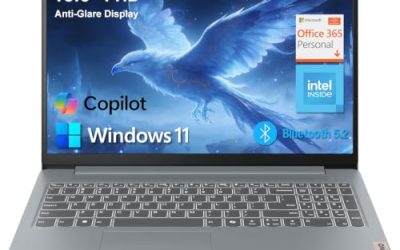
A light-duty pick for a counter or reception desk. The title lists a 15.6 inch FHD anti-glare screen, an Intel processor, 8 GB of DDR5 memory, 128 GB of storage, Office 365, Wi-Fi 6 and USB-C. It reads as a low-friction machine for email, scheduling and web tools. A salon, clinic reception or small retail counter that mostly runs browser-based booking software is the natural home for this kind of configuration.
- Strength: DDR5 memory and Wi-Fi 6 are modern touches for simple work.
- Strength: an anti-glare Full HD screen and USB-C add flexibility.
- Trade-off: 128 GB of storage is small, and the exact processor model is not named.
Skip it if you keep large files locally or run demanding business software.
Lenovo V15 Gen 4
The wired-office favorite. It lists a 15.6 inch FHD display, an Intel Core i5-13420H, HDMI, an RJ45 Ethernet port, a webcam, a numeric keypad, Wi-Fi and Windows 11 Pro. That is a connectivity set that most thin laptops no longer offer. A contractor’s back office or a shop with cabled workstations will appreciate not having to buy a dongle for every desk.
- Strength: the built-in Ethernet port gives a stable link for payment terminals and shared drives.
- Strength: Windows 11 Pro and a numeric keypad suit bookkeeping.
- Trade-off: RAM and storage amounts are not visible in the available title text, so confirm them before buying.
Skip it if you want the thinnest, lightest machine possible, or if you cannot confirm memory and storage first.
HP 255 G10
A straightforward workhorse. The title shows an AMD quad-core CPU, 16 GB of RAM, a 512 GB SSD, Windows 11 Pro, a 15.6 inch Full HD display, a webcam with a privacy shutter, and a numeric keypad. The memory and storage already match what many small teams actually need. Owners who want one dependable standard laptop to buy for several employees will find the spec sheet easy to repeat across the team.
- Strength: 16 GB and 512 GB cover accounting, browsers and meetings together.
- Strength: the webcam shutter and Pro edition address privacy and security basics.
- Trade-off: the exact AMD model is not named in the title.
Skip it if you need a compact body for frequent travel.
Dell Latitude 5420 Renewed
A refurbished business classic. It lists a 14 inch FHD screen, a quad-core Core i5-1145G7, 16 GB of DDR4, a 256 GB SSD, a camera, HDMI and Windows 11 Pro, with the Renewed label. It appeals to cost-conscious owners who still want a business-grade chassis. Sales reps, field inspectors and consultants who move between offices and client sites are the people this size is made for.
- Strength: 16 GB of RAM and a 14 inch body balance power and portability.
- Strength: Windows 11 Pro and HDMI cover meeting-room needs.
- Trade-off: renewed units vary in battery wear and cosmetic condition, and the chip is an older generation.
Skip it if you want a fully new device with a fresh warranty history.
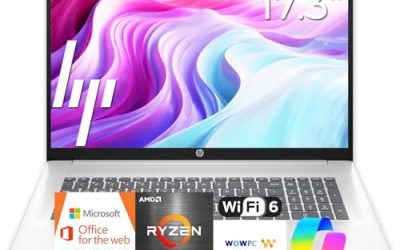
HP 17.3 Ryzen 5
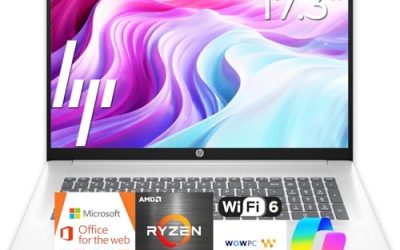
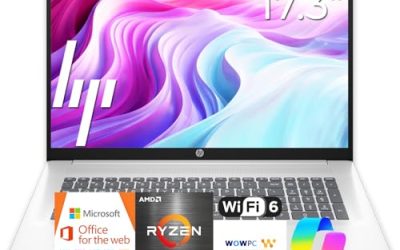
Built for people who live in spreadsheets. The title lists an AMD Ryzen 5 7430U, a 17.3 inch FHD display, Wi-Fi 6, 16 GB of RAM and a 512 GB PCIe drive. The wide panel makes side-by-side windows comfortable at a desk. Bookkeepers and analysts who compare two documents all day will use that extra width constantly.
- Strength: 16 GB and a PCIe drive keep large files and many tabs responsive.
- Strength: the 17.3 inch screen suits invoicing and data review.
- Trade-off: a 17.3 inch laptop is awkward to carry to client sites.
Skip it if you travel often or work from tight spaces.
Dell Pro 16
A newer, professional-leaning configuration. The title lists an Intel Core 5 120U, 16 GB of DDR5, a 512 GB SSD and a 16 inch FHD+ anti-glare display, and it carries a business AI PC label tied to the Latitude family. The taller 16:10 screen is a plus for documents. Teams that standardize on a larger, professional-looking laptop for client-facing work will find the screen proportions practical.
- Strength: 16 GB of DDR5 and a 512 GB SSD are the right size for daily business apps.
- Strength: an anti-glare FHD+ panel is comfortable through long workdays.
- Trade-off: the title does not state the operating system edition.
Skip it if you require confirmed Windows Pro features without checking further.
HP 14 N150
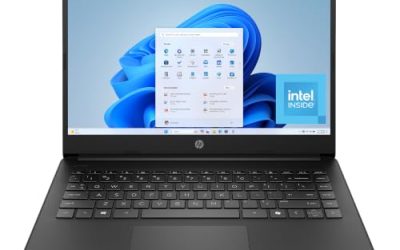
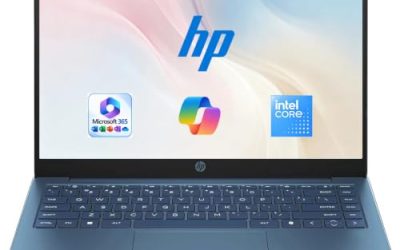
The entry-level choice. It lists a 14 inch screen, a quad-core Intel N150 processor, 4 GB of RAM, 128 GB of UFS storage, Windows 11 Home and a one-year Office 365 subscription. It works for a seasonal helper or a shared kiosk machine. Treat it as a task-specific tool rather than a primary computer for the owner.
- Strength: light and compact with Office bundled for the first year.
- Strength: a low-power chip suits email and browser work.
- Trade-off: 4 GB of RAM and Windows Home are thin for a business owner.
Skip it if you need multitasking or encryption management. Anyone whose daily work involves several programs at once should look at the 16 GB models above instead.
Which One Fits Your Situation
You run a small accounting or admin team
The HP 255 G10 pairs 16 GB, 512 GB, Windows 11 Pro and a numeric keypad, which suits that workload. Add a second monitor over HDMI and the setup works for most small-office days.
Your office is wired and you use shared drives
The Lenovo V15 Gen 4 is the one that lists a built-in Ethernet port. That removes a common point of failure when Wi-Fi gets crowded.
You travel to client sites
The Dell Latitude 5420 Renewed offers a 14 inch body with 16 GB of RAM, with the usual renewed-condition caveats. Ask the seller about battery health before committing.
You need a long-term desk machine for presentations
The Dell Pro 16 brings a 16 inch FHD+ anti-glare screen and 16 GB of DDR5 for a clean, modern setup. It also fits owners who present proposals to clients and want the screen to look sharp.
Common Mistakes
- Buying Windows Home when the business needs encryption and domain features.
- Choosing 4 GB of RAM for anyone who works in accounting software.
- Assuming an Ethernet port is present on a thin laptop.
- Ignoring the condition of renewed units, including battery health.
- Believing “beats another chip” claims instead of reading RAM and storage.
Related guides
- What Is The Best Budget Most Responsive Gaming Mouse Wired
- Low Latency Gaming Headphones Usb-C 2.4 Ghz Wireless
- Mechanical Gaming Keyboards Competitive Pc Gaming
Frequently Asked Questions
Is Windows 11 Pro really necessary?
For businesses that handle customer data or want central management, yes. For a single-person office, Home can work, but Pro adds useful security controls. If more than one person logs into the machine, those controls matter more.
How much RAM should a small business laptop have?
16 GB is a comfortable target. 8 GB works for lighter roles such as reception or point-of-sale. Moving up to 16 GB removes most slowdowns when several programs run at once.
Are renewed laptops a smart choice?
They can be, especially business-grade ones. Confirm the seller’s return terms and battery condition, and expect an older processor generation. A business-class renewed unit often outlasts a cheaper new consumer model.
Do I need a numeric keypad?
Only if you enter lots of figures. Full-size models with keypads are usually 15.6 inches or larger, while 14 inch models trade it for portability. If you only type text, a smaller screen without a keypad is perfectly fine.