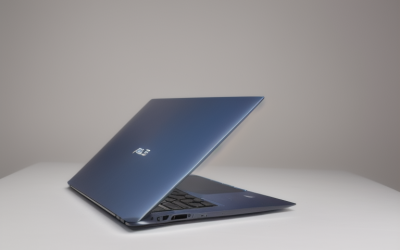
The phrase “best gaming laptop” hides three very different shoppers. One wants a flagship that can run the newest games at 2.5K and 240Hz and does not mind the weight. Another wants a mid-range 16-inch workhorse that plays everything at high settings and still fits in a backpack. The third has been told that any laptop with a big number on the box counts as a gaming machine, and needs to learn why that is not true. This guide separates those cases using only what the product titles state.
By 2026 the field is dominated by NVIDIA RTX 50-series graphics, with Intel HX-class and AMD Ryzen processors alongside them. Below you will find eight listings, from a flagship RTX 5080 machine to a large-screen entry-level model with integrated graphics. Specs come straight from the visible titles, which are sometimes cut off, so confirm storage, ports, and weight on the product page before you buy.
Our Top Picks

Top 3 picks at a glance
Quick Picks
As an Amazon Associate we earn from qualifying purchases at no extra cost to you.





| Product | Best for | Key spec from the title |
|---|---|---|
| ASUS ROG Strix G16 (RTX 5060) | Well-rounded high-settings play | RTX 5060, Core i7-14650HX, 1TB Gen 4 SSD |
| Acer Nitro V 16S AI | Memory-rich mainstream gaming | RTX 5060, Ryzen 7 260, 180Hz, 32GB listed |
| ASUS ROG Strix G16 (RTX 5080) | Flagship performance | RTX 5080, Core Ultra 9 290HX Plus, 2.5K 240Hz |
| KAIGERR Gaming Laptop | Entry-level everyday use | Ryzen 7430U, 16GB DDR4, 512GB SSD |
| msi Katana 15 HX | Sharp 15.6-inch QHD+ gaming | RTX 5070, Core i9-14900HX, 32GB DDR5 |
| ASUS ROG Strix G18 | Big-screen play | 18-inch FHD+ 144Hz, RTX 5070, Core i9-14900HX |
| msi Crosshair 18 HX AI | Large, high-resolution desktop replacement | 2560×1600 240Hz, RTX 5070 8GB GDDR7, 2TB SSD |
| 18.5-inch Ryzen 7430U laptop | Casual games on a huge screen | 7000 mAh battery, Radeon RX Vega 7, 16GB DDR4 |
How to Choose
Rank the graphics chip tiers
Within this list, the RTX 5080 sits at the top, the RTX 5070 in the upper middle, the RTX 5060 in the mainstream slot, and integrated Radeon graphics at the bottom. A rough rule: RTX 5060 suits 1080p and many 1440p scenes, RTX 5070 gives comfortable headroom at 1440p, and RTX 5080 is for high-resolution, high-refresh play or creative rendering. Integrated graphics are for older and light games only.
Match screen size, resolution, and refresh rate
A 15.6-inch laptop is the easiest to carry, 16-inch is the popular all-rounder, and 18-inch models behave more like portable desktops. Resolution matters as much as refresh rate: 2560×1600 or 2.5K looks sharper, but only a strong GPU keeps frame rates high at that size. Panels at 240Hz reward competitive players; 144Hz to 165Hz is plenty for most story-driven games.
Plan memory and storage for the long run
Sixteen gigabytes of RAM is the working minimum for gaming, 32GB is the better choice for streaming, modding, or keeping the machine several years, and 1TB of SSD space is the practical starting point as large installs add up. A 2TB drive suits big libraries. Check whether the listing says DDR5 or DDR4, because newer memory supports faster speeds.
Look past the label
Some low-cost listings carry the word “gaming” without naming a dedicated GPU, and spec fields can be inflated by oversized screen sizes or battery capacity. Cooling, hinge quality, and port selection rarely appear in titles, so read the product page. High-end HX processors also run hot, so expect louder fans and shorter battery life in the heavy-duty machines.
The 8 Best Options
ASUS ROG Strix G16 (RTX 5060)
This ROG Strix configuration lists a 16-inch FHD+ 16:10 display at 165Hz with a 3ms response time, a GeForce RTX 5060, a Core i7-14650HX, 16GB of DDR5, and a 1TB Gen 4 SSD. It suits gamers who want a balanced build without overspending on flagship graphics, and who value a quick panel and ample storage for a growing library. A student who games after class, or a streamer just starting out, will find this configuration easy to live with because nothing in the spec list looks like a compromise.
- Strength: a balanced RTX 5060 and i7 pairing covers most current games.
- Strength: the 16:10 screen adds vertical room for browsing and work.
- Trade-off: 16GB of RAM leaves less long-term headroom than 32GB.
Skip it if you want the highest frame rates at 1440p or above.
Acer Nitro V 16S AI
The Nitro V 16S AI combines a Ryzen 7 260, an RTX 5060 Laptop GPU, a 16-inch WUXGA IPS panel at 180Hz, and a memory capacity that starts with 32GB in the visible title. It is aimed at buyers who want a capable machine that keeps pace as games and background apps get heavier, without stepping into flagship territory. Players who keep a browser, voice chat, and a launcher open while gaming will appreciate the extra memory, and the Ryzen processor keeps those background tasks responsive.
- Strength: 32GB of listed memory gives generous multitasking room.
- Strength: a 180Hz panel is among the fastest at the mainstream level.
- Trade-off: the title cuts off before naming the storage size.
Skip it if you must know the SSD capacity before ordering.
ASUS ROG Strix G16 (RTX 5080)
The flagship of the group lists a 16-inch ROG Nebula HDR 2.5K display at 240Hz with 3ms response, an Intel Core Ultra 9 290HX Plus, an RTX 5080, 32GB of DDR5, and a 1TB PCIe SSD. It is built for enthusiasts who want maximum graphics performance, HDR visuals, and plenty of headroom for demanding games and creative software. Think of someone who edits video by day and plays at 2.5K by night; the combination of a fast GPU, 32GB of memory, and an HDR panel was built for exactly that mixed workload.
- Strength: the RTX 5080 is the strongest graphics chip on this list.
- Strength: an HDR 2.5K 240Hz panel pairs high resolution with high refresh.
- Trade-off: expect higher cost, weight, fan noise, and power draw than the mainstream options.
Skip it if you play lighter games or prioritize portability.
KAIGERR Gaming Laptop
The KAIGERR listing shows a Ryzen 7430U up to 4.3GHz, 16GB of DDR4, a 512GB SSD, an FHD display, Wi-Fi 6, USB 3.2, and a Type-C port. The title names no dedicated graphics, so it behaves like an everyday laptop with a gaming label, suited to older games, emulators, and general schoolwork. A parent shopping for a first laptop that can handle homework, video calls, and casual games might look here, though the lesser-known brand makes the warranty terms worth reading carefully.
- Strength: 16GB of RAM and Wi-Fi 6 cover basic multitasking and online play.
- Strength: Type-C and USB 3.2 add useful connectivity.
- Trade-off: integrated graphics cannot keep up with modern demanding games.
Skip it if you want recent AAA games at decent settings.
msi Katana 15 HX
This Katana lists a 15.6-inch QHD+ 165Hz display, a Core i9-14900HX, an RTX 5070, 32GB of DDR5, a 1TB NVMe SSD, an RGB keyboard, and Windows 11 Home. It targets gamers who want upper-tier power in a smaller 15.6-inch body, and who like the sharper picture QHD+ provides over standard full HD. The RGB keyboard and compact footprint make it a natural pick for a dorm room or small apartment, where a giant desktop replacement would take over the whole desk.
- Strength: RTX 5070 plus 32GB of DDR5 is a strong, future-minded combination.
- Strength: the 15.6-inch size is easier to carry than the 18-inch alternatives.
- Trade-off: an i9 HX chip in a compact chassis can run hot and loud.
Skip it if you want a quiet machine for libraries or shared rooms.
ASUS ROG Strix G18
The G18 offers an 18-inch FHD+ 16:10 display at 144Hz with 3ms response, an RTX 5070, a Core i9-14900HX, and DDR5-5600 memory, which the visible title lists as “32B” (presumably 32GB, so confirm on the page). It fits players who treat their laptop as a desktop replacement and want a big canvas on the desk. Because the 16:10 shape adds height, it also doubles as a roomy workspace for spreadsheets and documents between gaming sessions, which matters if this is your only computer.
- Strength: an 18-inch screen gives immersive viewing for open-world and strategy games.
- Strength: RTX 5070 and an i9 HX processor offer plenty of power.
- Trade-off: it is a large machine, awkward for backpacks and small desks.
Skip it if you travel often or sit at a compact workspace.
msi Crosshair 18 HX AI
The Crosshair 18 HX AI lists an 18-inch 2560×1600 display at 240Hz, a Core Ultra 9 275HX, an RTX 5070 with 8GB of GDDR7, 32GB of RAM, a 2TB NVMe SSD, and Windows. It is a desktop-replacement pick for players who want high resolution, fast refresh, and a large local game library. The 8GB of GDDR7 video memory named in the title is useful for high-resolution textures, and the new-generation Core Ultra processor adds AI-oriented features beyond pure gaming.
- Strength: 2TB of storage and 32GB of RAM are generous.
- Strength: the 2560×1600 240Hz panel is sharp and fast.
- Trade-off: the RTX 5070 may need reduced settings to approach 240Hz at that resolution in newer titles.
Skip it if you want a compact, light machine.
18.5-inch Ryzen 7430U laptop
This unbranded listing stands out for sheer size: an 18.5-inch screen, a 7000 mAh battery, a Ryzen 7430U up to 4.3GHz, Radeon RX Vega 7 graphics, 16GB of DDR4, a 512GB SSD, Wi-Fi 6, and a Type-C port. It is aimed at casual users who want a very large display for video, office work, and older games. The oversized battery figure is a listing claim worth treating cautiously, and a person who mostly sits at one desk, streaming shows or working in spreadsheets, will get the most from the screen.
- Strength: the huge screen is attractive for streaming and spreadsheets.
- Strength: 16GB of RAM and 512GB of storage suit everyday use.
- Trade-off: integrated graphics make it a poor match for recent demanding releases.
Skip it if you need real gaming performance or a travel-friendly size.
Which One Fits Your Situation
You want the most performance available
The ASUS ROG Strix G16 with the RTX 5080 and a 2.5K 240Hz panel is the clear top end of this list, and it suits creators who also render video.
You want a strong all-rounder you can carry
The msi Katana 15 HX balances an RTX 5070 and 32GB of memory with a 15.6-inch body, while the ROG Strix G16 with the RTX 5060 trims cost and keeps most of the experience.
You want a desktop replacement
Choose between the ROG Strix G18 and the msi Crosshair 18 HX AI. The Crosshair brings a higher-resolution 240Hz screen and 2TB of storage, while the G18 offers a straightforward big-screen setup.
You mostly do homework and light games
The KAIGERR Gaming Laptop covers basics with 16GB of RAM, though the Acer Nitro V 16S AI is the better step up if graphics power matters.
Common Mistakes
- Believing the word “gaming” guarantees a dedicated graphics card.
- Buying a QHD or 2.5K screen with an entry-level GPU and then playing at low settings.
- Picking an 18-inch model and discovering it is too large for a bag or desk.
- Ignoring memory: 16GB works now but ages faster than 32GB.
- Skipping the warranty and return terms on lesser-known brands.
Related guides
- What Is The Best Budget Most Responsive Gaming Mouse Wired
- Low Latency Gaming Headphones Usb-C 2.4 Ghz Wireless
- Mechanical Gaming Keyboards Competitive Pc Gaming
Frequently Asked Questions
Which GPU tier should I aim for?
The RTX 5060 is a solid mainstream target for 1080p and many 1440p games. Move up to the RTX 5070 or 5080 if you want higher resolutions, faster refresh rates, or creative workloads.
Are 240Hz laptop screens worth it?
They help in fast competitive games if your frame rate approaches the panel’s limit. For slower single-player games, sharper resolution or HDR support may matter more.
Do gaming laptops run hot?
High-power HX processors and top-tier GPUs do generate heat, so expect fan noise under load. A flat, hard surface or a cooling stand helps, and thicker chassis designs tend to manage heat better.
How much storage do I need?
Plan on at least 1TB, since single modern games can take up large amounts of space. A 2TB drive is comfortable for big libraries without external storage.