HP sells laptops to almost everyone, which makes the shortlist harder, not easier. Search results mix full-power Core Ultra machines with bargain 14-inch models that run on a 4GB memory budget, and the product names rarely signal which is which. The practical question for most buyers is simple: do you need a machine that will feel quick in three years, or one that only has to survive homework, email, and streaming? Answer that and the list narrows fast.
This guide is for shoppers choosing among current HP listings in 2026, from students and families to office workers who want a big screen and a number pad. Each pick is judged only on facts stated in its title, such as processor, memory, storage, and screen size. Titles are sometimes truncated, so verify details like ports, weight, and warranty on the product page before ordering.
Our Top Picks
Top 3 picks at a glance
Quick Picks
As an Amazon Associate we earn from qualifying purchases at no extra cost to you.




| Product | Best for | Key spec from the title |
|---|---|---|
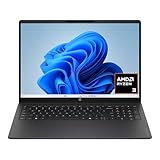
| HP 17 Business Laptop | Spreadsheets and number entry | Ryzen 5, 16GB RAM, 512GB SSD, 17.3-inch FHD |
| HP OmniBook 3 17 | Large-screen daily work | Core Ultra 5 225U, 8GB, 512GB SSD |
| HP 14 (N150, 128GB UFS) | Light tasks with Microsoft 365 included | Intel N150, 4GB RAM, 128GB UFS |
| HP Everyday Laptop (Copilot AI) | Simple home use with cloud storage | 128GB storage, 1TB cloud, WiFi 6 |
| HP OmniBook 3 16 | Touch input on a sharp screen | 2K touchscreen, Ryzen 3, 512GB SSD |
| HP 14 Everyday (N150, 128GB SSD) | Budget browsing and documents | Intel N150, 128GB SSD, Microsoft 365 |
| HP 14 Ultra-Light | Students who want expandable space | 128GB plus 128GB SD card, 4GB RAM |
| HP 17.3 Touchscreen (Core Ultra 7) | Power users who want extra storage | Core Ultra 7, 16GB, 512GB SSD plus 512GB external |
How to Choose
Start with memory, then processor
Four gigabytes of RAM is the number to avoid for anything beyond one or two browser tabs; 8GB is the practical minimum for current Windows, and 16GB gives comfortable room for multitasking. Intel N150 chips are entry-level parts meant for web browsing, documents, and video, while Core Ultra and Ryzen 5 processors are a clear step up for heavier multitasking and creative apps.
Check storage type and size
A 512GB SSD is a comfortable starting point. Models with 128GB of storage leave little room once Windows, updates, and a few programs are installed, and some list UFS or eMMC memory, which is usually slower than a standard SSD. A listing that adds cloud storage or an SD card slot can help, but external space is not a replacement for a roomy internal drive.
Decide on screen size and resolution
Fourteen-inch laptops are easier to carry, while 16-inch and 17.3-inch screens suit people who work at a desk. Resolution matters more than it seems: an HD display looks soft for text, full HD is the sensible baseline, and the 2K touchscreen on the OmniBook 3 16 is the sharpest in this group. If you type numbers all day, a numeric keypad is worth looking for.
Read the bundled extras skeptically
Many budget listings highlight a year of Microsoft 365, cloud storage, or Copilot branding. A bundled subscription has real value, but it expires, and software features do not make up for thin hardware. Also remember that a Windows 11 Home license limits some business features that Pro includes.
The 8 Best Options
HP 17 Business Laptop
This listing pairs a Ryzen 5 processor with 16GB of RAM, a 512GB SSD, and a 17.3-inch FHD display, plus a numeric keypad and long battery life as billed in the title. It suits office workers, bookkeepers, and home-office users who want a roomy screen and a full keyboard layout for hours of daily work without paying for a premium model. The memory and storage pairing is the quiet strength here: it is the same configuration many shoppers would pick if they could build the machine themselves.
- Strength: 16GB of RAM and a 512GB SSD hit the sweet spot for everyday multitasking.
- Strength: the large FHD screen and number pad suit data entry.
- Trade-off: a 17.3-inch body is bulky for daily commutes.
Skip it if you want a compact laptop for travel.
HP OmniBook 3 17
The OmniBook 3 17.3-inch lists an FHD display, an Intel Core Ultra 5 225U, 8GB of RAM, a 512GB SSD, Intel Graphics, and Windows 11 Home in a Glacier Silver finish. It is a good match for people who want a larger screen and a newer-generation processor, such as a family desktop-replacement laptop that sits on a kitchen table or home office desk most of the time. The Glacier Silver finish is a small plus for people who care how a laptop looks on a shared table.
- Strength: a Core Ultra 5 processor is more current than the N150 chips on cheaper models.
- Strength: the 512GB SSD gives practical storage.
- Trade-off: 8GB of RAM limits long-term multitasking, so check whether memory can be upgraded.
Skip it if you want 16GB of memory out of the box.
HP 14 (N150, 128GB UFS)
This 14-inch model lists an HD display, an Intel N150 processor, 4GB of RAM, 128GB of UFS storage, and a one-year Microsoft 365 Personal subscription. It is for light use: a child doing homework, a grandparent who browses and video-chats, or a secondary laptop kept by the couch for recipes and email rather than serious work. With a one-year subscription included, the setup is ready for school documents and spreadsheets the day it arrives.
- Strength: a bundled Microsoft 365 subscription adds immediate value for documents.
- Strength: a 14-inch body keeps it easy to carry around the house.
- Trade-off: 4GB of RAM and 128GB of storage fill up quickly under normal Windows use.
Skip it if you plan to keep many tabs open or install large programs.
HP Everyday Laptop (Copilot AI)
The visible title promises an Intel CPU, 128GB of storage, Copilot AI, Office 365, 1TB of cloud storage, Windows 11, fast charging, WiFi 6, and long battery life, without naming the exact processor or RAM. That vagueness is the main caution: it appeals to buyers who want the bundle, but they should find the missing specs on the page first. A listing that leaves out RAM and processor often sits at the lower end of the range, so treat the long list of features as packaging, not performance.
- Strength: fast charging and WiFi 6 are practical day-to-day features.
- Strength: bundled cloud storage helps offset the small internal drive.
- Trade-off: the title omits the exact processor and memory, which are the specs that matter most.
Skip it if you refuse to buy without a full spec sheet in the listing.
HP OmniBook 3 16
This one has a 16-inch 2K touchscreen, an AMD Ryzen 3 processor, Radeon 610M graphics, 8GB of RAM, and a 512GB SSD in Mica Silver. It suits a student or home user who values a sharp, touch-enabled display for reading, note-taking, and media, and who does not need strong processing power for heavy tasks. The roomy 16-inch panel also makes it comfortable for reading long documents or watching lectures, and the finish gives it a cleaner, more adult look than the bright student colors some rivals use.
- Strength: a 2K touchscreen is the highest-resolution display in this roundup.
- Strength: 512GB of SSD storage is a comfortable amount.
- Trade-off: Ryzen 3 and 8GB of RAM are modest for demanding multitasking.
Skip it if you edit video or run several heavy applications together.
HP 14 Everyday (N150, 128GB SSD)
The listing calls out a 14-inch design with an Intel N150 CPU, a 128GB SSD, 1TB of cloud storage, Microsoft 365, Windows 11, and Copilot AI branding. It is aimed at people who need a basic laptop for browsing, streaming, and typing, such as a first-time laptop owner or a household that needs a spare machine. Because it shares its processor class with the other 14-inch listings, the SSD and bundle are what set it apart from them.
- Strength: an SSD is typically snappier than eMMC or UFS storage for boot and app launches.
- Strength: bundled cloud storage and Microsoft 365 make setup simple.
- Trade-off: the title does not state the RAM amount, which is a gap to resolve before buying.
Skip it if you need to know the memory size from the listing alone.
HP 14 Ultra-Light
This ultra-light 14-inch model lists an Intel N150, 4GB of RAM, 128GB of storage plus a 128GB SD card, and a one-year Office 365 subscription, marketed to students and home users. The SD card adds breathing room for documents and photos, which makes sense for a light school laptop. Parents buying for a middle-schooler who mainly types essays and watches lessons will find the pairing easy to understand, though the small memory figure caps how long it stays smooth.
- Strength: the included SD card expands storage on a tight budget.
- Strength: the lightweight body suits backpack carry.
- Trade-off: 4GB of RAM will feel slow with modern Windows if you multitask.
Skip it if you plan to use the laptop for several years of growing workloads.
HP 17.3 Touchscreen (Core Ultra 7)
The most powerful HP here lists a 17.3-inch touchscreen, a Core Ultra 7 processor, 16GB of RAM, a 512GB SSD plus a 512GB external docking set, Windows 11 Pro, and a fingerprint reader. It targets professionals who want a large workspace, business-friendly security, and extra storage out of the box. Think of an accountant, consultant, or manager who wants a touch display for presentations and a laptop that can stay in service for several years without feeling slow.
- Strength: Core Ultra 7 and 16GB of RAM offer real headroom for work.
- Strength: Windows 11 Pro and a fingerprint reader suit business use.
- Trade-off: the 1TB total is split between the internal SSD and an external set, so it is not all internal.
Skip it if you want a thin, light carry.
Which One Fits Your Situation
You manage spreadsheets or accounts all day
The HP 17 Business Laptop gives you a number pad and a 17.3-inch screen with 16GB of RAM, while the Core Ultra 7 model adds Windows 11 Pro and a fingerprint reader if security matters.
You are buying for a young student
The HP 14 Ultra-Light with its SD card works for basic coursework, though the HP OmniBook 3 16 is the better long-term choice if you can stretch to 8GB of RAM and a 512GB drive.
You want a touchscreen for notes and media
The HP OmniBook 3 16 offers a 2K touch display at an affordable tier, while the 17.3-inch Core Ultra 7 model gives touch plus more power.
You want the simplest setup for a relative
The HP 14 Everyday with an SSD and bundled Microsoft 365 keeps things easy for browsing, video calls, and email.
Common Mistakes
- Buying a 4GB model and expecting it to feel quick with modern Windows.
- Counting cloud storage or an SD card as a substitute for internal space.
- Ignoring titles that never state the processor or RAM amount.
- Paying more for Copilot branding on hardware with weak specs.
- Choosing a 17.3-inch laptop and forgetting it has to travel in a bag.
Related guides
- What Is The Best Budget Most Responsive Gaming Mouse Wired
- Low Latency Gaming Headphones Usb-C 2.4 Ghz Wireless
- Mechanical Gaming Keyboards Competitive Pc Gaming
Frequently Asked Questions
Is 8GB of RAM enough on an HP laptop?
For light work, yes. For lasting performance and multitasking, 16GB is a safer target, particularly if you keep many browser tabs open or run office and creative apps together.
What is the difference between UFS and SSD storage?
UFS and eMMC are compact flash storage types often found in budget laptops and are usually slower than a standard SSD. If speed and capacity matter, look for a 256GB or larger SSD.
Does a bundled Microsoft 365 subscription matter?
It has value for the first year, especially for students, but it renews at a cost later. Treat it as a bonus rather than a reason to accept weak hardware.
Are Intel N150 laptops fast enough for school?
They handle browsing, documents, and video lessons, but multitasking can feel slow, particularly with 4GB of RAM. They suit light use more than long-term, heavier workloads.