An online class asks surprisingly little of a laptop on paper and a lot in practice. The machine has to hold a video call open, run a browser with a learning portal and a few document tabs, share a screen without stuttering, and last through a morning of lectures. What it does not need is a gaming graphics card. For a student in 2026, the real choices are memory, a working webcam and microphone, and whether the battery and charger can survive a full school day.
This guide is for parents, students, and adult learners comparing budget-friendly Windows laptops for remote study. Judgments come only from facts in the product titles, such as RAM, storage, and bundled software. Several titles skip the processor model or screen details, so confirm those on the product page, and consider a separate headset if the built-in microphone is not clear enough for group discussions.
Our Top Picks
Top 3 picks at a glance
Quick Picks
As an Amazon Associate we earn from qualifying purchases at no extra cost to you.


| Product | Best for | Key spec from the title |
|---|---|---|
| HP Rose Pink Student Laptop (8GB) | Everyday classes with a lively color | Intel 4-core, 8GB RAM, Microsoft 365 |
| 14-inch AI Laptop (N150, 4GB) | Lowest-cost Office-ready option | N150, 4GB RAM, 128GB UFS, 1-year Office 365 |
| HP 14 HD Laptop (Dual-Core) | Webcam and ports for basic lessons | 4GB RAM, 64GB eMMC, built-in webcam and mic |
| HP Royal Blue Student Laptop (8GB) | Same hardware in a calmer color | Intel 4-core, 8GB RAM, Windows 11 |
| HP Royal Blue Student Laptop (16GB) | Longest-lasting memory headroom | Intel 4-core, 16GB RAM, Microsoft 365 |
How to Choose
Put memory first for video calls
A video call plus a browser full of tabs uses a lot of memory. Four gigabytes of RAM is the number most likely to cause stutter and slow tab switching, 8GB is the realistic minimum for smooth classes, and 16GB gives room for years of heavier use and for running a notes app and a recording tool together. If a laptop will serve several school years, memory is the spec worth paying extra for. Unlike a processor, memory is rarely upgradeable on thin student laptops, so the amount you buy is usually the amount you keep, and a cheap model with too little RAM cannot be rescued later.
Check the webcam, microphone, and ports
Built-in webcams on budget laptops are often basic, which is acceptable for lessons but weak in dim rooms. A listing that names a built-in webcam and microphone saves you a purchase, and a full set of ports lets you plug in a headset, a mouse, or a USB drive. If clear audio matters, a wired headset usually beats a laptop microphone. Also check whether the camera has a privacy shutter or a light, since younger students often leave a laptop open in a shared room, and a physical cover is a small, useful safeguard.
Understand storage types
Entry-level laptops often use eMMC or UFS storage, which is slower than a standard SSD and comes in small sizes such as 64GB or 128GB. That is enough for browsing and documents but fills up quickly once updates, downloads, and recordings accumulate. Cloud storage or an external drive can fill the gap for school files. Many schools use cloud drives for assignments anyway, which makes a small internal drive less painful, provided the home Wi-Fi connection is dependable and the student remembers to sync before a class.
Look at battery, charging, and weight
A student who moves between rooms or schools needs a light laptop with all-day battery life. Fast charging helps between classes, but the listed battery claim is a manufacturer figure that real use may not match. A screen around 14 inches balances portability with readability for video lessons. If a student shares the laptop with a sibling, a sturdy lid and hinges matter too, because a school-age user will open and close it far more times a day than an adult would.
The 5 Best Options
HP Rose Pink Student Laptop (8GB)
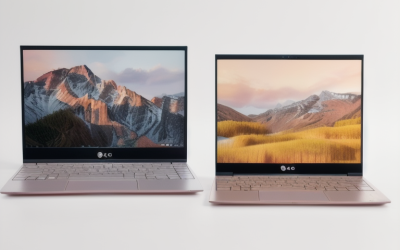
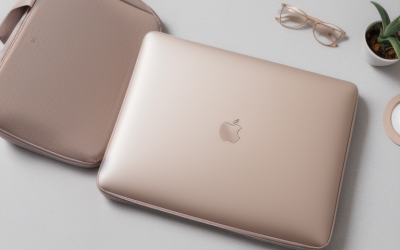
This student-focused HP lists an Intel 4-core processor, 8GB of RAM, Windows 11, Microsoft 365, and a thin and portable design for school, online classes, and web browsing. It suits a student who wants a stylish machine that handles video lessons and documents, and a family that wants a laptop that looks cheerful on a shared desk. Because the processor is described as a 4-core Intel part rather than a named model, it is worth reading the full specification on the page to see how it compares with other listings.
- Strength: 8GB of RAM is the realistic floor for smooth video calls with several tabs open.
- Strength: Microsoft 365 is bundled for assignments and presentations.
- Trade-off: the title does not state the storage size or screen details.
Skip it if you need to confirm storage capacity from the listing alone.
14-inch AI Laptop (N150, 4GB)
The unbranded 14-inch listing shows an N150 processor, 4GB of RAM, 128GB of UFS storage, a one-year Office 365 subscription, fast charging, Wi-Fi 6, and Windows 11 with Copilot branding. It targets families who need a basic laptop for light lessons at the lowest outlay, such as a younger student who mainly watches lectures and types short assignments. The Copilot and fast-charge mentions are conveniences rather than performance claims, and the unbranded listing leaves the brand’s warranty and support terms for you to research before committing.
- Strength: Wi-Fi 6 and fast charging suit busy school days.
- Strength: bundled Office access covers the usual assignment software.
- Trade-off: 4GB of RAM is thin for live video classes with extra tabs open.
Skip it if your classes use screen sharing, breakout rooms, and heavy browser tabs.
HP 14 HD Laptop (Dual-Core)
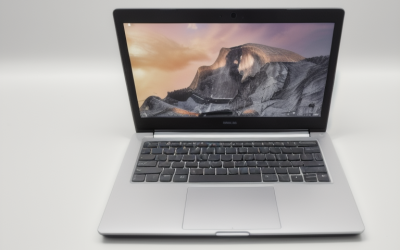
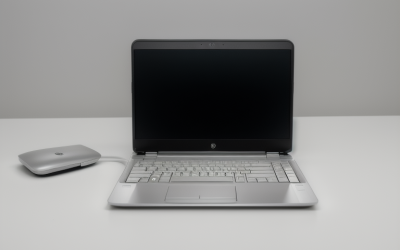
This HP lists a 14-inch HD display, an Intel dual-core CPU, 4GB of RAM, 64GB of eMMC storage, a built-in webcam with a microphone, full I/O ports, and Microsoft 365 in a lightweight business design. It makes sense when the webcam and port selection matter most, for example an adult learner plugging in a USB headset and a mouse at a kitchen table. Its business-style labeling suggests a plain, practical design, which can be a good fit for adults returning to study who care more about function than color.
- Strength: the webcam, microphone, and ports are called out in the title.
- Strength: a light design suits carrying between rooms.
- Trade-off: 4GB of RAM and 64GB of storage will feel limited quickly.
Skip it if you want a machine that stays comfortable for several school years.
HP Royal Blue Student Laptop (8GB)
The Royal Blue edition shares its hardware with the pink version: an Intel 4-core processor, 8GB of RAM, Windows 11, and Microsoft 365, in a thin and portable build for school and online classes. It suits students or parents who prefer a more neutral color and want the same balanced configuration for daily lessons and web browsing. Parents often like that picking between the two color options does not change the specification, which keeps comparison simple when a household buys two laptops for siblings at the same time.
- Strength: the same 8GB of RAM supports smooth multitasking.
- Strength: a neutral color looks appropriate in classrooms and offices.
- Trade-off: as with its sibling, the storage size is not visible in the title.
Skip it if you want more than 8GB of memory.
HP Royal Blue Student Laptop (16GB)
This version raises the memory to 16GB while keeping the Intel 4-core processor, Windows 11, Microsoft 365, and the thin and portable school design. It is aimed at students who will keep the laptop through several years of coursework, including college, where research tabs, video calls, and a notes app all run together. The jump from 8GB to 16GB is the single most useful upgrade in the group, especially for students who record lectures or work with large slide decks and spreadsheets.
- Strength: 16GB of RAM gives the most breathing room in this group.
- Strength: it pairs that memory with the same classroom-friendly design.
- Trade-off: the extra memory raises the cost compared with the 8GB version.
Skip it if your classes are light and you want the lowest cost possible.
Which One Fits Your Situation
You need the cheapest workable laptop
The 14-inch AI Laptop with its N150 processor and bundled Office gets you through basic lessons, though the HP 14 HD Laptop adds a named webcam and microphone for similar light use. Pair either with a wired headset for clearer audio, and keep a cloud drive handy for files since the internal storage on both is small.
You want a laptop for several school years
The HP Royal Blue Student Laptop with 16GB of RAM is the best long-term fit, since memory is the spec that matters most for video calls and many tabs.
You are buying for a middle-schooler
The HP Rose Pink Student Laptop with 8GB is a balanced pick, and the Royal Blue 8GB version provides the same hardware for a student who prefers a neutral color. Either laptop is a reasonable match for a student whose school day is mostly video lessons, web research, and slideshows.
You are an adult learner on a home desk
The HP 14 HD Laptop lists a full port selection, a webcam, and a microphone, which suits plugging in a headset and mouse at a fixed workspace. It is not the right choice if you plan to move between rooms all day, but for a fixed study desk it covers the basics.
Common Mistakes
- Buying a 4GB model and expecting smooth video calls with many tabs open.
- Assuming the built-in microphone will be clear enough for group discussions.
- Ignoring storage type and size, then running out of room after updates.
- Trusting a listed battery claim as a guarantee of all-day use.
- Counting a bundled subscription as a permanent software license.
Related guides
- What Is The Best Budget Most Responsive Gaming Mouse Wired
- Low Latency Gaming Headphones Usb-C 2.4 Ghz Wireless
- Mechanical Gaming Keyboards Competitive Pc Gaming
Frequently Asked Questions
How much RAM do I need for online classes?
Aim for 8GB as a minimum for smooth video calls with a browser and a document open, since 4GB models often slow down once a meeting app and a few tabs are running. Choose 16GB if you want the laptop to stay comfortable for several years.
Do I need a separate webcam or headset?
Built-in webcams are usually enough for lessons, but a wired headset gives clearer audio than a laptop microphone. If you present often, an external webcam can improve image quality in dim rooms. Sitting near a window or adding a small desk lamp often helps just as much and costs nothing.
Is a 128GB drive enough for school?
It is workable if you keep files in cloud storage, but it fills quickly after updates and downloads. A 256GB or larger SSD is more comfortable, and an inexpensive external drive or a cloud plan is a simple way to stretch a small internal drive.
Are bundled Office subscriptions worth it?
They help during the first year by covering documents and presentations, but they expire. Many schools also provide free web versions, so check what your school offers before relying on the bundle. Free web versions of the common office apps work in a browser and cover most assignments.