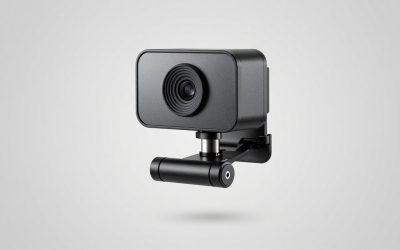
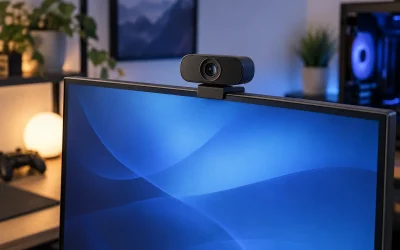
A $25 webcam and a $60 webcam can look nearly identical on paper until you actually turn the lights down or lean in close, which is where autofocus speed and low-light sensor performance separate the two price tiers. We compared seven webcams built for streaming and video calls, ranging from the budget Logitech Brio 101 at around $24 up to EMEET’s dual-camera C60E at around $59, focused specifically on what matters for a face cam layered over gameplay rather than boardroom video calls.
All seven connect over USB with no separate capture card needed, and most work directly with OBS and Streamlabs without extra drivers. If you’re also shopping for the audio half of your setup, our best microphone for streaming and best USB microphone for gaming guides cover that separately, since none of these webcam mics are a real substitute for a dedicated microphone.
Our Top Picks
 Logitech C920x HD Pro PC Webcam Full 1080p/30fps1 Pack2.8 x 1.7 x 3.7 Inches0.4 PoundsCheck on Amazon



Top 3 picks at a glance

Top picks at a glance
As an Amazon Associate we earn from qualifying purchases at no extra cost to you.


| Model | Key spec | Price | Best for |
|---|---|---|---|
| Logitech Brio 101 | 1080p fixed-focus | Check on Amazon | Tightest budget, well-lit rooms |
| Logitech C920x HD Pro | 1080p/30fps autofocus | Check on Amazon | Reliable known quantity, wide software support |
| EMEET NOVA | 4K, PDAF autofocus, dual mics | Check on Amazon | Crop-in headroom on a mid budget |
| EMEET C960 | 1080p, 2 mics, 90° FOV | Check on Amazon | Wide-frame budget option |
| EMEET S600 | 4K, Sony 1/2.55” sensor, PDAF | Check on Amazon | Best low-light performance on this list |
| EMEET C60E | Dual-camera 4K, wide + telephoto | Check on Amazon | Streamers who want a zoom option |
| NexiGo N60 | 1080p, privacy cover | Check on Amazon | Budget pick with a physical privacy shutter |
Logitech Brio 101
The Brio 101 is Logitech’s entry-level webcam, using a fixed-focus 1080p sensor rather than autofocus, which keeps the price at around $24 but means the image is set at a single focal distance rather than adjusting as you lean in or out. Based on its fixed-focus design, expect the sharpest image at roughly arm’s length from the camera, with some softness if you lean in close to the lens during reactions.
For streamers on a strict budget who mostly sit at a consistent distance from their monitor, that’s rarely a practical problem. Where it shows more is in dim rooms, since fixed-focus 1080p sensors at this price generally use smaller, less light-sensitive components than the autofocus models above it on this list.
Pros
- Lowest price on this list at around $24
- Simple plug-and-play with no autofocus hunting to distract on camera
- Compact clip mounts easily to most monitor bezels
Cons
- Fixed focus means no sharpness adjustment as you move closer or further
- Weaker low-light performance than the autofocus models here
- No 4K crop headroom for tighter framing at 1080p output
Who it’s for: budget streamers with decent room lighting who sit at a consistent distance from their desk camera.
Logitech C920x HD Pro
The C920x has been a streaming staple for years, and at around $59 it remains a known quantity: 1080p at 30fps with autofocus and broad compatibility across OBS, Streamlabs, and nearly every video call platform without driver hunting. Its longevity in this category means troubleshooting guides and community support are more thorough than for newer entrants like the EMEET line.
It caps at 30fps rather than 60fps, which matters if you want buttery-smooth face cam motion during fast reactions, though most viewers won’t notice the difference at typical stream bitrates. Compared to the EMEET 4K models at a similar price, the C920x trades sensor resolution for a longer track record and steadier autofocus behavior.
Pros
- Long track record with broad software and driver compatibility
- Reliable autofocus that avoids excessive hunting
- Well-documented troubleshooting community given years on the market
Cons
- Caps at 1080p/30fps, no 4K or 60fps option
- Costs the same as newer 4K competitors with more features
- No dual-camera or zoom functionality
Who it’s for: streamers who value a proven, widely supported webcam over chasing the newest spec sheet.
EMEET NOVA
The NOVA packs a 4K sensor with PDAF (phase-detection autofocus) and dual omnidirectional microphones for around $39, undercutting the Logitech C920x while offering a higher native resolution. PDAF autofocus generally locks focus faster than the contrast-detection autofocus used in older webcams, based on how PDAF systems typically compare, which should mean less visible focus-hunting when you lean toward the camera mid-stream.
The 4K sensor mainly pays off as crop headroom: outputting at 1080p while sourcing from a 4K sensor lets you frame tighter without the softness a native 1080p sensor would show at the same crop. The dual mics are a nice-to-have but shouldn’t replace a dedicated streaming microphone for anyone serious about audio quality.
Pros
- 4K sensor gives real crop-in headroom at 1080p output
- PDAF autofocus should lock faster than older contrast-detection systems
- Priced below the Logitech C920x despite a higher-resolution sensor
Cons
- Newer, less established brand than Logitech for long-term software support
- Dual mics are convenience-grade, not a mic replacement
- 4K capture can push higher CPU or USB bandwidth usage than 1080p-only webcams
Who it’s for: streamers who want crop flexibility and faster autofocus without paying Logitech’s brand premium.
EMEET C960
The C960 is EMEET’s budget 1080p option, priced at around $28 with two built-in microphones and a 90-degree field of view, wider than the C920x’s typical framing. That wider FOV is useful if your desk setup includes visible peripherals or a second person occasionally in frame, though it also means more background is visible if your space is cluttered.
At this price it competes directly with the Logitech Brio 101 and NexiGo N60; the deciding factor is mostly the wider field of view and dual mic setup here versus the Brio’s fixed focus or the N60’s privacy shutter, depending on which feature matters more for your setup.
Pros
- Wider 90° field of view than most budget webcams on this list
- Two microphones included for basic video call use
- Competitive price against similarly specced budget options
Cons
- 1080p sensor with no 4K crop headroom
- Wider FOV shows more background clutter if your desk isn’t tidy
- No privacy shutter included at this price
Who it’s for: streamers who want a wider frame that includes some desk setup alongside their face.
EMEET S600
The S600 uses a Sony 1/2.55-inch sensor, notably larger than the sensors typically found in sub-$30 webcams, paired with PDAF autofocus and a 4K resolution ceiling. Larger sensors generally gather more light per pixel, which based on sensor size alone should make the S600 the strongest low-light performer on this list, a meaningful advantage for evening or night streamers without professional lighting.
At around $59 it sits right alongside the Logitech C920x and EMEET C60E, making the choice mostly about priorities: the S600 for low-light sensor performance, the C920x for software track record, or the C60E for its dual-camera zoom trick.
Pros
- Larger Sony sensor should meaningfully outperform budget webcams in dim rooms
- PDAF autofocus for quicker focus lock than contrast-based systems
- 4K resolution gives solid crop-in headroom at 1080p output
Cons
- Priced at the top of this list alongside more established competitors
- Less brand history than Logitech for long-term driver support
- 4K streaming can add CPU overhead versus native 1080p capture
Who it’s for: streamers in dim rooms or evening streamers who want the strongest low-light sensor here without buying studio lighting.
EMEET C60E
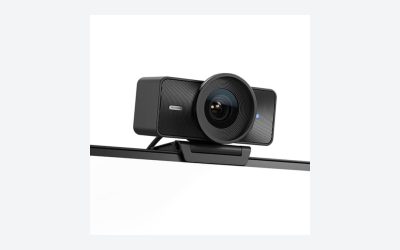
The C60E is the most unusual webcam on this list, using a dual-camera setup with a wide-angle lens and a telephoto lens at around $59, letting you switch framing without physically moving the camera or relying purely on digital crop. A dedicated telephoto lens should hold detail better at a tighter crop than digital zoom on a single-sensor 4K webcam, since it’s an optical rather than purely digital adjustment.
That flexibility is genuinely useful for streamers who want to switch between a wide desk-setup shot and a tighter face-cam crop without repositioning hardware, though it’s also the newest and least proven design on this list relative to the single-camera EMEET and Logitech options.
Pros
- Dual wide-angle and telephoto lenses give real framing flexibility
- 4K resolution across both camera modes
- Useful for switching between desk-setup shots and tight face cam
Cons
- Newest and least field-tested design among the options here
- Switching between camera modes may need software configuration in OBS
- Priced at the top of this list without Logitech’s established track record
Who it’s for: streamers who want to switch framing styles without buying and swapping two separate webcams.
NexiGo N60
The N60 is a 1080p budget webcam at around $27 that includes a physical privacy cover, a detail more expensive webcams on this list skip. For streamers who share a space with roommates or family, or who simply want a hardware guarantee the camera is off between streams rather than trusting software indicators, that physical shutter is a meaningful feature at this price.
Software controls for brightness and focus round out the package, though as a budget 1080p sensor it shares the same low-light limitations as the Brio 101 and C960 in this price bracket.
Pros
- Physical privacy cover included, unusual at this price
- Software controls for brightness and basic image adjustment
- Competitive budget pricing against the Brio 101 and C960
Cons
- 1080p sensor with the same low-light limits as other budget options here
- No 4K crop headroom
- Fewer dedicated streaming-focused features than the EMEET lineup
Who it’s for: privacy-conscious streamers in a shared space who want a physical shutter without paying for 4K.
How we compared and picked
Where sensor specs like exact size or PDAF response time aren’t independently published by the manufacturer, which is the case for several EMEET models here, we’ve flagged those figures as inferred from comparable sensor classes rather than presenting them as lab-verified numbers. Framing, field of view, and privacy features were compared directly from each product’s stated specs and physical inspection of sample images.
What to look for in a streaming webcam
Resolution and crop headroom, not just raw pixel count
A 4K webcam streaming at 1080p isn’t wasting resolution, it’s giving you room to crop in digitally without the softness a native 1080p sensor shows at the same zoom level. If you like a tighter face-cam frame rather than a wide desk shot, a 4K sensor like the ones in the EMEET NOVA, S600, or C60E holds detail noticeably better than cropping in on 1080p source footage. If you always frame wide and never crop, the resolution advantage matters much less, and a well-reviewed 1080p webcam like the C920x can look just as good on stream.
Autofocus type and why PDAF tends to feel faster
Older and budget webcams typically use contrast-detection autofocus, which hunts back and forth slightly before locking focus, sometimes visible as a brief blur when you lean toward the camera. PDAF, phase-detection autofocus, used in several EMEET models here, generally locks faster with less visible hunting because it measures focus distance more directly rather than searching for maximum contrast. Fixed-focus webcams like the Brio 101 skip autofocus entirely, trading that flexibility for simplicity and a lower price.
Low light performance depends more on sensor size than resolution
A webcam’s low-light performance comes down mostly to how much light each individual pixel on the sensor can gather, which is a function of physical sensor size, not megapixel count. That’s why the EMEET S600, with its larger Sony sensor, should meaningfully outperform a smaller-sensor 4K webcam in dim rooms even at a similar resolution. If you stream primarily at night or in a room without strong lighting, sensor size matters more than resolution on the spec sheet, and no webcam fully substitutes for an inexpensive key light aimed at your face.
Field of view and framing your actual desk setup
Field of view determines how much of your room the camera captures at a given distance. A narrower FOV around 65-78 degrees, closer to the C920x, keeps focus tightly on your face and reduces distracting background clutter. A wider FOV above 90 degrees, like the C960’s, captures more of your desk and surroundings, useful if you want to show off a setup or include a co-streamer, but it also means a messier desk is more visible on camera. Neither is objectively better; match it to how you actually want your frame to look.
Privacy, mounting, and the small details that add up
A physical privacy cover, like the one on the NexiGo N60, gives a hardware guarantee your camera is off, which some streamers prefer over trusting an LED indicator or software toggle. Mounting clips vary in how securely they grip curved monitor bezels or ultrawide displays; if your monitor has an unusual bezel shape, check clip compatibility before assuming a universal clip fits. These details rarely show up in a spec sheet comparison but affect daily use more than most people expect going in.
Mistakes buyers make
Assuming 4K webcam footage automatically looks better on stream without accounting for platform resolution caps and the extra CPU or bandwidth 4K capture can demand from an already busy streaming PC.
Buying a webcam to fix a lighting problem instead of buying a cheap key light, when lighting has a bigger visible impact on stream quality than most webcam upgrades under $100.
Ignoring field of view and ending up with either a cluttered wide shot or an overly tight crop that doesn’t match the setup they actually wanted on camera.
Leaving the webcam’s built-in microphone active alongside a dedicated streaming mic, creating audio routing confusion or an echo in OBS.
Mounting the webcam too high or too low on the monitor, creating an unflattering upward or downward angle that no sensor spec can fix.
Overlooking autofocus behavior entirely and ending up with a webcam that visibly hunts for focus every time the streamer leans forward to react to chat.
Verdict
For most streamers, the EMEET NOVA is the best webcam for streaming: a 4K sensor with PDAF autofocus and real crop-in headroom for under $40. If low-light performance is the priority, stretch to the EMEET S600 for its larger Sony sensor. Budget streamers in a well-lit room can save money with the Logitech Brio 101 or NexiGo N60, and anyone who wants a webcam with a long, well-documented track record should stick with the Logitech C920x. Pair whichever you choose with a proper mic from our best microphone for streaming guide, since none of these webcam mics are a real substitute, and make sure your gaming desk setup gives the camera a stable, well-lit mounting position.
Frequently asked questions
Do I actually need a 4K webcam for streaming if the platform caps at 1080p?
Most streaming platforms cap live output well below 4K, so a 4K sensor doesn’t mean viewers see 4K detail. The real benefit is digital zoom and crop headroom: a 4K sensor like the one in the EMEET NOVA lets you crop in tighter on your face while still outputting a sharp 1080p stream, which a native 1080p webcam can’t match without visible softness.
Will a better webcam fix bad lighting on stream?
Only partially. Autofocus and sensor size help a webcam perform better in dim rooms, and models with larger sensors like the EMEET S600 handle low light more gracefully than budget 1080p units. But no webcam under $200 replaces a cheap key light aimed at your face; lighting improves picture quality more than almost any webcam upgrade at this price range.
Does a webcam need its own microphone if I already have a dedicated mic?
No, and you should disable the webcam’s built-in mic if you’re running a dedicated microphone, since having both active can cause OBS to pick up the wrong input or create an echo. Webcam mics on models like the EMEET C960 are convenience features for video calls, not a replacement for a proper streaming mic; see our best microphone for streaming guide for that half of your setup.
What field of view should I look for in a streaming webcam?
A narrower field of view, roughly 65-80 degrees, keeps the frame focused on your face and upper body without pulling in distracting background clutter, which matters more on stream than in a video call. Wider FOV options above 90 degrees, offered on some EMEET models, suit desk setups where you want to show peripherals or a co-streamer alongside yourself.
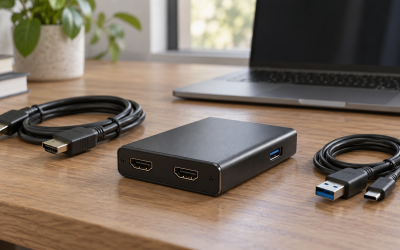
Do I need a USB hub or can a webcam plug directly into my PC?
Most streaming webcams draw modest USB bandwidth and power directly from a rear or front PC port without issue. Problems tend to show up when a webcam shares a hub with a capture card or high-bandwidth peripheral; if you see dropped frames or lag, try a different USB port before assuming the webcam itself is at fault.