Gaming on a couch or in bed sounds comfortable until your laptop starts cooking your thighs and your mouse hand slides off the cushion. A gaming lap desk fixes the two real problems of couch play: heat and stability. It gives you a flat surface for a mouse, a place to rest your wrists, and, in some designs, a way to keep vents clear. The question is how serious you are. A casual player who wants a stable tray for a few hours has different needs from someone who brings a full keyboard, a mouse pad, and a second screen to the sofa.
This roundup is for players who game on a laptop or tablet away from a desk: students in dorm rooms, console owners with a streaming laptop, and anyone whose best chair is a recliner. The list covers a range from simple padded trays to ergonomic arm-rest models and a hub-equipped couch desk. Each recommendation is based only on the dimensions, materials, and features each title states, and the 2026 market has plenty of near-identical trays, so the details below focus on what actually separates them.
Our Top Picks


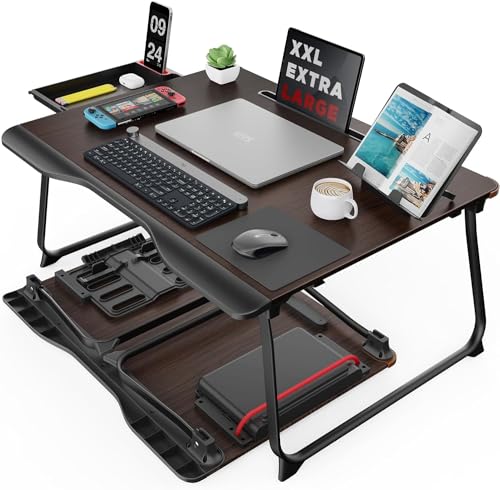


Top 3 picks at a glance
Quick Picks
As an Amazon Associate we earn from qualifying purchases at no extra cost to you.


| Product | Best for | Key spec from the title |
|---|---|---|
| SAIJI Laptop Lap Desk | Bed gaming with storage | Fits up to 17 inch laptops, storage drawer, phone holder |
| Couchmaster Cycon | Full keyboard and mouse on the couch | USB hub, HORIZONLIGHT bar, large size |
| LAPGEAR Home Office Pro | Compact padded surface | Fits 15.6 inch laptops, built-in mouse pad, wrist rest |
| OPTIXCELL Arm Rest Lap Desk | Long sessions with arm support | EPP memory foam armrests, 44 lbs capacity |
| Extra Large PU Lap Desk | Mouse pad surface with space to spare | Full PU mouse pad, phone holder, wrist rest |
| SAIJI Lap Desk with Monitor Holder | Dual-screen laptop setups | External monitor holder, fits up to 17 inch laptops |
How to Choose
Match the desk to your laptop size
Laptop size limits are the first filter. A 15.6 inch gaming laptop needs a surface at least that wide plus room for a mouse, while a 17 inch model needs a tray listed as fitting that size. If the listing says fits up to 17 inches, make sure the stated surface leaves a gap at the sides for airflow. Ignore claims about universal fit without a stated number, since a large laptop can overhang and tip a small tray.
Look at the cooling approach
Gaming laptops run hot, and many lap desks sit directly on your legs. Look for raised feet, ventilated bottoms, or cooling fans, and avoid pillows or soft surfaces that block intake vents. A hard top with a cushioned base is a good compromise because it holds a steady plane while keeping fabric away from the underside of the machine, and check that hot exhaust does not blow straight onto a leg or a blanket. Pay attention to materials too, since leather or PU surfaces can trap heat on your legs.
Decide how much of a desk you want
Some models are trays with a phone slot, while others add wrist rests, mouse pad surfaces, USB hubs, or monitor holders. A built-in mouse pad surface is great for FPS and strategy players who need smooth tracking. A hub is handy if your laptop has few ports. But added features usually mean added weight, so a heavy desk with lots of extras may feel tiring on your lap after an hour, and a bigger surface can leave less room for a cat or a blanket beside you.
Weight capacity and stability
If a listing states a weight limit, such as 44 lbs, compare it with the real weight of your laptop plus mouse, drink, and accessories. A wobble-free design with a wide base and cushioned bolsters keeps the surface level when you shift. Budget models cut corners on rigidity, and thin foam can bottom out under a heavy gaming laptop. Skip any listing that does not state a size or capacity, and treat unlabeled foam as a risk if your laptop is heavy.
The 6 Best Options
SAIJI Laptop Lap Desk with Storage Drawer
This portable laptop desk is meant for bed gaming, and the title lists it as fitting up to 17 inch laptops. It is described as a lightweight lap tray with a storage drawer and phone holder, so it targets players who want a place to put a controller, earbuds, or snacks within reach. A student sharing a dorm bed or a streamer gaming from a loft can keep the entire kit on one tray and carry it away in a single motion.
- Strength: storage drawer keeps small accessories off the bed.
- Strength: the 17 inch fit rating accommodates most gaming laptops.
- Trade-off: a drawer reduces usable underside space and adds a little weight.
Skip it if you want a built-in mouse pad or arm support, because the title offers a drawer and phone holder rather than a dedicated mouse surface.
Couchmaster Cycon HORIZONLIGHT Gaming Lap Desk
The Couchmaster is the specialist in this list. The title calls it an ultimate ergonomic USB-hub gaming lap desk for couch and bed, with a HORIZONLIGHT bar, and says it is large, stable, and compatible with all keyboards and mice. It is built for the player who wants a full desktop setup in a living room chair. Competitive players who refuse to give up a full-size keyboard on the sofa are the audience here, and the lighting bar adds some atmosphere for evening play.
- Strength: USB hub adds ports for peripherals.
- Strength: it is described as large and stable enough for full-size keyboards.
- Trade-off: a bigger footprint is harder to store and needs a wide chair or sofa.
Skip it if you play on a small recliner or want something you can toss in a bag, since a large couch desk asks for room and a deliberate setup.
LAPGEAR Home Office Pro Lap Desk
The LAPGEAR is a black carbon pattern lap desk sized for 15.6 inch laptops, with a built-in mouse pad, phone slot, wide cushioned wrist rest, and a dual-bolster base. It is for players who want a compact, comfortable surface with an integrated mouse area. The dual-bolster base suggests it is meant to sit stable across both knees, which helps when you are leaning into a fast match.
- Strength: built-in mouse pad gives a ready tracking surface.
- Strength: wide cushioned wrist rest supports longer sessions.
- Trade-off: the 15.6 inch rating leaves less room for large gaming laptops.
Skip it if your laptop is 17 inches or larger, or if you want to add a second display to the same tray later on.
OPTIXCELL Lap Desk with Arm Rests
OPTIXCELL builds its desk around comfort. The ergonomic 17 inch lap desk for bed and couch has EPP memory foam armrests, a stated 44 lbs capacity, and a wobble-free design. It suits players who sit for hours and want their forearms supported. Anyone who has finished a marathon session with sore elbows will understand why this design exists.
- Strength: armrests reduce shoulder and wrist fatigue during long sessions.
- Strength: the stated 44 lbs capacity gives reassurance for heavy gaming laptops.
- Trade-off: the arm rests add width, which may feel bulky in tight seating.
Skip it if you prefer a flat tray that slides under a couch cushion.
Extra Large PU Lap Desk with Mouse Pad
This unbranded extra large lap desk uses a full PU material mouse pad surface as a gaming tray. The title mentions a phone holder and wrist rest and says it works with notebooks, a MacBook, or tablets, so it is flexible across devices. That versatility suits a household where one lap desk gets passed between a laptop, a tablet, and a handheld gaming session.
- Strength: full mouse pad surface means a smooth tracking area across the entire top.
- Strength: phone holder and wrist rest are built in.
- Trade-off: PU surfaces can feel warm against the skin during long sessions.
Skip it if you prefer breathable fabric or need a stated capacity figure.
SAIJI Lap Desk with External Monitor Holder
This SAIJI variant adds an external monitor holder to a lightweight lap tray. The title says it fits laptops up to 17 inches and includes a soft leather wrist pad, so it can hold a second display above or beside your laptop. Streamers who like chat or a guide open on a second display, and players juggling a spreadsheet and a game, are the obvious fit.
- Strength: external monitor holder enables a two-screen setup on the couch.
- Strength: soft leather wrist pad adds comfort for typing and mousing.
- Trade-off: a monitor holder means more height and a higher center of gravity.
Skip it if you only use one screen and want a low-profile tray.
Which One Fits Your Situation
You game for hours with a mouse and keyboard
The Couchmaster Cycon is built for that scenario. Its large surface and USB hub support full-size peripherals, which a basic tray cannot match.
You game in bed on a 17 inch laptop
The SAIJI lap desk with a storage drawer is a solid pick because the bed is where things get lost. For a second screen, the SAIJI model with an external monitor holder takes the setup further.
You care most about arm and wrist comfort
The OPTIXCELL arm rest desk is the one to pick. The memory foam armrests make long sessions easier, and a stated weight capacity helps with heavier laptops. Pair it with a supportive cushion for your back and the setup holds up for an entire evening.
You need something compact and affordable
The LAPGEAR Home Office Pro keeps things simple. It fits 15.6 inch laptops and includes a mouse pad and wrist rest without a lot of extras.
Common Mistakes
- Buying a tray too small for the laptop, which makes it tip or overhang.
- Choosing a soft pillow-style surface that blocks the vents under a gaming laptop.
- Overlooking weight capacity and loading a flimsy tray with a heavy laptop, mouse, and drink.
- Ignoring seat width, so a large couch desk doesn’t fit on a narrow chair.
- Paying for monitor holders or hubs that you will never use.
Related guides
- What Is The Best Budget Most Responsive Gaming Mouse Wired
- Low Latency Gaming Headphones Usb-C 2.4 Ghz Wireless
- Mechanical Gaming Keyboards Competitive Pc Gaming
Frequently Asked Questions
Can a lap desk cause my gaming laptop to overheat?
It can if it blocks the vents. Pick a hard top with a cushioned base and raised feet so air can still reach the intake, and avoid plush pillows under the machine. If the fans get louder on your lap than on a desk, that is a sign the airflow is being restricted.
Do I need a lap desk with a mouse pad?
If you use a mouse, yes, because a smooth, flat surface improves tracking. If you play with a controller or trackpad, a plain tray is enough, and a smaller footprint is easier to store between sessions.
What size lap desk should I get?
Match the stated laptop size limit, then add room for a mouse. A 15.6 inch laptop fits the LAPGEAR, while 17 inch gaming laptops need a model such as the SAIJI or OPTIXCELL.
Are armrests worth it?
For long sessions, yes. They reduce shoulder strain and keep wrists in a neutral position. For short sessions, they can add bulk you do not need, and a simple wrist pad may be the better trade-off.
Related guides
- How to Measure Hand Size for a Mouse: Length, Width and a Simple Fit Rule
- Best Office Chairs for Desk and PC Setups: 10 Listings Compared by Fit (2026)
- Best Ergonomic Keyboard: Split, Wave and Wrist-Rest Layouts Compared (2026)
- Best Ergonomic Chairs: Ten Mesh and Lumbar Designs for Long Desk Days (2026)