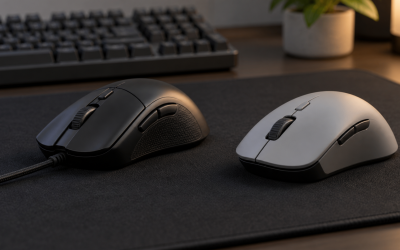
A mouse that double clicks on a single press is most often suffering from a worn or dirty left-button switch, but a few free checks can rule out settings, drivers and connection problems before you give up on it. Start with software and cabling, test the mouse on a second computer, clean what you can reach safely, and only then consider switch repair or replacement. This guide follows that order, using general hardware knowledge and manufacturer documentation rather than any specific model.
What you need before you start
- The mouse and, if wireless, a fresh battery or a charged cable.
- A second computer or a different USB port to compare behavior.
- Compressed air and a soft, lint-free cloth.
- Your purchase date and warranty details, if you have them.
Do not open the mouse yet. Opening it can void the warranty, and the simplest fixes do not require it.
Step 1: Confirm the problem is real
Open a free online click tester or a text editor and press the left button once, slowly, ten to twenty times. Note how often a single press registers twice. If it happens every few clicks, that suggests a failing switch. If it only happens in one program, the cause is more likely software.
Also check how the problem behaves: does it double click only on quick taps, only when the mouse is shaken, or only after a long idle period? Short, repeated bounces on a quick tap are the classic sign of switch wear, while problems that appear after idle can point to power or connection trouble.
Step 2: Check Windows and driver settings
- Open the Mouse settings in Windows and click Additional mouse options.
- On the Buttons tab, find the double-click speed slider and move it slightly toward Slow. An overly fast setting can make separate clicks look like a double click.
- Make sure ClickLock is turned off unless you use it deliberately.
- If you use manufacturer software, look for a debounce, button response or lift-off option and reset it to default.
- Update or reinstall the mouse driver, then restart the PC.
Some gaming mouse apps have macro or profile features that can remap a button to send two inputs. Reset your profile to rule that out.
Why switches start to double click
Under the button sits a small microswitch with a metal contact that flexes every time you press. Over many thousands of presses the contact can wear, oxidize or lose spring tension, and it then bounces for a few milliseconds instead of closing cleanly. The mouse reads that bounce as two separate presses. Frequent fast clicking, long gaming sessions and a left button used far more than the right all speed this up. Some designs use optical switches that have no bouncing metal contact, which is one reason they are marketed as resistant to this fault. Whatever the type, all switches eventually wear, so a mouse that is several years old and heavily used is a likely candidate.
Step 3: Rule out connection and power problems
For a wired mouse, try a different USB port directly on the motherboard, not a hub, and inspect the cable for kinks or damage near the plug. For a wireless mouse, replace or recharge the battery, move the receiver closer using a short extension, and pair again if the mouse supports it. A low battery can cause strange input before it dies.
If you run a lot of devices on a crowded desk, dust and clutter can matter too. Our guide to how to dust a gaming PC and desk setup safely covers the habits that keep ports and receivers clean.
Step 4: Test the mouse on another computer
Plug the mouse into a second computer, or boot a different user account, and repeat the click test. If the problem follows the mouse, the hardware is at fault. If it disappears, the original computer has a software or port issue. This ten-minute check saves many unnecessary replacements.
Step 5: Clean the mouse safely
Unplug the mouse or remove its battery before cleaning. Use short bursts of compressed air around the left button gap and the scroll wheel, and wipe the shell with a slightly damp cloth, never a dripping one. Do not spray liquids into the buttons.
Some videos suggest spraying contact cleaner into the switch. This can damage plastics or leave residue, and manufacturers generally do not recommend it. Follow your mouse’s manual, and when in doubt, skip it.
After cleaning, let the mouse sit until it is fully dry, reconnect it, and repeat the click test from Step 1.
Step 6: Repair or replace
If the fault stays after all the steps, the switch is probably worn. You have three realistic options.
| Option | Best for | Trade-off |
|---|---|---|
| Warranty claim | Mice still within the warranty period | Shipping time, and the mouse may be replaced with a similar model |
| Switch replacement | Confident hobbyists with soldering skill | Voids warranty, risk of damaging the board, needs the correct switch type |
| Buy a new mouse | Out-of-warranty mice or anyone without repair tools | Costs money, but gives a fresh start |
If you try a switch swap, disconnect power first, ground yourself to avoid static, and use a temperature-controlled iron. Most owners should skip this and choose warranty or replacement instead.
What can go wrong
- Opening the mouse without checking warranty terms, which can end your claim.
- Using too much liquid and creating a new, permanent fault.
- Assuming the mouse is dead when a driver or macro is sending extra clicks.
- Replacing a switch with a different type that changes click feel or does not fit.
- Swollen batteries in older wireless mice: if you see bulging, stop using it and follow local battery disposal rules.
When to stop and replace the mouse
If the double clicks come back within days of a cleaning, if the mouse also misses clicks, or if it affects your work or competitive play, replace it. A fresh mouse makes more sense than hours spent on a part that has reached the end of its life. Pay attention to the switch type on a new model, and read about warranty length before you buy. Keep the old mouse as a spare for non-critical tasks if it still works acceptably.
How to avoid a repeat
You cannot stop switch wear, but you can slow it. Do not slam the buttons, keep the mouse and desk free of crumbs and dust, and avoid eating over the keyboard area. Check the warranty period when you buy and note the date, since a failure within that window is much easier to resolve. Consider keeping a cheap spare mouse on hand so a failure never interrupts work, and lower in-game click spam habits where you can with sensible binds.
Related guides
- What Is The Best Budget Most Responsive Gaming Mouse Wired
- Low Latency Gaming Headphones Usb-C 2.4 Ghz Wireless
- Mechanical Gaming Keyboards Competitive Pc Gaming
Frequently asked questions
Why does a mouse double click when you click once?
The usual cause is a worn or dirty microswitch whose contacts bounce, registering two presses for one click. Less often the cause is a software setting, a driver problem, a weak wireless battery or a faulty USB connection. Check settings and try the mouse on another computer first to separate a hardware fault from a software one.
Can a double-clicking mouse be fixed at home?
Sometimes. Settings changes, driver updates and careful cleaning cost nothing and fix some cases. Opening the shell to swap a switch involves soldering and usually voids the warranty, so it suits only confident hobbyists. If the mouse is under warranty, contact the manufacturer first, since replacement is often the simpler route.
Does cleaning the mouse switch really help?
It can help if dust or debris is interfering, but it rarely fixes true wear inside the switch. Use gentle methods such as compressed air on the outside and manufacturer guidance for any opening. Avoid dripping liquids into the mouse, because moisture can damage electronics. If cleaning does not change the behavior, treat the switch as worn.
Is double clicking a sign a mouse is dying?
It often signals an aging switch on the left button, because that button gets the most use. The mouse may still work for other tasks, but the fault usually returns and tends to get worse. Many people use it as a cue to start shopping for a replacement or to claim a warranty if one still applies.
Can a wireless mouse double click because of interference?
It can behave erratically if the battery is low, the receiver is far away, or other devices crowd the same radio space. These problems more often cause lag or dropped input than clean double clicks, but they are worth ruling out. Replace or recharge the battery and move the receiver closer using a short USB extension.