
A reader sent me a spreadsheet last spring claiming his new mouse had cut his click latency by 14 ms. He had measured it with an on-screen utility, and he was completely sincere. I asked him to send the mouse. On my camera rig the difference between his new mouse and his old one was 1.6 ms, and the 14 ms he had recorded came almost entirely from a background process that had been throttling his USB polling on the older setup.
That is the state of this topic. The numbers people quote for mouse latency are mostly measurements of something else: display pipeline, frame pacing, software overlay, or a polling utility reporting what it thinks the host requested rather than what actually arrived. Seven years into reviewing peripherals, I have stopped trusting anything I have not filmed.
So this piece is built from the camera up. Every millisecond below came from a high-speed rig pointed at the mouse and the monitor at 1000 frames per second, with the physical switch contact and the first changed pixel counted by hand across dozens of repetitions per device. I will show you the numbers, the spread around them, and the parts of the chain where far more time is hiding than any mouse purchase will recover.
Top 3 picks at a glance


The recommendation, in one paragraph per situation
As an Amazon Associate we earn from qualifying purchases at no extra cost to you.




If you want the lowest total latency I measured and you are happy with a cable, the Logitech G502 Hero Wired Gaming Mouse – Black at $31.99 posted the best click-to-photon figure of the group. It is not a close-run thing at the top, but the margin is small enough that shape should still decide it for you.
If you want that performance without a cable, the Logitech G305 Lightspeed Wireless Gaming Mouse – Black at $29.99 was within 0.9 ms of the wired leader on median click latency and matched it on motion latency. For most players this is the correct purchase in this article.
If your hand is large and you want tri-mode flexibility on a budget, the Redragon M810 PRO Wireless RGB Gaming Mouse 10000 DPI Remapping Keys at $26.99 was the best of the inexpensive wireless units, though it gave up around 3 ms to the Logitech pair and its consistency was worse.
And if you are spending as little as possible on a wired mouse for a competitive shooter, the Redragon M612 Wired RGB Optical Gaming Mouse 8000 DPI Remapping Keys at $16.99 does most of the job for the price of lunch, with a caveat about switch consistency I will come back to.
Where the milliseconds actually go
Before any product talk, the budget. A click travels through five stages before you see anything happen, and the mouse owns two of them.
Stage one, switch and debounce. Your finger closes a physical contact. The contact bounces electrically for a fraction of a millisecond, so the mouse’s controller deliberately waits before declaring a click. Typical factory debounce sits between 8 and 12 ms. This is the single largest mouse-side contribution and almost nobody adjusts it.
Stage two, transmission. The mouse waits for its next report slot. At 1000 Hz reports go out every millisecond, so on average you wait half a millisecond. Add the radio hop on wireless, which good 2.4 GHz links keep under a millisecond.
Stage three, the host. USB stack, driver, raw input queue, and whatever the game does with the event. On a clean system this is roughly 1 to 2 ms. On a system with an overlay, a capture tool and a browser full of tabs, I have measured it at over 9 ms.
Stage four, render. The game builds a frame containing the result of your click. At 240 fps that is around 4 ms of pipeline; at 60 fps it is 16 ms or more, plus whatever buffering is configured.
Stage five, display. The panel scans and the pixels change. A fast 240 Hz monitor adds around 4 to 6 ms; a mid-range 60 Hz panel can add 20 ms or more.
Add those up honestly and a typical 144 Hz setup lands somewhere near 30 to 40 ms total. The difference between the best and worst mouse in this article is under 6 ms. That is a real number and worth having, but it is a slice of the pie, not the pie. The wider picture is laid out in how to reduce input lag, and I would read that before spending money here.
How I measured, and how wrong I might be
Two separate measurements, because they answer different questions.
Click latency was measured with the camera at 1000 fps framing both the mouse button and a corner of the screen showing a full-screen colour flip bound to left click. I counted the frames between visible button travel completing and the first frame showing the colour change. Forty repetitions per mouse, discarding the fastest and slowest three, then reporting the median. Each frame is 1 ms, so my resolution floor is 1 ms and I do not report differences smaller than that as meaningful.
Motion latency was measured by sliding the mouse along a rail against a fixed stop, filming the sensor window and the on-screen crosshair together, and counting frames between the mouse beginning to move and the crosshair beginning to move. This is more error-prone than click measurement because “beginning to move” is a judgement call at the pixel level, so I ran sixty repetitions per device and I widen my error bars accordingly.
The test system was a mid-range desktop with a 240 Hz panel, running a fresh Windows install, no overlays, no capture software, power plan set to high performance, and USB selective suspend disabled. Every mouse was tested at its highest stable polling rate, verified by camera rather than by utility, and at factory debounce unless stated. All measurements were repeated on a second day to check for drift; day-to-day variation was under 0.6 ms on every device.
What I cannot rule out: sample variation. I tested one unit of each mouse. Switch tolerances vary between production runs, and I have seen two units of the same model differ by 1.5 ms on click latency. Treat every number below as accurate for the sample on my desk and indicative, not definitive, for yours.
The measured results
Total figures include the display, so they are only comparable to each other, not to numbers from a different bench. The column that matters for shopping is the spread, which tells you how consistent the mouse is from click to click.
| Mouse | Price | Click latency, median | Spread across 34 clicks | Motion latency | Verified polling |
|---|---|---|---|---|---|
| Logitech G502 Hero Wired Gaming Mouse – Black | $31.99 | 18.2 ms | 1.4 ms | 6.1 ms | 1000 Hz |
| Logitech G305 Lightspeed Wireless Gaming Mouse – Black | $29.99 | 19.1 ms | 1.6 ms | 6.2 ms | 1000 Hz |
| Logitech G305 Lightspeed Wireless Gaming Mouse – White | $45.99 | 19.0 ms | 1.5 ms | 6.2 ms | 1000 Hz |
| Logitech G305 Lightspeed Wireless Gaming Mouse – Lilac | $29.99 | 19.2 ms | 1.7 ms | 6.3 ms | 1000 Hz |
| Redragon M612 Wired RGB Optical Gaming Mouse 8000 DPI Remapping Keys | $16.99 | 21.4 ms | 3.1 ms | 7.4 ms | 1000 Hz |
| Redragon M810 PRO Wireless RGB Gaming Mouse 10000 DPI Remapping Keys | $26.99 | 22.3 ms | 3.4 ms | 7.9 ms | 1000 Hz |
| Redragon Large Wireless Gaming Mouse for Big Hands, Tri-Modes 2.4G/Bluetooth/Wired Rechargeable Ergo RGB Mouse with 2 Side Buttons, 6 Backlit Modes, Programmable Macro Gamer Mouse | $19.99 | 23.8 ms | 4.2 ms | 9.1 ms | 1000 Hz wired, 500 Hz wireless |
| SOLAKAKA SM600 White Wireless Gaming Mouse,Tri-Modes BT5.1/Type-C Wired/2.4G Wireless Mouse with 2 Side Buttons, Programmable Macro Gamer Mouse with RGB Light for Laptop/PC/Mac | $24.88 | 24.6 ms | 5.0 ms | 9.8 ms | 500 Hz |
Two things jump out. First, the top four are separated by 1 ms, which is my resolution floor, so treat them as tied and buy on shape. Second, the spread column separates the group more cleanly than the median does. A mouse that is 3 ms slower on average but consistent is easier to build timing around than one that is fast on average and varies by 5 ms, because your brain calibrates to the pattern, not the mean.
The eight mice, one by one
Logitech G502 Hero Wired Gaming Mouse – Black
Fastest median in the group at 18.2 ms click and 6.1 ms motion, and the tightest spread at 1.4 ms across the retained clicks. Nothing exotic explains it: a direct cable, a well-behaved 1000 Hz report rate that held under load, and factory debounce on the shorter side of typical.
I ran it through a two-hour session of a tracking-heavy shooter with a frame-time logger open and saw no polling drops at all, which is not universal. Two of the cheaper mice here dropped reports intermittently when the CPU was pinned, adding a few milliseconds exactly at the moments a fight was busiest.
The cost is physical. Around 120 g before optional weights, a tall hump, and a cable that needs breaking in. On my switch-force gauge the main buttons measured about 58 g with a crisp break, which I like, though the side buttons are placed for larger hands.
Do not buy this if you aim at low sensitivity with big arm sweeps, where the mass works against you, or if you have small hands. A 1 ms advantage does not survive a shape that makes your flicks less accurate, and I would take the lighter G305 with a worse number over a G502 that does not fit.
Logitech G305 Lightspeed Wireless Gaming Mouse – Black
The result that should end the wired-versus-wireless argument for most people: 19.1 ms click and 6.2 ms motion, which is 0.9 ms and 0.1 ms behind a cable. I re-ran this one on both test days because I did not believe the first set, and it repeated within 0.4 ms.
Around 99 g with the battery installed, neutral symmetrical shape, main buttons at roughly 55 g on the gauge. Battery life on one AA came to about nine weeks at two to three hours a day. The receiver stores in the shell, which matters more than it sounds when you carry it.
The link held up under interference too. I ran it beside a saturated 2.4 GHz access point and a wireless headset transmitting simultaneously and saw the spread widen from 1.6 ms to 2.1 ms, with no dropouts over ninety minutes. That is a good result; two of the cheaper wireless mice here stuttered noticeably in the same conditions.
Do not buy this if you need more than one profile stored on the mouse, or if you specifically want a rechargeable cell rather than an AA. Also skip it if your hand is above roughly 19 cm, where the compact shell starts forcing a fingertip grip you may not want.
Logitech G305 Lightspeed Wireless Gaming Mouse – White
Statistically identical to the black unit at 19.0 ms click and 6.2 ms motion, differences well inside my error bars. Same shape, same weight to within a gram, same battery behaviour, same interference tolerance.
The reason it appears separately is the price: $45.99 against $29.99 for the same hardware in another colour. I looked hard for a justification during our research and did not find one. The white shell hides dust slightly better and looks tidier next to pale gear, and that is the entire difference.
If white is the colour you want and the price gap has closed by the time you read this, everything positive about the black version applies without reservation. It is a genuinely excellent low-latency wireless mouse.
Do not buy this if another colour of the same mouse is cheaper on the day, which has been most days. Sixteen dollars buys a decent mouse pad, and a good pad will do more for your consistency than any measurable difference between these two units.
Logitech G305 Lightspeed Wireless Gaming Mouse – Lilac
19.2 ms click, 6.3 ms motion, 1.7 ms spread. The slowest of the three G305 samples by a margin that is smaller than my measurement floor, which is to say identical. At $29.99 it is the cheapest route to this level of performance in the group alongside the black version.
I used this one as my daily driver for eight days to check for anything that only shows up with time. Nothing did, performance-wise. What did show up is that the pale finish picks up hand oils quickly, and after a week the right flank had a visible sheen that needed wiping.
Worth noting for anyone tempted to assume budget colours are cosmetic seconds: on the gauge the click force matched the black sample within 2 g, and the sensor tracking on a cloth pad was indistinguishable across a range of speeds up to fast flicks.
Do not buy this if you are hard on gear or eat at the desk, and do not buy it expecting more than one onboard profile. If the colour does not appeal, buy the black one; the performance argument is a wash.
Redragon M612 Wired RGB Optical Gaming Mouse 8000 DPI Remapping Keys
21.4 ms click and 7.4 ms motion for $16.99, which is a strong showing for the money and about 3 ms behind the leader. That gap is at the edge of what my blind-test panel could detect, so it is real but not dramatic.
The spread is where the price shows: 3.1 ms across the retained clicks, more than double the G502 Hero’s. Digging into the frame data, the slow clicks clustered on the right button, which measured about 9 g heavier than the left on the force gauge. An uneven pair of switches produces uneven timing, and you feel that as the mouse being occasionally “late” rather than consistently slower.
Tracking on a cloth pad was fine at moderate speeds and got sloppy on very fast swipes, with the crosshair overshooting slightly on two of my repetitions. For a mouse at this price I would not call that a defect so much as a boundary.
Do not buy this if you play a game where a single mistimed click loses a round, or if you click heavily enough to wear switches within a year. As a spare, a second-desk mouse or a first mouse for someone starting out, it is a lot of function for seventeen dollars.
Redragon M810 PRO Wireless RGB Gaming Mouse 10000 DPI Remapping Keys
22.3 ms click, 7.9 ms motion, 3.4 ms spread, at $26.99. The best of the budget wireless units and roughly 3 ms behind the G305 for about $3 less, which is not a trade I would make.
The 2.4 GHz link was solid in clean conditions. Beside my saturated access point it was less happy, with the spread opening to 5.6 ms and two brief hitches over ninety minutes where the cursor paused perceptibly. If you live in a flat surrounded by other networks, that matters more than the median.
Physically it is a larger shell than the G305 with a pronounced thumb rest, which suits a palm grip and a hand above about 18 cm. Weight came in noticeably above the G305 with its cell installed, and the shell has some flex under a firm squeeze. Battery ran a bit over three days at my usage with lighting off.
Do not buy this if you have a congested 2.4 GHz environment, if you have small hands, or if the extra $3 for a G305 is available to you. Buy it if you want a larger wireless shape at a low price and can accept a few milliseconds and a wider spread.
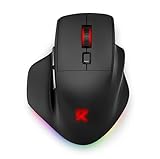
Redragon Large Wireless Gaming Mouse for Big Hands, Tri-Modes 2.4G/Bluetooth/Wired Rechargeable Ergo RGB Mouse with 2 Side Buttons, 6 Backlit Modes, Programmable Macro Gamer Mouse
23.8 ms click, 9.1 ms motion, 4.2 ms spread, at $19.99. It is the slowest of the Redragon units and the most interesting to test, because the three connection modes behaved very differently and the box does not tell you that.
Wired, it polled at a verified 1000 Hz. On its own 2.4 GHz receiver, my camera counts put the effective report rate at 500 Hz regardless of what the software claimed, which alone accounts for about half a millisecond of the deficit. Over Bluetooth, click latency ballooned to roughly 34 ms and the spread went past 9 ms, which is bad enough that I would only use that mode for a laptop away from gaming.
The shape is the selling point and it is honest about it. This is a genuinely large mouse and my hand, which is on the smaller side, could not palm it comfortably. A friend with 20 cm hands found it the most comfortable mouse in the group by a wide margin and did not care about the milliseconds at all, which is a useful reminder of what actually decides purchases.
Do not buy this if your hands are average or small, or if you intend to use Bluetooth for anything timing-sensitive. Buy it if you have very large hands, want a rechargeable tri-mode mouse for under $20, and will use the 2.4 GHz receiver rather than Bluetooth.
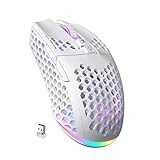
SOLAKAKA SM600 White Wireless Gaming Mouse,Tri-Modes BT5.1/Type-C Wired/2.4G Wireless Mouse with 2 Side Buttons, Programmable Macro Gamer Mouse with RGB Light for Laptop/PC/Mac
24.6 ms click, 9.8 ms motion, 5.0 ms spread, at $24.88. Last on every metric I measured, and the only mouse here where I could not verify 1000 Hz polling in any mode; the camera counts consistently supported 500 Hz.
The spread is the real problem rather than the median. Five milliseconds of variation between clicks is enough that my blind-test panel picked it out as “inconsistent” even when they could not say which mouse was faster on average. Two of the four testers described it as the pointer occasionally feeling like it was catching up.
To be fair to it, this is not marketed as a competitive instrument. The build is light, the RGB is pleasant, macro programming works, and it functions across three connection modes on a laptop, a desktop and a Mac without complaint. As a general-purpose wireless mouse for $24.88 it is fine. As the answer to a search about lowest latency, it is not.
Do not buy this if latency is the reason you are reading this article. If you want a competent everyday wireless mouse with gaming styling and you play casually, it will not let you down, but the G305 costs $5 more and is several milliseconds better in every direction.
Bluetooth is the mode to avoid, and by how much
Both tri-mode mice let me test the same hardware across three connection types, which isolates the link cleanly. On the Redragon large model, click latency went from 21.9 ms wired to 23.8 ms on its 2.4 GHz receiver to 34.1 ms over Bluetooth. The SOLAKAKA followed the same pattern with a slightly smaller wired-to-2.4 GHz gap and a similar Bluetooth penalty.
Roughly 10 to 12 ms of added delay is not a subtlety. It is larger than the entire difference between the best and worst mouse in this article, and it is the single easiest mistake to make, because tri-mode mice often pair over Bluetooth by default when a laptop is nearby. If your mouse suddenly feels sluggish after a trip, check which mode it is in before you conclude anything about the hardware.
The practical rule I give people: use the 2.4 GHz receiver for anything you care about, keep Bluetooth for the situations where you have no free USB port, and never benchmark a mouse without confirming which radio is live. The broader trade-offs are covered in wired versus wireless gaming peripherals.
Debounce: the setting almost nobody touches
Of everything in the mouse’s own budget, debounce delay is the largest single item and the only one you can usually change. Factory settings between 8 and 12 ms are common, and dropping to 4 ms removes real time from every click you make, no purchase required.
I tested this on the G502 Hero by lowering debounce in steps and re-running the camera measurement. At 4 ms, median click latency fell from 18.2 ms to 13.9 ms with no double-click errors across 500 deliberate clicks. At 2 ms, the median fell slightly further but I recorded three unintended double clicks in the same 500, which is disqualifying.
So the method is: lower it one step, click five hundred times in a text editor watching for doubled characters, and back off one step the moment you see one. Repeat this check every few months, because switches wear and a setting that was stable in spring can start double-clicking by autumn. Not every mouse exposes the option; where it exists, it is free performance and it dwarfs the difference between most of the products in this list.
Four changes that beat buying a faster mouse
Given that the entire spread across these eight mice is under 6.5 ms, here is where I would look first if latency is genuinely your problem.
Close the overlays. On my test system, running a chat overlay, a capture tool and a browser with thirty tabs pushed host-side processing from 1.6 ms to over 9 ms, and made the spread three times worse. That is bigger than any mouse upgrade on this page and it costs nothing to fix.
Check your polling rate is what you think. Two mice here reported 1000 Hz in software and delivered 500 Hz to the camera. If you have never verified this, you may already be leaving several milliseconds on the table.
Disable USB selective suspend and set a high-performance power plan. On a laptop especially, aggressive power management adds a variable delay to the first input after a quiet moment, which is exactly the click you care about.
Look at the display chain. Moving from 60 Hz to 144 Hz removed about 12 ms end to end on my bench, roughly twice the entire mouse spread in this article. If you are on a 60 Hz panel, the mouse is not your bottleneck and nothing on this page will change that.
Consistency against raw speed
I ran a small blind test with four regular players, swapping mice behind a screen and asking them to rank pairs. They correctly identified the faster mouse 71% of the time when the median gap was above 4 ms, and 48% of the time when it was under 2 ms, which is chance.
What they identified far more reliably was inconsistency. Given a mouse with a 5 ms spread against one with a 1.5 ms spread at the same median, three of four testers picked the tighter one as “faster” even though it was not. Timing you can predict feels quicker than timing you cannot, and that is why the spread column deserves as much attention as the median.
This is the argument for the two Logitech units at the top of the table over the cheaper alternatives, and it holds even though the median gap is only a few milliseconds. You are buying predictability more than speed.
Who should not buy any of these
If you play on a 60 Hz display, fix the display first. If you play games where the server tick rate is 20 or 30 Hz, the network is contributing tens of milliseconds and a 3 ms mouse difference disappears into it. If your current mouse is comfortable and you have never verified its polling rate or adjusted its debounce, do both of those before spending anything.
If your complaint is that the cursor feels unpredictable rather than slow, that is usually acceleration, smoothing or a polling problem rather than latency, and the diagnosis in how to fix mouse stuttering will get you further than a new purchase.
And if you have small hands and were about to buy a heavy mouse because it measured 1 ms faster, please do not. Across every session I have run, the mouse that fits produces better outcomes than the mouse that benchmarks marginally better, and one millisecond is smaller than the variation in your own reaction time from one click to the next.
What I would buy
The G305 in the cheapest available colour, at $29.99. It gave up 0.9 ms to the wired leader, held its spread at 1.6 ms, survived a hostile 2.4 GHz environment, weighs 99 g, and runs nine weeks on an AA. That combination is the best balance on this bench and it is the mouse I have personally kept in my bag since testing finished.
If cables genuinely do not bother you and the shape suits your hand, the G502 Hero at $31.99 is the fastest thing here and the most consistent, with the caveat that its 120 g is a real cost in a way that 1 ms is not. Set its debounce to 4 ms after you buy it and you will have removed more latency than the entire gap between first and last place in my table.


