
A converter is the smart middle path when you want to stand but cannot replace your desk—it sits on top of your existing surface and lifts your monitors and keyboard together. The catch with dual monitors is weight and width: two 27-inch panels plus arms can top 12–18kg, and many converters simply are not built for it. Choosing one that stays steady at full height is the whole game.
Our Top Picks
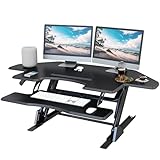
 Lubvlook 47 inch Corner Standing Desk Converter47.2 Inch30 x 47.2 x 17.3 inches45 poundsCheck on Amazon





Top 3 picks at a glance


The converter styles that handle two monitors
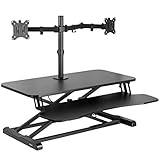
Z-lift (X-lift) converters are the common ones, with a wide top surface and a spring-assisted arm; the sturdy models take 15kg or more and are the safest bet for dual screens sitting directly on the deck. Post/pole converters use a single column with a VESA mount for the monitors and a separate keyboard tray, which frees desk space and centers the load—great if you already run a dual-monitor arm. Cheap electric-scissor converters exist but often wobble under two panels, so check the rated capacity closely.
As an Amazon Associate we earn from qualifying purchases at no extra cost to you.



| Converter type | Weight capacity | Top width | Best for |
|---|---|---|---|
| Heavy Z-lift | 15–20kg | 90–100cm | Two monitors on the deck |
| Post + VESA arm | Per-arm 8–10kg each | Compact base | Monitor arms + tidy desk |
| Budget scissor | 8–11kg | 70–80cm | Single or light dual |
More dual-monitor converters worth a look
The VIVO lineup above covers most budgets and widths, but it is mostly manual Z-lift designs. If you want push-button electric lift, a higher weight rating for heavy panels, or integrated monitor arms that solve the width problem outright, the converters below fill those gaps. Each is assessed against the same checklist this guide uses: real capacity for two screens, top width, keyboard tray layout, and stability at full height.
FLEXISPOT 36-Inch Standing Desk Converter

FlexiSpot is one of the most common value recommendations for converters, and the 36-inch manual model is the one most often suggested for a standard dual-monitor setup. A 36-inch (about 91cm) top fits two 24-inch monitors side by side, or two 27-inch monitors if they sit close together with slim bezels, and the deck is deep enough to keep the screens at a comfortable viewing distance.
The current version uses a mechanical spring lift built on steel spring wire rather than gas cylinders, which FlexiSpot positions as a way to avoid the slow loss of lift that gas springs can develop. The listing rates the top for up to 33 lbs (about 15kg) and the keyboard tray for 4.4 lbs (2kg). It arrives almost fully assembled; you attach the keyboard tray and it is ready to use.
Strengths: mid-range pricing for a well-known brand, a separate lower keyboard tray, minimal assembly, and a capacity that covers most pairs of 24- to 27-inch monitors on their own stands.
Drawbacks: 15kg is enough for two typical 27-inch panels but leaves little headroom if you add a dual monitor arm, speakers, or a heavy laptop. Using the 30 percent headroom rule from this guide, it is best for a combined load of about 11 to 12kg. Like most Z-lift converters, it is heavy, so it is not something you move every day.
How it compares: it sits between the VIVO 32-inch and 36-inch models in footprint and offers a similar Z-lift layout. Choose it if you want the 36-inch width with a spring mechanism instead of gas, and keep your total load on the lighter side.
FLEXISPOT 40-Inch Electric Standing Desk Converter
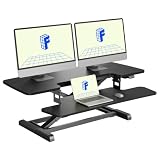
Electric converters make it far more likely that you will actually stand, because changing position takes one button rather than a squeeze-and-lift. The 40-inch FlexiSpot electric model adds that convenience along with a wider top that comfortably fits two 27-inch monitors on stands.
The current version lifts from about 4.9 inches to 19.7 inches (roughly 12 to 50cm) above your desk. FlexiSpot rates the top for 44 lbs (20kg) and the keyboard tray for 11 lbs (5kg), with a 40 x 16.3-inch upper desktop and a wide 34.6-inch lower keyboard tray. That 50cm maximum matches the top of the lift range this guide recommends for taller users.
Strengths: motorized lift with no springs to fight, a higher capacity than most manual converters, a full-width keyboard tray, and enough deck width for a dual 27-inch setup.
Drawbacks: it needs a power outlet and adds another cable to manage, it is a heavy unit, and the 16.3-inch top depth puts large monitors fairly close to your eyes. If you prefer more distance, mount the screens on arms behind the converter instead.
How it compares: against the VIVO 42-inch manual model, it trades a little width for push-button lift and a stronger keyboard tray. For anyone who switches between sitting and standing several times a day, the electric drive is worth the step into the mid-range to premium tier.
VERSADESK PowerPro 40-Inch Electric Converter

The PowerPro is the heavy-duty option on this list. Its headline spec is an 80 lb (about 36kg) rating, which is more than double many manual converters and comfortably covers two large monitors, a dual arm, a laptop, and speakers. VersaDesk describes the build as reinforced carbon steel and says it holds that load with minimal wobble at full height.
The top surface rises from about 5 inches to 20 inches (12 to 50cm) above your desk with no fixed stops, and VersaDesk says it suits users over six feet tall. The 40-inch-wide, 24-inch-deep unit includes a detachable keyboard tray, a built-in USB charging port, and BIFMA and UL certification. It needs about 16 inches of desk depth.
Strengths: the highest capacity here, smooth electric lift, a large flat surface, safety certifications, and a lifetime warranty listed by the maker.
Drawbacks: premium pricing, a heavy unit, and a 24-inch-deep footprint that needs a reasonably deep desk. It is overkill for two lightweight 24-inch monitors.
How it compares: where the VIVO and FlexiSpot models top out between 15 and 20kg, the PowerPro gives you a big margin for heavy ultrawide or 32-inch panels. If your setup is near the limit of other converters, this is the safest choice for stability at full height.
Mount-It! Standing Desk Converter with Dual Monitor Mounts (MI-7934)

This converter answers the FAQ question “are monitor arms better?” by including them. The MI-7934 combines a 36-inch gas-spring Z-lift platform with two built-in monitor arms, so your screens float above the deck instead of sitting on it. That frees the whole surface for a laptop, a phone, or a mic, and removes the width problem of two monitor stands side by side.
Mount-It’s spec sheet lists a 33 lb (15kg) overall capacity and up to 17.6 lbs (8kg) per arm, for screens from 13 to 32 inches with VESA 75 or 100 mounts. The surface rises from about 6.5 to 16.3 inches (16 to 41cm) above your desk, and the arms tilt, swivel, and rotate for portrait or landscape use. A separate keyboard tray sits below the deck.
Strengths: integrated dual arms, an uncluttered deck, independent adjustment of each screen, and non-skid feet.
Drawbacks: its lift range is shorter than electric models, so very tall users may not reach a full standing height. The 15kg capacity includes the arms and monitors, so heavy panels eat into it quickly. Your monitors also need VESA holes.
How it compares: it delivers what the VIVO converter with monitor stand does, in a wider 36-inch format with two independent arms. Pick it if you want everything in one box rather than buying a converter and a separate dual arm.
Mount-It! Dual Monitor Electric Standing Desk Converter

This is the post-style design this guide recommends for shallow desks, with electric lift. A central column holds a dual monitor arm, and a compact desktop and keyboard surface sit in front. Because the monitors hang from the post rather than resting on a wide deck, the footprint stays small while the screens can spread wide.
Mount-It lists an electric height range of roughly 1.4 to 21.1 inches, support for 13- to 32-inch screens including curved models, up to 17.6 lbs (8kg) per monitor, and VESA 75 and 100 compatibility. The work surface measures about 28.3 x 18.9 inches. Listings differ on the total capacity, so check the exact figure on the version you buy against your combined load.
Strengths: small footprint for its screen capacity, electric lift with a tall range, swivel, tilt, and rotation on each arm, and a clear centre for keyboard and mouse.
Drawbacks: premium price, a heavy unit to move, and a smaller work surface than a Z-lift. Your monitors must be VESA compatible.
How it compares: it is the electric equivalent of the post-mount category in this guide’s comparison table. If your desk is less than about 60cm deep or you want the monitors raised above a laptop, it solves the problem more neatly than any wide Z-lift.
VIVO 42-Inch Electric Desk Converter (DESK-VE42B)

If you like the VIVO converters above but want push-button lift, the VE series is the electric counterpart. The 42-inch model has a 42 x 15.7-inch top, wide enough for two 27-inch monitors on compact stands, and a removable 36 x 12-inch keyboard tray that rises in sync with the top surface.
VIVO lists a height range of 5.7 to 19.5 inches (about 14 to 50cm) and a two-arm electric lift that rises straight up rather than swinging forward like many Z-lift designs. That straight vertical travel is a practical advantage on a shallow desk, because the deck does not creep toward you as it rises. The US listing rates the desktop for up to 50 lbs (about 23kg), but at least one other seller quotes a much lower figure, so confirm the capacity on the listing you buy from before loading heavy panels.
Strengths: a simple up and down controller, straight vertical lift that saves desk depth, a full-width keyboard tray, and a mid-range price for an electric converter from a brand with a large accessory range.
Drawbacks: the 15.7-inch-deep top keeps large monitors close to your eyes, the published capacity varies between sellers, and like all electric converters it needs an outlet and a little extra cable planning.
How it compares: it matches the VIVO 42-inch manual model’s width but replaces the spring lift with a motor, and it sits in a similar class to the FLEXISPOT 40-inch electric. Choose whichever has the stronger keyboard tray and capacity for your gear on the day you buy.
How to choose
Confirm capacity and width first
Add up both monitors, any arms, and your keyboard and mouse; then buy a converter rated 30% above that so it lifts smoothly and does not sag. For width, measure your two monitors side by side—dual 27-inch screens span roughly 122cm, so either get a 100cm-plus top or move to a post-mount VESA converter that holds the panels on a central arm rather than the surface.
Check the lift height and keyboard tray
A good converter raises 38–50cm so taller users can reach a true standing elbow height. The keyboard tray should sit a few centimeters below the monitor deck to keep your wrists neutral—a converter that raises everything on one flat plane forces a compromise between screen height and typing height. Spring-assisted (gas or constant-force) lift lets you change position with one hand; cheaper models make you fight the springs.
Stability and desk fit
Two monitors put a lot of leverage on a converter at full height, so a wide, non-slip base matters. Make sure your desk itself is deep enough—converters need 40–50cm of depth so the unit does not overhang. If your desk is shallow, a post-mount converter with a small footprint is the safer choice than a big Z-lift that hangs off the front edge.
The extra picks compared
Capacities and ranges come from the makers’ listings and are rounded to the nearest kilogram or centimetre. Height figures are the travel of the top surface above your desk.
| Converter | Lift | Top width | Rated capacity | Approx. lift range | Monitor arms | Price tier |
|---|---|---|---|---|---|---|
| FLEXISPOT 36-inch | Manual spring | 91cm | 15kg top, 2kg tray | Check listing; Z-lift | No | Mid-range |
| FLEXISPOT 40-inch electric | Electric | 102cm | 20kg top, 5kg tray | 12-50cm | No | Mid-range |
| VIVO 42-inch electric (VE42B) | Electric | 107cm | Up to 23kg (varies by listing) | 14-50cm | No | Mid-range |
| VERSADESK PowerPro 40 | Electric | 102cm | 36kg | 12-50cm | No | Premium |
| Mount-It! MI-7934 | Gas spring | 92cm | 15kg total, 8kg per arm | 16-41cm | Yes, two | Mid-range to premium |
| Mount-It! electric dual-arm | Electric post | 72cm deck | 8kg per arm | About 4-54cm | Yes, two | Premium |
More things to weigh before you buy
Capacity, width, lift height, and the keyboard tray are the first filters. Once a converter passes those, these details decide whether you enjoy using it every day.
Manual or electric lift
Manual converters use gas or mechanical springs that you release with a lever, then guide up or down. They are cheaper, need no outlet, and are quick once you learn the motion. The catch with two monitors is that the springs must be matched to the load: too little weight and the deck jumps up, too much and you are lifting the difference yourself. Electric converters ignore the load within their rating and move at a steady pace at the press of a button. If you plan to switch positions more than twice a day, electric lift removes most of the friction that makes people stop standing.
VESA and monitor arm compatibility
If you already own a dual monitor arm or plan to use one, check how it attaches. Some arms clamp to the converter’s deck edge, some need a grommet hole, and some are too heavy for the deck’s rating once the monitors are added. Converters with built-in arms avoid that puzzle but require monitors with VESA 75 or 100 holes. Ultrawide and 32-inch panels can exceed per-arm limits of around 8kg, so check each monitor’s weight without its stand.
Depth and viewing distance
Many Z-lift decks are only 40 to 45cm deep. With two 27-inch monitors on their stands, that puts the screens closer than the usual arm’s-length viewing distance, which can cause eye strain over long sessions. If your converter is shallow, use monitor arms mounted behind it or choose a model with a deeper top. Remember too that most converters move slightly forward as they rise, so leave clearance in front of the desk edge.
Keyboard tray size and strength
Gaming setups often use a full-size keyboard and a wide mouse sweep at low sensitivity. A tray of 60 to 70cm is cramped for that; look for 85cm or more if you play shooters with large mouse movements. Also check the tray’s own weight rating; a tray rated around 2kg can flex under a heavy mechanical keyboard and a resting forearm.
Cables and stroke length
Every cable to your monitors, PC, and peripherals must have enough slack for the full lift. A 50cm rise means each cable needs at least that much extra length, plus a little more so connectors are never under tension. Short DisplayPort or HDMI cables are a common cause of flickering screens at standing height.
Warranty and certification
Springs, motors, and hinges are the parts that wear. A long warranty on the lift mechanism and safety certifications such as BIFMA or UL for electric units are a useful sign that the maker expects the converter to handle daily cycles for years.
Setting up a converter for two monitors
A converter that is set up well is one you keep using. These steps get the ergonomics and stability right from day one.
- Clear and measure the desk. Confirm the desk depth, the free width, and that nothing under the converter’s footprint, such as a desk mat lip or a cable grommet, will stop it from sitting flat.
- Position the converter over the desk legs. Center it left to right, push it as far back as your desk allows, and keep the heaviest part of the load toward the rear.
- Set the seated position first. At the lowest setting, your keyboard should sit at or slightly below elbow height with your shoulders relaxed. If the converter puts it too high when seated, raise your chair and add a footrest.
- Find your standing height. Stand in comfortable shoes, let your arms hang, then bend the elbows to about 90 degrees. The keyboard tray should meet your hands there. Note the setting or mark the position so you return to it quickly.
- Adjust the monitors. The top edge of each screen should sit at or slightly below eye level, roughly an arm’s length away. Angle the two screens slightly inward so you turn your head, not your whole body, between them. If your main monitor is the one you game on, center it and place the second screen to the side.
- Route cables with slack. Bundle the monitor and peripheral cables together with a loose loop at the back and run the converter through its full travel once to make sure nothing pulls tight.
- Check for wobble at full height. Press gently on the top edge of each monitor at standing height. Any wobble points to too much load, an uneven desk, or loose hardware.
Making standing a habit
The goal is not to stand all day; it is to change position regularly. A common approach is to alternate every 30 to 60 minutes, and many gamers find it natural to stand during menus, queues, or video calls and sit during long competitive matches. An anti-fatigue mat makes standing much more comfortable on hard floors, and supportive footwear helps more than most people expect. If your legs or lower back ache, shorten the standing blocks rather than giving up.
Gaming-specific tips
- Lock your mouse surface in place. A large desk pad on the keyboard tray stops the mouse from drifting off the edge when you make wide flicks.
- Keep the PC on the floor or on a separate stand, not on the converter. Desktop towers are heavy and would eat most of the capacity.
- Move headset and controller hooks to the converter, not the desk, so they rise with you.
- If you use a microphone arm, clamp it to the converter or use a desk-mounted arm long enough to reach both positions.
FAQ
Are monitor arms better than sitting monitors on the converter deck?
For dual setups, often yes. A VESA post converter with arms centers the weight, frees the deck for your keyboard, and lets you fine-tune each screen. It also sidesteps the width problem of two panels needing a very wide top.
Will a converter wobble at full height?
A properly rated, wide-base model stays firm; wobble usually means you exceeded the weight limit or the desk underneath is itself unsteady. Test at full extension before committing your gear to it.
How wide should a converter be for two monitors?
For two 24-inch monitors on their stands, 90cm (about 36 inches) is usually enough. For two 27-inch monitors, look for 100cm or more, or use monitor arms so the screens can extend past the deck edges. Ultrawide and dual 32-inch setups almost always need arms.
Is an electric converter worth it over a manual one?
If you change position several times a day or your monitors are heavy, yes. Electric lift handles the load evenly and removes the effort of fighting springs, which makes regular standing more likely. If you mostly stand once or twice a day and your monitors are light, a good manual spring converter is cheaper and works well.
Can I put a gaming PC on a standing desk converter?
It is not recommended. A tower adds 8 to 15kg or more, quickly exceeding most converters’ capacity, and makes the unit top-heavy at full height. Keep the PC on the floor or a separate stand and make sure its cables have enough slack for the lift.
Do converters work on glass or L-shaped desks?
They can, but check that the surface under the converter is flat, solid, and supported near its legs. On glass, use the converter’s non-slip pads and avoid heavy loads near unsupported edges. On L-shaped desks, place the converter on one straight section rather than across the corner joint, unless it is a corner model designed for that.
How tall do I need to be for a converter to reach standing height?
Most converters raise the keyboard around 40 to 50cm above the desk. On a standard 73 to 76cm desk, that suits most users up to about 185cm. Taller users should look for the highest lift range and check that the keyboard tray, not just the top deck, reaches their standing elbow height.
How much weight do two monitors add?
Typical 24-inch monitors weigh about 3 to 5kg each with their stands, and 27-inch models about 4 to 7kg. A 32-inch or ultrawide panel can reach 8 to 10kg. Add a keyboard, mouse, and any laptop or speakers, then apply the 30 percent headroom rule to find the capacity you need.
Do electric converters make noise?
The motor hums while the converter is moving, usually for 10 to 20 seconds per change, and is silent the rest of the time. It is far quieter than most gaming PCs under load and will not interfere with voice chat once it stops.
Can I use a converter with a laptop and an external monitor?
Yes. Place the laptop on the deck beside the monitor, ideally on a small stand so its screen sits closer to the monitor’s height, and use an external keyboard and mouse on the tray. A laptop alone on the deck forces you to type at screen height, which defeats the ergonomic purpose.
Desk stability underneath matters too
A converter is only as steady as the desk it sits on. Raising two monitors 40–50cm above the desktop creates leverage, and any wobble in the base desk gets amplified at the top of that travel—so a converter on a rickety folding table will sway no matter how good the converter is. Before blaming the converter, push on your desk at its front edge; if it flexes or racks, tighten its own hardware or add a cross-brace first. Place the converter so its weight sits over the desk’s legs rather than cantilevered off an unsupported span, and keep the heaviest gear toward the back near the lift column. If your desk is a lightweight top on thin legs, a post-mount VESA converter concentrates less weight on the surface and stays more stable than a broad Z-lift loaded with two panels.
Converter, full standing desk, or something else?
A converter is the right answer for many dual-monitor setups, but not all of them. Before you buy, it is worth checking whether another route fits your room and budget better.
When a converter makes sense
- You rent, share the desk, or have a fixed desk you like and do not want to replace.
- Your desk is solid and at least 60cm deep, with room for the converter’s footprint.
- You want to try sit-stand working before committing to a full standing desk.
- Your monitors, keyboard, and accessories weigh comfortably less than the converter’s rating.
When a full standing desk is better
A full electric standing desk raises the whole surface, so you keep the depth of the desk for monitors, speakers, and a large mouse pad, and it handles a far higher load. It is the better choice if you run three monitors, heavy 32-inch or ultrawide panels, or a lot of desk gear, and it avoids the double-decker look of a converter. The trade-offs are cost, assembly time, and replacing furniture you may already own.
When a monitor arm alone is enough
If you mainly want better screen position rather than standing, a dual monitor arm clamped to your existing desk is the cheaper fix. It lifts the screens to eye level, frees desk space, and improves viewing distance. Some gas-spring arms have enough travel to work with a converter later, so buying a good arm first is rarely wasted money.
Quick picks by need
- Two 24-inch monitors on a budget: a 32- to 36-inch manual Z-lift such as the VIVO 32-inch or the FLEXISPOT 36-inch.
- Two 27-inch monitors on their stands: a 40- to 48-inch top, such as the FLEXISPOT 40-inch electric or the VIVO 42- and 48-inch models.
- Heavy panels or lots of gear: the VERSADESK PowerPro 40 for its high capacity.
- Clear deck with built-in arms: the Mount-It! MI-7934 or the VIVO converter with monitor stand.
- Shallow desk: a post-style converter such as the Mount-It! electric dual-arm model.
- Corner desk: the Lubvlook corner converter, which is shaped to sit in an L-shaped desk corner.
Ergonomic height guide
These are approximate starting points for a standard desk height of about 74cm. Your ideal setting depends on your shoes, chair, and arm length, so treat the numbers as a guide and fine-tune from there. The keyboard figure is the height of the keyboard surface above the floor when standing.
| Your height | Standing keyboard height | Lift needed above a 74cm desk | Converter fit |
|---|---|---|---|
| 155-165cm | 95-102cm | 21-28cm | Almost any converter |
| 165-175cm | 102-108cm | 28-34cm | Most converters |
| 175-185cm | 108-114cm | 34-40cm | Check the keyboard tray reaches this |
| 185-195cm | 114-120cm | 40-46cm | Choose a converter with about 50cm of lift |
Note that the keyboard tray on most converters sits several centimetres below the top deck, so a converter whose top rises 50cm may only lift the keyboard 40 to 45cm. Check the keyboard tray height, not just the top, if you are tall.
Common converter problems and how to fix them
The deck shoots up or will not stay down
On manual spring converters this means the load is lighter than the spring tension. Many models have an adjustment screw for spring force; turn it down, or add the weight you normally use before adjusting. If there is no adjustment, keep a hand on the deck as you release the lever.
Lifting feels like a workout
The opposite problem: your load is heavier than the springs are tuned for. Increase the tension if possible, lighten the deck by moving speakers or a laptop elsewhere, or consider an electric converter for heavy dual-monitor setups.
The monitors shake when you type
Typing transmits force through the keyboard tray into the frame. Tighten all bolts, make sure the converter sits on a solid part of the desk, and move the monitors toward the back of the deck. A separate monitor arm clamped to the desk, not the converter, isolates the screens from typing vibration entirely.
A screen flickers or disconnects at standing height
Almost always a cable under tension. Give every video and power cable enough slack for the full lift, and avoid routing cables through the scissor arms where they can be pinched.
The electric converter stops partway
Electric units have overload protection and often stop if the load is too high or uneven, or if something obstructs the travel. Remove any obstruction, check that the load is within the rating and centered, and run the reset procedure in the manual.
Accessories that make a dual-monitor converter work better
A few inexpensive additions solve most of the small annoyances that come with raising two monitors and a keyboard.
- Anti-fatigue mat: the single biggest comfort upgrade for standing. A cushioned mat reduces pressure on feet, knees, and lower back on hard floors.
- Dual monitor arm: lifts both screens off the deck, improves viewing distance on shallow converters, and lets you angle each screen precisely. Check the arm’s weight and the converter’s capacity together.
- Longer video cables: DisplayPort and HDMI cables of 2 to 3m give the slack a full lift needs without strain on connectors.
- Cable sleeve or spine: bundles everything running from the PC to the converter into one flexible run that follows the lift without snagging.
- Extended desk mat: a large mat on the keyboard tray keeps the mouse from sliding off the edge and protects the tray surface.
- Footrest: helps shorter users sit at the right height when the converter’s lowest position puts the keyboard slightly high.
- Clamp-on headset hook: keeps the headset within reach in both positions and off the deck.
Bottom line
For two monitors, buy a Z-lift rated 15kg-plus with a top wide enough for your screens (about 90cm for two 24-inch panels, 100cm or more for two 27-inch panels), or a post-mount VESA converter if your desk is shallow or you want the deck clear. Size capacity 30% above your real load, confirm a sub-deck keyboard tray, and you get standing without buying a whole new desk.


