
Desk cable clutter looks simple until you live with it. One phone cable sliding off the desk and onto the floor, a laptop charger tangling with a monitor cable, a USB cable disappearing behind the desk every time you unplug it. The real decision between silicone cable clips and magnetic cable holders is not about which looks better in a product photo, but how you use your desk day to day. Do you plug and unplug the same cables repeatedly, do you want cables locked in one place forever, and how much effort do you want to spend putting them back?
Silicone cable clips are the classic fix: a small, flexible clip with a slit or channel that grips a cable and sticks to your desk, wall, or nightstand with adhesive. Magnetic cable holders add a two-part system: a magnetic base that stays on the desk and a magnetic collar or buckle that wraps around the cable, so you can snap the cable on and off the base with one hand. Both solve the falling-cable problem, but they do it in very different ways. Understanding those differences will save you from buying the wrong type for how you actually work in 2026.
As an Amazon Associate we earn from qualifying purchases at no extra cost to you. Product prices and availability are accurate as of the date shown and are subject to change.
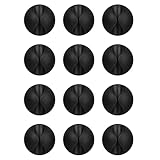


Top 3 picks at a glance
Quick Verdict
Choose silicone cable clips if you want the cheapest, lowest-profile way to route cables and keep them permanently in place. They are ideal for cables you rarely move, like monitor power, desktop speakers, or a charger that always stays on one side of the desk.
Choose magnetic cable holders for desk use if you frequently connect and disconnect devices and want one-handed operation. The snap-on, snap-off magnetic connection is far more convenient for phone charging cables, laptop cables, and shared workspaces where the same cable is grabbed multiple times a day. You will pay more per clip, but you gain speed and flexibility.
Side by Side
| Feature | Silicone Cable Clips | Magnetic Cable Holders for Desk |
|---|---|---|
| Comfort and Daily Use | Requires two hands to push cable into the slit; secure once seated but slower to remove and reinsert | One-handed magnetic snap; collars stay on the cable so you can lift and replace without threading |
| Durability | Solid silicone body resists cracking and heat; adhesive typically lasts 1 to 3 years before needing replacement | Silicone or ABS base plus magnet; magnet does not wear out but adhesive base has similar 1 to 3 year lifespan |
| Price Range | $0.31 to $0.42 per clip; packs of 12 to 16 usually cost $4.99 to $5.99 | $0.99 to $1.11 per clip; packs of 9 usually cost $8.99 to $9.99 |
| Maintenance | Very low; wipe with damp cloth, check grip if slit stretches after 12 to 18 months of heavy use | Low; keep magnet faces free of dust and metal debris, occasionally wipe base and collar |
| Space Needed | Very compact, about 0.8 to 1.2 inches long, 0.5 to 0.7 inches wide, 0.4 inches tall; fits on desk edge or rear leg | Requires more surface, base is typically 1.0 to 1.6 inches in diameter and 0.5 to 0.7 inches tall plus collar on cable |
| Look | Minimal and flat, usually matte black, white, or clear; blends into desk edge | More visible, cylindrical puck or rectangular block design; often marketed as a desk accessory |
| Resale and Desk Damage | 3M-style adhesive can be removed cleanly with slow peel and heat, but cheap adhesive may leave residue on wood or paint | Same adhesive risk; larger base means larger contact patch, so use quality adhesive pads on finished furniture |
| Best For | Permanent cable routing and budget organization for 3 to 6 cables | Frequently swapped charging cables and users who want quick docking for 2 to 4 daily-use cables |
Where Silicone Cable Clips Wins
Silicone cable clips win on value, discretion, and set-it-and-forget-it routing. If your goal is to make cables disappear along the back or side of a desk, nothing beats a small silicone clip.
First, cost is unbeatable. Options like the Flezoo 12PCS Black Adhesive Cable Clips Cord Organizer for Wire Management at $4.99 and the OHill 16PCS Black Cable Clips, Self Adhesive Cord Holder Cord Organizer at $5.99 give you enough clips to do an entire desk, nightstand, and TV stand for under $6. At $0.31 to $0.42 per clip, you can use three clips to run a 6-foot charger cleanly along a desk leg without thinking about price.
Second, the profile is tiny. Most single-slot silicone clips measure roughly 1 inch long by 0.6 inches wide and weigh just 0.1 to 0.2 ounces. They sit flush against a desk edge and hold cables from 2mm to 6mm in diameter, which covers Lightning, USB-C, HDMI, and most 18 AWG power cords. Multi-slot versions in 3-slot or 5-slot bars are still only about 2 to 3 inches wide, letting you keep three to five cables parallel and untangled without a bulky block on your desktop.
Third, grip is passive and reliable. The slit design creates friction around the cable jacket, so the cable stays put even if you bump the desk or vacuum underneath. There is no magnet to align and no collar to slide. For cables that never move, like a monitor power cable rated for 60 to 120 watts or a powered USB hub cable, that friction fit is exactly what you want. You install once, press the adhesive for 30 seconds, wait an hour for full bond, and you are done.
Finally, silicone tolerates heat and bending better than hard plastic. It will not crack if a cable is pulled at an angle, and it handles the warmth near a laptop charger or monitor without deforming. When the adhesive eventually weakens, you can peel the clip off and replace it for pennies.
Where Magnetic Cable Holders for Desk Wins
Magnetic holders win on speed and everyday convenience. The difference is most obvious when you unplug your phone and the cable stays exactly where you left it, ready to grab again.
The key is the two-part design. A weighted or adhesive base stays on the desk, and a small silicone or TPU collar with a built-in magnet stays on your cable. Instead of threading the cable through a slit, you simply bring the collar near the base and it snaps into place with a light click. Packs such as the JOYROOM 9 Pack Magnetic Cable Clips, Cord Organizer Adhesive Wire Holder at $9.99 and the 9 Pack Cord Organizer Magnetic Cable Clips Adhesive Wire Management 1s Lock at $8.99 use this system to make cable return automatic. That one-second lock matters if you charge your phone, earbuds, and tablet from the same spot several times a day.
Magnetic holders also reduce cable wear. With silicone clips, repeated pushing and pulling through a tight slit can stretch the opening and abrade thin cable jackets over time. The magnetic collar distributes pressure evenly around a 3mm to 6mm cable and never requires forcing the cable through a gap. The collar weighs only 0.1 to 0.3 ounces, so it does not drag on the device while charging.
They are also better for shared or changing setups. If you rotate between a work laptop and personal laptop, or family members share a charging station, magnetic bases let anyone dock any collared cable in the same spot. Bases typically support 0.5 to 1.0 pound of pull force, enough to hold the cable but light enough to lift away without peeling the adhesive. Most bases are 1.2 to 1.6 inches wide, so they are stable without being obtrusive, and many have a flat bottom with 3M adhesive and an optional weighted insert for non-permanent placement.
The trade-off is price and footprint. You get fewer holders per pack and each base takes up more desk space than a low-profile silicone clip. For a permanent cable that you never unplug, a magnetic holder adds cost without adding benefit.
Cost Over 5 Years
The upfront price gap looks small, but the five-year cost depends on how you use them and how often you replace adhesive.
A typical silicone setup for one desk uses 6 to 8 clips. At $4.99 for 12 clips or $5.99 for 16 clips, your initial cost is $5 to $6. Adhesive pads on most budget clips hold well for 18 to 36 months on clean, smooth surfaces like laminate, glass, or finished wood. Over five years, expect to replace the set once, either because the adhesive loosens or the slit stretches on heavily used slots. That puts the five-year total at about $10 to $12, plus five minutes to clean the surface with isopropyl alcohol before reapplying.
A magnetic setup for the same desk uses 3 to 4 bases, since each base handles one active cable. At $8.99 to $9.99 for 9 holders, your initial cost is $9 to $10 and you will have spares. The magnetic base uses the same type of adhesive, so the replacement cycle is similar at 2 to 3 years. Magnets themselves do not lose strength in normal indoor use, and collars do not stretch like slits. Over five years, you will likely replace just the adhesive pads or a couple of bases, keeping the total around $14 to $20 if you buy one additional pack of adhesive pads for $5 to $7.
In real terms, silicone is about 30 to 40 percent cheaper over five years. Magnetic costs more per unit but you use fewer of them. The cost difference is less important than the workflow difference: buy silicone to save money on static cables, buy magnetic to save time on cables you touch daily.
Which One for Your Home
Your home layout and how you live in it should drive the choice more than the product specs alone.
Small Apartment
In a small apartment, every inch of desk and nightstand counts, and you likely have one desk doing double duty for work and personal use. Use a hybrid approach. Put two silicone clips along the back edge to permanently route monitor and power cables that never move, and add one or two magnetic holders at the front corner for the phone and laptop charging cables you grab constantly. The silicone clips keep the visual clutter down without adding bulk, while the magnetic holders keep the daily cables accessible without them falling behind a desk that is pushed against a wall.
Family with Kids or Pets
For a family with kids or pets, durability and snag resistance are the priority. Low-profile silicone clips mounted under the desk edge or along the back leg keep cables out of reach and prevent a child or pet from pulling a device off the table by tripping on a hanging cable. Choose clips with a strong 3M adhesive and route cables with a slight drip loop so tension does not go directly to the device. Avoid placing magnetic bases where a toddler can easily pry them off and mouth the small collar. If you use magnetic holders, place the base at the back of the desk and use collars only on adult-managed charging cables that are unplugged when not in use.
Rental
In a rental, you want zero damage when you move out. Both types use adhesive that is marketed as removable, but removal success depends on the surface. On painted drywall, laminate, or glass, both remove cleanly if you warm the adhesive with a hair dryer for 20 seconds and peel slowly at a low angle. On raw wood, wallpaper, or matte-painted furniture, any adhesive can lift finish. For rentals, favor silicone clips on the underside or rear of the desk where any faint residue is hidden, and consider magnetic holders with a weighted base that does not require adhesive at all. Test one clip in an inconspicuous spot for 48 hours before committing to a full run.
Long-Term Home
In a long-term home where you can make small permanent improvements, think about clean routing over years. Silicone multi-slot bars screwed or adhered inside a cable tray under the desk create a lasting channel for 4 to 6 cables and pair well with a proper cable raceway. Add one magnetic holder at the primary charging spot on top of the desk for convenience. This gives you the best of both: hidden, permanent management underneath and quick-access magnetic docking on top. Over time, you will replace a few adhesive pads, but the underlying system stays consistent and avoids a tangle that collects dust behind the desk.
FAQ
Will silicone cable clips or magnetic holders damage my desk?
Both use pressure-sensitive adhesive that is designed to be removable, but no adhesive is guaranteed on every finish. On sealed surfaces like laminate, metal, glass, and polyurethane-coated wood, removal is usually clean. On oiled wood, chalk paint, or textured surfaces, use extra caution. Clean the surface with alcohol, apply firm pressure for 30 seconds, and when removing, heat gently and peel slowly. For high-value furniture, choose a weighted magnetic base or mount clips on the underside of the desk.
What cable sizes fit each type?
Most silicone single clips fit cables from 2mm to 6mm in diameter, which includes USB-C, Lightning, Micro-USB, and thin HDMI cables. Larger power bricks with 7mm to 9mm cables need a larger clip or an open-channel design. Magnetic collars are typically sized for 3mm to 6mm cables and come with two or three collar sizes in a 9-pack to match different jackets. Measure your thickest cable with a ruler before ordering if you have braided or heavy-duty power cords.
Can I use them for more than desk cables?
Yes. Silicone clips are widely used on nightstands, headboards, TV stands, and along baseboards for temporary routing of low-voltage cables only. Do not use adhesive clips to support heavy power strips or to route high-wattage power cables that generate heat. Magnetic holders work well on nightstands and entry tables where you want a phone cable to stay put overnight. Both types are for organization, not for bearing weight or securing extension cords under load.
How do I make the adhesive last longer?
Adhesion fails most often due to dust, oil, or texture, not the clip itself. Wipe the spot with isopropyl alcohol and let it dry completely. Avoid textured or dusty surfaces, and press the base firmly for 30 to 60 seconds. Wait at least 12 hours before loading the cable, and avoid pulling cables at a sharp 90-degree angle. If your desk is cold or humid, the bond will be weaker for the first day, so give it extra time before use.
