Clutter is the ultimate enemy of thoughtful interior design. You can source the perfect mid-century modern writing desk or mount a gorgeous ultra-thin television, but a cascading waterfall of tangled, dusty cords will instantly compromise your aesthetic. Cable management sleeves offer a clean, streamlined way to corral that chaotic mess of wires into a single, cohesive line.
However, choosing the wrong size sleeve is one of the most common organizational missteps. Pick one that is too small, and you will find yourself struggling to force your cables through, potentially pinching or damaging the insulation. Pick one that is too large, and the sleeve will look baggy, slip down the cords, and fail to provide that crisp, neat appearance you want. Finding the exact size cable management sleeve you need for wires requires understanding your bundle’s diameter, the flexibility of the material, and the path your cords must travel.
As an Amazon Associate we earn from qualifying purchases at no extra cost to you.


Our Top Picks
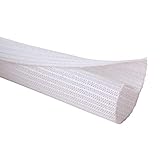
 JOTO 4 Pack Cable Management Sleeve 19-20 Inches4 Pack, 20 Inches9 x 4 x 0.8 inches0.18 PoundsCheck on Amazon

Top 3 picks at a glance
The Short Answer
To determine what size cable management sleeve do i need for wires, you must measure the total diameter of your gathered cable bundle at its widest point and add a 20% to 30% size buffer.
- For 1 to 2 basic cables (such as a standard phone charger and a thin lamp cord), a 1/4-inch (0.63 cm) sleeve is ideal.
- For 3 to 4 standard cables (such as a laptop power adapter, an HDMI cable, and a USB cord), a 1/2-inch (1.27 cm) sleeve is the industry standard.
- For 5 to 8 thick cables (such as multiple desktop monitor cords, power strips, and ethernet cables), you will need a 3/4-inch (1.91 cm) to 1-inch (2.54 cm) sleeve.
- For heavy-duty entertainment setups with 9 or more cords, look for a 1.25-inch (3.18 cm) to 1.5-inch (3.81 cm) sleeve, or consider zippered neoprene wraps that can be fastened together to double their capacity.
Standard Sizes
Cable management sleeves are generally sold by their internal flat width or their expanded circular diameter. Below is a quick-reference sizing guide to help you match your specific cable count to the correct sleeve diameter. Keep in mind that these estimates assume standard-thickness cords (roughly 0.2 inches or 5 mm in diameter, like a typical HDMI or PC power cable).
| Sleeve Diameter (Inches) | Sleeve Diameter (Centimeters) | Average Cable Capacity | Best Use Cases |
|---|---|---|---|
| 1/4 inch | 0.63 cm | 1 to 2 thin wires | Speaker wire routing, mouse & keyboard cables, small smart-speaker plugs. |
| 1/2 inch | 1.27 cm | 2 to 4 standard wires | Standard dual-monitor office desks, gaming console hookups, pet-proofing single cords. |
| 3/4 inch | 1.91 cm | 4 to 6 standard wires | Standing desk bundles, basic home theater setups, multi-peripheral workstations. |
| 1 inch | 2.54 cm | 6 to 10 wires | Complex AV receivers, heavy PC tower cable exits, television wall mounts. |
| 1.25 to 1.5 inches | 3.18 to 3.81 cm | 10 to 15 wires | Server racks, professional studio recording equipment, consolidating multiple power strips. |
When shopping, you will find options ranging from flexible, split braided polyethylene (PET) wrap to soft, zippered neoprene. For example, a 1/2-inch split braided sleeve (like a 10-foot Alex Tech cord protector for around $8 to around $9, or a 25-foot version for around $14) is highly popular because the split design allows you to pop cables in and out along the run without having to unplug them. Alternatively, zippered neoprene sleeves (like a JOTO 4-pack of 19-to-20-inch sleeves for around $9) offer a wider profile and can be zipped together side-by-side if your cable bundle grows unexpectedly over time.
How to Measure Your Space
Before ordering your management sleeves, take five minutes to measure your setup. Guessing by eye almost always results in purchasing a sleeve that is too narrow to close properly.
- Gather and Bind: Gather all the cables that will run along the same path. Hold them tightly together in your hand to simulate how they will sit inside the sleeve. Use a temporary twist-tie or velcro strap to keep them bundled during measurement.
- Measure the Circumference: Wrap a soft sewing tape measure around the thickest part of the bundle. If you do not have a soft tape measure, wrap a piece of string around the bundle, mark the intersection, and measure that flat string length against a standard ruler.
- Calculate the Diameter: Divide your circumference measurement by 3.14 (Pi) to find the diameter. For example, if your bundle’s circumference is 2.35 inches, dividing by 3.14 gives you a bundle diameter of roughly 0.75 inches.
- Add the Buffer: Add at least 20% to your calculated diameter to allow the cables some breathing room and flexibility. In the example above, a 0.75-inch bundle would require a sleeve with an internal diameter of at least 0.9 inches—meaning you should opt for a 1-inch sleeve.
- Measure the Length: Determine the total linear run of your cables. If you are routing cables down the leg of a height-adjustable standing desk, measure the desk at its highest point, then add an extra 6 to 12 inches of length so the sleeve does not pull tight or tear when the desk transitions from sitting to standing.
By Room or Use Case
As we design our homes and work-from-home spaces for 2026 and beyond, integration and invisibility are the golden rules of home styling. Different rooms present unique cable challenges, requiring specific sleeve sizes and materials to look their best.
Home Office & Desk Setups
Modern desk setups typically require managing a mix of thin peripheral cords (mouse, keyboard, webcam) and thicker power cables. For a standard single-monitor desk, a 1/2-inch split braided sleeve is usually the cleanest choice. It tucks neatly against desk legs and can be held in place with simple adhesive clips.
If you have a dual-monitor setup with a docking station and a mechanical keyboard, you will likely need a 3/4-inch or 1-inch sleeve to handle the volume. For height-adjustable standing desks, look for flexible zippered neoprene sleeves. Neoprene stretches to accommodate bulky display port heads and offers excellent elasticity, meaning it won’t crimp or restrict movement as the desk raises and lowers daily.
Entertainment Centers & Living Rooms
The living room is where cable management is most critical for visual peace. Behind a TV console, you are dealing with heavy, rigid cables: HDMI cords, optical audio lines, thick coaxial cables, and power bricks. Because HDMI heads are wide and rigid, feeding them through a solid tube is incredibly frustrating.
For mounted televisions, a 1-inch to 1.5-inch split-wrap or zippered sleeve is recommended. This allows you to route the cables through the wall or down a paintable wall channel without forcing the bulky plugs through a narrow opening. If your media console houses a gaming console, a streaming box, and a soundbar, use a 1-inch braided sleeve to consolidate the cluster into a single, clean black or white trunk that drops straight down behind the center of the console.
Pet Protection & Low-Profile Areas
If you have a puppy, a rabbit, or a curious cat, cable management is not just about home aesthetics; it is a safety necessity. Pets are naturally drawn to the texture of rubber insulated wires. For pet-proofing, a 1/2-inch split wire loom or heavy-duty braided PET sleeve is the gold standard.
Materials like braided polyethylene are incredibly tough and unpleasant for animals to chew on. In these cases, you do not want any empty space inside the sleeve that might allow a pet to sink its teeth through the protective layer. Choose a snug-fitting 1/2-inch sleeve (typically costing between $8 and $15 depending on the length) that wraps tightly around your cords, leaving no slack or loops exposed near the floorboards.
Common Sizing Mistakes
Avoid these three frequent pitfalls to ensure your cable project goes smoothly on the first attempt:
- Forgetting the Plugs: Many DIYers measure only the thin wire run and forget that the sleeve must sometimes pass over the plug heads during installation. If you are using a non-split, solid cylindrical sleeve, you must size the sleeve to fit the largest *plug*, not the wires. To avoid this entirely, always buy split-sleeving or zippered wraps.
- Underestimating Rigid Cables: High-end HDMI cables and heavy power cords are stiff and do not bend easily. If you pack them too tightly into a narrow sleeve, the bundle will become as rigid as a pipe, making it impossible to route around corners or behind tight furniture. Give rigid cables an extra 30% of interior space.
- Neglecting Heat Dissipation: While low-voltage USB and audio cables do not generate heat, power cords for computers, monitors, and gaming consoles can get warm. Overstuffing a sleeve with high-wattage power lines can trap heat. Ensure there is enough interior air space within the sleeve to prevent heat buildup, and never wrap external power brick transformers inside a sleeve.
FAQ
How do I calculate the diameter of my cable bundle?
To find the diameter of your cable bundle, wrap a piece of string tightly around the gathered wires to measure the circumference. Take that measurement in inches or centimeters and divide it by 3.14 (Pi). The resulting number is your bundle’s diameter. Always choose a sleeve size slightly larger than this number.
Can I cut cable management sleeves to custom lengths?
Yes. Neoprene zipper sleeves can easily be cut with standard kitchen scissors. Braided PET split sleeves (such as Alex Tech styles) can also be cut with scissors, but the braided ends will fray over time if left untreated. To prevent fraying, singe the cut edges of a braided plastic sleeve gently with a lighter or use a hot knife to seal the plastic fibers together.
Is it better to use a zipper sleeve or a split braided sleeve?
Zippered neoprene sleeves are best for short runs (under 5 feet) where you need to frequently add or remove cords, such as a busy desk workstation. Split braided sleeves are superior for long runs (10 to 25 feet), tight corners, and low-profile aesthetics, as they naturally wrap around the cords and look less bulky than neoprene.
Can cable sleeves cause wires to overheat?
For standard consumer electronics (computers, TVs, lamps, phone chargers), cable sleeves are perfectly safe and do not present a fire hazard. However, you should never route high-wattage appliance cords (like those for space heaters, portable air conditioners, or microwaves) inside a sleeve, as these require open-air cooling to operate safely.
Related guides
- Best Mini-LED Monitor: Five Listings From a Renewed KTC to a 5K LG, Compared by Pixels and Ports (2026)
- Curved vs Flat Monitor: Which to Choose for Your Desk
- 1440p vs 4K Monitor: Which Should You Choose?
- Best Curved Monitor: Seven 24 to 34 Inch Picks Compared by Curve Radius, Resolution and Inputs (2026)