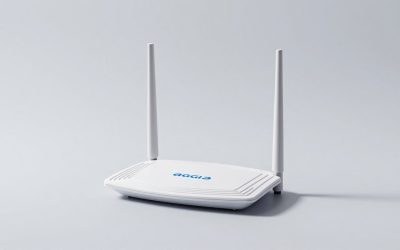
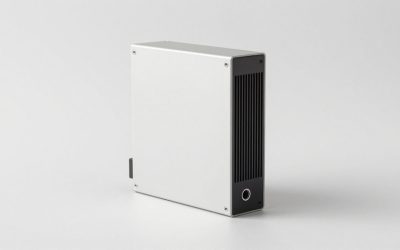
The best WiFi extenders for most homes are Wi-Fi 6 models with a gigabit Ethernet port, such as the TP-Link RE700X or RE715X, ASUS RP-AX58, or NETGEAR EAX80; choose a mesh-compatible model if you want one network name and smoother roaming, and use wired backhaul whenever possible.
A Wi-Fi extender can eliminate a bedroom, garage, upstairs, or patio dead zone without replacing your router. However, the right choice depends on whether you can run Ethernet, how far the weak area is from the router, what speed your internet plan provides, and whether your existing router supports a matching mesh system.
As an Amazon Associate we earn from qualifying purchases at no extra cost to you.




Our Top Picks
 TP-Link AX3000 WiFi 6 Range Extender Internet BoosterWiFi 6, AX30005.87 x 3.07 x 1.42 inches0.57 PoundsCheck on Amazon
 ASUS RP-AX58 AX3000 Dual Band WiFi 6Range Extender5.91 x 2.83 x 3.43 inches0.42 poundsCheck on Amazon
 NETGEAR Nighthawk WiFi 6 Mesh Range Extender EAX80WiFi 6 AX60005 x 10 x 12 inches1.9 poundsCheck on Amazon
 NETGEAR Nighthawk WiFi Extender EAX151.8 Gbps, 1500 sq.ft.7.2 x 4.3 x 4.6 inches0.49 poundsCheck on Amazon


Top 3 picks at a glance
Wi-Fi Extender Choices at a Glance
| Model or class | Wireless class | Ethernet | Best for | Price tier |
|---|---|---|---|---|
| TP-Link RE505X | AX1500 | 1Gbps | Single-room coverage and modest broadband plans | Budget |
| TP-Link RE715X or RE700X | AX3000 | 1Gbps | Most homes, streaming, gaming, and several clients | Mid-range |
| ASUS RP-AX58 | AX3000 | 1Gbps | ASUS AiMesh owners who want integrated management | Mid-range |
| NETGEAR EAX80 | AX6000 | Four gigabit ports | Large homes, wired backhaul, and many simultaneous devices | Premium |
| Tri-band extender class | AX3000 or faster | 1Gbps or faster | Wireless backhaul where Ethernet is unavailable | Mid-range to premium |
Wireless class numbers are theoretical link-rate categories, not guaranteed internet speeds. A device labelled AX3000 does not deliver 3,000Mbps to a single phone or laptop. Walls, interference, client hardware, distance, and the extender’s connection to the router determine the result.
How to Choose a Wi-Fi Extender: Key Criteria
Before comparing individual models, decide which of these features matter for your home. They separate a useful extender from one that simply adds another weak network.
- Wi-Fi standard: Wi-Fi 6 (802.11ax) is the sensible baseline in 2026; it handles many devices more efficiently than Wi-Fi 5. Wi-Fi 7 makes sense mainly when your router and several client devices also support it.
- Band count: dual-band extenders share radio time between the router link and your devices. Tri-band models dedicate a radio to backhaul, which helps when the extender sits far from the router.
- Ethernet port: at least one gigabit port lets you connect a console, TV or PC directly, or use wired backhaul in access-point mode. Multi-gig ports matter only if your broadband plan or local network exceeds roughly 1Gbps.
- Mesh ecosystem: if your router supports ASUS AiMesh, TP-Link OneMesh or EasyMesh, or a NETGEAR mesh system, a matching extender usually gives better roaming and centralized management.
- Form factor: wall-plug extenders are tidy but limited by outlet location; desktop units can be positioned more freely and often have more ports and larger antennas. Some plug-in models include a pass-through outlet so you do not lose the socket.
- Access-point mode: essential if you might run Ethernet later; it turns the extender into a wired access point without buying new hardware.
- Security and updates: look for WPA3 support and a manufacturer with a track record of regular firmware updates, since extenders are always-on network devices.
- Setup app and indicators: a signal-strength indicator or app reading makes correct placement far easier than guessing.
Avoid unbranded extenders that promise huge coverage areas or dramatic speed gains with no clear Wi-Fi class, band information or firmware support. Coverage claims in square feet are best-case estimates; your walls, floors and interference set the real limit.
Best Overall: A Dual-Band AX3000 Extender
An AX3000 extender such as the TP-Link RE700X or RE715X is the sensible middle ground for many households. These models support Wi-Fi 6, provide a gigabit Ethernet port, and have enough radio capacity for 4K streaming, video calls, downloads, and gaming without paying for an enterprise-level access point.
Choose this class when your internet plan is roughly 100–1,000Mbps and the dead zone is one or two rooms away. It is also a good fit for a console or smart TV because the Ethernet port can connect a nearby device directly, avoiding the extra wireless hop between the extender and the client.
Dual-band extenders usually share their available wireless capacity between the router connection and connected devices. If the extender receives 500Mbps from the router, the usable client speed may be substantially lower after airtime overhead, retransmissions, and simultaneous traffic. That is normal rather than a fault.
Best for a Smaller Dead Zone: TP-Link RE505X
The TP-Link RE505X is a practical choice for a home office, hallway, or one weak bedroom. Its AX1500 rating is less ambitious than AX3000, but Wi-Fi 6 support and a gigabit Ethernet port make it more useful than an older 802.11n extender.
It makes the most sense when the router is reasonably close, the extension area has only a few devices, and the broadband plan is below about 500Mbps. It is not the best choice for extending a fast connection across several floors or supporting a crowded household.
Best for ASUS Routers: ASUS RP-AX58
The ASUS RP-AX58 is especially attractive when the main router is an ASUS model that supports AiMesh. In that configuration, the extender can participate in a more unified network, with centralized settings and better roaming behaviour than a generic repeater network.
AiMesh compatibility is not the same as universal compatibility. An ASUS extender may still work with a non-ASUS router as a conventional extender, but some mesh functions require compatible ASUS hardware and appropriate firmware. Check the exact router and extender support lists before buying.
Best for Wireless Backhaul: A Tri-Band Extender
If you cannot run Ethernet and the extender must serve several busy devices, a tri-band design is worth considering. It can reserve one radio for communication with the router while using another radio for phones, laptops, televisions, and consoles.
This does not eliminate every performance penalty, but it avoids forcing the same radio channel to receive data from the router and retransmit it to clients at the same time. A dual-band model can still be faster in a clean, short-range location, so tri-band is most useful when the wireless link between floors or rooms is the difficult part.
Best Tri-Band Wi-Fi 6 Pick: TP-Link RE815X

The TP-Link RE815X is a concrete example of the tri-band extender class described above. Its AX5400 rating comes from three radios: one 2.4GHz band and two 5GHz bands. That arrangement lets the extender dedicate one 5GHz radio to the link back to the router while phones, laptops, consoles and TVs use the other 5GHz radio, which avoids the airtime penalty of a dual-band unit receiving and retransmitting on the same channel.
It also includes an Ethernet port, which gives you two useful options. You can plug a console, desktop or smart TV into the extender for a wired connection to the device, or, where a cable can reach the router, run the extender with wired backhaul in access-point mode for the most consistent performance.
Who it is for: households that cannot run Ethernet to the dead zone, have several busy devices in the extended area, and want more consistent throughput across a floor or a long hallway than a dual-band extender typically delivers.
Strengths: dedicated wireless backhaul capacity, Wi-Fi 6 for clients, an Ethernet port for a nearby wired device, and TP-Link’s familiar Tether app setup.
Drawbacks: it costs noticeably more than dual-band AX3000 extenders and approaches the price of an entry mesh system. A tri-band unit only helps if the backhaul link is the bottleneck; in a short, clean signal path, a cheaper AX3000 model can perform similarly. Check TP-Link’s compatibility list if you want it to join a OneMesh or EasyMesh network with your router.
How it compares: it sits above the RE715X and RE700X recommended earlier in capability and price. Choose it over those models when the extender must be placed relatively far from the router and serve several active devices at once.
Best for Seamless Roaming: NETGEAR Nighthawk EAX15

The NETGEAR EAX15 is an AX1800 dual-band Wi-Fi 6 extender rated by NETGEAR for up to 1,500 square feet of added coverage. Its main appeal is that it can extend your existing network name, so phones and laptops move between the router and extender without you manually switching networks. That is the “single network name” benefit mentioned earlier in this guide, and it removes one of the biggest annoyances of older repeaters.
A wall-plug form factor keeps it tidy, and it includes an Ethernet port for a nearby wired device such as a console or streaming box. The AX1800 rating sits between the AX1500 and AX3000 classes in the table above, which makes it a balanced option for a medium-sized dead zone with a moderate number of devices.
Who it is for: homes with one coverage gap where family members walk around with phones and tablets, and where seamless movement matters more than maximum throughput.
Strengths: single-network roaming, compact plug-in design, Wi-Fi 6 support, and straightforward app setup.
Drawbacks: as a dual-band unit, it shares capacity between the router link and clients, so speeds fall more with distance than with a tri-band design. Roaming behaviour also depends on your devices; some older clients cling to a weak signal longer than they should.
How it compares: it offers similar coverage goals to the TP-Link RE505X but with a slightly higher wireless class. Versus the RE715X or RE700X, it gives up some peak capacity in exchange for simpler roaming.
Best Wi-Fi 7 Extender for ASUS Owners: ASUS RP-BE58

The ASUS RP-BE58 is the Wi-Fi 7 successor to the RP-AX58 covered above. It is a BE3600 dual-band (802.11be) range extender that supports ASUS AiMesh, so it can join an AiMesh network as a managed node, and ASUS states it also works as a standard extender with any Wi-Fi router.
Wi-Fi 7 brings improvements such as Multi-Link Operation (on supported routers and clients), wider channels and more efficient modulation. In a dual-band extender, the practical benefit is better efficiency with newer phones and laptops and more headroom as you add Wi-Fi 7 devices, rather than a dramatic jump in internet speed on an ordinary broadband plan.
Who it is for: owners of a newer ASUS router who want an extender that fits into AiMesh and future-proofs a dead zone for Wi-Fi 7 devices.
Strengths: AiMesh integration for centralized management, Wi-Fi 7 support, and compatibility with non-ASUS routers as a conventional extender.
Drawbacks: as a dual-band design, it does not include the 6GHz band, so the cleanest Wi-Fi 7 spectrum is not available. AiMesh features require a compatible ASUS router and current firmware. Check the listing for the Ethernet port speed if you plan to use wired backhaul.
How it compares: versus the RP-AX58, it adds Wi-Fi 7 at a modestly higher price. If your devices and router are Wi-Fi 6, the RP-AX58 remains the better value.
Best Wi-Fi 7 Extender for Mixed Routers: NETGEAR Nighthawk EXS27

The NETGEAR EXS27 is a Wi-Fi 7 extender rated for up to 1,500 square feet of added coverage, with a combined wireless rating of 5Gbps. NETGEAR positions it for households with many devices and a growing number of Wi-Fi 7 phones and laptops, and it is designed to work with routers from any brand.
For a buyer planning ahead, the EXS27 is a sensible way to add Wi-Fi 7 capacity to one area of the home without replacing the router. If the router is also Wi-Fi 7, newer clients can take advantage of Wi-Fi 7 efficiency; with an older router, the extender still serves devices but the link to the router is limited by the router’s capabilities.
Who it is for: homes with a fast broadband plan, several newer devices in the extended area, and a router from any brand.
Strengths: Wi-Fi 7 support, a higher wireless class than most Wi-Fi 6 extenders, and broad router compatibility.
Drawbacks: it sits in the premium tier for an extender, approaching the price of some Wi-Fi 7 routers or entry mesh kits. Check the listing for its exact band configuration and Ethernet port speed before buying. As with any wireless extender, placement and backhaul strength matter more than the headline rating.
How it compares: versus the ASUS RP-BE58, it is the better fit when you do not own an ASUS router. Versus the NETGEAR EAX80 in the table above, it trades Wi-Fi 6 multi-port flexibility for the newer standard.
Best When Walls Block Wi-Fi: TP-Link AV1000 Powerline + AX1500 Wi-Fi 6 Kit

Some homes defeat every wireless extender: thick masonry walls, concrete floors, foil-backed insulation, or a detached garage or garden office. This TP-Link kit takes a different route. An AV1000 powerline adapter plugs in near the router and connects to it by Ethernet, sending data through the home’s electrical wiring to a second unit that creates an AX1500 Wi-Fi 6 network in the problem area.
In effect, powerline acts as a substitute for running Ethernet. The remote unit does not need to hear the router’s Wi-Fi at all, so it can be placed directly in the dead zone, which reverses the “halfway placement” rule for wireless extenders described in this guide.
Who it is for: homes where Wi-Fi cannot get through walls or floors, and where running Ethernet cable is impractical.
Strengths: placement inside the dead zone, no wireless backhaul penalty, Wi-Fi 6 at the remote end, and simple plug-in setup.
Drawbacks: powerline performance depends heavily on the electrical wiring. Adapters on different circuits or breakers, long cable runs, older wiring and electrical noise from appliances can all reduce speed. Plug adapters directly into wall sockets rather than surge-protected power strips, which can filter the signal. The AX1500 Wi-Fi side suits a small area rather than a large floor.
How it compares: versus a tri-band extender like the RE815X, powerline is the better choice when walls are the problem rather than distance. Where wiring is poor, a mesh system or a properly run Ethernet cable is still more dependable.
Wired Backhaul Versus Wireless Backhaul
Wired backhaul is the best option. Connect the extender to the router with Cat5e or better Ethernet, then configure it as an access point if the model supports that mode. Client traffic no longer has to make a wireless trip to the router, which improves consistency and reduces latency.
Wireless backhaul is easier to install but more sensitive to distance and interference. A single client transaction may involve the extender receiving data over Wi-Fi and transmitting it again, consuming additional airtime. In a busy 5GHz environment, this can reduce practical throughput by roughly one-third to one-half compared with a similar direct connection. The exact loss varies widely and should be treated as a planning estimate, not a guaranteed benchmark.
How Much Speed Do You Actually Need?
Calculate the likely traffic before paying for a high-end extender. A typical 4K video stream may use around 15–25Mbps, while a 1080p stream often uses about 5–8Mbps. Add video calls, game downloads, cloud backups, and other household activity rather than sizing for one device alone.
For example, suppose a household has two 4K streams at 20Mbps each, one video call at 6Mbps, and a game download using 100Mbps. The active demand is approximately:
(2 × 20) + 6 + 100 = 146Mbps.
Because Wi-Fi is shared and the extender may lose capacity to its backhaul, target at least 250–300Mbps of stable usable capacity in that area. An AX1500 model may be adequate if the signal path is short, while an AX3000 or wired access point gives more margin.
Additional Extender Picks Compared
| Model | Wi-Fi standard | Design | Best for | Price tier |
|---|---|---|---|---|
| TP-Link RE815X | Wi-Fi 6, AX5400 | Tri-band, Ethernet port | Long wireless backhaul with several busy devices | Mid-range to premium |
| NETGEAR Nighthawk EAX15 | Wi-Fi 6, AX1800 | Dual-band plug-in, Ethernet port | Seamless roaming in one dead zone | Budget to mid-range |
| ASUS RP-BE58 | Wi-Fi 7, BE3600 | Dual-band, AiMesh | ASUS router owners adding Wi-Fi 7 | Mid-range |
| NETGEAR Nighthawk EXS27 | Wi-Fi 7 | High-capacity extender | Fast plans and many newer devices, any router | Premium |
| TP-Link AV1000 Powerline + AX1500 Kit | Wi-Fi 6, AX1500 (remote unit) | Powerline backhaul | Thick walls, outbuildings, no Ethernet | Budget to mid-range |
Extender, Mesh, Powerline or Access Point?
All four approaches extend coverage, but each fixes a different problem. Choosing the wrong one is the most common reason buyers feel an extender “did not work”.
- Wireless extender: the lowest-cost fix for one dead zone that is still within reasonable range of the router. Performance depends on the wireless link back to the router.
- Mesh system: replaces or works alongside the router with several coordinated nodes, one network name and managed roaming. Best for large or multi-floor homes with more than one weak area.
- Powerline kit: uses electrical wiring as backhaul. Best when walls or floors block Wi-Fi, provided the wiring is reasonably modern and the adapters share a circuit.
- Wired access point: an Ethernet-connected access point (or an extender in access-point mode) delivers the most consistent results, because nothing between the router and the access point is wireless. Best whenever a cable can be run, including through MoCA adapters over existing coaxial cable.
Wi-Fi 7 Extenders: Worth It in 2026?
Wi-Fi 7 extenders are now widely available, but the upgrade only pays off when several conditions line up. Your router should support Wi-Fi 7 so the backhaul link benefits; you should own Wi-Fi 7 phones, laptops or consoles in the extended area; and your broadband plan or local network traffic should be fast enough to use the extra capacity. If you have a Wi-Fi 6 router and mostly older devices, a good Wi-Fi 6 extender delivers nearly the same day-to-day experience at a lower price.
Also check whether a Wi-Fi 7 extender is dual-band or tri-band. Dual-band models omit the 6GHz band, which is the least congested spectrum and one of Wi-Fi 7’s main advantages. Tri-band Wi-Fi 7 extenders with 6GHz are more capable but typically cost as much as a capable router.
Using an Extender for Online Gaming
Gamers care more about latency and consistency than headline speed. Online games use little bandwidth, but every extra wireless hop adds delay and a chance of jitter or packet loss. For the best results:
- Connect consoles and gaming PCs to the extender’s Ethernet port rather than its Wi-Fi, which removes one wireless hop.
- Use wired backhaul or powerline backhaul where possible, so the extender-to-router link is stable.
- If the backhaul must be wireless, choose a tri-band extender or place a dual-band model where the router signal is strong.
- Schedule large game downloads and cloud backups for off-peak hours so they do not compete with live matches.
- Test with an in-game network graph or a ping test from the gaming location at the times you usually play. Ping spikes rather than average ping are the clearest sign the extender link is struggling.
Compatibility Decision Matrix
| Your situation | Recommended choice | Reason |
|---|---|---|
| One room is weak; broadband is under 500Mbps | AX1500 extender | Lower cost and sufficient capacity for a small client load |
| Several devices need coverage on the same floor | AX3000 dual-band extender | More client capacity and better long-term headroom |
| Ethernet cable can reach the dead zone | Any suitable model with access-point mode | Wired backhaul provides the most consistent performance |
| No Ethernet and the extender is far from the router | Tri-band extender | A dedicated backhaul radio reduces wireless contention |
| Existing ASUS router with AiMesh | ASUS RP-AX58 or another AiMesh-compatible unit | Centralized management and better ecosystem integration |
| Several dead zones or a large multi-floor home | Full mesh system or wired access points | Multiple repeaters can create overlapping, inconsistent links |
Planning Coverage by Home Type
The same extender can perform very differently depending on the building. Use your home’s layout as a starting point before choosing a model.
Apartments and small homes
Dead zones in apartments usually come from one thick wall, a bathroom full of tile and pipes, or a router placed in a corner cupboard. Before buying anything, try moving the router to a more central, open position. If a weak room remains, a compact AX1500 or AX1800 plug-in extender is usually enough. Neighbouring networks are the bigger problem here, so a model with good 5GHz performance and a clean channel matters more than raw range.
Two-storey homes
Floors attenuate Wi-Fi more than most interior walls, especially with concrete or underfloor heating. Place the extender on the upper landing or at the top of the stairs, roughly above or near the router rather than at the far end of the upper floor. An AX3000 dual-band extender suits one weak bedroom upstairs; a tri-band model or wired backhaul helps when several rooms need strong signals.
Long single-storey homes
Distance is the main challenge in long, single-level homes. A single extender halfway along the main hallway often covers the far rooms well. If the router sits at one end of the house, consider moving it to the middle first, or use an extender with Ethernet backhaul from a cable run through the attic or crawl space.
Garages, garden offices and outbuildings
Exterior walls, metal doors and distance usually defeat indoor extenders here. A powerline kit works if the outbuilding shares the home’s electrical system on a reasonably direct circuit; otherwise, a buried Ethernet cable, a point-to-point wireless bridge, or an outdoor-rated access point is more reliable. Indoor extenders placed in unheated or damp spaces may also fall outside their operating conditions.
Homes with many smart devices
Dozens of cameras, plugs and sensors put more strain on client capacity than on throughput. Choose a Wi-Fi 6 or Wi-Fi 7 extender with good multi-device handling, keep the 2.4GHz band enabled for smart-home devices, and avoid chaining repeaters, which multiplies airtime use.
How to Place an Extender Correctly
Do not place the extender inside the dead zone. It needs a healthy signal from the router so it can relay that signal onward.
-
Stand roughly halfway between the router and the problem area, preferably in an open hallway or landing.
-
Use the extender’s setup app or signal indicator to check the router link. A strong or good status is more important than being physically close to the client.
-
Keep it away from metal cabinets, large appliances, concrete corners, aquariums, and enclosed furniture.
-
Move it one room closer to the router if the backhaul signal is weak. A slightly smaller coverage area with a strong connection is usually faster than a distant extender with maximum range.
-
After setup, test from the actual dead-zone location at different times of day. Interference from neighbouring networks can change the result.
Setup Settings That Prevent Common Problems
Give the extender a few minutes to select channels, then check these settings:
- Use 5GHz for the backhaul when the signal is strong: it normally offers more capacity than 2.4GHz, but 2.4GHz may be more reliable through several walls.
- Use 2.4GHz for distant low-bandwidth devices: smart plugs and basic sensors benefit more from range than speed.
- Keep channel width reasonable: 20MHz on 2.4GHz is usually the safest setting in crowded areas. Use 80MHz on 5GHz only when the channel environment is clean; 40MHz can be more stable in dense neighbourhoods.
- Update the router and extender firmware: compatibility and roaming problems are often firmware-related.
- Use access-point mode for Ethernet: this avoids an unnecessary wireless repeat and lets the router handle addressing and routing.
- Do not create several unrelated network names unless necessary: a single network name can make movement easier, but some older clients behave better when the bands have distinct names during troubleshooting.
Step-by-Step Extender Setup
- Update the router first. Install the latest router firmware, which often fixes mesh and roaming issues before they appear.
- Start the extender near the router. Plug it into an outlet in the same room for initial setup, so pairing is quick and reliable.
- Use the app rather than WPS where possible. The manufacturer’s app guides you through network selection, naming and firmware updates. WPS pairing works, but the app gives more control and shows signal quality.
- Choose the network name approach. Use the same name for mesh-capable extenders; for basic repeaters, decide whether a single name or a distinct name suits your devices.
- Update the extender’s firmware. Do this before moving it to its final position.
- Move it to the halfway point. Relocate the extender between the router and the dead zone and check the backhaul indicator. Adjust one outlet closer if the signal reads as weak.
- Switch to access-point mode if you run a cable. Connect the extender to the router by Ethernet and change the operating mode in the app.
- Test from the problem area. Run speed and ping tests where you actually use devices, at busy and quiet times of day.
Troubleshooting Common Extender Problems
- Fast near the extender, slow at the device: the device may still be connected to the router’s weak signal. Turn its Wi-Fi off and on, or temporarily use a distinct extender network name to force the connection.
- Full signal bars but slow speeds: bars show the device-to-extender link, not the extender-to-router link. Check the backhaul indicator and move the extender closer to the router.
- Frequent disconnections: update firmware on both router and extender, avoid placing the extender behind TVs or metal furniture, and check whether a crowded channel needs changing.
- Devices cannot get an internet connection: confirm the extender is in the right mode; an extender set to access-point mode without an Ethernet connection will not work.
- Smart-home devices will not connect: many only support 2.4GHz. Make sure the extender’s 2.4GHz band is enabled, and pair those devices with that band.
- Speeds drop in the evening: neighbouring networks get busier. Try a less congested channel, a narrower channel width on 5GHz, or wired backhaul.
- Extender stops responding: power-cycle it, check for overheating in an enclosed space, and reset to factory settings as a last resort before setting it up again.
When an Extender Is the Wrong Fix
A repeater is not a cure for a poor internet connection entering the home. If the router itself receives low speed, frequently disconnects, or has a failing 2.4GHz or 5GHz radio, adding an extender only spreads the problem.
Consider a mesh system or wired access points when the home has multiple dead zones, thick masonry walls, more than one floor, or many simultaneous users. A single well-placed extender is economical for one coverage gap; several wireless repeaters can produce confusing roaming, extra interference, and uneven performance.
For most buyers, start with an AX3000 model that supports gigabit Ethernet and the mesh ecosystem used by your router. Choose AX1500 for a small, lightly used area, tri-band for a difficult wireless backhaul, and wired access-point mode whenever you can run a cable.
Frequently Asked Questions
Do Wi-Fi extenders reduce internet speed?
A wireless extender usually delivers lower speeds than a direct connection close to the router, because data must travel an extra wireless hop and dual-band units share airtime between the router link and clients. However, in a dead zone where the signal was unusable, the extender still improves the experience. Wired or powerline backhaul and tri-band designs reduce the penalty.
Will any extender work with my router?
Most extenders work with any standard router as basic repeaters. Mesh features, such as centralized management and coordinated roaming, usually require a matching ecosystem: ASUS AiMesh, TP-Link OneMesh or EasyMesh, or a specific NETGEAR system. Check the manufacturer’s compatibility list before relying on those features.
Should the extender use the same network name as my router?
Using the same name makes movement around the home simpler, and mesh-capable extenders manage this well. With basic repeaters, some devices stay connected to a weak signal instead of switching. If you notice that, temporarily giving the extender a distinct name helps diagnose whether roaming is the problem.
Is a mesh system better than an extender?
For one weak room, an extender is the economical choice. For multiple dead zones, several floors or many simultaneous users, a mesh system usually delivers more consistent coverage and roaming, because its nodes are designed to work together.
How far from the router should I place an extender?
Roughly halfway between the router and the dead zone, where the extender still receives a strong signal. Use the setup app’s signal indicator, and move the extender closer to the router if the link reads as weak. Powerline units are the exception, as their remote unit can go directly in the dead zone.
Can I use more than one extender?
You can, but chaining several basic repeaters often creates overlapping networks, extra interference and inconsistent speeds. If you need more than one, connect each to the router directly rather than through another extender, or move to a mesh system or wired access points.